A simple and useful understanding of interaction design
Interaction design can be understood in simple (but not simplified) terms: it is the design of the interaction between users and products. Most often when people talk about interaction design, the products tend to be software products like apps or websites. The goal of interaction design is to create products that enable the user to achieve their objective(s) in the best way possible.
If this definition sounds broad, that’s because the field is rather broad: the interaction between a user and a product often involves elements like aesthetics, motion, sound, space, and many more. And of course, each of these elements can involve even more specialised fields, like sound design for the crafting of sounds used in user interactions.
As you might already realise, there’s a huge overlap between interaction design and UX design. After all, UX design is about shaping the experience of using a product, and most part of that experience involves some interaction between the user and the product. But UX design is more than interaction design: it also involves user research (finding out who the users are in the first place), creating user personas (why, and under what conditions, would they use the product), performing user testing and usability testing, etc.
Common Methodologies
Although interaction design spans myriad types of web and mobile applications and sites, there are certain methodologies that all designers rely on. We’ll explore some of the more common methodologies here: goal-driven design, usability, the five dimensions, cognitive psychology, and human interface guidelines.
Goal-Driven Design
Goal-driven design as design that holds problem solving as a highest priority. In other words, goal-driven design focuses first and foremost on satisfying specific needs and desires of the end-user, as opposed to older methods of design, which focused on what capabilities were available on the technology side of things.
Usability
Usability may feel like a vague term, but at its heart, designers are simply asking “can someone easily use this?” It’s been explained in books and online in a myriad of ways, and we will review a few different definitions to uncover some common themes and nuances:
the international standard (ISO 9241) has also broken down the word into five principles.
Learnability: how easily can a new user learn to navigate the interface?
Understandability: how well can a user understand what they are seeing?
Operability: how much control does the user have within the interface?
Attractiveness: how visually appealing is the interface?
Usability compliance: does the interface adhere to standards? Clearly, there are common themes that make up what it means for an interface to be “usable.” Regardless of the usability principles a designer follows, it’s an important consideration for any interface.
Personas
Personas are archetypes that describe the various goals and observed behaviour patterns among users.
A persona encapsulates critical behavioural data in a way that both designers and stakeholders can understand, remember and relate to. Personas use storytelling to engage users’ social and emotional aspects, which allows designers to either visualize the best product behaviour or see why the recommended design is successful.
Cognitive dimensions
The cognitive dimensions framework provides a vocabulary to evaluate and modify design solutions. Cognitive dimensions offer a lightweight approach to analysis of a design quality, rather than an in-depth, detailed description. They provide a common vocabulary for discussing notation, user interface or programming language design.
Dimensions provide high-level descriptions of the interface and how the user interacts with it: examples include consistency, error-proneness, hard mental operations, viscosity and premature commitment. These concepts aid the creation of new designs from existing ones through design maneuvers that alter the design within a particular dimension.
Affective interaction design
Designers must be aware of elements that influence user emotional responses. For instance, products must convey positive emotions while avoiding negative ones.Other important aspects include motivational, learning, creative, social and persuasive influences. One method that can help convey such aspects is for example, the use of dynamic icons, animations and sound to help communicate, creating a sense of interactivity. Interface aspects such as fonts, color palettes and graphical layouts can influence acceptance. Studies showed that affective aspects can affect perceptions of usability.
The Five Dimensions
Dimensions make up the interactions themselves, and as a result they make up the communication between a user and the screen. The four original dimensions are: words, visual representations, physical objects or space, and time. More recently, Kevin Silver, senior interaction designer at IDEXX Laboratories, has added a fifth dimension, behavior.
1D: words should be simple to understand, and written in such a way that they communicate information easily to the end user.
2D: visual representations are all graphics or images, essentially everything that is not text. They should be used in moderation, so as to not overwhelm.
3D: physical objects or space refers to the physical hardware, whether it’s a mouse and keyboard, or a mobile device a user interacts with.
4D: time is the length that the user spends interacting with the first three dimensions. It includes the ways in which the user might measure progress, as well as sound and animation.
5D: behavior was added by Kevin Silver in his article, What Puts the Design in Interaction Design. It is the emotions and reactions that the user has when interacting with the system.
Using these five dimensions, an interaction designer can pay attention to the very experience the user has when communicating and connecting with a system.
what do interaction designers do?
Well, it depends.
For instance, if the company is large enough and has huge resources, it might have separate jobs for UX designers and interaction designers. In a large design team, there might be a UX researcher, an information architect, an interaction designer, and a visual designer, for instance. But for smaller companies and teams, most of the UX design job might be done by 1-2 people, who might or might not have the title of “Interaction Designer”. In any case, here are some of the tasks interaction designers handle in their daily work:
Design strategy
This is concerned with what the goal(s) of a user are, and in turn what interactions are necessary to achieve these goals. Depending on the company, interaction designers might have to conduct user research to find out what the goals of the users are before creating a strategy that translates that into interactions.
Wireframes and prototypes
This again depends on the job description of the company, but most interaction designers are tasked to create wireframes that lay out the interactions in the product. Sometimes, interaction designers might also create interactive prototypes and/or high-fidelity prototypes that look exactly like the actual app or website.
Many sites are over-designed, with too many elements on the page, distracting visitors from the purpose of the site. In effective web design, simplicity rules. Not only does a clean, fresh design make the site easier to navigate, but the aesthetics are more appealing and will stand the test of time. It is unnecessary, as well as distracting, to load a site with design features that don’t serve a purpose. What is the purpose of your company website? To direct new business directly into the lap of your enterprise, in volume, keep your design simple so your users can find their way naturally and easily.
2. Innovative but Not Distracting
An impressive design involves creativity and natural talent. Professionals in the design industry understand how to use whitespace. Whitespace, or negative space, is the area of the page that is “empty,” found between graphic elements, images, and text. An innovative use of design elements and whitespace creates a less distracting, more appealing design, and guides visitors where you want them to go. Consider the iconic logos of Apple and Google — unforgettable. Simple, clean design, surrounded by whitespace makes a website more effective. Cheaper, lower quality products often have busy, noisy, ad-oriented designs, and website visitors automatically consider a distracting site to be promoting a lower quality product.
3. Aesthetically Appealing – To the RIGHT Users
Research into buyer habits can reveal the type of image, colors, and other design features that are appealing to those you want to reach. Each “buyer persona” has specific likes and dislikes, and research into likes/dislikes are essential. High numbers of site visitors are useless if they are not those who will eventually convert — and buy.
4. Respectful, Honest, and Engaging
Every word, phrase, and headline must be respectful of the user, honest, and have some engaging quality that makes it intriguing. As an example, “put your roof to work” would be more likely to get a response than “find a solar installer.” The basic concept is that people want honesty, and appreciate it. Your company may participate in various charity events, or donate time to causes you care about – let them know who you are. Become real.
5. Designed for Usability and Functionality
usability and functionality must drive each decision – outstripping any other design consideration. To achieve a clear, easy, and ultimately, direct path to conversions, both design and technical issues come into play. Every link must function fast, and every button and call to action must be positioned correctly, demanding as little effort as possible for the visitor to move forward to the next step.
6. Easily Understood
Site visitors must be able to easily understand every word, phrase, and headline without any confusion. One unusual or less commonly used word or phrase will drive them off. Industry-specific terms that are not in common usage will hinder your appeal. Dense, complex content won’t work. Calls to action that are unclear or hard to find will be skipped – and you have one more lost customer. All site content and each visual element must be laid out clearly and cleanly, with all critical conversion points visible above the fold (not requiring scrolling to find). Any deviation merely creates a barrier to conversion.
7. Design Elements Inspire Users to go Deep
Your homepage must have an initial appeal in design and usability. Every design feature is then developed with the specific purpose to inspire the visitor to find out more – and go deeper into your site, and in the end, convert and become a customer. It takes rare skills to achieve this purpose, as well as experience and insight into user behaviors. Nothing should be left to chance – your design should naturally lead them to where you want them to go.
8. Visual Elements Placed to Focus User Attention
All design features create an open, inviting path to conversions. Design elements can be explicit, such as arrows, or very subtle. These design elements act as cues that focus visitor attention exactly where it needs to go. Giving the eyes only one design element on which to focus and carefully positioning calls to action are critical factors that must be carefully planned and executed to result in high numbers of conversions.
9. Emphasis on What Matters Most
The essence of your presentation must clearly communicate that your business is the place to solve a specific problem or need. The balance between images and copy are just one part of this process. To appeal to the target audience, emphasis must be placed upon what your customer wants most. For results, it is necessary to research what your customers, as a group, are looking for, and the questions they are asking. Once these needs and wants are identified, you work with these concepts to create a presentation that emphasizes these with color, design, and text.
10. Elements of good design
LINE
In design, a line is any connected space between two points. This basic element can be dotted, dashed, thick or thin, in order to evoke different emotions and reactions. Lines are often used for dividing space and drawing the eye to a specific location—for instance, a newspaper may use lines to separate different category sections or columns of text throughout their paper.
COLOR
Color plays a huge role in how customers relate to your brand and influences their responses to your print marketing. Each color represents different emotions and personalities, and can affect the mood of your visual designs. Choosing one individual color to use on your designs is easy, but combining one with other multiple colors typically requires a better understanding of its psychological meaning and influence.
SHAPES
Shapes are defined by boundaries, such as the lines and colors mentioned above, and they are often used to emphasize a portion of the page. Everything is ultimately a shape, so you must always think in terms of how the various elements of your design are creating shapes, and how those shapes are interacting. Typically shapes can add interest to your elements—angular shapes indicate masculinity, while smooth, curvy shapes tend to indicate femininity.
SPACE
While many would consider blank space, or white space, to be wasted space, we believe that less is actually more. The human eye prefers to look at visuals that are not cluttered or crowded, and white space can assist in clearer communication and effective graphic design.
TEXTURE
Texture is becoming integral to design. It’s gone beyond being a trend — it’s now a simple and effective way to add depth to a website. Wielding the power of texture is a great responsibility. It increases the effectiveness of websites and is a quality tool in the arsenal of designers. It can guide the user’s eye and emphasize the importance of key elements.
size
The fifth element is size, which is how big or small something is. In design, size can function, size can attract or size can organize.
When you are designing a piece, size plays an important role in making a layout functional, attractive and organized. The first factor you need to consider is function-what the printed size of the piece will be. Think about how the piece will ultimately be used and whether the its use will end up limiting the size.
To attract your viewers attention, make the most important element the largest and the least important element the smallest. Headlines are usually the largest type element on the page, while subheadlines, and body text is smaller. Larger objects appear to be closer on the page than smaller ones, and that can be used to reinforce importance and create artificial spacial relationships.
To use size in your piece:
Make the most important element the largest.
1.Bring elements forward or make elements recede on the page.
2.Give the reader a sense of scale of a photograph by using a related image.
3.To make all elements easy to see by using larger type or pictures.
4.Contrast two elements to add interest by adding a small amount of type to large image.
5.Make elements fit together properly in a piece by keeping repeating elements such as headlines, sub headlines and body copy the same size.
my web design
Examples of bad web design & what makes it bad design
Theuse of computers and telecommunications systems in society grew rapidly, so did incidents of computer related crime. The law as it stood was unable to deal with the new crimes being committed involving computers.
The Government set up a Royal Commission to look at the whole area of computer misuse. This resulted in the government introducing the “Computer Misuse Act 1990″.
The Act contains three sections covering various misuses.
Unauthorised access to computer material.
Unauthorised access with intent to commit or facilitate commission of further offences.
Unauthorised modification of computer material.
The first section deals with “basic hacking”, which is getting access to a computer system, data or a program without permission. If for example a pupil finds the teacher’s password and uses it to access the school computer system, even though no damage to files or data has been done, it is still a crime. This section of the Act only covers unauthorised access of a computer system, so viewing or printing out another users word-processed file without permission is also a crime.
The second section applies to situations when a computer system is being used to help in committing another crime. If a computer is being used to steal money from a bank account or used to help disable an alarm system to aid a robbery then it is covered by this section of the act.
The third section of the Act covers “expert hacking”, which is the modification of data on a computer system without permission. It is this section that covers the deliberate planting of viruses on a computer system. It also covers the deletion or modification of another users file. It could also apply to a student who changes the system setup files on a computer, without permission.
Latest situation
The Schedule 1 Part II ‘Conspiracy’ of the Criminal Justice (Terrorism and Conspiracy) Act 1998 amended Section 8 (relevance of external law), Section 9(2)(b) (British citizenship immaterial: conspiracy) and Section 16 (application to Northern Ireland). For text see reference.
In 2004, the All-Party Internet Group published its review of the law and highlighted areas for development. Their recommendations led to the drafting of the Computer Misuse Act 1990 (Amendment) Bill which sought to amend the CMA to comply with the European Convention on Cyber Crime.[13] Under its terms, the maximum sentence of imprisonment for breaching the Act changed from six months to two years. It also sought to explicitly criminalize denial-of-service attacks and other crimes facilitated by denial-of-service. The Bill did not receive Royal Assent because Parliament was prorogued.
Sections 35 to 38 of the Police and Justice Act 2006 contain amendments to the Computer Misuse Act 1990.
Section 37 (Making, supplying or obtaining articles for use in computer misuse offences) inserts a new section 3A into the 1990 Act and has drawn considerable criticism from IT professionals, as many of their tools can be used by criminals in addition to their legitimate purposes, and thus fall under section 3A.
After the News International phone hacking scandal in 2011, there are ongoing discussions about amending the law to define “smart” phones (i.e. those with Internet browsers and other connectivity features) as computers under the Act. This amendment may also introduce a new offence of making information available with intent, i.e. publicly disclosing a password for someone’s phone or computer so that others can access it illegally.
In 2015, the Act was further amended by Part 2 sections 41 to 44 (plus others) of the Serious Crime Act 2015.
Talk Talk hacker, 19, pleads guilty at the Old Bailey
A 19-year-old man has pleaded guilty to involvement in the major hack attack of the telecoms firm TalkTalk last year.
Daniel Kelley, from Llanelli, Carmarthenshire, pleaded guilty to hacking at the Old Bailey.
Judge Paul Worsley warned Kelley that, despite having no previous convictions, jail time was “inevitable” and that he should “prepare” himself.
Personal data belonging to nearly 157,000 customers was stolen from TalkTalk in October 2015.
Earlier, a 17-year-old boy, who cannot be named because of his age, was sentenced after a separate hearing at Norwich Youth Court.
Kelley admitted hacking into TalkTalk’s systems to get customer data and also demanding a payment of 465 bitcoins.
That amount of the digital currency is currently worth £286,295.
He also pleaded guilty to further charges including blackmail and money laundering.
Kelley has been bailed until his sentencing, scheduled for 6 March 2017.
‘£42m’ hack
Email addresses and bank details were taken after the firm’s website was breached, an incident that TalkTalk later said had cost it £42m.
A total of six people, all aged under 21, have been arrested as part of the police investigation into the matter.
Reacting to the prosecutions, a TalkTalk spokesman said: “The Metropolitan Police and the CPS have worked hard to find those responsible for the cyber attack, and we are pleased that their investigations have led to two successful prosecutions.
“We hope that this outcome will encourage other companies to inform their customers and the police quickly when they are attacked.”
In October, the Information Commissioner’s Office imposed a record fine of £400,000 on TalkTalk for poor website security.
Several hacked
Kelley’s hacking offences involved TalkTalk and half a dozen other organisations.
One of those organisations included a Welsh further education college, Coleg Sir Gar, where Kelley was a student.
Targeting his college’s website with a distributed denial of service (DDoS) attack interfered with a local hospital nearby, the court heard.
This had the effect of delaying the return of medical files to doctors.
“We are relieved that the perpetrator of these attacks has been brought to justice and wish to thank the police for their excellent support throughout this difficult period,” said Mike Williams, the college’s assistant principal for planning, information and finance.
E-commerce has become a popular name in last decade. Starting an e-commerce requires proper planning and development. It is an easy way of enhancing the business. It involves the trading of products and services through the internet network. E- Commerce is considered as the sales aspect of electronic business. United Kingdom is the biggest E- Commerce market in the world. The assignment will have the details about the e–commerce site Amazon and various factors attached to that.4.1 Evaluate the suitability of e-commerce for a business activity
4.1 Evaluate the suitability of e-commerce for a business activity.
Prego is a restaurant located in Buckingham town with 15 employees and its main sale article is authentic Italian food. Prego has been established in 2002 and since then it increased its customer community to a large extend in the local area. I am going to investigate market potential for an e-commerce opportunity of selling freshly cooked meals and the other restaurant products in the local area, including delivery service.
Market Analysis
type of market
Prego is in a fast-moving consumer goods market, selling products of a low value with a short life time and is a part of the hospitality industry. Prego has large number of potential buyers and many competitors, which creates a competitive market where a single seller or buyer can’t affect market prices. (Mankiw 2009)
For example if a Prego will change prices to increase the income, the customers will go to competitors and a single customer can’t change a market price, because the amount of goods he’s purchasing is small. But the buyer can affect a price of product in a specific shop, if he is purchasing a larger amount of the goods and the seller is willing to give him a quantity discount.
market size
Buckingham and nearby villages have about 20 places to eat and the town has around 12,000 citizens plus many students from a close-by university. Market size can be determined as a number of buyers in the market multiplied by quantity purchased by an average buyer in the market per year multiplied by price of average unit. Number of buyers in the market can be estimated as population of Buckingham plus local villages to a 15,000 people. The relevant age group is between 16 years to 80 years old which could be about 8,000 people. From this group of people, only 5% could be interested in the home delivery of cooked meals, and only a 25% of them could consider to order from Prego, which gives as 100 potential customers. An average price of the unit is a sum of the prices in the take away menu divided by their quantity, which is £8. An average buyer could purchase two items from the menu per week which is 52 weeks * avg unit price £8 * 2 items, this equals to £832 per buyer/year. This gives us the market size of 100 possible customers or £832 * 100 buyers, which is the market size in financial terms.
Growth rate
The products of this type are required to be sold in a large quantities to be profitable and Prego is engaged in selling goods to customers in a B2C relationship, but the chance for sale will occur, only if the customers will visit the establishment. By introducing an e-commerce, the chances are, that customers will purchase products online, which will increase the overall sales. Currently, the Prego has on average 10 take away orders per week, if we assume that there is 350 returning customers for a sit down meal in total, the current quantity of take away customers is about 3%. Customers using current take away service are similar to a potential customers using e-commerce service, only differentiate in a home delivery. Growth rate of take away customers after introducing an e-commerce would grow approximately 500% in a year period. This is based on an assumption, that Prego will gain 50% of market share from 100 possible customers interested in the online ordering.
Distribution channels
The quality of the product is highly dependent on the speed of the delivery to a consumer, from the time of production. Due to this time factor, it is important to use direct distribution and utilise company’s own resources. This is achievable because the customers are located in a close proximity to a restaurant and only on a local scale. Because of the small volume of sales, it is not required to hire another employee to carry out distribution, but it will be necessary to obtain a car dedicated to this purpose. Advantage of direct distribution is better understanding of customers through personal contact with them. Prego will continue to offer a take away service, with a discounted price without the delivery charge, for a products purchased online.
Customer strength
The customers’ composition is relevant from an age point of view, where customers of the age 16 and older, are able to purchase the goods online. Due to Buckingham university and Stowe school located nearby, the town accommodates a large number of the students, which prefer the home delivery and take away food. Customers’ distribution is spread across the Buckingham in the walking and driving distance from the restaurant, which could motivate customers to purchase from known local establishment.
Level of competition
Prego has in the Buckingham direct and indirect competition for the planned e-commerce, but none of the businesses are offering the Italian food for home delivery. Pizza direct is Buckingham based company providing only a pizza delivery service, whereas Prego will be able to offer a full menu including pasta and speciality dishes. Other competitors such as Prezzo and various ethnic restaurants provides only take away service, leaving home delivery market intact. If Prego will introduce and e-commerce with a home delivery, the only direct competitor is Prezzo, which also sells Italian food, but does not provide home delivery and Prezzo as a chain of restaurants won’t be motivated to match up the service with a local competitor, because its impact on the market is very small.
Strength and weaknesses
It is important to understand threats and opportunities of an e-commerce and its impact on businesses. Ability of Prego to attract online customers, especially new ones, is dependent on an advertising of the services offered, but Prego is not investing heavily in the advertising due to limited funds. E-commerce brings the opportunity to convert a customer who uses the home delivery, to visit the establishment for a sit down meal, where they can spend more moneys, as it is easier to up-sell drinks or deserts to the customers. The e-commerce could also help Prego to better utilize staff during an off-peak time, when there are no customers in the restaurant, as the online orders can be accepted anytime during an opening hours.
Cost structure
Starting costs of e-commerce are steep, but once the e-commerce is acquired, the operational costs of e-commerce and related expenses are lower. Prego is entering a new market and not starting a new business, so the operational expenses are calculated from current ones with added e-commerce expenses such as web hosting, cost of advertising, marketing and expenses related to the in house delivery operations. Costs of starting an e-commerce are related to a web site development, which has to be outsourced as Prego does not have the workforce, legal fees, purchasing a vehicle for transportation of goods and other expenses which are discussed further later.
3.2 evaluate current e-Commerce systems in use by organizations.
I have decided to use Magento Go platform for small businesses, as the plan offers lease of web server to host the e-commerce and Magento platform to build the website. Magento platform consist of multiple systems to support e-commerce business.
Payments
To be able to process payments, the payment gateway has to be setup with a gateway provider such as PayPal or Sage Pay. I have opted for PayPal payment system, because it suited most the needs of the proposed e-commerce. Magento Go support PayPal, so the integration of the system is smooth, because it provides an option to process payment on the same website without redirecting elsewhere. Another advantage is the support for PayPal Express Checkout aimed at customers, which already have a PayPal account, to speed up their payment process, which is a plus as they are purchasing goods, such as meal, for immediate use. PayPal has no monthly or setup fees only charges per transaction and this suit well for Prego business model, because Prego is expecting only small amount of transactions per month. PayPal is also able to process payments without the user’s need to have a PayPal account, another payment options will be cash payment at the customers’ premises or a card payment using PDQ terminal. (LBC 2012, lesson 9, Internet Payment Methods, page 4-5)
Order Processing
The customer is purchasing directly from the manufacturer of the goods, in this case it is a cooked meal from restaurant, which imply that the order has to be processed in real time. After the customer selects the product he wishes to purchase, there are two important factors, time of the delivery and payment method. The customer can place a pre-order for a future date, and pay online or request immediate delivery. Prego has to have a computer which will display the order immediately after it has been submitted by customer and pass the order to the kitchen where the goods are prepared for distribution.
Distribution of goods and services
Distribution of goods is maintained using in-house resources, where employee is responsible for delivering goods either on foot or by moped depending on the distance. Using e-commerce, Prego will be able to offer catering services for parties and functions, but this requires the orders to be placed in advance. These large orders will be distributed using partner company providing catering equipment.
Communication and information sharing
Tracking orders is considered as a standard function in e-commerce to keep customers informed of the progress of their purchase and it is not exception in the micro environment Prego is going to do business in. When the goods are going out for delivery, the staff will send an automated email or text message to a customer to keep them informed of the progress. To create two way communications and to better understand the customers, Magento Go provides features for a quick review of each item and simple rate system to help other customers with their choices.
Security
Prego’s e-commerce will let customers to register an account to increase retention as their personal informations will be stored on the server for easier return in the future. Encrypted connection is required and this is secured by SSL certificates. Magento Go is offering private SSL certificate from Geotrust with extended validation, this validation will notify users visually that the connection is secured and it will increase their trust in the company.
Payment system in use, PayPal, is using its own SSL certificates to secure connection during transactions. Another security issue is the computer terminal located at the restaurant used for dealing with orders. This computer has to be protected against malicious actions using a strong password, but these passwords tend to be complicated and hard to memorise, more usable solution is to use biometric devices, accessible only for staff.
Marketing and promotion
There is a lot Prego can do offline to promote new e-commerce, such as leaflet campaign via post with a discount coupon redeemable online, to target majority of the market in the local community and advertising in the local newspapers. Social networks such as Facebook or Twitter can help marketing at no added cost, but Prego has a small fan base. Search engine optimization is built in to Magento Go, making it easier for customers to find the website online. As Google is one of the most popular search engine, it is reasonable to invest in to a pay per click advertising for a starting e-commerce, as this will keep the website on top of the web search for specific period of time and can gain valuable customers.
Customer service
Because of the specific type of goods, customers won’t be able to return the products, but if the service or a product is not of the satisfactory quality, refunds will be issued. Customers will be able to contact Prego using an online contact form or via phone, to resolve issues or discuss query.
3.3 discuss the financial implications of an e-Commerce solution.
The sole purpose to create an e-commerce is to achieve a profit and if the benefits outweigh the risks and expenses, the business proposal is viable.
Pricing for goods and services
prices of the goods are the same as the restaurant prices for a sit down meal, but to cover delivery expenses, it is necessary to use a minimum order of £15 or more, otherwise the delivery charge of two pounds has to be added to the total bill. The expenses to purchase and produce one average unit of meal is £0.40 and it is estimated to sell 5200 units per year, the amount of £2080 has to be added to the total costs of e-commerce.
Web-hosting
Magento Go platform comes with a web hosting for a £9.99 per month, this package includes limited data traffic, but the advantage is ease of use and saving costs on an IT specialist team, because the e-commerce platform doesn’t require extensive technological knowledge to setup and operate. To operate online, Prego has to register its domain for future e-commerce, the costs are very low on average £10 per year. To increase customer’s trust in company, it is suitable to invest in to private SSL certificate in this case for £189 per year.
Equipment costs
as a onetime investment Prego has to purchase a moped to accomplish delivery service and benefits of this vehicle are low purchasing and operating costs. Another advantage is, that legislation allows drivers 16 years and older to use the moped which will enable to save on a labour cost for a delivery drivers. The operating costs for moped are calculated as cost of petrol per moped tank, plus insurance of the drivers per year. The pizzas are transported in the delivery boxes with a name of the business and logo as a part of marketing campaign and this will come to £200 per year.
Intermediary services
Payment gateway system in use is PayPal and for this e-commerce it’s suitable for following financial reasons. It doesn’t require setup or monthly fees, only transaction fees, which proves cost effective, as only small amount of transactions can occur. From 2600 estimated orders per year, I have taken in to account only 390 of them, to be processed via PayPal. PayPal is charging £0.20 per transaction which is 0.20 * 390 equals to £78 and also 2.9% per transaction where average price per transaction is £16, this equals to £0.464 * 390. (1 USD to GBP £0.66 to 14. 03. 2013)
Marketing promotion
The e-commerce is a new business activity for Prego, that’s why it is important to advertise more aggressively at the beginning. Google pay per click advertising is offering Prego, the advertiser, to promote business in the popular search engine and pay only for clicks on the advert. It is sufficient to allocate only small funds, such as £100 and this amount is satisfactory to reach around 1000 potential customers online. Leaflet campaign is a good option to target possible customers directly in the Buckingham and together with an ongoing local newspaper ad it will come to £1210 a year.
Web development costs
Due to simple nature of the e-commerce platform, it is required to hire only a web designer to create a unique Magento theme for the online business. Website peopleperhour.com offers to hire specialist for contract work, prices for this task are approximately £288.
Other operating costs
Wages for the three members of the staff responsible for the delivery of the goods are calculated as 12 hours per day which gives as 4032 hours per year times £4 per hour. The labour cost per year will be £16,128 for three employees.
Profit
Profit is calculated as predicted turnover minus expected expenses. The turnover equals to 52 weeks times £8 avg price of unit times 2 units times 50 customers, this equals to £41,600 a year. All the expenses above add up together gives us £22,942. The predicted profit is £18,658. To break-even with the e-commerce, Prego will need almost 7 months to operate under calculated conditions, this is calculated as turnover of £41,600 divided by 12 months, gives us £3466.6 turnover per month. The total expenses of £22,942 are divided by £3466.6 equals to 6.6 months to break-even. Return of investment for proposed e-commerce is calculated as profit divided by the expenses times 100, which gives us £18,658 divided by £22,942 and ROI is 81%.
Costs
Value/year
Goods
£2,080.00
Web-hosting
– Domain name registration
– Magento Go web-hosting
– Geotrust SSL certificate
£318.00
£10
£119
£189
Equipments
– Moped
– Safety tools
– MOT
– Petrol (£5.55 tank * 182 days)
– Moped insurance
£2,560.00
£600
£100
£50
£1010
£600
Intermediary services
– PayPal fixed transaction fees
– Paypal 2.9% fees
£258.00
£78
£180
Marketing
– Google pay per click
– Local newspapers (£80 * 12 months)
– Leaflet advertising
£1,310.00
£100
£960
£250
Web development
£288.00
Other operating costs
– Labour costs (£4032 hours/year * £4)
£16,128.00
Total costs
£22,942.00
3.4 design an e-Commerce solution
Key activity
Prego’s main e-commerce activity is to sell hot and cold meals, drinks and provide catering for parties, including home delivery.
Domain name
The business name, Prego restaurants, is already given, as the business exist on the market for many years, to establish an online presence the business needs a domain name for its e-commerce. The domain name needs to be easy memorable and descriptive name and pregobuckingham.co.uk will do just that. To register a domain name for the upcoming business, I will use a well-known domain registrar, godaddy.com and purchase the desired domain name together with other similar names to avoid the issues when user misspelled the domain name and was transferred to a competitor’s site.
Web-hosting
The hosting of Magento Go e-commerce platform is provided by Magento itself and the main reason to choose a web-hosting service is, that Prego is a small restaurant and doesn’t have the technological or personnel requirements to host its own website. Another advantage is lowering the technical barrier to setup and update the e-commerce platform, as managing the platform is simple task and will be carried out by administrative department in Prego.
Build a website
Magento Go has a WYSIWYG editor and number of templates, but Prego will use external web designer to design specific template for e-commerce related to Italian food. Another important step after front end design is to create a catalog of the products, the whole menu transferred online with a multiple images of the meals and quick description of each particular dish with a suggestion for a drink and wine suitable for each meal. This second step of creating catalog will be done in-house as it doesn’t require extensive technical knowledge, but very good informations about particular meals. This task will be carried out by restaurant manager together with the administrative department and inputs from the kitchen team regarding any dietary guidelines.
Optimization for the search engines
Only a small fraction of customers will remember the domain name of the business, majority will use the search engines to find particular service. Optimization is done using META tags in the code. Magento Go offer simpler solution to create keywords for every particular product in the catalog, this is going to be further extended with a friendly URLs, which will use descriptive names such as names of the particular meals, making search online easier and more successful.
Testing the e-commerce website
To create a professional feel of the website, it is important to check if the images of meals have correct description, the links to other website and internal links are working as they should and that there are no grammatical errors in the text. Throughly test technical aspect of the e-commerce require to pay for the products with multiple services, via PayPal, credit card and test delivery service and mainly, if the final product after it has been delivered is meeting quality requirements.
Promoting website
Prego is member of business associations such as tastecard.co.uk, The Best of Buckingham and tripadvisor.co.uk, where it will promote its new e-commerce. Social networks such as facebook and twitter are powerful marketing tools because they can target customers in a very short time and Prego is extensively using both social networks to update new offers. Use of printed media such as business card is is for Prego reasonable opportunity to use a printed QR, quick response code, as customers carry the business cards with them and can be engaged in the shopping using mobile phones.
Analyse website traffic
Google analytics is a free web service which has to be implemented in to a code of the Prego website, to analyse the online activity of the users, their shopping habits and effectiveness of the marketing campaign. Using this service, Prego will gain valuable information regarding number of visitors and compare them to number of sales to find out the conversion rate and to understand how many visitors actually ordered the product.
Customer feedback
Prego has to have a Contact us page on the website, which contain an email contact and telephone number, to allow customers to make queries and feedbacks. Prego has to collect and evaluate those queries for a certain period of time to be able to implement a FAQ page on the website addressing majority of common queries. Other form of obtaining customer feedback is poll, changed on monthly bases, starting with a favourite meal from the menu. The poll will be a simple HTML form implemented on the side of the webpage.
Customer has to visit pregobuckingham.co.uk, if customer already has an account on the website, the personal detail such as delivery address, proffered payment option and preferences regarding mail newsletters, are already saved. New customer can purchase the meal without a registration, or can register after the first purchase. Customer will choose desired meal, by clicking on the Buy button, and place the product in the basket and next step is to accomplish check out. Because Prego is storing the personal details of the customer, Prego has to comply with the Data protection act 1998. (LBC 2012, lesson 11, Relevant Legislation – use of Information & Internet, page 6-7)
At the Prego restaurant, the floor team will receive an online order on the computer regularly monitored by the staff, and this order will be passed to the kitchen team, where it will be produced and prepared for dispatching, or pickup in person.
Payment processing
Customer can choose from multiple payment options either paying online via Paypal, credit/debit card or paying cash at the customer’s premises or if the customer opted for the takeaway, there is option to pay for the goods at the restaurant. Online payments are processed via PayPal payment gateway, even if the customer doesn’t have an account with the PayPal.
Delivery processing
After the meal has been prepared and packed, it is distributed by Prego employee to the required local address using moped. This person is utilised as the kitchen assistant during the 6 hour shift and is responsible for carrying out the delivery.
Policies
Alcohol can be purchased online only together with a meal, only by person 18 years and older and the payment has to be accomplished by credit/debit card or via PayPal account, to verify the age of the buyer. There is no required minimum value of the order, but the delivery charges of £2 are added for order below £15. Home delivery and take away is available only during opening hours between 11am – 11pm, every day* T&C apply. Large orders of 15 items and above has to be booked at least 24 hours in advance.
Product page
The product page is the most important part of the website, It consist of image gallery offering whole Prego menu, where customers are able to read reviews of other customers, rate the products and read the suggestions for mix match of meals to drinks. By selecting the product, users are able to read the ingredients and calorie count of particular meals.
Management structure
Current management structure of the Prego doesn’t have to be expanded, because the scale of proposed e-commerce is small and all the operations will be managed by restaurant manager and in-houses administration department.
Target customers
Target customers are the economically active group of people, starting from age of 16, located in the Buckingham area. Strong group of customers is represented by the students, which prefer take away and home delivery food over home cooked meals.
Suppliers and business partners
Prego suppliers are supporting the e-commerce with the necessary food products and equipment and such service is provided by Waterdene foodservice. When Prego needs to deliver large orders above certain amount, for private parties, Prego will cooperate with the local business partner, catering company called Mange Tout.
3.5 evaluate the suitability of an e-Commerce solution
Technical feasibility
E-commerce software and hardware for the web-hosting is out of the box solution which doesn’t require manpower resources from Prego, because it is hosted on a remote dedicated server of Magento. This service is cheaper solution than to purchase and maintain own web server together with the costs of IT personnel. Another hardware element in the e-commerce, which doesn’t require investment, is the computer in the restaurant, currently used as a cash register to take payments, with extended capability of receiving the online orders from customers and passing them to the production – the kitchen team. The administration department handle the developing of the e-commerce catalogue, list of products offered on the website, using intuitive Magento Go platform, which doesn’t require coding, only filling up the online forms. The proposed project is technically feasible with minimal upfront cost and high ROI with help of existing equipment and personnel.
Legal feasibility
In order to save the costs of the delivery, Prego employ 16 years old delivery drivers, also working as a kitchen assistants. Employment law doesn’t allow 16 and 17 years old to work more than 40 hours per week, even if they agree to it and the hours of work can’t be averaged over period of time either. Prego is employing 3 delivery drivers/kitchen assistants and their working hours won’t exceed 30 hours per week. Prego allow customers to create the user account on the e-commerce website and this obligate Prego to comply with the Data protection act 1998 to protect users’ data.
Schedule feasibility
The initiating phase includes the developing of the market analysis to understand the business environment of Prego and this process will take up to a week. Planning process includes identifying roles and responsibilities, such as the Administrative department is responsible for creating and maintaining the e-commerce, estimate the resource requirements regarding delivering of the goods and web hosting. The whole process of planning will not exceed two weeks. Executing phase consist of developing the e-commerce website and integrating the designed theme for front end part of the e-commerce, purchasing the required equipment such as delivery boxes and vehicle and hiring new staff to support the e-commerce. Executing phase will take up to a month. Monitoring and controlling involves measuring the on-going activity of the e-commerce considering number of orders, number of registered users and effectiveness of the delivery and comparing it to the predicted results, this monitoring should continue at least for 6 months to gain data. Completion and closure is the time when all activities are completed and the project is formally closed.
Financial Feasibility
The start-up capital involve the cost of purchasing equipment, costs of wages for the two members of staff responsible for delivery for first six months and web-hosting expenses for first 6 months, until the project is self-sustaining. Prego has cash reserve of £20,000 and some of this capital can be used to finance start-up.
4.2 Propose e-commerce solutions for a business activity.
1.1 Objectives
The ultimate benefit of the program is that it enhances the overall image of the online merchant. Consumers demand not only convenience but a peace of mind. The proposed program offers both, and it will increase the number of online shoppers, thus causing a market expansion for online merchants. The first retailers who implement the proposed program will also be able to differentiate themselves and capture larger market shares in their respective segments. Once embraced by the majority of retailers, the program will become an industry standard. Due to lack of current competition, NoHassleReturn.com has the first-mover advantage and is well positioned to establish itself as the leader in the newly created service category. NoHassleReturn.com therefore has an enormous upside potential and is poised for rapid growth. By securing agreements with companies such as AOL.com and Yahoo! that host large numbers of merchants, NoHassleReturn.com will raise high entry barriers for possible competition and will significantly minimize the replication factor.
1.2 Positioning Statement
NoHassleReturn.com strives to position itself as a strategic partnership between online merchants, Web hosting companies and portals, shipping companies, and online payment agents such as credit card issuers. Due to demand aggregation, the strategy will produce reduced or totally free shipping of returned merchandise to consumers. This differentiating element will multiply the consumer acceptance factor and will draw more revenues to all participating companies. The proposed program is therefore a win-win solution to all parties involved. Moreover, the software architecture and website format will be wireless-friendly thus designing the service in such a way that consumers will later be able to easily use it via cellular phones and other personal wireless devices.
1.3 Keys to Success
In order for the company to operate, a number of specific ingredients are needed. Following are things to put in place before the service can be offered.
Develop a customer service & customer satisfaction software application that uses order number (of a merchandise item) and merchant’s Web address to:
Retrieve all pertinent information on a participating merchant.
Match appropriate return procedures against the returning item.
Present procedures to the consumer in the most concise format.
Provide reference to the merchant’s entire return policies if requested.
Inform the merchant of the entire transaction as it occurs.
Gain authorization from the merchant to return merchandise if needed.
Present the merchant’s website to consumer for selling opportunities.
Provide confirmation emails to the customer of the actions taking place if requested.
Interact with the merchant’s database for further customer details if needed.
Maintain a record of the transactions for the company’s own database.
Develop successful relationships with online merchants to facilitate exchange of information.
Develop strategic alliances with online merchants, shipping companies, and credit card issuers to negotiate reduction or elimination of the shipping costs to consumers on returned merchandise.
Design, maintain, and promote a user-friendly website, the corporate trademark, that offers an easy and trouble-free merchandise return procedure for consumers.
1.4 Mission
Our mission is to enhance customer service of online merchants, boost their customer retention and increase their sales. We strive to improve the overall image of the online merchant and therefore stimulate growth of online shopping. We put our efforts to increase customer satisfaction when consumers deal with retailers, to enhance the interaction process when retailers communicate with consumers, and to streamline the problem resolution order in all possible ways.
2.1 Start-up Summary
NoHassleReturn.com is currently looking for early-stage funding and strategic partnerships to execute the program. The company plans to raise up to $2.6 million in two rounds of financing during Year 1, along with securing access to additional $1.4 million for the cash flow purposes, before making its program fully available to online merchants and consumers. The preliminary rollout timing is set for Thanksgiving this year. Based on conservative financial projections, the company will become profitable from early Year 2. The dual-pricing strategy generates solid net income and nearly eliminates the downside risks. By Year 5-end , the $4 million investment will produce $150 million in cash flows, all internally generated. The company can go public as early as Year 2. Should an IPO be undertaken at Year 3-end, the financial standing of the company should support a market capitalization of more than $1.4 billion.
The table below outlines the start-up expenses.
START-UP REQUIREMENTS
Start-up Expenses
Legal
$200
Stationery etc.
$50
Brochures
$450
Consultants
$0
Insurance
$100
Rent
$500
Research and development
$400
Expensed equipment
$1,100
Other
$200
TOTAL START-UP EXPENSES
$3,000
Start-up Assets
Cash Required
$47,000
Other Current Assets
$0
Long-term Assets
$0
TOTAL ASSETS
$47,000
Total Requirements
$50,000
START-UP FUNDING
Start-up Expenses to Fund
$3,000
Start-up Assets to Fund
$47,000
TOTAL FUNDING REQUIRED
$50,000
Assets
Non-cash Assets from Start-up
$0
Cash Requirements from Start-up
$47,000
Additional Cash Raised
$0
Cash Balance on Starting Date
$47,000
TOTAL ASSETS
$47,000
Liabilities and Capital
Liabilities
Current Borrowing
$0
Long-term Liabilities
$0
Accounts Payable (Outstanding Bills)
$0
Other Current Liabilities (interest-free)
$0
TOTAL LIABILITIES
$0
Capital
Planned Investment
Co-owner
$25,000
Co-owner
$25,000
Other
$0
Additional Investment Requirement
$0
TOTAL PLANNED INVESTMENT
$50,000
Loss at Start-up (Start-up Expenses)
($3,000)
TOTAL CAPITAL
$47,000
TOTAL CAPITAL AND LIABILITIES
$47,000
Total Funding
$50,000
2.2 Future Financial Predictions
The company anticipates to start approaching potential investors in February of this year. The first round of finance needs is estimated at approximately $600,000. The funds will be used to develop the core of the proprietary software program, begin designing the website, test-market the service, and set up corporate headquarters. Also, recruitment of the key sales representatives will begin and major strategic alliances initiated.
The second round of financing is estimated at $2 million and should take place in the Summer Year 1. The funds will be used to fully cover the software, systems and website development; test-run and fine-tune the operational process; provide necessary staffing; and start the industrial marketing campaign. The company plans to offer its services right before Thanksgiving of this year. As part of the promotion, and to simplify accounting for revenues, services for the remainder of Year 1 will be offered free of charge and no revenues will be recorded during that year.
According to the financial statements, the company will need to raise $2.6 million during the two rounds of financing. At the same time, the company may need to have access to additional $1.4 million to support adequate cash flows during the early stages.
An exit strategy for the primary investors will be the initial public offering. The company may go public as early as Year 2. According to the financial statements, however, the company is capable of supporting growth internally, as well as generating sizable cash flows. It may be prudent to go public at Year 3-end when the company will have substantial revenues that should support a market valuation of more than $1.4 billion. The funds raised during the IPO will be used to further strengthen the market leader position, raise entry barriers through continuing brand-building programs, establish a more bureaucratic corporate structure, fund expansion initiatives, and to retire any financial obligations created during the first two rounds of financing.
The company has no immediate plans for acquisitions. Neither has it a preferred list of potential acquirers. Although all reasonable offers will be considered, the company plans to utilize the first-mover advantage to establish itself as the market leader and to remain a stand-along corporation for the foreseeable future.
4.3 Implement e-commerce solutions for a business activity.
Planning for e-commerce
Implementing e-commerce
The key tool for delivering e-commerce services is the business website. This must be specified, designed, hosted and maintained.
Specification
Your website specification should clearly identify what your objective are and the features you will need to achieve them. Consider who your target audience is for both technical and marketing purposes. You should ensure this is all covered in your digital marketing plan.
Domain name
You will need to choose and register a domain name. It should be memorable, easy to spell and indicate what your business does so that potential customers can find your site.
You should also use search engine optimisation (SEO) techniques to ensure your website appears high in search engine listings.
Website hosting
You can host your own website but most businesses opt to have an internet service provider (ISP) host it on their behalf.
Software options
You can create your website using a ‘shop’ package or have the software built from scratch. Shop packages allow you to configure the look and feel of your shop but design options may be limited.
Running an e-commerce website
Even in the planning stages of an e-commerce project, it is important to understand how the website will be maintained on a day-to-day basis. There are also various marketing and security issues that need to be taken into account.
Site maintenance
Changes in product details, product ranges, special offers, up-to-date advertisements and sales information will all need to be maintained throughout the life of the site. You should also consider redesigning the site every few years in order to improve it in line with technology changes and design trends. It can help to have a content marketing strategy.
It is important that the site evolves to meet the needs of your customers. There are a number of actions you can take to encourage customer feedback, including carrying out surveys and putting feedback forms on the site.
Marketing
No matter how well designed your e-commerce site is and how competitive your products and prices are, if the customers are unaware of its existence then you will fail to exploit its potential.
Popular methods of promoting a website include:
email marketing campaigns
search engine optimisation (SEO) – improving visibility of your site in search engine results pages
pay-per-click and paid search advertising – online advertising to drive visitors to your site
Using social media, such as blogs and online communities
Digital coupons offering discounts
Online directories
E-commerce impacts upon almost every function within a business.
The following teams should be involved:
IT
marketing
accounting
stock control
delivery
leadership
Key customers and suppliers can also be involved.
Collaboration
Marketing and IT need to work together to plan and create your website and related materials such as any email marketing campaign. You’ll also want to involve other areas such as accounting, stock control and delivery, particularly if your e-commerce site is going to be directly integrated into their systems.
It’s a good idea to discuss your plans with key business partners such as major customers and suppliers. Read more about trading partner relationships and e-commerce.
Before starting an e-commerce project, you need to ensure that you are fully committed. Top-level involvement in the team can help demonstrate your commitment and encourage different employees to work together effectively.
External suppliers
Depending on the level of in-house technical expertise, you will almost certainly need to involve external IT suppliers. Your requirements may include additional hardware and software, website design and training for your employees.
If several different technology suppliers are involved in the project, it’s important to plan and manage how they will work together. You also need to ensure that any solutions work with your existing IT systems.
Security considerations
Using the internet for business purposes is fraught with risks to security. Hackers can attack systems at any time. Whatever your business, there’s a real risk that your system may become the target of an attack that could affect your organisation.
You should recognise the need for effective security controls to prevent your site from falling victim to hackers or fraudsters.
Conclusion
Just like the abundant retail stores, there are uncountable eCommerce websites on the world wide web. But, as one prefers to go to some specific stores while shopping, the same applies to online purchasing too. Thus, no matter how smart your marketing strategies are, you won’t be able to engage your audiences unless your eCommerce storefront doesn’t have a groovy layout.
Therefore, the importance of a catchy design for your eCommerce site can’t be denied. So, apart from showcasing a wide range of products, keeping the checkout process seamless, and including proper search options throughout the site, pay proper heed to your web store design too. That’s your first impression on the user. The easier your site appears to your audiences, the better it is for your business.
4.4 Review implemented e-commerce solutions for a business activity.
The benefits to companies that succeed in Business-to-Customer (B2C) e-Commerce are compelling. Effective B2C e-Commerce implementations can help organizations realize
substantial cost savings, increase revenue, provide faster delivery, reduce administration costs, and improve customer service. Thus, e-Commerce is a significant area for research because of its novelty and exploding growth [1]. Extensive research in e- Commerce implementation studies indicates that the definition of implementation has been argued andand confusing for researchers. However, in the paper we adhere with the definition given by [2], as a full implementation process which includes all three phases; pre-implementation, during- implementation and post-implementation. There is an obvious need for novel approach and solutions strategies to curb the barriers in e- Commerce implementation studies. Enhancing our understanding of activities and factors associated with e-Commerce implementation could direct these future strategies and understanding. Therefore to guide future e-Commerce implementation efforts, this systematic literature review (SLR) will seek to answer the questions, “What are the present state of e-Commerce implementation studies?” and “What are the nature of the studies?” The structure of this paper is as follows: Section Two devoted the background of e-Commerce implementation and motivation for SLR. Then, section Three summarizes the SLR methodology, including the inclusion and exclusion criteria, and classification method on e-Commerce implementation themes. Section Four presents the results and discussion of the research, outlines the distribution of articles by year and tabulates a
synthesis of the results of the SLR by themes. Section Five refers to our recommendations and discussion, including issues that we consider to be the keys for e-Commerce implementation studies. Finally, Section Six presents the limitation of this study and summarize the paper.
2. BACKGROUND AND MOTIVATION
E-Commerce implementation studies are always related to e-Commerce adoption [3-5]. Adoption of e-Commerce within organization is growing by numbers continuously. However, as organizations grow over time, e-Commerce becomes more complex and challenging. This is mainly due to organizations insights of e-Commerce as part of
their constrained costs rather than an opportunity for growth. [2] pointed out that cost in general is not a main barrier for organizations to implement e- Commerce, but, the relative advantage for the organizations is critical role in adoption decision. Moreover, organizations fail to identify the change in organization and management structure that may be required due to e-Commerce Implementation as they do not usually incorporate any e-Commerce strategy that would permit them for effective e- Commerce implementation. According to [6, 7], in enabling the success of the whole e-Commerce implementation, the process in implementation cannot be divided. Additionally, they suggest a more up-to-date and comprehensive representation of the implementation process. This representation would view the entire implementation as a holistic
system, rather than breaking it into components. Therefore, there is a need for insights of e- Commerce implementation studies for the organizations within business firms to understand the current research. In achieving this, we intended to do systematic review with evidence-based (i.e., from data of previous studies) for uncover the insight of e-Commerce implementation area.
3. RESEARCH METHODOLOGY
Figure 1 shows the selection process of the articles extraction. First, we performed automatic searches using the search engines of electronic databases which are ProQuest, Emerald, Springer Link and Science Direct. We have applied a relevant set of keywords and phrase such as ‘e- Commerce implementation’, ‘electronic commerce implementation’,’ implementation of e-Commerce’, ‘implementation of electronic commerce’, ‘B2C e- Commerce implementation’ and ‘business to customer e-Commerce implementation’. These keywords search are limited in extent to the title, abstract and keywords search archives published between the year 2006 and current year 2015 as in
month of June, 2015. The database search has returned a total of 196 publications. Besides that, we have conducted backward-forward search from the reference lists of other most relevant and good quality reviews of e-Commerce implementation studies previously done. Then, we have filtered the publications to only full text access and written in English only. Finally we obtained a total of 128 publications.
Recent advances in the technology have created a surge in “technology-based self service” (Dabholkar et al. 2003). Such developments are changing the way that service firms and consumers interact and are raising a host of research and practice issues relating to the delivery of e-service. Further, Information technology (IT) made a tremendous impact on the business world. Business processes and operations that used to take days or weeks can now be done in a matter of seconds with the help of IT. This makes individuals and customers to be better served than in the past (Rodgers et al. 2002). Different people have different understanding for the purpose as in order to have a common uniform understanding author will like to define the terminology of e-business, e-service and e-commerce, the following section will discuss about definition, distinction and the differences between these three in order to have a better understanding.
E-BUSINESS
E-business probably began with electronic data interchange in the 1960s (Zwass, 1996; Wigang, 1997). However, it was only in the 1990s, primarily via the internet, that e-business has emerged as a core feature of many organisations (Melao, 2009). E-business has become an inescapable fact of life, nearly as essential to commerce as the telephone (Waters, 2000). With the technological advancement e-business has a huge impact on day to day operation of the businesses. Furthermore, e-business expands the connectivity of the organization to include its suppliers, employees, and the business partners. E-business is the next wave in the technological revolution created by the Internet (Biggs, 2000).
E-business is defined as ‘The use of electronic networks for business (usually with web technology’ by Deloitte and Touché Consulting Group further IBM defined e-business as the transformation of key business through the use of Internet technologies (Chaffey and Smith, 2008). According to Turban et al. (2006), E-business refers to a broader definition of e-commerce, not just the buying and selling of goods and services, but also servicing customers, collaborating with business partners, and conducting electronic transactions within an organisation. E-business provides a global platform where individuals and organizations interact, communicate, collaborate and obtain information. Further, Currie and Parikh, (2006) stated that e-business web based systems increasingly represent a competitive advantage for companies and have undergone great organizational changes. Businesses online provide an information-rich environment by which competitors can identify, match and improve product innovation (singh, 2002)B2C
E-business is growing at an explosive rate. As a means of growing existing market share, entering new markets, forging alliances with business partners and taking the all important customer relationship to a new and unprecedented level, e-business is an unparalleled tool (Deise et al.2000).E-business is revolutionizing the way business is conducted. Similarly it does more than e-commerce as it interconnects the whole and extended organization thus allowing for improved communication among suppliers, employees and customers. In addition to this e-business allows for the extended organization to be connected which means that all the employees, customers or clients, suppliers, and other stakeholders, regardless of the geographic region are interconnected ( Rodgers et al. 2002) . It involves attracting and retaining the right customers and business partners and it includes digital communication, e-commerce, online research and it is used by every business discipline (Strauss and Frost, 2001, p: 6). E-business allows service providers to interact with their suppliers and customers as this improved relationship causes and potentially could lead to loyalty and then results in increased profits and competitive advantage for the firm (Follit, 2000).
E-COMMERCE
The immense popularity of the internet in recent years has been fuelled largely by the prospect of performing business online. With the rapid global growth in electronic commerce, businesses are attempting to gain a competitive advantage by using e-commerce to interact with customers (Lee and Lin, 2005). E-commerce refers primarily to the buying and selling activities over the Internet, which includes transactions such as placing orders, making payments, and tracking delivery of orders on the Internet (Rodgers, 2002). The e-commerce is defined as buying and selling of product service or information through computer networks mainly the internet (Wen et al., 2001) and people immediately think of consumer retail purchases from companies such as Amazon (Chaffey et al, 2006). However, e-commerce refers to both financial and informational electronically mediated transactions between an organization and any third party it deals with (Chaffey, 2006). Further, Singh (2001) supported the definition by referring e-commerce to an online service offered to customer to support their shopping experience over the internet. E-commerce is exponentially increasing the availability of information, giving customers access to more knowledge, of better quality and faster than before. Technological advancement led an explosive development in electronic commerce, the causes of that are the internet end the World Wide Web (WWW), which are making electronic commerce much more accessible. Internet e-commerce includes electronic trading of physical goods and of intangibles such as information. This encompasses all the trading steps such as online marketing, ordering, payment and support for delivery (Trimmers, 2000.p.4).
E-commerce is used everywhere in everyday life. Now a days it is utilized for everything from credit card authorization, travel reservation over a network, wire fund transfers across the world, point of sale (POS) transactions in retailing, electronic banking. It helps in generate demand for the products and services and improves order management, payment and other support functions (Awad, 2004.p.2). Similarly, e-commerce decreases the cost of creating, processing, distributing and retrieving paper based information. Further facilitates the benefits which include improved image, improved customer service, simplified processes, compressed cycle and delivery time, eliminating paperwork and increased flexibility (Turban et al, 1999, pp.15).
Moreover, e-commerce is not just about buying and selling as it is also about electronically communicating, collaborating and discovering information (Turban et al, 2004). It can involve the Internet, groupware programs, public e-mail networks (Adms,1994), technologies such as electronic data interchange (EDI) and electronic funds transfer (EFT) and more recently , services associated with mobile telephones and digital television (Voss, 1999). E –commerce has become very popular because of the benefits and convenience it brings along as it is no longer an alternative, it is an imperative (Wen et al, 2001).E-commerce is generally based on monetary transaction and e-services are the part of electronic commerce.
E-SERVICE
E-services are important in B2C e-commerce for managing customer relations and enhancing sales. Rapidly advancement of technology such as wireless, broadband, smart cards, data warehousing, data mining and agent technologies, are contribute toward the effective accessibility and servicing of the correctly targeted customers for business while providing more choices, options and ultimately power to customers in their transactions with business (Rust and Kannan, 2003). Further e-service provides a new business paradigm for the organizations operating in the electronic environment. Below figure show a paradigm shift from traditional e-commerce to e-service.
SOURCE: Rust, R, T and Kannan, P, k., 2003
There are three primary reasons for firms to develop e-services. Firstly, Shapiro and Varian (1999) argued that on margin, consumer acquisition and service costs are generally much lower in an online medium versus that in an offline medium. Secondly, e-service inexpensively and effectively delivers high-quality, timely and in-depth product information desired by consumers (Iqbal et al. 2003). E-services also provide consumers with benefits such as better price quality comparisons (Evans and Wurster, 1999) and customized search processes based on criteria of importance (Lynch and Ariely, 1999). Finally, the use of e-services enables firms to develop a deep understanding of consumer behaviour (Iqbal et al, 2003).
The view of e-service is much broader than the concepts of IT services, web services or infrastructure service as it e-service includes all these services further it also encompasses the service product, service environment and service delivery that comprise any business model, whether it belongs to a goods manufacturer or a pure service provider ( Rust et al, 1996). The customer’s interaction or contact with the organization is through the information and communication technology (ICT) in e-service. This remote service encounter subsequently has developed into a self-service experience (Dabholkar, 2000; Sara, 2000). However, experience of self service and e-service are quite different. In self service operations, a customer has to go to the information and communication technology centre while, in e-service, a customer can conveniently receive the service through the internet at home or other places. In other words, self service is less flexible than e-service due to constraints of location (Surjadjaja et al., 2003).
Similarly customer’s interaction or contact with the organization in the e-service is through the technology, such as web site. During an e-service encounter customer have to rely entirely on sight and sound while the traditional service experience can use all senses. In addition to this e-service unlike traditional service is not constrained by distance and opening hours, thus delivered delivers convenience. Linked with convenience is customer control. As customer can choose the channel through which they will acquire a product, the mode of delivery for the product, the extent of customization of the product and the extent to which they are involved in the design and delivery of the product (Rowley, 2006).
Advancement of technology led the transformation of physical products to pure e-service components and has significant implications for building customer relationships. Below chart shows the e-commerce path to profitability as how the traditional path and e-service path flow increase profit of the firm.
SOURCE: Rust, R, T and Kannan, P, k., 2003
Above chart shows traditional path services laid emphasis on automated service or self service operation, firms used to focus on increased efficiency and productivity of business and reduce the cost of the product or service in order to increase profit. On the other hand on e-service path firms are focus on enhanced service operations, provides greater conveniences and support services to customers. Further improved customer satisfaction and retention by providing best quality service for example grocery chains are looking to use loyalty cards and focus on one-to-one promotion and marketing efforts based on the information gathered using these cards allow the grocery chains to develop relationships with their customers. Moreover, they provide value to customers through focused information provision, reduced search time and increased convenience for the customers (Rust and Kannan, 2003).
As in the electronic world the customer and the merchant do not meet face to face and the clients are more sensitive with increased options and solutions available to them online (Singh, 2002). Many companies are adopting Internet-based e-services for conducting business transactions and sharing business information with their customers and business partners (Torre and Moxon, 2001). E-service has been defined as web-based service or interactive service that is delivered on the internet (Reynolds, 2000). According to Rowley (2006) e-service is deeds, efforts or performances whose delivery is mediated by information technology that include the Web, information kiosks and mobile devices. Such e-service includes the service element of e-tailing, customer support and service and service delivery. Further, E-service is defined as the provision of service over electronic networks. This concept includes services provided by a typical service organization as well as the services provided by the goods manufacturers where the quality of customer care plays an important role (Rust and Kannan, 2002).
According to Ruyter et al. (2001, p. 186), “ an e-service is an interactive, content-centred and Internet-based customer service, driven by the customer and integrated with related organizational customer support processes and technologies with the goal of strengthening the customer-service provider relationship”. Further (Sahai and Machiraju, 2001) defined e-service as it is a service available via the internet that provides information, completes tasks or conducts transactions. It can be any electrically provided services offered directly or indirectly to customers, including direct as well as after sales services (Van Riel et al.,2001; Lagrosen, 2005). In addition to this e-service can deliver high quality, timely and extensive product information to consumer inexpensively and effectively. They can provide better price and quality comparisons (Shapiro and Varian, 1999). Furthermore, a company that can respond to the needs of the customer accommodate their requests promptly and support their buying decisions creates value and wins customer patronage and loyalty (Singh et al.2001). E-service operation include all the customer centric activities starting from pre-transaction, transaction and post transaction interactions through the internet in delivering products or services within service level agreement ( Surjadjaja et al., 2003).
Clearly, although the aforementioned author agree that providing personalized and accurate customer information with better tracking, delivery and payment details is an online service in B2C e-commerce generally appreciated by customers. Similarly e-service functions incorporated on e-commerce sites that can quickly provide online shoppers with decision-making support win e-customers and get them to make a purchase (Singh, 2002). Furthermore, e-service is becoming increasingly important not only in determining the success of failure of electronic commerce (Yang et al., 2001), but also in providing consumers with superior experience with respect to the interactive flow of information (Santos, 2003). E-service can be usefully conceptualised as an interactive information service. Such as information provided by or collected from and about the customers can be gathered and analysed by the e-service provider and used as the basis for the customization of the service that organization offers to the customers (Rowley, 2006). Examples of e-services are computer-related services such as personal, cultural, recreational, communication and financial services.
E-service concept is not simply a combination of words electric and service. As in true e-service operation part or all the interaction between the service provider and the customer is conducted through the Internet. Thus an automatic teller machine (ATM) transaction is an example of a simple electronic plus service experience, while buying a ticket on the Net is an example of e-service experience (Surjadjaja et al., 2003). E-service may be considered to be relatively new channel of service provision as well as new way of conducting business; research on e-service is still developing (Hung and Wong, 2009).
E-Service as self-service
There is an important conceptual relationship is that between e-service and self-service. As most authors have described the e-service experience as a self service experience (Dabholkar, 2000; Meuter et al., 2000; Zhu et al., 2002) although Surjaudaja et al, (2003) differentiate between e-service and self service. Further they argue that in self-service operation customer has to go to the technology such as ATM to receive a service, while in e-service customer can receive the service through the Internet at home or in other places.
Self-service technologies are often used to enhance the overall service experience delivered to the customer by focussing human service agent intervention at the point at which intervention can make the most impact. As e-service firstly, reduce marginal consumer acquisition and service cost, due to the reduction in human intervention and ease of e-service scalability (Binter et al., 2002; Iqbal et al., 2003). Secondly, e-services deliver consumers high quality, anytime and in-depth product information, which reduce the consumer price sensitivity and finally e-services support the capture of information relating to the search, evaluation and purchasing activities of consumers (Iqbal et al., 2003).
Having discussed the concept of e-business, e-commerce and e-services, it can be said that the above three has a significant influence in today’s any e-business activity. Further, in order to understand the relationship between these three terms; the following section will provide the brief discussion on relationship and similarities between each other.
RELATIONSHIP BETWEEN E-BUSINESS, E-COMMERCE and E-SERVICE
E-business is a broad term used to express the conduct of business such as buying and selling, servicing customers and collaborating with partners through the internet ( whatis.com, cited in Chen, 2001), under which e-service and e-commerce can be established as its two underlying dimensions (Surjadjaja et al., 2003). The scope of e-business is much broader than that of e-commerce. Extensive e-business embraces physical products and the distribution of the goods as an integral part of the overall transaction process (Greenstein and Feinman, 2000). Similarly, e-commerce mainly focus on the buying and selling of physical goods or products that results in monetary exchange whereas e-service refers to delivery of services through the internet either paid or free (Voss, 1999), For example, in the case of free e-mail subscription s and free online newspapers.These examples are actually part of e-business called e-service (Amor, 2000). However, (Voss, 1999) made the distinction between e-commerce and e-service, as being two ends of a continuum, pure e-commerce is the basic buying and selling of products, where as , at the other end pure e-service is offering service either unconditionally or with a service contract.
E-business and e-commerce are two separate concepts such as e-commerce uses the web to connect customers with firms whereas e-business includes the web as well as other means necessary to interconnect information systems and data streams, both internal and external further e-commerce requires human interaction for form filling during purchasing process however, e-business allows many processes to be fully automated thus improving the efficiency of business processes and removing the error of human interfaces (Chou et al, 2002). There are some similarities between the two. As e-business and e-commerce solutions include newly developed web technology into organizational and business processes. The use of web technology results in improved efficiency. Moreover, e-commerce is generally less complex than any e-business solution as firm must start with e-commerce initiatives before creating e-business tasks. Once a firm has successfully implemented its e-commerce functions, then it may begin to work on e-business with the e-commerce infrastructure, with out e-commerce infrastructure first, it will be difficult for firms to integrate all the e-business functions. (Rodgers et al, 2002). Moreover if a firm decide to skip the e-commerce part and jump directly to e-business, the project or work would be much more costly and time consuming. Therefore, it is necessary for a firm to create an e-commerce capability before it pursues e-business solutions.
E-SERVICE EXPERIENCE
The previous section sought to explore the inherent or pervasive characteristics of e-business, e-commerce and e-service. The following section explores the aspect of e-service experience that defined the elements, scope and context of e-service experience. As the nature of the service experience is likely to vary depending upon the activities or task being finished through the e-service engagement. Further users may be expected to take on different roles and exhibit different competences. The extent of customer customization or co-production varies between applications; this variation could have a significant effect on how customers engage with and evaluate the service interaction (Barnes and Vidgen, 2000).
In addition to this a related approach is to regard the service experience as consisting of a number of different partial performances or service components each of which can be evaluated separately by the web site visitors (Santos, 2003; Zeithaml et al; 2002). Using this approach, Bauer et al. (2005) identifies three service categories that are core services, additional services and problem solving services. Further, Chen and Chang (2003) identify three components in the online shopping experience that are interactivity (connection quality, website design), transaction (value, convenience, assurance, entertainment and evaluation) and fulfilment (order processing, delivery, post sales service. The need to identify the scope and elements in the service experience is also acknowledged by Parasuraman et al. (2005) in their work in E-S-QUAL in which they distinguish between core service and recovery service.
On the contrary a number of authors discuss the web service experience in terms of its elements, but different authors have different notions of web elements and some elements are important of factors identified elsewhere as dimensions in e-service quality models. For example, Constantinides (2004) finds that the web experience and specifically the significance of the web experience elements depend on the buying situation, type of the customer and client’s intentions in visiting a site. He identifies the following web experience elements that influence consumer behaviour such as functionally factors (usability, interactivity), psychological factors (trust) and content factors (aesthetics and marketing mix). Later Zhang and Prybutok (2005) develop an e-service model in which web site service quality is one variable; the others are individual differences, e-service convenience, risk, e-satisfaction and intention.
On the basis of above statements it can be argued that the modelling and evaluation of e-service experience can undertaken at three different levels such as web site experience, online service experience and total multi-channel experience. As important contributing factor to the e-service experience is the ability of the organization to organize its supply and value chain to support the delivery of good quality goods and services (Rowley, 2006). Further, Voss (2003) reports on a study across retail banking, retailing, travel, utilities, content providers and computer hardware sectors that suggest that performance on responsiveness was substantially below customer expectation. Problem occurring in the e-service system can result in a failure of service (Zhang and Prybutok, 2005) and this may lead to the loss valuable opportunities to build loyalty (Watcher, 2002).
In order to have a holistic e-service experience one has to examine specific areas of service marketing, service design and service delivery. In the following section author will discuss these specific areas.
SERVICE MARKETING
Services marketing deals with expected quality of services and involves matching market needs with a firm’s resources (Meredith, 1992). Since services cannot be produced without interaction with the customer, marketing activities need to manage the timing of demand rather than just build demand. As most services are experiences delivered by human performers, anything that a service organization does in relation to the customer becomes a marketing activity, for example bank teller’s smile, the waitperson courtesy or the physician’s bedside manner are all marketing activities (Fisk et al., 2000). Furthermore, marketing focuses on determining the marketing mix of product and service features such as price, brand image and accessibility of service (Palmer, 2001). Service marketing concepts and strategies have developed in response to the tremendous growth of services industries, resulting in their increased importance to the world economy (Wilson et al., 2008). Service marketing evolves on the front-end operation while service design focus on the back- end support of service operation (Surjadjaja et al, 2004).
SERVICE DESIGN
Service design refers to the design of facilities, servers, equipment and other resources needed to produce services which includes a blueprint of the service system, specifications, procedures and policies (Meredith, 1992). The design of services with a view to creating memorable and satisfying customer experiences is not new. However, the deliberate design and execution of service experiences as a distinctive management discipline with its own principles, tools, and techniques can be said to be a new approach. In easy terms service design considers services as product that need to be systematically developed with a clear focus on the customer value (Zehrer, 2009).Service design considers services as products that need to be systematically developed with a clear focus on customer value. In more precise terms Gummesson (1994) described service design as service design covers the hand-on activities to describe and detail a service, the service system and the service delivery process. Further, A major task of service design is to create, in line with service strategy, material evidence of a sensually perceivable service reality for the customer, which materializes the non-material message sent by the service provider (Zehrer, 2009).
However inadequate service design will cause continuous problems with service delivery. As to avoid such inadequacy, service design must be consistent with the service orientation and overall strategic orientation of the organization (Johnston, 1999; Doyle and Broadbridge, 1999). Similarly, service-design should be consistent with transparent service strategies, however, Mager (2004) has noted that many firms lack of such a defined service strategy. If one element of the service design is inconsistent with the overall strategy and service orientation of the provider therefore it is unlikely to be successful in providing satisfaction to the customer (Zehrer, 2009). As Doyle and Broadbridge (1999) noted that the importance of design as a composite in the strategic mix is often undervalued or ignored, the holistic nature of design and its informed status can achieve a more coherent offer to the customer.
In recent years, technology has plays an increasingly major role in service design to ensure memorable service experiences. Many service offerings have evolved to become multi-interface systems that create several opportunities for developing new offerings. However to take full advantage of these capabilities, the technology must be fully integrated into service design and management with an overarching customer orientation (Curran et al., 2003). As Patrı´cio et al. (2008, p.319) observed that In designing modern service offerings firms have to define their service interface mix, the technologies that support front-stage customer interactions and backstage support processes, and the service clues necessary to enable a satisfying customer experience.
SERVICE DELIVERY
Service delivery is concerned with delivery of the core products and services to the customers (Slack et al, 2001), including digital products. In addition, for e-service experience the introduction of e-service delivery has been associated with an increase in the number of channels through which businesses interact with their customer. Further, in such a multi channel contexts it is important not only to understand how consumers experience and evaluate the e-service delivery, but also how the delivery contributes to the total service experience and its evaluation (Rowley, 2006). Moreover, Muller-Lankenau and Wehmeyer (2005) indicate that self-service and e-service is often part of a wider service delivery. There is growing number of traditional companies use the Internet to enhance, support or by-pass their traditional marketing and sales channels and adopting multi-channel strategies.
Thus it will be important to consider e-service alongside other channels through which service can be delivered, which includes the ground that has attracted most attention, face- to- face but also extends to telephone, postal and other remote services (Rowley,2006).
Having discussed the overview of service marketing, service design and service delivery in the following section author will look into specific factors that will influence each of them. These factors are discussed in more detail below.
Trusted Service
Trusted service can be defined as exact delivery of promised service. In e-business operations trusted service is considered to very important (Baker et al., 2006). Online trust concerns are especially challenging to the companies wanting to move to e-business (Luo, 2002). Lack of trust is one of the most often reasons for the consumers’ unwillingness to make online purchases as a result it hinders the formation of an online exchange relationship for many businesses and organization (Baker et al., 2006). Further, Gefen and Straub (2004) assert that trust is more important to e-commerce than traditional service since online environment offers limited opportunities to regulate rules and customs. For example, online transactions do not usually afford the same kind of tangible assurances that are present in traditional commerce. Since consumer are concerned about the level of security when surrendering personal or sensitive information online, Warrington and Caldwell (2000) suggest that e-business find a way to offer customers cues to encourage trust in their company. As trusted service can be designed and implemented within the service delivery process. Service providers therefore seek to achieve exact delivery of promised service and thus achieve customer satisfaction.
Responsiveness
Responsiveness could refer to the speed of the company’s response to the customers (Zehrer, 2009). Sending timely response to e-mail requests or complaint and confirmations of orders has been recognized as an important factor when online customers evaluate a Web site (Long and McMellon, 2004; Zeithaml, Parasuraman and Malhotra, 2002). To improve responsiveness a web based customer support interface requires special attention as to whether the interface is prompt, always available and provides information regarding the timeliness of service. Further many companies request customers to direct their queries to a particular person who has the best competence in answering that particular query. Electronic forms are designed to direct queries to the appropriate department.The responsiveness dimension can be defined as the willingness or readiness of customer support to provide timely service to the customer in a Web context (Park et al., 2007).
Personalization
Personalization involves individualized attention, personal thank you from online stores and the availability of a message area for customer questions or comments (yang, 2001). Further personalization is refer as customer perception of the degree to which an online store provides differentiated service to satisfy specific individual needs (Lee, 2005). Most companies are building personalized web pages. Such web pages provide all the products and service, along with the navigation buttons for ease of access t
CONCLUSION
of the current research in this area, a systematic literature search was undertaken to identify e-commerce implementation articles from four databases. We have found 65 most related articles after inclusion and exclusion criteria process for obtaining the maximum relevance to our study objectives. The articles were published between 2006 and 2015. The results of this review indicate the e-commerce implementation as a whole process is rather inadequately addressed. Although there are extensive studies of factors in e-commerce implementation, we have found the utmost relevant factors. There are no research efforts, at least in our selected papers, which have actually provided the
solution or activities in the e-commerce implementation. Nevertheless we feel that the
results presented in this paper have few imperative implications. This study contributes to the first systematic literature review of e-commerce implementation area. Hence the results from this review may assist researchers in the area of e-
When looking to develop an e-Commerce project, the primary focus is on developing an aesthetically pleasing and interactive for the consumer. Developing a website can be considered one of the main upfront costs that you will need to consider as part of the project. Other costs may not necessarily need to be paid upfront and can be considered as on going.
There are various options when it comes to developing themes for your website. You have the option of a pre-made one or a custom developed one. Benefits can be mentioned for both options:
Pre-developed templates- For a business that is on a tight budget, this will be the way to go as it is considered for cost effective. Usually, the maximum one would pay for this would be around £100. Furthermore, if time is of the essence, then this option will allow you to get online quickly and start selling faster.
Custom- This is considered costlier as the graphics needs to be developed and designed from scratch. Also, it can take longer to develop as more work is needed to be done. However, benefits include being able to add new features and it can be more tailored for your business and visually more appealing and interactive. Furthermore, it will allow you to create your own brand. This can be difficult when you have the same theme as lots of other businesses.
The costs incurred from both options will now be discussed for you to analyze. Shopify, a hosted platform, sells off the shelf pre-made themes for approximately £100-£120. An agency could set up the store on your behalf, this would typically cost approximately £1000 for a full store setup. For a more tailored and bespoke theme, you can expect to pay around £3000.
Magneto, a self-hosted platform, would also be able to cater for such a project, however, costs would soar to between £10,000 to in excess of £50,000 for complex sites. There are benefits to both and it all really depends on your personal circumstances. In my opinion, I would suggest the off-the-shelf them and a hosted platform.
3.1 Describe the current legislation related to online purchasing.
Not only are online shoppers covered by the standard protections under the Consumer Rights Act, their purchases are also protected by the Consumer Contracts Regulations, which relate specifically to online purchases. This makes it easier to get a refund if items don’t live up to their online promise.
Knowing these basic rights can help consumers to resolve disputes with retailers.
This guide takes readers through their rights when shopping online, with comprehensive sections on all of the relevant laws that are in place to provide protection.
Rights when shopping online
Even when consumers shop online carefully – from trusted retailers and websites – disputes can still arise due to many factors, such as faulty or damaged goods, misleading product descriptions and delivery problems.
But consumer legislation for purchases can be used to resolve disputes with online retailers.
Luckily for online (and phone and mail order) shoppers an extra layer of protection has been added thanks to rules regarding distance selling that were introduced in 2014.
In June 2014 the Distance Selling Regulations 2000 were replaced by the Consumer Contracts Regulations.
The new regulations provide even stronger legal protection for people buying goods and services in any situation when they’re not face-to-face with the seller.
The main focus of the legislation is about how retailers deliver information about the products they are selling – primarily because buyers cannot actually see the products for themselves – as well as clear information on returns and refunds.
The legislation is lengthy, but here’s a run-down of some of the main points that it covers:
Retailers must provide a full description of the product or service they are selling, as well as the price of the goods and how to pay for them (including delivery charges), and when the items will be delivered.
Retailers must also provide information on how to cancel an order and offer a cancellation form.
All of the information provided by retailers should be given in writing to the consumer once they make a purchase.
Consumers have a right to a refund when an item fails to match the information given prior to purchase and, often more helpfully, for any reason within a minimum 14-day cooling off period.
The cancellation period starts the day after a consumer enters into a contract for a service or receives their goods.
In sum, the retailer has a responsibility to clearly tell buyers, in writing, how to return goods and within what time frame, and whether they must pay for any returns – although this cost can and should usually be refunded.
If retailers fail to provide this information clearly enough then the customer’s right to return goods for a refund is extended to a full year.
Any failure to meet regulations also means that buyers have the right to a refund if their items aren’t delivered by an agreed date. When no date was agreed, they should get a refund if the items haven’t arrived more than 30 days after placing the order.
Note that the Consumer Contracts Regulations also cover contracted services ordered online or over the telephone – like broadband – although this can become more complicated. We look at how they work much more specifically here.
Watch out: exceptions
A number of items are not covered by the Consumer Contracts Regulations.
Perishable goods, such as flowers and food, cannot be returned under this regulation, as well as any item that has been customised by the retailer at the request of the buyer.
Other exempt items include newspapers, periodicals and magazines, as well as audio, video or computer software that was purchased sealed but has been subsequently opened.
It’s also worth noting that for some purchases the 14-day cooling off period does not always apply.
Immediately accessible purchases – such as digital downloads – are exempt from the 14-day cooling off period if the customer acknowledges that by starting the download process they are losing the right to cancel their order.
If the customer doesn’t want to do this they must wait for the full 14-day cooling off period to expire before they download their purchase.
Less obviously, the refund period also doesn’t apply to purchases made on online auction sites such as eBay. In this instance it’s worth checking the website’s terms and conditions for help with refunds.
Sale of Goods Act 1979 / Consumer Rights Act 2015
The good news is that anyone who has ordered an online product or service since October 1st 2015 has another tool available to them in the form of the Consumer Rights Act.
This pulls together and modernises the rules found in three older pieces of legislation: the Sale of Goods Act 1979, the Supply of Goods and Services Act 1982 and the Unfair Terms in Consumer Contracts Regulations.
We’ve a full guide to the new Consumer Rights Act, and how it differs from the Sale of Goods Act, here.
Any product or service that was purchased before October 2015 is still covered by the Sale of Goods Act, in conjunction with the distance selling rules laid out in the Consumer Contracts Regulations.
As the Sale of Goods Act is still applicable to many items, and much of it has informed the new laws, it’s worth being familiar with the basic rules.
They state that goods should be:
Satisfactory: That is, of a quality that could reasonably be expected from the information available at the time of purchase and the product price.
As described: The product must meet the description provided at the time of purchase.
Fit for purpose: The product must meet the purpose that it is meant to perform.
Last a reasonable length of time: Reasonable is a subjective word and depends on the information the seller supplied at the time of purchase. More expensive versions of a product could reasonably be expected to last longer than cheaper versions, for example.
Consumer Rights Act 2015
In essence, the Consumer Rights Act firms up the consumer rights laid out in the Sale of Goods Act that are listed above, particularly with regard to product descriptions and quality, as well as returns, repairs and replacements.
Specifically, the Consumer Rights Act created for the first time a specific timeframe of 30 days in which customers can legally return a faulty item and get a full refund. This applies to all purchases, whether online or in person.
It is also the first piece of consumer legislation to specifically cover all digital services and products. This includes downloads like mobile phone apps, music and ebooks, as well as physical digital content like DVDs.
With regards to services, the Act specifies that if the service provider doesn’t do what was agreed, or does so without reasonable care, consumers are entitled to ask them to put things right without paying an additional fee, or they can ask for a refund.
Section 75 of the Consumer Credit Act
The Sale of Goods Act and Consumer Rights Acts are designed to offer protection to consumers to ensure that they get a fair deal on what they buy.
The legislation can be particularly challenging, however, when retailers refuse to accept their responsibilities or go out of business.
That’s why, for goods that cost more than £100, Section 75 of the Consumer Credit Act can be particularly helpful.
This clause states that credit card providers are equally liable, along with retailers, to ensure that goods comply with the consumer laws detailed above.
As such, if someone was having difficulty with a retailer they could also apply to the credit card company to recover any losses.
It’s also worth noting that card issuers Visa, Mastercard and American Express also operate a system of ‘double protection’ to help cardholders when they have a claim under existing consumer law.
This system is known as chargeback. It can be used when purchased items are damaged or not as described, when they do not arrive at all, or when the retailer has gone out of business. Consumers can ask the card provider to help them claim back some of the money they have lost.
It covers all debit and credit card transactions and can be useful for purchase values under £100, which are not covered by Section 75.
Credit and debit card purchase protection
It’s worth being aware that some credit card providers offer purchase protection insurance and/or internet delivery insurance on purchases made with their cards.
Purchase protection insurance usually covers items against theft, loss or accidental damage for up to 90 days after a product is purchased with the card.
However, it’s important to check the small print because many policies exclude delivered purchases, especially any damage or loss that happens while in transit.
Internet delivery insurance, on the other hand, covers purchases made online against theft, loss and damage until they arrive safely at the door.
We’ve covered how these extra purchase protection policies compare with the cover provided under law in Section 75 of the Consumer Credit Act in this article.
Fraud rights
When debit or credit cards are used fraudulently online and the consumer is not at fault they should be refunded the full amount.
However, the Lending Code states that credit card holders can be liable for the first £50 of a fraudulent transaction.
But this only applies if the cardholder has failed to inform the bank that they’ve had their card lost or stolen, or that the account has been, to their knowledge, compromised in some other way.
This limited liability doesn’t apply if the cardholder is responsible for the fraud, even if they didn’t have bad intentions and were simply negligent with their details.
However, the onus is on the credit card provider to prove that the consumer was involved in the fraud or handled their personal information negligently. If they cannot prove this then the cardholder will not be held liable.
Five ways to shop safe online
The best protection against bad online retail experiences and online fraud is to take as much care as possible to keep safe in the first place.
Shop on trusted pages: Look for sites that have a clear returns policy already in place and that go to an encrypted page (usually a padlock icon on the top left or bottom right hand of the browser will indicate this).
Read and reread product descriptions: As we saw in the first section, many disputes with retailers can be avoided or resolved more quickly if we know exactly what we’re buying in the first place.
Suspicious? Check reviews online: News about dodgy retailers travels fast online. Don’t believe everything but do check out retailers that seem suspicious. Read more about one red flag – behavioural adverts – that follow users around the web – here.
Check how payment providers help with problems: We’ve seen that credit card users get statutory assistance from their card provider for some purchases, and can choose additional insurance too. Anyone who isn’t sure whether they have additional protection should check with their card provider. Remember that third party payment providers, such as Paypal, may be able to help too.
The sooner the better: Once someone has decided to return a product it’s helpful for all parties to do so within the time limits set out in law. For online purchases stick to the 14-day return and refund time frame set out in the Consumer Contracts Regulations. Many of the points in the Sale of Goods Act/Consumer Rights Act are easier to argue the sooner the fault is reported.
If, for whatever reason, it wasn’t clear within the legal time frames that the product or service was faulty or not as described, be persistent.
Under the Limitations Act, we have up to six years after we’ve bought something to complain about it. In Scotland, a similar piece of legislation called the Prescription and Limitation Act gives customers five years after purchase to complain.
3.2 Explain the financial implications to a business of implementing e-commerce systems.
When looking to develop an e-Commerce project, the primary focus is on developing an aesthetically pleasing and interactive for the consumer. Developing a website can be considered one of the main upfront costs that you will need to consider as part of the project. Other costs may not necessarily need to be paid upfront and can be considered as on going.
There are various options when it comes to developing themes for your website. You have the option of a pre-made one or a custom developed one. Benefits can be mentioned for both options:
Pre-developed templates- For a business that is on a tight budget, this will be the way to go as it is considered for cost effective. Usually, the maximum one would pay for this would be around £100. Furthermore, if time is of the essence, then this option will allow you to get online quickly and start selling faster.
Custom- This is considered costlier as the graphics needs to be developed and designed from scratch. Also, it can take longer to develop as more work is needed to be done. However, benefits include being able to add new features and it can be more tailored for your business and visually more appealing and interactive. Furthermore, it will allow you to create your own brand. This can be difficult when you have the same theme as lots of other businesses.
The costs incurred from both options will now be discussed for you to analyze. Shopify, a hosted platform, sells off the shelf pre-made themes for approximately £100-£120. An agency could set up the store on your behalf, this would typically cost approximately £1000 for a full store setup. For a more tailored and bespoke theme, you can expect to pay around £3000.
Magneto, a self-hosted platform, would also be able to cater for such a project, however, costs would soar to between £10,000 to in excess of £50,000 for complex sites. There are benefits to both and it all really depends on your personal circumstances. In my opinion, I would suggest the off-the-shelf them and a hosted platform.
Financial transactions
You will also need to factor in the costs of transactions via this medium. There are various gateways that facilitate financial transactions over an e-Commerce platform, but more often they will charge a small percentage of the total order value. Paypal will usually charge a fee of around 1.8%.
Hosting and Security
This, like the financial transactions costs, can be considered as a recurring cost. Typically, you can expect to pay a monthly fee and the proves vary from host to host. In many cases, security is included as part of the package. Shopify packages range between £10-£115 and you can expect to get between 1GB-unlimited storage. 34SP provide between 15 GB to 82GB of storage space and you can expect to pay from £15 to £60. If you opt for an agency to provide this facility and support, then you can be expected to be around £300 per month and this can rise drastically to around £2500 a month for complex sites like Magneto.
Marketing
Without a strong marketing campaign and strategy, it will be difficult to make a success of the e-Commerce solution. In order to increase sales, you need people to visit your website. You will need generate traffic only via a successful marketing campaign. One method of marketing is to use Search Engine Optimization- Google AdWords and these will appear when someone searches for computer related words on Google search. You will only pay per click and you can normally expect to pay around £370 per month. It is a fantastic way of generating traffic and a highly recommended one.
Advertising on social media is also a must, if you are to have a successful e-Commerce journey. Technically this is free, however, in most cases you will need to employ someone who can do this competently. The only other option would be to do it yourself or get a family member to do it on your behalf such as your son or daughter. If you opt to outsource this task to an agency, expect to pay between £1100-£2500 per month for Twitter and between £1400-£3000 for Facebook.
Another way you can promote your business is via Affiliate marketing. This method works by allowing other companies advertise your products and in return you give them a small percentage of the sales that you get as a result of their marketing for you.
Logistics
Upon implementation of the e-Commerce solution, you will start to generate sales from consumers who live nationally and internationally. Be able to fulfil these sales will mean that you shop around various parcel delivery companies and means you will have to start paying large amounts of postage fees. The fees will depend on the location, size and weight of the parcel.
Cost of re-training staff
Staff will need to be re-trained as to how to process orders via the website, via 3rd party sites such as Amazon and Ebay. In addition, you will need to train them to be able to deal will queries via e-mail and on line support. Staff will need to know of the new process and the restructuring could cost time and money.
Cost of a mobile app
There is also an option of developing a mobile app for Computer Bits Ltd. Selling via this medium can be beneficial, however, I feel as the cost of this would range between £15,000-£40,000, it is best not to pursue this for the time being.
Conclusion
In concluding, I feel there e-Commerce will bring for Computer Bits Ltd. With an increase in exposure, the company will see and increase in custom and sales. This will mean that there is more profit and consequently more market share. Your business will be able to source cheaper stock, better products, trade on a platform that looks to be the future of shopping, open 24 hours for trading, and be able trade globally via an array of platforms. The costs mentioned in this report simply outline the things that need to be considered, but in no means, should deter you from pushing ahead with a e-Commerce solution.
Objective
The objective of the e-Commerce solution is to increase sales, profit and market share. The primary focus of the solution would be from a business to consumer market and the domain name that the website.
Market Research
All of the research conducted is secondary in nature, as conducting primary will be baseless, expensive and time consuming. All of the competition will be online based and Computer Bits will need to compete against national and international companies.
Target Market
The market segment for Computer Bits Ltd is to target the average consumer and sell them computer components and peripherals. The products will be sourced from manufacturers and we will aim to resell these at discounted prices. Our competition will be other resellers who have an online presence. We plan to target everyday PC users and small business that fix and upgrade systems. Computer Bits market share will be less than 1% as the worldwide industry is huge and just the PC gaming hardware market was worth more an £30 billion, let alone the total worth of the components industry.
Key Processes
In order to maintain a successful e-Commerce solution, Computer Bits Ltd will need at least 3 different decent spec computer systems that will allow your employees to update stock, view orders, order more stock and send out correspondence to customers, suppliers and hosts. The systems will need to have good processors, 8gb RAM, SSD so the systems are fast and have a cloud account where you can save all your data and information. Anti-virus, spyware and malware software will be required to keep the systems secure from viruses and theft. Stock from manufacturers and suppliers will need to be kept up to date and distribution of orders can be done via Royal Mail, Hermes and DHL for international orders. The website and Ebay channel will need to maintained by staff.
e-Commerce and Security
The website will be hosted by Shopify and will used one of the off-the-shelf templates. I think it will be waste of money if we were to develop a custom one as this not really our aim. Our aim is to sell online, not to create a brand. Branding is more suited to companies that actually produce and manufacture their own products as opposed to resellers like Computer Bits Ltd. Payments from customers will be made via PayPal and Shopify, both debit and credit cards will be accepted methods of payment. 34SP will host the website and provide security as their packages offer better value for money in my opinion. They provide the website and our systems with security software that prevent hackers, viruses and allows payments to be taken via secure HTTPS. Only the website will be start-up costs, the rest will be working so capital to fund the system will be taken from the company accounts. Marketing will be done via Search Engine Optimisation and social media channels such as Twitter and Facebook. Furthermore, we will reach out to Affiliate partners such as Amazon, Costco and Best Buy.
Legislation
The company will need to get trained on and adhere to many legislations that relate to distance selling. Customers data will need to kept secure and confidential and Computer Bits will need to be aware of Data Protection Act 1998. The Consumer Credit Act 1974 and Trading Standards mean that consumers have a right to returns and refunds if they are not satisfied with their products. Also, all content on the website will need to adhere to copyright laws and all staff will need to be retrained.
Selling products online uses the same basic principles and strategies as offline (or “brick & mortar”) retailing. Provide a good product, at a reasonable price, with some exceptional customer service. Buy low, sell high. Repeat and profit. Online retailing involves the same principles, but the tactics and mechanics are different. Here’s a look at 8 facets of ecommerce that will affect your retail business’ finances and processes.
1. Lower prices
When you’re the only widget seller within 10 miles, you can charge list prices. When you’re competing online in a global marketplace, prices tend to fall. Add the additional cost of shipping, not to mention the expectations Amazon’s low prices and fast, cheap shipping have created, and you’ll have no choice but to lower prices.
2. Shipping & handling
New online retailers often experience sticker shock when they start looking at the cost of shipping and packaging. Suddenly, your buyers are paying 20-100% more to get your product, and all that revenue goes to your shipping provider. Here are a few tips for keeping your shipping costs under control and keeping you competitive.
Shipping carriers — As the retailer, you want to lower your shipping costs as much as possible to save buyers money (and make buying from you cheaper than your competitors). The cheapest option is usually the U.S. Postal Service. But, you want to balance price with peace of mind. That’s where the door-to-door tracking of private, more expensive carriers like UPS and Fedex Come in handy. Tip: USPS is great for domestic orders of small inexpensive items (First Class mail) or small heavy objects (Flat Rate); for international, bigger or more expensive orders, UPS/Fedex are better options.
Packaging — The cost of packaging is not negligible. Boxes can cost a dollar each, or much more for larger or exotic shapes. Then there’s the filler material that has to be sturdy and soft enough to protect your product without adding a lot of weight to the shipment (air bags are good).Tip: get boxes for free from your shipping carrier.
Shipping insurance — Things get lost. Fortunately, carriers often include some insurance with their premium or international offers, and you can purchase more if you need to cover higher value items. Tip: to offset the cost of packaging and insurance, you can add a couple dollars to your shipping quotes. But don’t pad the shipping cost too much — buyers are aware of and hate that tactic.
3. Payment processing
Product Solution
Improve business, win customers
American Express has funding and Card solutions to help bring your best ideas to life and steady smiles to your customers’ faces.
For a transaction with a customer far away, you’ll want to avoid troublesome and manually intensive payment options like personal checks, cashier’s checks, money orders, COD, and wire transfers. The much higher chance of fraud associated with these payment options makes them not worth the hassle.
Buyers pay for merchandise online using credit cards or online payment options like PayPal and Google Checkout. Your current credit card processor can probably handle online transaction — for example, American Express Merchant Services. PayPal and Google Checkout are easy to setup and start making sales, but they have higher transaction costs than if you accepted credit cards via your merchant account.
Tip: Even if you accept credit cards, it may be worthwhile to keep PayPal and Google Checkout available as options because they’re easier to use for the buyer. With the online wallets, buyers just need to enter a password to make a purchase (versus typing in all that information with a credit card). Easier transactions reduce cart abandonment and increase conversions.
4. Online store buildout and “rent”
There are basically two ways to sell products online — go to where buyers are, or bring the buyers to you.
If you want your own store at your own website, expect to pay for a hefty up-front setup cost or a monthly subscription. In addition to the cost of software, hosting, and domain registration, there is the human cost of web designers, developers, and webmasters.
Top commercial ecommerce software include Miva Merchant and X-Cart. With enough technical skills, you can use free, open source choices like Zen Cart, Magento and Prestashop.
Self-hosted won’t cost you a dime in transaction fees, but there are other costs. You’re taking on the significant technical burden of building and maintaining the platform yourself, or hiring help at $50-100+ per hour. Not to mention that nobody will know your store/website exists unless you go out there and tell them.
5. Sales commissions
On the other hand, if you go to the marketplace (i.e., list products for sale at eBay and/or Amazon), expect low startup costs but high sales commissions of over 10%. The combination of huge marketplaces but high transaction fees makes eBay and Amazon great for starting out and marketing, but not as your only primary online outlet.
A middle ground is provided by hosted online stores like Yahoo! or Shopify. They maintain the software (nothing to install or upgrade) and let you have a store at your own website. They charge a monthly subscription plus a 0-2% transaction fee. They’re much cheaper shelves to rent, but like self-hosted software, they don’t come with built-in traffic.
Tip: Use the strengths of eBay/Amazon and your-own-store to complement each other. Have a “home base” store at your own website to maximize your margins, and also have a presence at all the major online marketplaces to maximize exposure.
By the way, there’s a small and quirky ecommerce provider called eCrater. They offer online stores for free. There are no listing fees, no sales commissions. They make money by selling premium listings on the main eCrater.com site. So far, eCrater only has a tiny fraction of eBay and Amazon’s traffic, but since there’s little risk to setting up shop and the admin interface is a joy to use, the product catalog at eCrater is growing quickly. It’ll be interesting to see how the eCrater marketplace is doing in a couple of years.
6. Equipment
Here’s some basic equipment you’ll need to effectively sell online:
Good computer — This is the heart of your online business. A good computer helps every part of your operations; a troublesome or slow computer is conversely damaging to your processes.
Broadband Internet — I shouldn’t even have to mention this.
Laser printer — For packing slips, sales reports, etc.
Label printer — For printing postage.
Big monitor — You’re going to be spending a lot of time looking at it.
Scale — Suddenly, you care about every product’s weight.
7. Online sales & marketing
There is a ton of material out there about online marketing (the practice of getting people to come visit your online store). Much of it is conflicting, some of it is sales hyperbole, and too many are just flat out wrong. Don’t get sucked in to all the contradictory “advice” — just keep these three fundamental principles in mind and you’ll be fine.
Search engine optimization (SEO) involves how well you describe your webpage. The better your describe your pages, the better search engines will know how to categorize them. For example, on product pages of your online store, be sure to describe your product well and mention any related words or phrases that people might use when talking about the product.
Search engine marketing (SEM) is when you buy text links at the top and to the right of search engine results. You can use Google’s AdWords (or Yahoo! Search Marketing or Microsoft AdCenter) to bid on search phrases (called “keywords”) that will trigger your ad to be shown. More lucrative keywords cost more. The dream is to rank in the organic search results using good fundamental SEO, so you don’t have to pay to get your store in front of searchers.
Links are the currency of the Web. Search engines rank results based on the number and authority of links pointing to your site. It’s also how people refer to you online, whether they post the link on their blog or as a helpful pointer in a forum reply. You want more links, more relevant links, and more links from bigger websites.
In addition to the mechanics of online marketing, it’s helpful to understand some best practices.
Permanent record. When what you “say” online lives permanently, whatever you post will either help or hurt every sale after that moment. Be mindful of what you post on your blog, in comments, on forum replies, in Twitter, etc.
Transparency. Internet shoppers are very forgiving of honest mistakes, but they absolutely will not tolerate even a whiff of shady business practices. If you screw up and try to hide it, you’ll be crucified. If you screw up, but come clean and do everything to make it right for the customer, you’ll win a sale every time that story is told.
Tip: these fancy new online marketing tactics should be employed in addition to good old retailing best practices. Coupons and sales still work. Unbelievably helpful pre-sales service still closes sales. Exceptional customer service will still be spread by word of mouth (or email or blog post or tweet).
8. Huge market
The Internet is, by definition, the largest marketplace in the world. It allows buyers and sellers from halfway around the world to conduct business. If you’re not already selling online, start soon. There are customers across the country or even around the world that want to buy from you.
Tip: if you’re a mom & pop retailer, and can’t figure out how to compete with the rock bottom prices you’re finding online, consider serving a very narrow niche. Become an expert in one product line or category, and be the go-to retailer for that niche.
If you’re already online, is there anything you can do to improve operations? The software you used to setup shop 5 years ago may be antiquated compared to modern shopping carts — take a look around. How about exploring new marketplaces, or perhaps you can streamline fulfillment to reduce shipping costs.
Conclusion
I feel there e-Commerce will bring for Computer Bits Ltd. With an increase in exposure, the company will see and increase in custom and sales. This will mean that there is more profit and consequently more market share. Your business will be able to source cheaper stock, better products, trade on a platform that looks to be the future of shopping, open 24 hours for trading, and be able trade globally via an array of platforms. The costs mentioned in this report simply outline the things that need to be considered, but in no means, should deter you from pushing ahead with a e-Commerce solution.
Technological developments have had an impact on the e-commerce world by transforming the way consumers connect with brands and empowering them to identify the lowest prices. The Internet is mostly used for online shopping these days. Many customers are ordering online from e-commerce websites as they can get anything at their doorsteps.
Strategic plans, competitive marketing, and a skilled workforce aside, e-commerce organizations are expected to current on the latest technologies. Advancement in technology has open the way for people to meet their purchase needs easily and as a result, E-commerce business will lead towards success.
Customers can get anything in no time with the help of latest technology. The impact of technology on e-commerce is faster than ever. Technology is helping customers to track their orders, to find the product in the best deal etc. With the advancement of the latest e-commerce technology, new opportunities for business- consumers are emerging.
Some such revolutionizing technologies and their implications are driving e-commerce success, are discussed here.
1. Omni-Channel Presence/Support
Modern shopping habits involve cross-channel research, consideration, and purchase. Statistics say that 90% of customers expect unhindered interactions across multiple channels and devices. That confirms the importance of omnichannel readiness for today’s businesses.
Boosting your actions with the right technology means providing customers with not only what they want when they want it, but also where they want it.
Video Chat: Allows businesses to interact face-to-face with customers and heightens the personalized, cross-channel, visual demonstration and consultation experience.
Co-browsing: A visual engagement system putting the agents and customers on the same page, at the same time to seamlessly guide the customer through complex procedures.
Screen Sharing: An interaction method where customers share their screen with agents to effortlessly sort out any difficulties with filling out forms, completing transactions, etc.
Document Interaction: Interacts with customers’ documents safely and includes e-signature technologies for enhanced security.
The above communication systems propel an interconnected journey all the way through the purchase.
2. Extensive Personalization
“The customer journey is changing. Consumers want everything, and they want it immediately. Experience matters than anything else – and the technology at our fingertips enable such amazing experiences, only desired in today’s fast-paced world.” – Sam Hurley
Personalization is the biggest e-commerce technology trend. Consumers expect a personally-relevant shopping experience based on their preferences.
Statistics say more than 78% of customers ignore offers that aren’t personalized or based on their previous brand engagement. This means that personalized attention in marketing and customer support is more important than ever.
Personalization comes from understanding the customers’ tendencies and affiliations. Fortunately, technology has evolved to allow for that. Impact of e-commerce technology is noteworthy. Nearly every consumer action performed on the internet is captured and turned into a volume of records, referred to as big data.
Artificial Intelligence (AI) and machine learning analytics drive customer behavior patterns, trends, and affinities, while interpreting this data, which is why businesses are provided with their customer’s desires and expectations, driving possibilities for extensive personalization.
Therefore, Big Data, Machine Learning, and AI have made personalization normative and used by businesses to cater their support and services to reflect their customers’ interests.
3. The Mobile Shift
E-commerce has recently shifted to mobile platforms to increase its prominence; as a result, m-commerce has emerged.
Failing to provide a mobile-oriented shopping experience may lead to avoiding state; therefore, businesses should concentrate on equipping technologies with mobile-friendly virtues.
E-commerce Mobile Apps – Apps that offer the ability to continually engage with customers and familiarize themselves with new and relevant purchase options.
Location-based Marketing – Businesses can know the geographical whereabouts of a customer to market products to them that are oriented to a specific location.
VR/AR Guidance – Integrating VR and AR technologies provides an immersive and guided shopping experience to mobile users which allow customers to emotionally connect with the brand.
Internet of Things (IoT) – IoT stems from the need to better understand consumer trends with a range of connectivity-enabled devices. The scope for delivering customized mobile shopping experiences is augmented.
4. Conversational Marketing
The traditional marketing channels flow as a one-way directive, while a new concept of conversational marketing has arisen. Opening two-way communication mediums have brought many advantages to achieving e-commerce success.
Hearing directly from customers makes more sense than predicting behaviors and issues they face because businesses can establish a personalized, real-time, one-on-one conversation with customers to understand their needs and problems.
Below are some of the most-efficient technologies:
Chatbots – Chatbots are excellent conversational marketing tools. They provide customers with answers using conversations taken from multiple channels, matching the brand’s tenor, and capable of handling multiple conversations at a time.
Live Chat – A prominent conversational feature where the support team can communicate with customers through chats. It also allows for businesses to initiate a preemptive chat invitation to particular customers having certain issues.
Mobile Messaging – Smartphones are another way for businesses to reach out to their customers. While people are fatigued from the swarming promotional emails, businesses can talk with them through mobile messaging apps.
5. Automation and Chatbots for customer communications
“It’s the first inning. It might even be the first guys up at bat. We’re on the edge of golden age [of AI].” – Jeff Bezos CEO at Amazon
Artificial Intelligence plays an important role in our life, having a major impact on how we live, work etc. There are several examples of AI and automation tools we use from customer service application to voice-powered assistants such as Apple’s Siri, Google’s home & Amazon Echo. As per research, 40% of millennials are already using voice search for online shopping.
Businesses are integrating Chatbots in their system to delight their customers and to improve brand image. Chatbots and virtual assistants are the future of any business. With the help of Chatbots you can order food, checking luggage at the airport, booking a hotel room, schedule flight and can get many recommendations regarding anything you can think of.
Starbucks makes it easy for their customers to place an order for your favorite drink or snack. The Chatbot will give you details regarding the status of your order, payment details etc. Install Starbucks app and to find Starbucks Chatbot.
6. Image search
Today e-commerce businesses are using various technologies to offer best services to their customers. E-commerce businesses are integrating Image Search Technology on their websites so customers can easily take the photo of products around them and can find similar products on a different website in best deal.
Imagine that you are in a store and you see a beautiful couch but you found it costly, so in this case, you take a picture and use image search to find similar products at a reasonable rate. Integrating image search on your website will boost your revenue.
7. Fast & Easy Checkout Processes
Cart abandonment is the most painful reason for losing a sale because it means that despite all the marketing endeavors, the customer was considering buying the product, but then changed their mind. Data-wise, the first quarter of this year has marked a 75.6% global cart abandonment rate.
One of the primary factors affecting cart abandonment is the checkout procedure. Despite the accuracy the lead generation and nurturing metrics are excellent, the efficiency of the checkout process can delineate the cart abandonment privation.
Therefore, an e-commerce venture must embrace technology with fast and easy checkout solutions, like:
Speedy mobile payment solutions, including Apple Pay and Android Pay.
Offering to save card details, to hasten iterative purchases.
Providing one-page, hassle-free checkouts.
Designating a range of payment options.
Adorned with technology, alleviating the difficulties that customers can potentially go through during checkouts has become possible.
2.1 Describe customer experience of e-commerce technologies.
A layman using internet is overwhelmed by the sheer amount of information that he or she is able to access in an instant. Little do people know that the so called information highway is a culmination of thousands of networks, multiple technologies, platforms, applications and programmes working together in coordination to deliver information to you and to enable a successful business transaction.
Getting into E Commerce is but inevitable for all business organisations. However designing a E Marketing strategy and setting up a the technical infrastructure to enable business transactions via the internet is not a simple task. It requires a thorough understanding of the technology environment, the pros and cons of using internet as well as implementing support structures and business processes that act as back up for E Commerce. This understanding is essential for the Management as well as the Marketing Managers who are the key planners of E Marketing strategies.
Most of the Organisations keep their E Commerce and internet related IT infrastructure separate from the internal Company servers and information. World Wide Web is truly an open highway where any information that is available on the server can be accessed by any one through search mechanisms. Moreover there are several tools available on the internet that can be used by hackers to steal information from your site, to divert traffic from your mail systems and play havoc with your website. Organisations would not wish to keep all information open to one and all. Several technologies such as intranet that hosts information and make it available to internally as well as authentication, data encryption and firewall technologies come into play as important and integral part of the IT design. Every day new methods of hacking, spreading virus etc are being introduced into the internet forcing the Organisations to continually monitor and upgrade their internet system security as well as transactional security and these calls for continual investments.
Internet technology environment is also dominated by the multi-media technologies as well as the evolving communication network technologies. Information is delivered to the customer using multimedia using audio as well as video mode. Transmitting and reaching the information and content calls for the connectivity and hardware infrastructure technologies. We have seen the development of 2G, 3G,4G technologies available through cable, satellite, Wi-Fi modes connecting not only to the Computers but to a host of other hand held devices such as mobile smart phones, tablets etc. Today the connectivity related infrastructure has merged voice| telephone, data as well as video and the service providers are vying with one another to dominate the end point serviceability to individual customers as integrated service providers.
In case of doing business via the internet be it exchanging mails, sending documents or affecting transactions, Several technologies like digital signature and other cryptographic protocols have to be employed to ensure authenticity as well as prevent any tampering etc. Authentication and validation process besides security checks form the basis of e business transactions. On the legal front too Organisations have got to watch out for issues concerning copyrights, licenses as well as intellectual property when it comes to their E Business and web sites.
Getting into E Business |Commerce calls for building trust with the customer. When there is a financial impact in any transaction and when it comes to an online financial transaction, the security and completion of transaction has got to be flawless. For the customer to be able to trust the Company and agree to make online payment, the systems as well as the security checks and balances have got to be fool proof and need to be upgraded from time to time.
Understanding of the technology environment, knowledge of the threats, ability to build stronger systems, ensuring that the transactions and processes are legally compliant as well as tax compliant are the basics that have to be taken into account while designing E Marketing strategy. All these issues have got to be addressed by using technology products and third party suppliers.
Marketing managers not only face the challenge of having to understand the internet customer and his behaviour but have got to understand the technology environment, the threats and pitfalls along with compliance issues that exist. Technology element is one of the major components that have a bearing on the E Business strategy.
2.1 Describe customer experience of e-commerce technologies.
Consumer interaction is at the forefront of technology as e-commerce and other advances make purchasing easier in brick-and-mortar stores as well as quicker and safer online. Consumers are no longer browsing online and wondering if making a purchase is worth the risk. Today, thanks to the latest technology, most online purchases are made from mobile devices while the customer is on the go. They can compare prices, find alternative outlets, find stores in their locality, get coupons, and much more. Businesses also benefit: Online marketing lets a business build its brand almost overnight.
Today’s technology has also advanced better products for home security. You can unlock your door with a fingerprint, turn on your lights, sprinklers, heating, or air conditioning with your smartphone from apps made by companies like as Nortek security and control. You can even see who is ringing your doorbell at home while you’re at the office.
The field of education is growing fast through technology, from the ABCs to advanced college lectures that are available in educational videos for anyone who can access them online. Now the use of virtual reality animation video is becoming increasingly common for presentations and speakers to better engage with their audience. Learning can take place anywhere at any time. If you need an example of how to fix a broken kitchen pipe or stitch a seam, no problem. Just look online for a demonstration video.
Technology may have had a big impact on shopping because it is something everyone does at some time or other. Businesses can reach customers anywhere using mobile apps and customers can use apps to access a retailer’s inventory at any time of the day or night.
Customer service standards have risen to great heights through technology. Business can instantly respond to customer’s requests including tracking products, returns, and refunds. Most companies now have an app for your phone or tablet that can completely manage their product but also put you in direct communication with someone at the business for assistance. If a customer is not satisfied, he or she can send the message over social media and have an almost instantaneous negative impact on the company.
The opposite is also true. Positive comments and testimonials can be shared on social media and open thousands of new doors for the business. Real-time chats on a website have become essential for many consumers. They want their questions answered yesterday and do not want to wait for an email or bother with a phone call. Research shows that visitors who have a good experience on a website tend to make purchases.
Brick and mortar businesses are not left out. Several technological advances have made the in-store experience much better than just 10 years ago. Shoppers still love the in-store experience especially at seasonal times like for summer vacations and winter holidays. Here are a few ways in which technology has improved the consumer’s experience:
When you are in a store, beacons can alert your smartphone to discounts and coupons but they can also be used to personalize a shopper’s experience by helping them find items in the store and recognizing loyal customers.
Smart-shelf technology allows retailers and manufacturers to scan a shelf to instantly know the inventory or detect a theft. Prices can be changed in real time so customers get the latest discounts and updated prices. Manufacturers may be able to automatically detect when a store is running low on an item and automatically send it.
Virtual reality is being used by furniture and design stores to allow customers to see a 3D rendering of a kitchen, bathroom or other renovation before they make a purchase. Customers can choose the items they want and enter a special room where the can see how the items will look in their home. This may also be used to try on clothing in the comfort of your own home. Customers can mix and match items with their measurements until they find what they want and then purchase it because it is guaranteed to fit.
Retail apps allow consumers to track inventory in a store, see if their size is available. You do not need your cash. Just pay for items using the retail app and get special promotions and discounts.
One of the main achievements of technology in the marketplace is its advantage for small businesses. They can now compete with big box stores because through social media and other Internet marketing strategies, they can reach a huge clientele including an international market in some cases.
Technology can give a small business virtual office services such as a call center, real-time chat on their website, administrative services that keep the business running smoothly while the owner does what he or she loves best, growing the business. The world is just beginning to see the advancements and advantages of technology for consumers.
8 Key Stats on Why Customer Experience Management is Crucial for Ecommerce
Providing fantastic experiences should be a no-brainer for online retail stores seeking to win and retain customers online. Sometimes, though, in the face of seemingly more urgent business needs, investing in customer experience can slip down the pecking order of a digital team’s priorities. However, providing good experiences online is business critical; it should never be viewed as a luxury. These eight key stats illustrate why.
1. 89% customers stop doing business with a brand after a bad experience
That’s right. With the likes of Uber and Amazon raising the bar for expectations around digital interactions, and with so much choice online, all it takes is one bad experience for a customer to abandon a website or app – and never come back.
Companies are no longer just competing within their industry, they’re competing on the best digital experience a customer has ever had.
2. only 1 in 26 people complain after a bad experience; the rest just leave
Of the people who leave after a bad experience, only 1 in 26 will directly tell you. Not only do you lose business, you learn nothing from it to prevent future churn.
3. It takes 12 positive customer experiences to make up for one negative experience
Determined to win that customer back? That’ll take some doing. A much more efficient investment would be to minimize the likelihood of bad customer experiences occurring in the first place.
4. customers are twice as likely to share bad experiences than talk about good ones
Amazon CEO Jeff Bezos emphasized this point when he said, “If you make customers unhappy in the physical world, they might each tell six friends. If you make customers unhappy on the internet, they can each tell 6,000 friends.
If you make customers unhappy in the physical world, they might each tell six friends. If you make customers unhappy on the internet, they can each tell 6,000 friends.
“If there’s one reason we have done better than most of our peers in the Internet space over the last six years,” he continues, “it is because we have focused like a laser on customer experience, and that really does matter, I think, in any business. It certainly matters online, where word of mouth is so very, very powerful.”
5. Companies waste 26% of their digital advertising budgets
It’s seven times more expensive to acquire a new customer than to retain an existing one, and this expense largely comes from the amount spent on advertising.
If your online retail store invests heavily in advertising to attract new customers, consider what happens when those customers land on your website or app. Does an optimal experience await them, increasing their likelihood of purchasing? Or is the experience lacklustre, confusing, or frustrating?
Investing in advertising without investing in experience management is a one-way street to wasted budgets.
Investing in advertising without investing in experience management is a one-way street to wasted budgets.
686% of customers will pay more for a better brand experience
Investing in customer experiences isn’t just to prevent the negatives that come from neglecting it. With Gartner stating that customer experience is the new battleground for enterprises , customers are actively seeking and willing to pay more for better experiences.
Investing in customer experience, therefore, is very much a positive strategy.
7. Increasing customer retention rates by 5% can increase profits from 25% to 95%
Harvard Business Review emphasizes the value that investing in customer experience can deliver. It’s simple. If customers have good experiences on your online store, they’re more likely to return. And if they return, this means more revenue – without the cost of acquiring a new customer.
8. According to Forrester, in retail, CX leaders outperform the laggards by 26%
And finally, the cherry on top. In retail, not only do those investing in customer experience build a good brand reputation, retain customers, and increase profit – they lead the way against the competition too.
The statistics are clear: if online retail companies don’t invest in improving customer experiences, they face being left behind by their competition – and their customers. It’s not just a question of thriving; it’s a question of surviving.
The task now is working out how online retail companies can go about improving customer experiences. With so many different customers accessing your website or app with unique devices, it can seem a daunting task.
However, by adopting the right approach, companies can develop a highly successful digital experience transformation methodology – and reap the rewards from doing so. The first step lies in obtaining as much visibility into digital customer experiences as possible.
2.2 Explain features of an e-commerce system required by businesses.
When it comes to eCommerce websites, it’s all about functionality, features, and design.
But what features are really most important for your success?
There are features you must have if you’re running an online business and have an eCommerce website. The features below are some of the standard eCommerce features for online stores and shopping cart platforms.
The success of many websites is determined by not only the products offered and how well the website is marketed, but also by the features the website offer both the customer and the website owner. As a business owner, it is important that you have the tools to manage your website and that the administrative features fit with your business processes. For example, if you offer payment terms to your customer, you’ll need to be sure the platform you’re using gives you the ability to set a credit limit for a customer. Before diving into an eCommerce project, think carefully about the features needed, or you’ll be regretting it later!
Read all of the eCommerce features details below. For more information on our services visit our eCommerce website design page.
Above: Screenshot of the Onveos™ eCommerce dashboard.
Catalog Management
Categories
Search and sort to easily find categories
Manage categories and sub-categories
Feature categories within navigation or on the homepage
Set categories as “active” or “inactive”
Set page URL’s and SEO elements for categories
Manage categories thumbnails and images
Brands
Manage brands
Feature brands on the homepage
Set brands as “active” or “inactive”
Set page URLs and SEO elements for brands
Manage brand logos
Products
Search and sort to easily find products in certain categories or with specific attributes
Easily manage and edit products
Product fields include name, SKU, product details, additional details, list price, your price, weight, stock, minimum quantity order amount, handling fee and more.
Ability to select options such as featured, free shipping, reviews allowed, require moderation for reviews and more
Add and manage main product image and additional product images
Microsoft Word-like editor for managing content block, such as product details
Feature products on the homepage
Set products as “active” or “inactive”
Add products to a single category or multiple categories
Select product brand
Add and manage product options and option groups
Add and manage related products
Add and manage accessories
Attach and embed YouTube videos
Manage (approve and delete) product reviews
Set product page URL and SEO elements for products
Easily manage your content pages and your navigation.
Content Management
Pages
Manage content pages and create new content pages
Edit pages using a Microsoft Word-like content editor
Add images and manage uploaded image library
Image editing and cropping tool
Set page as “active” or “inactive”
Set page URL and SEO elements
Easily manage your blog posts.
Blog
Manage blog posts
Set blog publish date
Set post as “active” or “inactive”
Add blog summary and full blog post using Microsoft Word-like content editor
Add images and manage uploaded image library
Select blog category and author
Attached blog posts to product pages
Set post URL and SEO elements
Homepage Banners
Manage homepage banners
Set banner sort orders
Set banner URL or leave unlinked
Set banners as “active” or “inactive”
Navigation
Manage your main navigations including header, side and footer
Add drop down to main navigation
Manage SEO elements on links such as link title
Set links to open in same or new window
Auto Email Messages
Manage main email template design
Set messaging for order status emails
Set messaging for thank you email on product reviews and blog comment submissions
Manage automated email messages that go out to customers.
Review Management
Manage all product reviews
Set reviews to “approved” or delete reviews
Comment Management
Manage all blog comments
Set comments to “approved” or delete comments
Customer Management
Customers
Search and sort to easily find customers by first name and last name
Manage customer accounts
View customer details and previous orders
View individual customers product reviews
Add private comments to a customer
Delete customer accounts
Reset customer passwords
Export customers to Excel
Export customer subscribed to email newsletter to Excel (import capabilities for 3rd party email systems)
View orders and manage order details and status.
Order Management
Orders
Search and sort to easily find orders by specific variables
Manage and updated order status
View order number and all customer information
View order information and purchase details (products, tax, shipping, addresses, etc.)
Add private notes to the order
View shipping and billing address maps
Create and manage custom order statuses
Receive email when order is placed
Export orders to Excel
Use the promotion engine to create thousands of promotion code possibilities.
Discount & Promotion Management
Discount Codes
Create and manage discount codes
Add discount codes to categories, brand or products
Add discount codes that affect shipping
Set codes as “active” or “inactive”
Ability to set percentages off, amount off or a set price
“Auto Apply” discount codes when product added to cart option
Set and manage dates code is active
Set minimum and maximum quantity requirements for discount codes
Set number of times code can be used before automatically becoming inactive
Reporting
Dashboard
Interactive administrative dashboard with charts and statistics
Ability to change dashboard statistics to reflect specific date ranges
Dashboard date-range reports include store sales by amount, store sales order volume, new customers vs. returning, top selling products, top selling brands, most used discount codes
Dashboard general reports (not based on date range) include low inventory reporting, total products in store, total categories in store, customer count, lifetime orders and lifetime revenue
Single Reports
Single reports, outside of the dashboard, include sales by date range, top selling product by date range, low inventory by quantity and new customer by date range.
Search Engine Optimization Management
Dynamic Titles
Manage all dynamic title tag structure throughout the website
Configure dynamic title and META tags for categories and sub-categories
Configure dynamic title and META tags for brand pages
Configure dynamic title and META tags for product pages
Specific Titles & Meta Information
Configure site wide default title and META tags
Configure homepage title and META tags
Set unique title, META tags and URL information for specific content pages, category, brand or product pages
Settings
Shipping Options
Set store static shipping rates based on weight, dollar amount and zone
Set specific price or percentage of order
Live shipping rates based on shipping address utilizing UPS, USPS and FedEx
Set and manage shipping discount codes and promotions
Set free shipping on individual products
Set your stores origin of shipment zip code and country code
Manage tax rates for each US State or Canadian province by percentage
Activate and deactivate countries
Set shipping zones per state or province
Email Configuration
Set email server configuration and store email address
Fields include server name, server port, username, password, enable SSL and store email address
* Email will be configured during development
Administration Users
Add and delete administration logins with name, email and password
2.3 Describe solutions available to develop e-commerce websites.
The number of people shopping online is increasing day by day as it is convenient to do so from anywhere. If you have a physical store, you should consider building an online store too, as it is a great way to make extra money.Also, having e-commerce solutions for your business is a smart and cheap way to reach the global audience.
The development process of an online/e-commerce store is hard if you have no clue where to start. But the good news is that to build a good custom e-commerce site doesn’t require much money, time or technical knowledge.
With the right knowledge of e-commerce platforms like Shopify, Wix, and BigCommerce, you can quickly develop your online site. You can even hire an e-commerce website development company for creating your website. All these platforms are easy and cheap to use whether you use it to develop yourself or hire an ecommerce web development company.
There is no coding required, but you do need to a full guide about how to use these tools for developing your online store. It is exactly what we will do in this blog.
The 11 steps that will guide to develop an e-commerce website
1. Find the website builder that fits your needs
There are numerous eCommerce platforms available in the markets that are easy to use. Some of the tools are expensive while others are affordable. So, let’s list some of the best tools and their features for your online store development.
Shopify
The best eCommerce development platform is Shopify. It has tons of features that will help you develop a scalable online store. It has the ability to sell products across many social platforms like Facebook, Amazon and so on.
Wix
Wix is best suited for small businesses and startups. It has more than 510 templates that suit all genres of business like sports, beauty and so on. All the templates are optimized for mobile use. Other features include adding product videos, editor and easy user-interface.
BigCommerce
Another great platform for your eCommerce site is BigCommerce. It creates a scalable site and has great SEO tools and has many more features than its competitors.
Weebly
With plenty of features with drag and drop being one of them, it is the easiest platform. The best feature of Weebly is that it lets you create dedicated pages for all your products.
Magento
The current favorite tool for developing online store is Magento. All over the globe, the developer prefers it. It integrates advertisement, analytics, and content creation and so on to provide the best user experience.
Some other eCommerce website development platforms are- WordPress, Big Cartel and so on.
Why to use these tools for building your online site?
A developer can make a website from scratch using coding and programming. It will take time, but the end result is great. So, why use these tools?
These website building tools host your site on the internet.
It aids you in buying a domain name.
They are secure and have certificates to prove that. It helps to keep the payment getaway and customer details safe.
It monitors your site continuously so that it runs smoothly.
Now, you must be confused about choosing the right platform. Don’t, check with your team and find out the purpose of your online store. Once you are clear on that, the right platform will be easier to find.
2. Test the tool
Before you start with the development process, test the tool to find out any discrepancies. For a successful online store, this step is crucial. To test the e-commerce development platform, all you have to do is sign-up for the free trial and start exploring.
Here some things to check in the test which will help you find the right tool:
How easy is it to customize the features or modify it?
Are the templates/theme provided suits your business? Also, check whether it’s easy to choose them or not.
How is the navigation feature and can you customize it to add sub-menus and all?
You can make a trial site and check out all these and other things that you require for your business.
3. Buy the right plan for your business
Once you have finalized your e-commerce site development platforms and tested it. It’s time to choose a plan for starting the development process. All these tools come with many plans- free, paid version for individual and paid version for companies.
According to your need and size of the online store, you will have to choose the plan. A free plan of all these platforms supports minimum selling of products and runs up to 15 days.
If you want to build an e-commerce store, you need more features, and functionalities, which mean buying the full version. If you want a small online store, maybe you can develop it using the free version.
4. Register for a domain name
A domain name is the part of URL that has the name of your business. It is crucial to have a good domain name as it builds trust and brand with your consumer. With the help Shopify, Wix and BigCommerce platform, you can buy a great domain name in around $10-$20 per year.
Here are some tricks and tips to select a correct domain name for your eCommerce solution:
Country code: Picking a correct country code is crucial. If you plan to sell your product to only international clients, use a dot com (.com) domain. If selling to a specific county, then you can use their code. Like Amazon has both .com for US and international consumers and .in for selling just in India.
No brand name: Avoid using brand or product name in the URL as it can get you into legal troubles.
Unique: The domain name should be unique, but not so weird that people find it hard to look on a search engine.
Integrate a keyword: In the domain name, add a term that resonates with your business. The keyword will help you to have a higher rank in search engines which will ultimately get you more traffic and sales.
If you already have a domain name, you can link it with your online store or cancel that agreement.
5. Pick template for your website
Templates also known as themes make your site appealing. Most e-commerce platform lets you design and develop your own site too, but that requires coding. So, if you want to avoid that, use these templates.
Here are some tips for choosing the right template:
Features you want in your store: Features are the key to a good website. So, brainstorm and decide which feature is more important for your store. It can be mapped, about us page and so on. Make a list of features and use it narrow down the template.
Homepage style: Homepage is the first thing consumers will notice about your e-commerce site. So, make sure that the chosen template does justice to it. Based on your business goals, decide what you want more videos, sliders, single image and so on.
Smooth navigation: The navigation of the website should be simple and helpful. A potential customer will surf through the site for 10-20 seconds if the template’s navigation feature is weak; it means that they won’t find what they are looking for easily. It will amplify bounce rate of the website.
Other than that, check out the font and color of the template. It should go with your brand image and should not be offensive.
6. Customizing the template
After choosing the template, the e-commerce development tools allow the user to customize it. For customization, you will have to go to the store’s admin panel. You can modify anything according to your will.
Text Size, Color and Font
Color of the theme
Use of images
Product’s position and so on.
7. Time to add the products
Once you have customized your template, it’s now time to add products to your website. There is a button that will guide in adding your products. You must add these details to your product to make it more alluring consumers:
Name of the product and name of the brand (If outsourcing)
Price of the good
Category
Weight for physical things
File (For eBooks and all)
All the platforms have a different policy when it comes to a number of products, product description and variation you can add.
A product description is crucial to get the attention of the consumer along with images and category.
Check out these pro tips for the description:
Don’t use a long sentence to describe the product. No one has that much time.
Don’t use cliques or technical jargon while describing a product.
The description should also be SEO optimized as it will help you rank higher and get more traffic and sales.
For product image:
The images used should be high in quality and must not be blurry.
The size of every image must be the same.
The photos of the product should be taken with a piece of good quality equipment.
The image should be visible from every angle, so a 360-degree option is necessary.
The image should have a zoom button.
The images used should be optimized so that they don’t slow down your website’s speed.
For product category:
Price range so that people pick products that they can afford.
Option to filter the product using price, size and so on.
8. Payment methods
Online stores will be incomplete without payment gateway. It is a crucial step in converting a consumer into a buyer. E-commerce development tool makes integrating payment methods of all kinds into the site easy.
They connect the user directly to PayPal, Apple and Google Pay, Credit/Debit cards, Master or Visa Cards for paying. The option to pay on delivery is also available.
Payment option:
There are three popular payment options:
Merchant account and payment gateway: In this option, you partner up with a bank and they accept payment on your behalf. After this, they transfer the amount to your business account.
Payment gateway packages: In this option, software integrates all the option into one and processes your card payments.
Credit card payment: In this option, the payment method is integrated with the store’s cart which means you don’t have to leave the site to complete your payment.
Tips to apply the best payment method for your online store:
To find out which payment methods work for your site, keep these things in mind:
Figure out the estimated number of total sales
Customer details are also crucial. Find out, where the customer is from so that you can have a payment getaway preferred by everyone.
The payment method should also go with your store’s purpose and needs.
Security measures:
Customer worries most about security as they share their private details online. So, making the site secure should be your priority, and it’s also easy to do so.
The website building tools use SSL certificates to secure the website. Secure Socket Layer encrypts user data and optimizes user experience while online shopping secure.
SSL is inbuilt in the tool. If not, it will be available as an add-on.
What is the cost of these Payment Options?
All the different payment methods have different charges. Since, it comes bundled with other features, de-tangle them. Figure out how much you are paying and for what? Keep the following points in mind:
You cannot avoid the credit card fee. The provider sets the fee which is passed on by the platform.
The charge on using payment processors varies from 1%+ 10p to 3% + 30p per transaction.
9. Shipping settings
The next step is to set up the shipping settings so that you can deliver the products on your website.
Different e-commerce platforms have different options, but to set up this tab, you will need these details.
Address of the shipping office:
Include the address of the shipping origin to calculate taxes and all. It also makes printing labels and asking for quotes easy.
Address of shipping origin office is required when products are not shipped from the main office.
Shipping zones you want to cover:
Shipping rates vary between countries and Zones. All development tools allow the user to charge different rates from consumers based on their zones.
The admin page shows your shipping zones and the individual rate of shipping for each zone.
Different shipping options are:
Here is how you can ship products to different zones:
Free shipping: If you sell a luxury product and can afford it, this is the best option. Also, set the option of free shipping after a certain value. If your online store sells products that are affordable, then don’t pick this option as it won’t be profitable for you.
Flat rate: In this option, you use the same amount for shipping any product. It is a great marketing tactic, and you can cover the entire country or some district in one price range.
Real-time price: The shipping charge depends on the product’s weight, size and so on. It is good for products that are expensive to ship for free.
Pickup by a customer: A great option is to ask the consumer if they want to pick the parcel from a local store or the office.
Different shipping services:
The online store building tools allow you to provide different shipping options to your consumers. It includes paying more for a one-day delivery and so on.
10. Settings for the store
Your online store needs to run properly every single minute and this needs proper settings. You can do this by filling out your preferences for each of the following in the store setting section of the tool.
Language: Select the language that the customer will see on the website
Currency: The currency you want to deal in
Time zone: To track the orders, set up your time zone.
Address: Contact information and address of the main and local office.
Store Name: Name of the store that you want on the title, homepage and other pages and online searches.
Contact Details: A public phone number and an email address
Setting for the order: In this, you set the option of adding tax to your product or not
Product settings: In the product settings, you can decide what details about the product you want.
You can take help from the tool’s support team to figure out all this.
11.Test the whole site and then publish it
The last step before publishing your site is to test it. You need to make sure that every section of the e-commerce site works perfectly. Any issue can dampen the user experience and sales of your site, so be careful.
Here are things that you should monitor while testing your site:
Checkout process
Make sure that the checkout process works by making sure:
All payment methods work against an order
Shipping charges, price and category, and other details are visible.
Discount and coupon codes are there or not.
Whether the taxes on the product is visible or not.
Refund policy on the product works or not.
The best way to check all this is by ordering a product and refunding it.
Functionality:
Make sure all the links and buttons like zoom in button works or not. If any of the functionality of the sites doesn’t work, it will make you lose customers.
Content:
Whatever content you use on your online store, should be free of errors and should be original.
Mobile optimized:
Make sure that your website works on all mobile devices as people prefer their Smartphone devices more.
Different browser:
Make sure that the website is easily accessible on all web browsers. Check the loading time and speed and fix any issue before launching.
Take some time to check these things before launching the site as there is no room for errors in this stiff competition.
2.4 Explain technical considerations for e-commerce website development.
1. User-Friendly
Simplicity should be a goal in good design and you don’t have to sacrifice elegance to achieve it.
As a matter of fact, studies show that 76% of consumers say the most important characteristic of a website is ease of use.
The objective is to help shoppers get to what they want faster and without running into unnecessary complexity that can clog up the path to purchase.
Online sellers have minutes, if not seconds, to make a sale. Focus on the user experience by providing shopping categories, filters, and comparison capabilities.
To make your ecommerce site more user-friendly, consider the following:
Improve search functionality with an autocomplete option like Under Armour:
Create effective, visual navigation like Stanley:
Pre-populate forms like Target:
Ecommerce sites should be a competitive advantage instead of a troublesome experience.
2. Mobile-Friendly Website
Mobile shopping accounts for 50% of online transactions.
With a responsive website, content intuitively adapts to whatever device is accessing it to provide the most user-friendly experience.
Walmart increased mobile sales by 98% after optimizing its mobile site.
And Intelligentsia created a better purchase experience on mobile that led to a 16% increase in mobile transactions.
It doesn’t matter if you have millions of product pages or five.
Creating a mobile-friendly experience for your shoppers will improve sales and potentially your rankings.
3. High-Resolution Photos & Video
Gone are the days of posting one photo with a few bullet points and a price tag.
Shoppers want to see multiple angles and people using the product in different environments. They want to be able to zoom in and get a feel for the product.
Technical considerations for images are crucial. Images that don’t load or take too long to load will see a consumer drop-off rate of 39%, according to Adobe.
And, we’re not talking about just professional photos. Vanity Planet found that adding Instagram photos to their product pages increased checkouts by 24%.
Images sell, not text.
Ecommerce websites should display multiple photos per product. The photos need to be high-resolution and optimized for page load.
4. User-Generated Reviews
Shoppers read reviews. About 95% of them, in fact.
And 57% of consumers will only use a business if it has 4 or more stars.
You might think that having negative reviews is a sale killer. The opposite is actually true.
Having negative reviews can often be positive. It’s shown that products without negative reviews are seen as censored and, in turn, shoppers will assume the positive reviews are fake.
Depending on website functionality, ecommerce sites can use plugins from the most popular review platforms including Yelp, Foursquare, and Facebook.
Forward-thinking ecommerce sites, like Paiwen paddle boards, are using reviews as user-generated content to drive social proof and build raving fans.
5. Special Offers
Most ecommerce sites are using special offers in their standard marketing practices via email, social, text, etc.
Next-level ecommerce sites take advantage of the prime real estate in the header section to promote special offers.
When shoppers realize they’re getting a special deal, it motivates them to buy more and spend more time searching the site.
If ecommerce sites are using ongoing promotions, providing a unique webpage that lists the offers will not only drive more sales but also improve SEO.
Consider the shopper searching [ZIP code + toyota special offers] and the value of that organic search result.
6. Wish Lists
Oh, how I love wish lists. One for fashion, one for books to read, one for holiday gift ideas.
Shop, save, and share!
Ecommerce sites that aren’t using wish lists are leaving revenue on the virtual desktop table.
What’s better than having customers bookmark items they want and will most likely buy in the future? That’s just gold in the pocket. And a remarketing campaign dream.
Just take a note from Amazon.
Retailers are creating these individualized options to drive engagement.
In this webinar by Brendan Witcher of Forrester, he shares how these can drive open rates as high as 80%, and 5x-10x higher return to purchase.
It’s also an opportunity to share a brand with new buyers. When shoppers share their wish lists with family and friends, it sends free traffic with built-in social proof to a website.
7. Find-in-Store
Not all ecommerce sites have brick-and-mortar stores. However, those that do must have a find-in-store feature.
Sometimes you don’t want to wait for an item to ship. You want instant gratification.
Official Google Ads Templates
Select your industry. Download your campaign template. Custom built with exact match keywords and converting ad copy with high click through rates.
Download Now!
ADVERTISEMENT
Shoppers are going online just to research and then complete the purchase in person. This is especially true for millennials, as they tend to research online before purchasing in a store.
This makes it incredibly helpful to see which local stores have products in stock.
8. Related Items
Simply seeing the phrase, “you might like this” causes a serotonin release signaling curiosity and excitement.
A ‘Related Items’ feature on an ecommerce site creates the desirable stickiness effect that so many marketers strive to achieve.
It happens like this:
You saved the AeroPress coffee maker to your shopping cart.
A section emerges that says, “you might like this.”
Would you like some freshly roasted, fair trade whole coffee beans?
Maybe a digital scale to measure the exact amount of coffee grounds to achieve the perfect cup of coffee?
You get the picture.
When an online seller uses the related items feature to sell more, it’s actually signaling to the buyer that “they get me.”
Related items can also include similar product categories to comparison shop, “people who bought this item also searched for”, and so on.
9. Frequently Asked Questions (FAQ)
Complex purchases require confidence with a seller and detailed information when buying products online versus face-to-face.
Fine Watch Bank (disclosure: they were a client) sells expertly crafted high-end watches.
The company’s buyers need confirmation of watch authenticity and detailed product information to feel comfortable when making a purchase.
An additional information section details frequently asked information, which establishes credibility and builds confidence with the buyer.
FAQ sections also provide a self-help area to address common customer problems. Buyers often ask about product support, returns, lost account passwords, etc.
10. Social Proof
Brands and online sellers that connect with their buyers on an emotional level create brand trust and advocacy.
Social connection is undeniable and the opportunity to bond with an audience is easier now than ever.
Linking social profiles and user-generated content with an ecommerce site are must-have features that will give online sellers brand character.
Shoppers are inundated with a constant flow of “buy now” and “get this”. It’s those brands that engage with customers socially that create customers for life. They are offering products that help others and that people care about.
Social media allows ecommerce brands to show authenticity and associate an emotional connection with their products.
Look at Nike’s Pinterest account to see how incorporating products with motivational images makes a huge impact.
See how Ikea uses user-generated content to share design ideas and inspiration for how to use its products.
Check out how Lowe’s produces how-to videos that teach people how to use its products.
11. Security Features
Online transactions are an integral part of our lives.
As such, ecommerce websites can be a lucrative target for cybercriminals. It’s crucial that online sellers protect customer information and take steps to ensure privacy.
It all starts with a secure ecommerce platform.
With their sophisticated security features, it’s no wonder that Magento and WordPress paired with WooCommerce are the top two platforms for online sellers.
Other must-have ecommerce security features to consider are:
SSL certificate: Establishes secure connectivity between a user and the website. Look for HTTPS and a green lock in the address bar before trusting an online store with your information. Select an SSL certificate vendor with name recognition. The enterprise ecommerce giants almost always use Symantec.
Two-factor authentication: Adds an extra layer of security by requiring username/password and a system-generated code sent via email or text.
Use a firewall: Provides a gateway or wall between two networks and permits authorized traffic and blocking malicious traffic.
Privacy policy link in footer: Addresses the website’s privacy policies and promises customer data is not shared with third parties.
12. Advanced Payment Options
In the world of Apple Pay and PayPal, advanced payment options are a must-have feature for an ecommerce site.
Just consider the ease of use associated with Amazon one-click shopping. Shoppers with registered accounts can literally buy with the click of a button.
There are many popular online payment options. The key is understanding who the buyer is and implementing the most effective solutions.
If your website is limiting payment options, make sure to explain why.
For example, an ecommerce site may not offer Bitcoin as a payment option after determining its value isn’t reliable.
If buyers are technology-savvy individuals who tend toward this payment method, it’s important to be transparent as to why it isn’t an option. This transparency establishes that the brand understands its buyers and builds trust.
13. Detailed Shipping Information
Alarmingly, unexpected shipping costs are the number one reason for shopping cart abandonment.
It’s critical that ecommerce websites include shipping information early in the checkout process, including a ZIP code calculator showing cost.
It’s also helpful to include delivery time and options for faster delivery. Sites should list countries that are outside normal shipping zones.
Interestingly, shoppers spend 30% more per order when free shipping is included. Be sure to present codes for free shipping on all pages of the site through the header navigation, if applicable.
14. Multi-Touchpoint Contact Page
When it comes to running an ecommerce site where most business takes place online, nothing builds trust more than an overly obvious and well-presented “contact us” feature. This is especially true when selling high-end merchandise or technical products.
Never make it hard for a buyer to get in touch or request support.
Consider the contact page a feature of the website. Include multiple ways to reach out, including phone, email, and an online form.
Some companies with brick-and-mortar stores offer online appointment setting via their contact page. Be sure to add customer service social links and Google maps for locations.
15. Return Policy
Return policies are an essential feature of any ecommerce website.
Your return policy should be clearly visible and well-written or illustrated.
This is another trust-building feature of online selling. It reassures buyers that if they are unhappy or just need a different size, the brand is there for them.
Start Creating Fantastic Shopping Experiences
These must-have ecommerce site features could be grouped into categories like Duh, DOH! and Ahhh. Marketers and web designers might say “duh” when it comes to incorporating ease of use, high-resolution photos, security features, and contact information. As they are best practices and trademarks of good design.
There are others who would say “DOH!” when considering elements like special offers, user-generated reviews, and social sharing. They know they should be using these features but just haven’t gotten around to implementing them. It’s never too late!
Finally, the “ahhh” moment when you get excited about planning for robust related items, shareable wish lists, and find-in-store features.
No matter what category you’re in, ecommerce sites have an incredible opportunity to use tried-and-true features blended with innovative new elements to create fantastic shopping experiences.
2.5 Describe features of technology that support secure management of data.
What is Data Security?
In the most basic terms, Data Security is the process of keeping data secure and protected from not only unauthorized access but also corrupted access. The main focus of data security is to make sure that data is safe and away from any destructive forces. Data is stored as rows and columns in its raw form in the databases, PCs as well as over networks. While some of this data may be not that secretive, other might be of private value and importance. But unauthorized access to such private information or data can cause many problems such as corruption, leakage of confidential information and violation of privacy.
Thus, the importance of Data Security comes into play. Data Security is in the form of digital privacy measures that are applied to avoid this unauthorized access to websites, networks and databases. There are many ways of protecting or securing data which is important and some of them include encryption, strong user authentication, backup solutions and data erasure. There are many international laws and standards that govern data security measures. Data Protection Acts are implemented to ensure that personal data is accessible to those whom it may concern.
Business data protection
While all kinds of personal data are important, one aspect where the need and requirement of data security are most rampant is businesses and industries. Most businesses have massive amounts of data or information which they may want to keep confidential and protected from others. The process of protecting this kind of data is known as Business Data Protection. Often, organizations struggle to create real-time security policies as the data keeps growing. It also finds it tough to monitor all data from one central location in big data platforms. But special IT teams are then created to solve these matters and provide complete data protection.
Data management
Besides securing and protecting data, it is also important to properly manage and monitor it. Data management is the development as well as the execution of the processes, procedures, architectures and policies which administers the complete data lifecycle requirements of a company. This particular definition of data management is very broad and can be applied to any profession or field.
Data management is important because, without proper management of data, it would be difficult to monitor and protect it. If data is not well defined, it could be misused in various types of applications. If data is not well defined, it would be impossible to meet the needs of the users.
Why is Data Security Important?
Data security is very important or critical for most companies and businesses. Besides formal organizations, it is also very critical for home computer users as well. Information like client details, bank details, account details, personal files, etc. must be well protected for everyone on the planet because if it gets into wrong hands, it can be misused easily. Such information can be hard to replace and potentially dangerous. By securing such data or information, one can protect the files and avoid facing any difficulties.
The following are some of the reasons why data security is important:
Your reputation may be affected – You work very hard to establish the name of your business but when a data breach occurs, the reputation that you built may be affected by just a single stroke. This is because your business also has confidential information of customers or clients, and once data is lost, you might fall short of all explanations.
Threats are on an increase – Another reason why data security is important is because the threats are on an increase these days and without securing your data, you cannot expect to run a business or even go on as a home PC user. This is because of the emergence of mobile devices, internet, and cloud computing, etc.
It’s expensive and complicated to fix – One may recover from the dent in the reputation but rebounding from the technical aspects of data breaches can be tough. It is difficult to fix such problems without spending great deal of time and money.
What could a data breach cost a business?
Damage to reputation – A data breach could be very harmful to an organization. It does not only cause loss of data, but also causes damage to the reputation of a company. The company whose data is breached may be seen by others as one which was casual in terms of data protection.
Loss of files – Accidental loss of files or database of the customers may leave a company unable to carry out further marketing.
Loss of confidentiality – Once private and confidential information is accessed by a second party or unauthorized party, disclosure of sensitive data may occur, and this may be bad for any company or business.
Threat of money loss – When loss of important bank account details and other such data occurs, there is a threat of money loss as well. When an unauthorized person or party gets to know bank details, then this may lead them to use passwords to steal money.
How data security and privacy help your company?
Prevention of data breaches – One of the main reasons for the importance of data security is that it helps in the prevention of data getting into the wrong hands or breaching. By avoiding disclosure or leakage of sensitive information, one can also avoid loss of finances.
Protection of privacy – While there is some information that is business related, there is some which is just of private value. Thus by protecting data, one also tends to achieve protection of privacy.
Reduce compliance cost – Another reason data security is helpful is because it can also help reduce the compliance costs. It does so by automating and centralizing controls and simplifying audit review procedures.
Ensure data integrity – It helps to prevent unauthorized data changes, data structures, and configuration files.
HOW TO SECURE DATA?
Data Securing Technologies
Disk Encryption: Disk encryption is one of the most commonly opted for data security technology or methods. This is a technology through which encryption of data on a hard disk drive takes place. This technology takes place in two major ways – software or hardware. In disk encryption, data is converted into unreadable codes that cannot be accessed or deciphered by anyone who is unauthorized. There are several ways and tools to carry out disk encryption, and these tools may vary in the security offered and features used. Even though there are many benefits of using this method, there are also certain weaknesses or vulnerabilities.
Software and hardware based ways to protect data: Besides disk encryption, both software and hardware based ways can also be used to protect data. On one hand, software-based security solutions encrypt the data to protect it from theft, on the other, hardware-based solutions can prevent read and write access to data. Hardware based security solutions offer very strong protection against unauthorized access and tampering. But in the case of software-based solutions, a hacker or a malicious program can easily corrupt the data files and make the system unusable and files unreadable. This is why, hardware-based solutions are mostly preferred over software based ones. The hardware-based systems are more secure due to the physical access required to compromise them. This system is much more effective in the situation where an operating system is more vulnerable to threats from viruses and hackers.
Backups: One of the easiest yet most effective ways to avoid data loss or to lose important and crucial files is by taking a backup of your data regularly. There are many ways to take backup and it is up to you how many copies of your data you wish to keep. While external hard disks are a common way to take backup, these days cloud computing too proves to be a cheap and easy way to maintain a backup of all files at a safe location. Of course, a backup won’t prevent data loss but would at least ensure that you don’t lose any information of importance.
Data masking: Data masking is another data securing technology that can be brought into use by those who wish to secure their data. Another term that is used to refer to data masking is data obfuscation and is the process through which one can hide original data with random characters, data or codes. This method is especially very useful for situations where you wish to protect classified data and do not want anyone to access it or read it. This is a good way to let the data be usable to you but not to the unauthorized hacker or user.
Data erasure: Data erasure, which is only known as data wiping and data clearing is a software-based method of overwriting information or data and aims to totally destroy all data which may be present on a hard disk or any other media location. This method removes all data or information but keeps the disk operable.
Data Protection Principles
The Data Protection Act requires one to follow certain rules and measures when it comes to securing or protecting data. These rules apply to everything one does with personal data, except the case when one is entitled to an exemption. The following are the main data protection principles one must follow:
Personal Data must be processed lawfully and fairly.
Personal data should be relevant, adequate and not excessive in relation to the purpose or purposes due to which they have been processed.
Personal data must be obtained just for one or more than one specified and lawful reasons and must not be processed in any way that is not compatible with those reason/reasons.
Personal data should be accurate and should be kept up to date wherever it is necessary to keep it up to date.
Personal data which is processed for any reason or reasons should not be kept for any time longer than required for that reason or reasons.
Personal data should not be processed according to the rights of data subjects under this Act.
The suitable technical, as well as organizational measures, must be taken against any unauthorized processing or unlawful processing of personal data and also against any accidental destruction or loss of or damage of personal data.
Personal data shall not be transferred to a territory or country outside the economic area of the data owner unless that region ensures the right level of protection for the freedom and rights of data subjects in relation to data’s processing.
Essential Steps Every Business Must Take to Secure Data
Establish strong passwords: The first step that every business must most take is to establish strong passwords for all your accounts, bank details and other kinds of accounts. Also, one must try to keep very strong passwords that may not be easily guessed by anyone. The passwords must be a combination of characters and numbers. The password must be easy to remember for you but should not be your birthday, your name, or any other personal detail that anyone else could guess. The password must be between 8-12 characters long, at least.
Strong Firewall: Like antiviruses are for your files, firewalls are for protection. You must establish a strong firewall in order to protect your network from unauthorized access or usage. The firewall protects your network by controlling internet traffic that comes into and goes out of your business. A firewall works pretty much the same way across the board. Make sure you select a very strong firewall to ensure network safety.
Antivirus protection: Antivirus and antimalware solutions are also extremely important for data security and must be installed on your systems. You must opt for the strongest antivirus protection software not just on your PCs and laptops but also on your mobile devices. They help you to fight unwanted threats to your files and data.
Secure Systems: Data loss can also be caused in case your laptop or mobile device is stolen. Thus, you must take some extra steps to ensure the further safety of these devices. The easiest way to secure your laptops is to encrypt them. Encryption software help to make the information look coded so that no one who is unauthorized can view or access your data without a password. Besides this, you must protect your laptop falling into the wrong hands. Make sure you never leave it in your car on unattended in the office, etc.
Secure Mobile Phones: Smartphones too hold a lot of important and confidential data such as messages, bank account details, and emails, etc. thus it is important to secure mobile phones as well. There are many ways to secure your mobile phones and some of them include, establishing strong passwords, to have encryption software, to have remote wiping enabled and to opt for phone finding apps so that you can locate your mobile phone if it is lost or stolen.
Backup regularly: In order to avoid loss of data due to violation of data security, it is important to backup all your data regularly and keep it stored somewhere safe where it cannot be accessed or violated by anyone. One of the best way to backup your data is to either store it on hard disks or store it over cloud computing. One must backup data regularly, most preferably every week. This ensures that even if data is lost, you can have access to it, and it isn’t compromised.
Monitor well: Another practice that you must follow in order to secure your data is to monitor it well and diligently. You must always keep track of your data, know which data is stored where and use good monitoring tools that can help prevent data leakage. The data leakage software that you choose must have set up of key network touchpoints that help to look for specific information coming out of internal network. Such software can be easily configured or customized to look for codes, credit card numbers or any other kind of information which is relevant to you.
Surf Safely: Your data safety is in your hands, and if you are careful, there will be no way anyone would be able to violate it. Thus, it is important to be careful how you surf the net and what precautions you follow. It is common for us sometimes to click on certain links or attachments thinking that they are harmless, but they could lead to data hacking or planting of malicious files. This may infect your system and may squeeze out information. Thus, it is important to surf safely, use internet security software and never give out personal information and bank details to sites that are not trustworthy. Always beware of the vulnerabilities and do your best to avoid being casual when using the internet.
Conclusion
Adopting a new e-commerce platform or building the entire e-commerce solution from scratch is not a piece of cake.
Most organizations have this misconception that it’s all about finding the best solution available in the market, and the rest will all fall in place. On the contrary, no matter how big the solution is, the success depends on how you strategize its implementation.
Just like driving Michael Schumacher’s Ferrari won’t make you win the F1 championship, choosing the best solution won’t guarantee your e-commerce success. It’s all about how you plan your e-commerce strategy and how the solution is implemented.
Shipping plays a pivotal role in eCommerce success, so investing in effective eCommerce Shipping Solutions is one of the most important things you can do to grow your business online. Online eCommerce revolves around the merchant working to facilitate personalised and convenient customer demands, with delivery being no exception. With help from the State of Shipping in Commerce report produced by Temando, we’ll walk you through the absolute must-haves and must-knows to help you find solid eCommerce shipping solutions.
1.1 Describe e-commerce activities used by businesses.
E-commerce (electronic commerce) is the buying and selling of goods and services, or the transmitting of funds or data, over an electronic network, primarily the internet. These business transactions occur either as business-to-business (B2B), business-to-consumer (B2C), consumer-to-consumer or consumer-to-business. The terms e-commerce and e-business are often used interchangeably. The term e-tail is also sometimes used in reference to the transactional processes for online shopping.
History of e-commerce
The beginnings of e-commerce can be traced to the 1960s, when businesses started using Electronic Data Interchange (EDI) to share business documents with other companies. In 1979, the American National Standards Institute developed ASC X12 as a universal standard for businesses to share documents through electronic networks.After the number of individual users sharing electronic documents with each other grew in the 1980s, the rise of eBay and Amazon in the 1990s revolutionized the e-commerce industry. Consumers can now purchase endless amounts of items online, from e-tailers, typical brick and mortar stores with e-commerce capabilities and one another.
Types of e-commerce
Business-to-business (B2B) e-commerce refers to the electronic exchange of products, services or information between businesses rather than between businesses and consumers. Examples include online directories and product and supply exchange websites that allow businesses to search for products, services and information and to initiate transactions through e-procurement interfaces.
In 2017, Forrester Research predicted that the B2B e-commerce market will top $1.1 trillion in the U.S. by 2021, accounting for 13% of all B2B sales in the nation.
Business-to-consumer (B2C) is the retail part of e-commerce on the internet. It is when businesses sell products, services or information directly to consumers. The term was popular during the dot-com boom of the late 1990s, when online retailers and sellers of goods were a novelty.
Today, there are innumerable virtual stores and malls on the internet selling all types of consumer goods. The most recognized example of these sites is Amazon, which dominates the B2C market.
Consumer-to-consumer (C2C) is a type of e-commerce in which consumers trade products, services and information with each other online. These transactions are generally conducted through a third party that provides an online platform on which the transactions are carried out.
Online auctions and classified advertisements are two examples of C2C platforms, with eBay and Craigslist being two of the most popular of these platforms. Because eBay is a business, this form of e-commerce could also be called C2B2C — consumer-to-business-to-consumer.
Consumer-to-business (C2B) is a type of e-commerce in which consumers make their products and services available online for companies to bid on and purchase. This is the opposite of the traditional commerce model of B2C.
A popular example of a C2B platform is a market that sells royalty-free photographs, images, media and design elements, such as iStock. Another example would be a job board.
Business-to-administration (B2A) refers to transactions conducted online between companies and public administration or government bodies. Many branches of government are dependent on e-services or products in one way or another, especially when it comes to legal documents, registers, social security, fiscals and employment. Businesses can supply these electronically. B2A services have grown considerably in recent years as investments have been made in e-government capabilities.
Consumer-to-administration (C2A) refers to transactions conducted online between individual consumers and public administration or government bodies. The government rarely buys products or services from citizens, but individuals frequently use electronic means in the following areas:
Education: disseminating information, distance learning/online lectures, etc.
Social security: distributing information, making payments, etc.
Taxes: filing tax returns, making payments, etc.
Health: making appointments, providing information about illnesses, making health services payments, etc.
Disruption to physical retail
Given the stratospheric rise in e-commerce in recent years, many analysts, economists and consumers have debated whether the online B2C market will soon make physical, brick and mortar stores obsolete. There is little question that online shopping is growing at a significant rate.
Research from BigCommerce has found that Americans are about evenly split on online versus offline shopping, with 51% of Americans preferring e-commerce and 49% preferring physical stores. However, 67% of millennials prefer shopping online over offline. According to Forbes, 40% of millennials are also already using voice assistants to make purchases, with that number expected to surpass 50% by 2020.
An example of the impact e-commerce has had on physical retail is the post-Thanksgiving Black Friday and Cyber Monday shopping days in the United States. According to Rakuten Marketing data, in 2017, Cyber Monday, which features sales that are exclusively online, saw 68% higher revenues than Black Friday, which is traditionally the biggest brick and mortar shopping day of the year.
According to data from ShopperTrak, physical store traffic on Black Friday declined by 1% year over year, and the two-day Thanksgiving-Black Friday period saw a 1.6% decline in traffic. Nearly 40% of sales on Black Friday came via a mobile device, up nearly 10% from the previous year, an indication that e-commerce is becoming m-commerce.
Mobile e-commerce (m-commerce)
M-commerce is a type of e-commerce on the rise that features online sales transactions made via mobile devices, such as smartphones and tablets. M-commerce includes mobile shopping, mobile banking and mobile payments. Mobile chat bots also provide e-commerce opportunities to businesses, allowing consumers to complete transactions with companies via voice or text conversations.
Benefits of e-commerce
The benefits of e-commerce include its around-the-clock availability, the speed of access, the wide availability of goods and services for the consumer, easy accessibility and international reach.
Availability. Aside from outages or scheduled maintenance, e-commerce sites are available 24×7, allowing visitors to browse and shop at any time. Bricks and mortar businesses tend to open for a fixed amount of hours and may even close entirely on certain days.
Speed of access. While shoppers in a physical store can be slowed by crowds, e-commerce sites run quickly, which is determined by compute and bandwidth considerations on both consumer device and e-commerce site. Product pages and shopping cart pages load in a few seconds or less. An e-commerce transaction can comprise a few clicks and take less than five minutes.
Wide availability. Amazon’s first slogan was “Earth’s Biggest Bookstore.” They could make this claim because they were an e-commerce site and not a physical store that had to stock each book on its shelves. E-commerce enables brands to make a wide array of products available, which are then shipped from a warehouse after a purchase is made.
Easy accessibility. Customers shopping a physical store may have a hard time determining which aisle a particular product is in. In e-commerce, visitors can browse product category pages and use the site search feature the find the product immediately.
International reach. Bricks and mortar businesses sell to customers who physically visit their stores. With e-commerce, businesses can sell to any customer who can access the web. E-commerce has the potential to extend a business’ customer base globally.
Lower cost. Pure play e-commerce businesses avoid the cost associated with physical stores, such as rent, inventory and cashiers, although they may incur shipping and warehouse costs.
Personalization and product recommendations. E-commerce sites can track visitors’ browse, search and purchase history. They can leverage this data to present useful and personalized product recommendation. Examples include the sections of Amazon product pages labeled “Frequently bought together” and “Customers who viewed this item also viewed.”
Disadvantages of e-commerce
The perceived downside of e-commerce include sometimes limited customer service, consumers not being able to see or touch a product prior to purchase and the wait time for product shipping.
Limited customer service. If a customer has a question or issue in a physical store, he or she can see a clerk, cashier or store manager for help. In an e-commerce store, customer service may be limited: the site may only provide support during certain hours of the day, or a call to a customer service phone number may keep the customer on hold.
Not being able to touch or see. While images on a web page can provide a good sense about a product, it’s different from experiencing it “directly,” such as playing music on speakers, assessing the picture quality of a television or trying on a shirt or dress. E-commerce can lead consumers to receive products that differ from their expectations, which leads to returns. In some scenarios, the customer bears the burden for the cost of shipping the returned item to the retailer.
Wait time. If a customer sees an item that he or she likes in a store, the customer pays for it and then goes home with it. With e-commerce, there is a wait time for the product to be shipped to the customer’s address. Although shipping windows are decreasing as next day delivery is now quite common, it’s not instantaneous.
Security. Skilled hackers can create authentic-looking websites that claim to sell well-known products. Instead, the site sends customers forfeit or imitation versions of those products — or, simply collects customers’ credit card information. Bonafide e-commerce sites also carry risk, especially when customers store their credit card information with the retailer to make future purchases easier. If the retailer’s site is hacked, hackers may come into the possession of customers’ credit card information.
E-commerce applications
E-commerce is conducted using a variety of applications, such as email, online catalogs and shopping carts, EDI, the File Transfer Protocol, web services, and mobile devices. This includes business-to-business activities and outreach, such as using email for unsolicited ads, usually viewed as spam, to consumers and other business prospects, as well as sending out e-newsletters to subscribers and SMS texts to mobile devices. More companies now try to entice consumers directly online, using tools such as digital coupons, social media marketing and targeted advertisements.
The rise of e-commerce has forced IT personnel to move beyond infrastructure design and maintenance to consider numerous customer-facing aspects, such as consumer data privacy and security. When developing IT systems and applications to accommodate e-commerce activities, data governance-related regulatory compliance mandates, personally identifiable information privacy rules and information protection protocols must be considered.
Government regulations for e-commerce
In the United States, the Federal Trade Commission (FTC) and the Payment Card Industry (PCI) Security Standards Council are among the primary agencies that regulate e-commerce activities. The FTC monitors activities such as online advertising, content marketing and customer privacy, while the PCI Council develops standards and rules, including PCI Data Security Standard compliance, which outlines procedures for the proper handling and storage of consumers’ financial data. To ensure the security, privacy and effectiveness of e-commerce, businesses should authenticate business transactions, control access to resources such as webpages for registered or selected users, encrypt communications, and implement security technologies, such as the Secure Sockets Layer and two-factor authentication.
1.2 Explain differences between e-commerce and traditional retail.
Difference Between Traditional Commerce and e-Commerce
Gone are the days when the commercial activities like the exchange of goods and services for money, between parties, takes place only in the traditional mode, i.e. the customer has to go to the market, look at the variety of products, choose the required stuff and the purchasing them by paying the specified amount. But with the advent of e-Commerce, people can buy goods, pay bills, or transfer money in just one click.
Many people, still prefer traditional commerce over e-Commerce, due to their dogma that the latter is not safe, however, this is just a myth. Both modes have their pros and cons, so we have simplified you the difference between traditional commerce and e-Commerce.
Content: Traditional Commerce Vs e-Commerce
Comparison Chart
Definition
Key Differences
Conclusion
Comparison Chart
BASIS FOR COMPARISON
TRADITIONAL COMMERCE
E-COMMERCE
Meaning
Traditional commerce is a branch of business which focuses on the exchange of products and services, and includes all those activities which encourages exchange, in some way or the other.
e-Commerce means carrying out commercial transactions or exchange of information, electronically on the internet.
Processing of Transactions
Manual
Automatic
Accessibility
Limited Time
24×7×365
Physical inspection
Goods can be inspected physically before purchase.
Goods cannot be inspected physically before purchase.
Customer interaction
Face-to-face
Screen-to-face
Scope of business
Limited to particular area.
Worldwide reach
Information exchange
No uniform platform for exchange of information.
Provides a uniform platform for information exchange.
Resource focus
Supply side
Demand side
Business Relationship
Linear
End-to-end
Marketing
One way marketing
One-to-one marketing
Payment
Cash, cheque, credit card, etc.
Credit card, fund transfer etc.
Delivery of goods
Instantly
Takes time
Definition of Traditional Commerce
Traditional Commerce or Commerce is a part of business, which encompasses all those activities that facilitate exchange. Two kinds of activities are included in commerce, i.e. trade and auxiliaries to trade. The term trade refers to the buying and selling of goods and services for cash or kind and auxiliaries to trade, implies all those activities like banking, insurance, transportation, advertisement, insurance, packaging, and so on, that helps in the successful completion of exchange between parties.
In finer terms, commerce encompasses all those activities that simplify the exchange of goods and services, from manufacturer to the final consumer. When the goods are produced, it does not reach to the customer directly rather it has to pass from various activities, which are included under commerce. Its main function is to satisfy the wants of consumers by making goods available to them, at the right time and place.
Definition of e-Commerce
e-Commerce or electronic commerce refers to the exchange of goods and services, funds or information, between businesses and consumers using the electronic network, i.e. internet or online social network. e-Commerce means trading and providing assistance to trading activities, through the use of the electronic medium, i.e. all the activities like purchasing, selling, ordering and paying are performed over the internet. The scope of e-commerce is discussed in the following points:
B2B commerce: When the business transaction takes place between two business houses, through the electronic channel, it is called B2B commerce.
B2C commerce: When the exchange of goods and service takes place between the business entity and the customer, over the internet, then it is known as B2C commerce.
C2C commerce: When the buying and selling of goods and services take place between customers using electronic medium, then it is called C2C commerce
Intra-B commerce: When the exchange occurs within the firm or business house, with the use of electronic media, it is called as Intra B-commerce.
Key Differences Between Traditional Commerce and e-Commerce
The following points are noteworthy so far as the difference between traditional commerce and e-commerce is concerned:
A part of business, that focuses on the exchange of products and services, and includes all those activities which encourage exchange, in some way or the other, is called traditional commerce. e-Commerce means carrying out commercial transactions or exchange of information, electronically on the internet.
In traditional commerce, the transactions are processed manually whereas, in the case of e-commerce, there is automatic processing of transactions.
In traditional commerce, the exchange of goods and services, for money can take place, only during working hours. On the other hand, in e-commerce, the buying and selling of goods can occur anytime.
One of the major drawbacks of e-commerce is that the customers cannot physically inspect the goods before purchase, however, if customers do not like the goods after delivery they can return it within the stipulated time. Conversely, in traditional commerce physical inspection of goods is possible.
In traditional commerce, the interaction between buyers and sellers is direct, i.e. face to face. As against this, there is indirect customer interaction, in the case of e-commerce, because it may be possible that the customer is miles away from where they place an order for the purchase of goods.
The scope of business in traditional commerce is limited to a particular area, i.e. the reach of business is limited to the nearby places where it operates. On the contrary, the business has worldwide reach in case of e-commerce, due to its ease of access.
As there is no fixed platform for information exchange in traditional commerce, the business has to rely on the intermediaries for information fully. Unlike e-Commerce, wherein there is a universal platform for information exchange, i.e. electronic communication channel, which lessen the dependency on persons for information.
Traditional commerce is concerned with the supply side. In contrast, the resource focus of e-commerce is the demand side.
In traditional commerce, the business relationship is vertical or linear, while in the case of e-commerce there is directness in command leading to a horizontal business relationship.
In traditional commerce, due to standardisation, there is mass/one way marketing. However, customization exists in e-commerce leading to one to one marketing.
Payment for transactions can be done by paying cash, cheque or via credit card. On the other hand, payment in e-commerce transactions can be done through online payment modes like credit card, fund transfer, etc.
The delivery of goods is immediate in traditional commerce but in the case of e-commerce, the goods are delivered at the customer’s place, after some time, usually within a week.
Conclusion
Therefore, with the above discussion, it is quite clear that both the methods have their advantages and disadvantages. e-Commerce is just like the traditional commerce, i.e. when you log in to the website, you enter into the e-world for shopping, wherein you choose a category, specifications and you get the desired results. e-Commerce is not suitable for perishable goods and also for high-value items, while traditional commerce is not suitable for purchasing software or music.
1.3 Describe the impact of e-commerce on society.
E-commerce helps buy and sell goods and services on the Internet. We offer an ideal e-commerce development to make your digital business and improve your global presence.
E-Commerce facilitates fundamentally the movement of goods from suppliers to customers.
Here we discuss the social and economic impact of e-Commerce on society, and the main advantages and disadvantages.
Role of eCommerce in Business
The main way in which e commerce will affect the economy, in general, is its impact on productivity and inflation. The continued expansion of electronic commerce could also lead to downward pressure on inflation through increased competition, cost savings and changes in sellers’ pricing behavior.
The role of e Commerce in business is that electronic commerce is synonymous with electronic commerce and involves the exchange of goods and services through electronic support. The number of electronic businesses has grown considerably since the Internet was launched.
E commerce Today
Today, in all aspects of our daily lives, the Internet has become an undivided part of our lives, as it has a versatile impact on our social activities. Every day, going to the bank to make cash transactions or withdraw money or go to the market to buy things and essential commodities is now quite difficult since there is no time, the human being has become too busy in his work and, So, in these circumstances, online purchases have become an increasingly integral part of our society, exceeding $ 200 billion in sales only in 2010.
The Internet economy is booming. E-commerce sales are expanding by leaps and bounds at a rate of 20% and 25% each year, indicating a far-reaching change in the spending habits of human clients. Internet instead of telephone directories or yellow pages for reviews of convenience products and to obtain updated information for your search and requirements.
A business owner simply can not trust an ad in the phone book, in fact, customers are 15 times more likely to search the Internet than those who look in a phone book to call a company.
Each business is different in its aspect, even each business differs in style, promotion, and volume, but the power requirement is the same for everyone, but nowadays; It is important that life in the Internet world be updated with respect to the business transaction if you want to remain competitive with others. In the long term, the net operating cost of a website becomes insignificant compared to the return on investment provided by the advertisement.
Social Impact and Growth in e Commerce
The impact of e-commerce and its commercial impact on society has varied according to the models.
The social impact of e-commerce can be measured by satisfaction and trust through the following factors:
Greater use of the Internet The fastest growing demographic segment includes students and youth.
This segment is the leading user of advanced applications and online technologies.
According to a survey conducted by the Internet and Mobile Association of India, the number of Internet users in the country was 190 million at the end of June 2013.
With more and more users on the web through telephony, it was expected that the country reached 243 million in June 2014, representing a growth of 28% over the previous year.
The growth in the number of Internet users has also led to substantial growth in other digital industries such as e-commerce, mobile commerce, and digital advertising.
The government of India has made efforts in the education system through the implementation of computer tools and techniques, essential for all educational levels, from primary education to the end of studies.
Students from urban and rural areas were sensitized by supplying the personal computer, Laptops, tablets or laptops with the use of the Internet and its advantages to improve lifestyle and provide electronic books and e-books.
Entrepreneurs are also attracted to advanced computer technologies and their usefulness for electronic commerce.
The development of educational standards at all levels has allowed a great demand for electronic commerce and m-commerce in the market.
Changes in online shopping habits The online shopping process is constantly being worked on to make it easier, more understandable and easier to use.
As online offers give some discounts and attractive prices.
This, along with better offers, has brought changes in the buying habits of online buyers
The main advantage of shopping online or online is that at no time one can know the characteristics of the item you want to buy and you can also compare the quality and its characteristics with another competitive brand available in the market along with the feedback result of Other users.
The cheerful lifestyle powerful influence of various social media tools.
Facebook, Quicker, Snapdeal, Amazon, Pinterest, and Instagram allow consumers to organize their favorite articles and collections segments to share with others around the world.
Therefore, society and groups of people or communities can be linked together to share their points of view and ideas.
This fuels personal expression in purchases and causes others to reflect on their purchase decision.
Increase in online payment.
Securities of online transactions have been a major barrier to the growth of electronic commerce.
However, the secure payment transactions provided by the website to Internet users are quick to overcome the fears. Security functions have four categories: authentication/verification, authorization, encryption, auditing, and integrity.
The Impact of e-Business on Society
E-commerce and online shopping in India are achieving remarkable and remarkable growth as more and more Internet facilities, high educational standards, lifestyle change, and the country’s economic growth are being used more and more. Demand for electronic commerce techniques and tools.
The versatile shopping experience and the rapid development of transaction facilities are further driving opportunities for the remaining market segments.
The greatest advantage of e-commerce is the ability to provide secure purchase transactions through the Internet and together with the almost instantaneous verification and validation of credit card transactions.
This significant impact has led to a greater number of customers to exploit various fields of electronic commerce for their benefits.
There is also a great national diversity in the adoption of electronic commerce, particularly in marketing and subsequent sales.
Now India is growing and now becoming the country with more amount of people with literate people in the world of the Internet.
The effect of increasing the transparency of E-commerce of the macro-level and micro level with the highest productivity.
The digital solutions that replaced traditional applications offer many opportunities for businesses and individual consumers.
The services are aimed at customers.
The products are negotiated too quickly
The number of errors reduced.
Benefits of e-Commerce to Society
Access for 24 Hours
If we buy from an online store, we spend low operating costs; we have a better quality of service and, therefore, additional costs can save us unnecessary costs. For example, if our goods or services are downloadable, shipping costs will be completely canceled. With every online business, more and more coupons and deals cannot be avoided, which is quite awesome for customers.
Compare to Actual Buying, Through Online the Price Gets Reduced
If we buy from an online store, we spend low operating costs; we have a better quality of service and, therefore, additional costs can save us unnecessary costs. For example, if our goods or services are downloadable, shipping costs will be completely canceled. With every online business, more and more coupons and deals cannot be avoided, which is quite awesome for customers.
Global Market Place
Every customer from all over the world can find the site, product, and information without leaving the house. In e-commerce, we do not need to visit the business physically. The facilities of the physical firm are not the criteria to be taken into account. We can buy from us at home; users can easily choose products among various procedures without having to physically move.
Easy to Compare Prices
Everyone can easily compare product prices of different companies and products in terms of quality and quantity, or the services provided with them. price, because prices are easily comparable.
They are accompanied by various specification while when the products are put online. They are finding various methods to compare with them and set us to attract them. So far, additionally to the terms offered within the exchange, electronic commerce is that the market nighest to the model of good competition.
Return of Goods
Returning goods online can be problematic. Uncertainties about the upfront payment and delivery of goods can be exacerbated during this process. Will the goods be returned to their source? Who pays the return fees? Will the refund be paid? Will I have nothing left? How long will it take? Compare that with offline experience of returning goods to a store. It is important to consult the return policy before buying. Always make sure that returning goods is an option
Pros and Cons Of e-Commerce
Advantages of e-Commerce to Customers
Provide details of the virtual showcase on websites with online catalogs.
Reduced prices due to contests (coupons and offers).
Access and convenience 24 hours.
The global market for the purchase or sale of the product.
Provide secure business transactions
It is easier to compare prices with other premium brands
Do not stay online or be held forever
Many options and range (options and options)
Return products if it is of lower quality
Time savings and reviews of easy review.
Advantages of e-Commerce to Business
Increase in potential market share by increasing the customer base
Use of EDI, B2B data exchange
Low barriers to items
Provide safe business and instant transactions
Participate in retail for the launch of new products and services
24/7, 365 days of sales (buyer and seller)
Expanding the scope of the business
Main warehouse administration
Reduction of employee costs
Disadvantages of e-Commerce for Customers
Unable to personally examine the products
Privacy and security in online purchases
Fraud with credit cards
Delays in receiving products
Inability to identify fraud
Guarantee/guarantee
Quality
Hidden cost
Lack of personal interaction
Website fraud.
Disadvantages of e-Commerce to Business
Update hardware and software regularly
Website maintenance at a periodic interval
Additional costs and expertise for electronic commerce infrastructure
The readiness of the site
Training and maintenance Customer loyalty
Outstanding logistics needs
Security and credit card issues
Fraudulent orders
Sufficient internet services
e-Commerce Issues and Challenges
Security aims to be a major problem in electronic commerce.
Everyone, good or bad, can easily open a website, and there are many bad sites whose goal is the money of cybercrime users.
Before making instant online transactions, be sure to check the site security certificates.
It is easy and convenient to buy, No one needs the personal details to set the adoption of electronic commerce, that is mainly in marketing and sales.
India is gradually becoming the country with the largest number of literate people on the Internet in the world, and Internet penetration is largely due to mobile phones, and some of the cheapest and most basic phones now offer Internet access.
E-commerce has the effect of increasing the transparency of the market at the macro level and at the micro level, greater productivity.
The greater productivity will be out in the market on the micro and macro level, E-commerce has the effect of transparency
1.4 Analyse impacts of introducing e-commerce to a business.
eCommerce has changed the way the world does business and has given consumers convenience, more choice and lower prices whilst enabling businesses to sell to a global market. There are many advantages to introducing an e-commerce system to an organisation including increased target market and the ability to sell 24/7, however there are also some drawbacks and responsibilities all organisations need to be aware of…
Advantages
Global Marketplace
Consumers can use eCommerce websites to purchases products from all over the world in just a few clicks. This means that the consumer has an abundance of choice in terms of where to buy their products. For example, if a consumer wants to buy an Apple iPhone, they can do so directly from the Apple UK website. Alternatively, they could buy an iPhone on Amazon or The Carphone Warehouse or any mobile phone operator’s website. This is all made possible thanks to eCommerce and trade arrangements between Apple and UK retailers / operators or indeed retailers all around the world. A global marketplace therefore presents an opportunity to an organisation. Opening up a global market using eCommerce means access to more customers and potentially means more sales and profit.
24/7 trading
Due to the ‘always on’ nature of the internet, the consumer knows that they can place orders for goods or services at any time of day or night. This flexibility means that consumers can use eCommerce websites in their own time, on their own terms and aren’t under pressure to order things within a limited time frame.
If a consumer works night shifts and can’t typically visit a shop between regular 9-5 opening hours, they can still purchase products from that shop provided the shop has an eCommerce website which enables them to order goods online and have them shipped / collected at a time that suits the consumer. The shop therefore doesn’t lose out on sales and the consumer can still get the product / service they wanted to create a win / win situation.
Low start-up and running costs
Unlike a traditional ‘bricks and mortar’ business which requires rent, light, heat, water, shop displays, public liability insurance, purchasing stock and hiring staff, an eCommerce website doesn’t require those high, up front costs. The only upfront cost required is for the programming and design of the website along with hosting and maintenance / admin of the website.
Once developed, an online store can handle payments and orders automatically 24/7 which reduces staff costs and the overheads normally involved in ‘offline’ sales such as cash registers, paper receipts, printed signage / labels etc..
ongoing eCommerce costs may include staff and marketing (which could include SEO, data analysis, content marketing, PPC ad campaigns and social media marketing). These costs however typically pale in comparison to the cost of running a traditional ‘bricks and mortar’ business which have much higher fixed costs.
New Marketing Models and Opportunities
Traditional marketing for a business may include billboard ads, flyers, newspaper ads or attending trade shows or exhibitions. With a website, it’s much quicker and easier to advertise to a very specific group of people online using pay per click ad services such as Google Adwords or Facebook.
If a business sells flowers in the London area, they can request that only people in London see their ad. They can also request that only people using desktop computers can see the ad that are over the age of 30 and are male. They can run these ads at certain times of day for a certain duration, on certain dates.
Most eCommerce businesses also have a presence on social media to market themselves and their products. Many businesses run competitions and give away small prizes at random to users who like, share, comment or tweet about the businesses photo / competition / profile. This results in the user’s network of friends seeing the competition and possibly wanting to enter also. The net result for the business is a huge increase in exposure to their brand on social media which may result in more visits to their website and more sales.
Many businesses also encourage customers to sign up to newsletters and send them regular exclusive offers and coupons as it is estimated that it is 60-70% easier to generate a sale from an existing customer than it is to generate a sale from a new potential customer (source: Marketing Metrics).
Drawbacks
Consumer trust issues
The complete lack of human contact using an eCommerce system can sometimes lead to trust issues from consumers towards an organisation. Within seconds of visiting a website, a consumer has already started to judge the organisation and thought about whether they can trust it and whether the organisation looks credible. Constant scam stories, online credit card fraud along with identity theft leave many consumers skeptical when handing over personal details to a new, unfamiliar eCommerce website so it can sometimes take time for an organisation build up a good reputation as a trustworthy, reliable website.
Independent reviews, celebrity endorsements, social media comments can help an organisation to build trust with consumers along with establishing a social media presence and reaching out directly to customers on social media sites such as Facebook and Twitter. If customers see that there are real, trustworthy, talking, humans with faces behind a website, then they’re more likely to trust the organisation and place orders.
Delivery Issues
Shipping costs can be expensive for a business, especially if the items being shipped are bulky and heavy. Quite often any savings a consumer may make when buying products online are negated once the shipping costs are factored in. In order to encourage consumers to buy online, organisations will often give the consumer free shipping if they place an order over a certain cash amount. This has the double effect of ensuring the consumer orders more products but also giving the consumer better value (if they think they’re getting delivery for ‘free’ when it would normally cost something).
Most eCommerce websites provide shipping options via third party delivery companies (such as DHL, FedEx, Royal Mail). Should any issues arise with delivery i.e. damaged goods in transit, late delivery times or non delivery of items, it reflects poorly on the organisation that the consumer bought the products from, even if the organisation itself had no control over the delivery process. This can pose some problems for an organisation as the consumer will contact the organisation that sold the goods who then in turn need to deal with the shipping company whilst also refunding or reshipping the consumer.
Lower Prices
Due to the fact that consumers can easily compare the prices of products and services on other eCommerce websites, that makes it easy for consumers to figure out where they can get the products they want at the cheapest price.
Price plays a huge role in enticing consumers in to shops and on to eCommerce websites and as a result, retailers often try to undercut each other and sell products at a price cheaper than their competitors both to attract consumers, keep existing customers loyal and also to use it in marketing material i.e. “cheapest price guaranteed” or “we’re cheaper than xyz rival for this product”.
If an eCommerce store’s prices are consistently lower than the competition (with the same level of service and support), consumers will often talk on social media, forums, blogs and product comparison sites and share deals or links to that organisation’s store, thus helping to generate more publicity.
If lots of organisations are selling similar products, it becomes difficult to maintain high profit margins and so whilst lower prices are great for consumers, they can make it difficult for organisations to compete.
Security Issues
Security often plays a hidden but critical role in the running of any successful eCommerce website. Website security often gets overlooked by customers, management and even developers but as soon as a security breach occurs, everyone will know about it and it becomes PR nightmare for any organisation to deal with. When it comes to security, prevention is always better than cure.
If credit card data or personal information information is stolen, not only does that place consumers at risk of having funds stolen from their accounts but it also means that consumers will lose all confidence in the organisation and the negative publicity will damage the organisations reputation to the extent it can hurt profits and in some cases lead to the organisation having to shut down or re-brand.
All eCommerce websites need to be using an SSL / TLS certificate to encrypt data being transferred between client and server. Manual and automated security checks should be run on public & private facing website pages to ensure only the intended users / user roles can access and execute limited commands on specific sections of the website.
Ports, firewalls and software should all be up to date and only allowing appropriate users and traffic to access appropriate data and the organisation should also have a clearly defined and enforced security procedures such as strong passwords for users, not writing passwords down and sticking them on monitors / desks, enabling two factor authentication (especially for users with lots of privileges), deleting / removing access for staff who are no longer with the organisation etc…
Legislation
All countries have their own individual regulations which can cause problems when it comes to operating an eCommerce business. For example in the UK there are several acts all UK based businesses must follow including the Data Protection Act 1998, Computer Misuse Act 1990, Consumer Credit Act 1974, Freedom of Information Act 2000. All of these acts protect consumers and help prevent the likes of junk mail and misuse of personal details.
EU based eCommerce websites must also comply with the Cookie Law which is a piece of privacy legislation that requires websites to get consent from visitors to store or retrieve any information about them on a computer or mobile device.
As of 2015, any company selling virtual goods or services to EU customers must also charge VAT at the rate where the customer is based and not where the company is based. This means a company must either register for VAT in the country where their customer is located or alternatively register with MOSS (Mini-One-Stop-Shop) system which handles VAT due across all 28 EU states.
All of this type of legislation is something which businesses must be aware of and failure to comply with it could result in fines, audits and costly legal cases.
1.5 Explain the advantages and disadvantages of e-commerce to customers.
What Are the Advantages of Ecommerce?
You came to learn what are the advantages of having an online business. Top of the list of advantages of ecommerce is low financial cost but other pros include selling internationally, retargeting customers, personalization of the buying experience, etc. These benefits of ecommerce will help you determine if starting an online store is right for you.
Advantages:-
1. Speed up the buying process and save time for customers
It literally speeds up the buying process because when someone thinks of buying one specific product from the physical store which is very far and not easily available. Here how the eCommerce helps the customer to avail the specific product easily and speedily.
For example – Sometimes customer are not able to find a particular product from the store and even by visiting other chained stores, this is where eCommerce come into a scene with a quick response over the requirement by even helping to purchase the particular product without wasting time.
eCommerce helps the one to choose from a wide range of online accessed products easily and get it delivered too; it helps you to access online global market standards.
Such type of buying process can help you to reduce the traveling time and helps you with choosing plenty of options which you might be looking forward to getting your own one.
2. Personalize the store as per the customer expectation.
One of the online business benefit which will enhance your online shopping experience. It is because every purchase which is made online will be referred as per location and recommended as per customers advanced searches.
It is one kind of personalize store where every customer has a different front page because of their location and previous purchases. Even customers are eligible sometime to get extra services because of previous history and loyalty towards the services. Such kind of store helps the customer to fulfill their expectations.
3. Reduce recurring cost while hiring virtual support resources.
One of the factors which can benefit in eCommerce is that by hiring employees is affordable. It is like you can choose to outsource your task and work to your virtual assistants in different countries.
It will make your presence of the company in a different location at the same time always. In this case, you will not need many employees in an eCommerce business as compared retail locations.
4. Easily retarget your customers.
There are many ways to retarget the customer and sell the product nicely. Below are some of the techniques which you can use to retarget customers:-
Share a coupon when customers leave the checkout page.
Even by sending emails which are pitching upsell and cross-sell.
Can be done through Google paid and organic search results.
It can be done through the customer’s number of visits to a specific page with a certain period of time.
5. Easier to encourage an impulse buy
Impulse buying is one of the techniques where it works as a common behavior of customer’s perception towards a particular product. It is related to the control of human psychological behavior which is like some people possess personality traits that can be said as impulse buying tendencies.
This is what can be used on an eCommerce platform too by making the product more attractive with images, other color options and even by showing a video of the product. So the customer can get the same aura of buying the product from the store.
6. Reviews Available
It has so many positive recommendations which can give more values to your eCommerce website and help customers to build more trust over a particular product. It can help you to be clear and more visible about the product that helps you with more product selection too.
All of the reviews are valuable to customers, which can really help a lot to built trust over the products and services
7. Able to provide detailed information to the customer.
Every customer looks for more details over the products so that it can help them to take a wise decision over their purchases. It is one kind of description which really helps a lot and expresses about any particular product.
It is in short one kind of information which is been shared clearly on the description about the product, that helps the user to take a final decision on the requirements.
The flow which is been shared below the product in detail makes the customer to understand it in more details and that makes them to put them on a cart for their final check out with making them aware of all the features and functions of the product.
8. Best Quality of services in reasonably low operation cost
It is one of the benefits which plays a very vital role over an eCommerce platform. In most of the case, physical retail stores have to pay a lot to maintain their presence in the market by paying rent or even if it’s own. There are several upfront costs which affect the store which is physically owned.
E-commerce store will help you cut off more than 60% of the price which has been run through a physical store. When you talk about operation cost it is very high as compared to the online store. One has to pay their staff, location charges, inventory, store design etc, which affects a lot.
9. Quick and affordable marketing
You will not have to spend many bucks to market your e-commerce biz. There are many ways to pull your eCommerce business into this online world through various ways of online marketing which are quick and affordable.
Here are some of the uniques ways which can just make you understand and help you with improvising marketing techniques.
Always go with great content this is what helps you to be more visible in the market through creative content marketing.
You can even go for creative marketing video which expresses about the product and services.
Social networking helps you to make your presence everywhere because there is no one who is currently not into socializing.
Even there are DIY infographics which helps you to express about presence, you can say contrary that it works as browser.
It helps you to enlighten the life to old data too.
Every customer can be reached through digital market just have to focus on the techniques to approach them.
Related Article: 25 Best E-Commerce CMS Platform For Your Online Website In 2018
This what makes all things affordable because when you try to same on offline marketing it is expensive and time consuming a lot.
10. Provide flexibility to the customer to buy product 24/7.
It has more flexibility over the regular store because the services are available 24/7 and though helps to serve you the services at any time and anyplace.
There is a lot of change in the online markets recently which are providing you services helping you with the recommendation, sales support, chat support and even helps you find similar products. E-commerce is one of the platform which available for consumers 24/7 and globally.
11. Less store setup cost and quick ROI (Return of investments)
When you talk about eCommerce it has less amount of investment as compared to the offline store, it takes a huge amount of investment to set up an offline store which affects your business a lot by lacking on the return of investments.
This happens all because all investment which is been done over maintaining the store, on the contrary, it takes less amount of investment to make an online one.
Even after investing a lot of money over stock, labor, services, maintenance, electricity bill, rent (if any) etc, these will never help you out to gain profits over your investments. E-commerce storesare affordable and though if you see nicely than you will find that there is not much of investment as compared to the offline store and has more benefits too.
12. No Geographical limitation, tap the global market form the day one.
It is like the customer will have access to the online store from anywhere in the world, which can globally be accessed. This is what every customer is looking forward to having as their service because sometimes customers are not able to find a particular product which not available at the store location but though online store works like a magic to provide them with multiple options. So, that they can avail the services easily.
That is the main reason why eCommerce store helps you to be visible over the global market, where you will be fully available to everyone across the globe from the day one itself.
13. Reduce Resource hiring and training cost.
In e Commerce you will not have to hire many employees as compared to the store, it is because when you open an online store your half of the work is been done through approaching customers directly by providing detailed information and visibility of the products.
You will not have to hire a seller to express everything about the product or have to train them. This is what makes eCommerce more effective in cost deduction of hiring and training employees.
14. Avoid human error while dealing with customers.
In the path of e-commerce, you will never face the issue of human error because every product is updated with details on the site, so that makes easy for the customer to have more visibility over the products.
This is what makes the customer feel comfortable to buy online as compared to the store. The stores are way more difficult sometimes because due to lack of options, comparison and descriptions.
When you visit a store you will always find that the seller tries to express with things which are not much convincing but though still, you will have to hear it till the end. This is what makes the customer more confusing to buy or not? It is like getting pitched again and again for the same on what you are not looking for to get checked out.
15. Environment – Friendly
You can say the eCommerce is totally eco-friendly as compared to the store. It is because when we visit a store at a time of purchase, we receive a bill, receipts, coupons etc.
These harms our environment a lot and that is the reason why eCommerce bought such services which are much eco-friendly and easy to maintain.
16. Compare product and price
In the world of eCommerce, you can compare the products easily which shares a detailed description over it. The most beneficial part of eCommerce is that you can avail and understand the product clearly but though this happens totally opposite when you visit a store.
In store you might not be able to find the product and will not be able to compare it, even you might have to visit multiple shops to know the differences.
This is what saves time for the customers when we look into the world of eCommerce. Every service which are been provided through e Commerce are made to serve customers to have easy access with more details and less time-consuming.
Disadvantages:-
1. Lack of personal touch
It is kind of consumer feeling that consumer can’t feel and touch the product. Sometimes no matter how good a product is explained and expressed you will not be able to sense the touch, smell, taste, and sound, through the dimensionality of a screen. This is what makes eCommerce sometime in a situation where customer faces bit trust issues over products.
2. Unsure about the quality
One of the biggest problems with buying things online is that you will have no guarantee of a products’ quality. Reviews are not always helpful and though all the researches will never assure you about the quality of a product.
It may mislead customers to increase sales bu though for they will have to make sure and get aware that sometimes faulty products are being sold online too.
3. Late Delivery
When someone plans to order a product online they are never assured to get delivered as per time and there are plenty of issues which make such situation very delicate for customers.
It is like you are waiting for an entire day leaving your work to just receive your new phone for example and though you are not getting delivered on that day itself.
Such a situation makes consumer wait a lot for the delivery but at end services almost loses the trust of customers on that moment itself.
4. Security issues
E-commerce sites record all the important details about the customers which are to be kept secured because it includes details like name, phone no, address, and bank details. If in these case sites don’t implement rigorous cybersecurity quantity.
Every online store has an issue with security whether they are small, medium or enterprise businesses. In short, you can say that online store has security issues which can never be predicted in this world of eCommerce.
5. Internet bandwidth
E-commerce is the store which totally runs on the internet and though it needs a good connection to run the business online. If you are not the good bandwidth connection than you might face issue with placing the orders, loading pages, and check out issues too.
The services are online, so there will be always some issues with the internet bandwidth and this issue works contrary from both ends.
6. Some products are difficult to purchase online
Yes, it is true some products are really difficult to purchase online like, gold, spectacles and other which you required very customized one.
It is not that easy to trust on those which are kept online in an image to express but let’s say for example gold is not the product which can be easily purchased online. One has to verify physically and has to look on to the size too, so it is not easy at all to purchase online.
7. E-commerce is highly competitive
Every single step into eCommerce is very competitive because the online market has been growing rapidly. One has to focus on the services and try to learn more about the strategies to makes their visibility global market.
It is a game of content which plays a unique role in the world of internet, why content because everything that matters is the searches at the end. Everyone tries to make searches easy with keywords so that their name pops up easily on the front page of the internet searches.
8. It is difficult to try before buying.
You can say that online shoppers will not have much ability to inspect physically, even sometimes they lose the power to negotiate the price and payment terms might exist different as compared to local stores.
While online shopping you will not have a person to talk and sometimes items are back ordered if they are not in stock though these create a lot of problems.
9. Site Crash issues
This is one of the problems where you have to reckon the service to get online again because when you talk about eCommerce store, they face issue with servers sometimes which causes lots of problem on sales.
It is because when the site goes down the entire services won’t be available and you will have to wait for hours to get the store is online again.
If you are looking forward to developing your own online store there are some of the platforms which you choose from and those are:-
Magento
Shopify
Prestashop
WooCommerce
BigCommerce
Conculsion
The contemporary e-commerce trend recommends companies to shift the traditional business model where focus on “standardized products, homogeneous market and long product life cycle” to the new business model where focus on “varied and customized products”. E-commerce requires the company to have the ability to satisfy multiple needs of different customers and provide them with wider range of products.
With more choices of products, the information of products for customers to select and meet their needs become crucial. In order to address the mass customization principle to the company, the use of recommender system is suggested. This system helps recommend the proper products to the customers and helps customers make the decision during the purchasing process. The recommender system could be operated through the top sellers on the website, the demographics of customers or the consumers’ buying behavior. However, there are 3 main ways of recommendations: recommending products to customers directly, providing detailed products’ information and showing other buyers’ opinions or critiques. It is benefit for consumer experience without physical shopping. In general, recommender system is used to contact customers online and assist finding the right products they want effectively and directly
There’s no denying that the Internet has made the world move faster. Technology evolves at an amazing rate and changes the way consumers buy and businesses sell. This rapid pace of development also has an impact on the lifespan of your website. In essence, a website is always a work in progress—a living, breathing entity that needs to be updated regularly so that it is fresh and engaging. You don’t need to redesign your website every year, but you should certainly be giving it a close annual exam to make sure it is leveraging current technologies for your business.
There’s also no denying that it is a true investment to regularly change and update your website. As with any marketing initiative you need to be able to show the value and return on this expenditure. Analytics and digital marketing reports make that ROI measurement easier than ever before.
4.1 Explain the importance of measuring traffic to a website.
Measuring success is everything in business. Whether you are blogging for fun or for profit, monitoring your website traffic is very important. Paying attention to the traffic my websites receive helps me determine what to write and whether or not what I am writing is worth my time. If I was not paying attention to how my content was being accessed I would not know if it was being effective or not.
There are many tools that you can use to measure the success of content on your website. The most common is Google Analytics. Google Analytics is an excellent free tool that will give you great insight into the traffic your website is receiving. It gives you a breakdown of where your traffic came from, why it came there, how long it stayed, and how quickly it left to go somewhere else. Google Analytics provides a good overview of your website’s traffic. There are many things that I feel are important that it is lacking, but it is a free service and it does a great job considering it is free. I run Google Analytics on all of my websites and my clients’ sites as well.
The important thing that Google Analytics does not do is help you figure out how well your content is converting based on the keywords you hoped people would use to find it. When you write an article, you hope that somebody will find it by doing a Google search that will result in your website showing up for them to click on. Usually, people are searching for something that results in them landing on a page other than your homepage. Unless their search is very specific or they search for you by name, they will most likely end up on an article or blog page. If you sell products, they may end up on a product page. Wouldn’t it be great to know if they were finding what they were looking for? The search engines are getting smarter at making sure the search results users see are relevant to the keywords they used to search, but the search engines are not perfect. There are many tools you can use to get more detailed information. SEOmoz and Kissmetrics are just two of the many services available. Both provide different information and have a monthly cost. When it comes to good information, it will usually come at a cost. Though there are paid alternatives to Google Analytics I have yet to find one that I think offers enough added value to justify the cost. There are other services such as the aforementioned that provide specialized data to help you on your course to generating more traffic, leads or sales.
My wife has a blog where she posts from time to time about her life, our family and projects she does in our home. Most of her blogs get about 30-40 unique visits per month. After she started showing an interest in Pinterest I decided to install a Pinterest widget on her website that would allow people to Pin items from her website. I encourage her to use imagery to showcase her projects on her website. One of her projects that she did was a wood sign. She did a step-by-step tutorial with photos and posted it on her blog. Somebody pinned it to Pinterest and it has been consistently receiving 600-800 unique visits per day. This one post makes up for 89% of her monthly site traffic. She had no idea this was happening until I looked at the Google Analytics report for her website and noticed the spike in traffic due to this post. It is quite apparent that people enjoy her projects and that sharing them on Pinterest is a good channel for her content to be shared. Now I am encouraging her to take on new projects and then showcase how to do them on her website. We have also been talking about how to look for projects she can do that people are looking for that don’t seem to have a good source of information for online. This will help her get an edge and stand out in a search.
Every web professional has different thoughts on the best way to measure the traffic of your website and decided where to go from there. Every year I attend at least two conferences where speakers discuss Search Engine Optimization (SEO). The problem is that you can have all of your websites and it’s content optimized but if the content you have is not actively being searched for, it will not matter what you do. Your website needs to contain information that people actually want to consume and that is how you get new eyes flocking to your website all day.
The first step is knowing. If you do not have some sort of tracking system installed on your website to give you at the very least a snapshot of daily activity, you need to get that taken care of. It is easy to install Google Analytics tracking code into your website. If your website runs on WordPress, Joomla or some other content management system, it is as easy as installing a free plugin that allows you to enter your Google Analytics account. Tracking will begin immediately and you will have something to look at later that day. After a few days, you will know what is popular on your website. You might be surprised at what people are coming to your website to see, I know my wife was when I told her about her blog’s traffic. Many times my clients are surprised as well.
Having the data gives you a way to measure success and gives you a better idea of what to do next. Without this, you are flying blind.
If you need help getting tracking software installed on your website, contact us. Someone from my team can help you start to understand the traffic that your website is getting. Just this month we started working with one of our clients closely to deeply analyze his website’s traffic so we can find new ways to increase traffic based on what people are doing to find content similar to what his website offers.
4.2 Identify methods of measuring the return on investment (ROI) of a website.
Return on Website Investment
When it comes to marketing for catering companies and small businesses, there are many commonalities across the board.
Over the years, we’ve found that these have been your marketing goals (as they frequently have been our marketing goals for you, too):
Increase in brand awareness
Growth in brand engagement/interaction
Increase in qualified leads
Growth in revenue and sales
In fact, all of these match the goals that most marketers have in general for their companies and clients—not just catering companies.
Obviously, as marketing goals, they should all drive your marketing efforts. However, it’s sometimes difficult to determine if your specific efforts are contributing to your results or not.
In other words, how can you tell if what you’re doing is actually working?
Throughout this article, we are going to walk you through some of our favorite tools to measure your return on marketing investment—specifically your website.
You will find ways to calculate your return on website investment, or your website’s value. However, we would like to point out that, as with many marketing tools, there is no perfect way to measure the value of a website, because in reality, it really does much more than what this calculator determines. (Your website is key in building and promoting your brand identity.)
The first two goals listed above certainly are heavily impacted by your website’s design, navigation, messaging, etc., but those goals aren’t easily traceable. Please keep in mind that if your website is outdated, or inefficient, or does not accurately reflect your brand identity, then it will probably negatively impact your first two (perhaps most important baseline) goals.
Measuring Return on Website Investment
Now that we prepared you on what you can expect to find in this article, below are the five numbers you’ll need to determine your current website’s ROI.
Website traffic
Website conversions
Closing ratio on website leads
Average catering sale (in dollars)
Profit per event
Don’t worry if some of these numbers sound scary or difficult to find. We will help you find all of this information.
For this step, it’s simple to find this number by accessing your Google Analytics account.
We suggest calculating your average monthly number of visitors by adjusting the dates of the analytics based on how long you have had your website.
For example, if you launched on March 1, 2013, take the statistics from March 1, 2013, through March 1, 2015. For these 24 months average out the traffic per month with this calculation:
Total Visitors / Total Months = Monthly Traffic
How many website visitors do you get to act on your website’s calls to action each month?
Calls to action, in this case, would include things such as:
Contact form submissions
Live chat conversations
Emails
Phone calls
Menu downloads
There are no formulas to determine this number; it’s simple addition using the information you would collect via your catering software (i.e., Caterease) or sales/marketing team.
BONUS TIP:
As a side note and something of which you should be aware, the average web conversion rates amongst all industries are two to five percent.
To help you determine where your website stands in comparison to others, we suggest using this formula:
(Conversions per Month) / (Monthly Website Visitors) = Conversion Rate
If your conversion rate is in the upper tier of that two to five percent, your website is doing a good job converting visitors into leads. Where you might want to look for growth, then, is through generating traffic so that you can increase those leads (a higher amount of visitors with the same conversion rate means more leads!).
The next step is to determine your closing ratio on website leads. How many sales inquiries do you turn into actual sales? Find out using this formula:
[(Total Signed Contracts) / (Total Proposals)] = Closing Ratio
Now, take your closing ratio and complete this calculation:
(Website Leads per Month) x (Closing Ratio) = Number of Website-Generated Events per Month
The next bit of information can also be found within your own team, or via your catering software.
Simply complete this formula:
Total Number of Sales / Total Number of Events = Average Sale
The final piece of information to determine your return on website investment is to quantify the profit on your average catering job/event (including food, labor, transportation, outside rentals, services and venue fees, etc.).
Now you have everything you need to determine your website’s ROI.
All it takes is just a bit more math, we promise.
Take step three’s number (Website-Generated Events per Month) and multiple it by step five’s number (Profit per Event) to determine the total profit you can expect from your website each month.
Our example shows us that Company A’s website should bring in $10,000 in new business each month.
If it costs $30,000 to build Company A’s website, and the above targets are met each month, then in just three months, Company A will experience a full return on its investment, and everything from there will be sheer profit!
Before we finish, we certainly have a disclaimer (which deals with average profit per event):
*Companies don’t always use the same numbers when calculating ROI. Often times, companies are only concerned about covering variable expenses; therefore use gross profit (as we have used in the example). Other companies believe all expenses should be considered (and covered) when calculating; therefore use net profit. If you would rather use net profit, simple substitute the numbers in step five.
The moral of the story:
Does your website rank well? Is it well-optimized and fully functional based on your target markets, geographical region, brand, etc.?
Now that you have your calculations and numbers, you should be able to see where a really dynamite website will not only pay for itself, but where it will really help drive in the hard numbers.
If you already have a dynamite website, then your marketing plan should involve tactics that help drive up those very first numbers we discovered: website traffic. That number is the beginning of all of these calculations and directly affects the outcome of your final number: $$ you get from your website each month.
4.3 Use analytic tools to monitor the traffic to a website.
Your website’s data matters. By tracking your site’s most important metrics, you can get a valuable look at how well your SEO strategy is working; what a typical customer does on your site; and even what your competitors are doing differently. To understand your web analytics, you need the right tools – and there are plenty of powerful tools out there. Here’s a round-up of ten analytics tools that you may wish to consider using.
1. Google Analytics
A display in Google Analytics
When it comes to web analytics tools, Google Analytics is the gold standard. It’s simple to set up, customizable, and provides all the basic information you could want about your site. With Google Analytics, you can collect data on your audience (such as age, location, and devices), and observe how visitors find, interact with, and leave your site. As it’s so popular, Google Analytics tends to be easy to integrate with other platforms. If you aren’t sure which web analytics tool is right for you, you can’t go wrong with this one.
Price: Google Analytics is free for most users. Businesses that need a large amount of data can also look into Google Analytics 360, the paid enterprise version of the tool. Cost varies based on each company’s individual needs, but expect the price to be steep – third-party sources estimate that GA 360 starts at $150,000 per year.
2. Crazy Egg
Crazy Egg’s heat maps and scroll maps make this tool popular among data lovers.
Crazy Egg is a comprehensive but easy-to-use web analytics tool. One of its most useful features is its ability to generate heatmaps and scroll maps. These show you exactly how people are scrolling through your site and where they’re clicking most frequently. You can also use Crazy Egg to run A/B tests on your site.
WHITEPAPER
The Call Tracking Study Guide for Marketers
The Definitive Guide to Online Listings for Restaurant Brands
Measuring the ROI of Google Posts for Enterprise Brands
Hacking Google Ads: One Weird Trick That Could Save You Thousands
Price: Crazy Egg offers four pricing plans. The most basic costs $29 per month, while the pro version goes all the way up to $189 per month. You can use Crazy Egg for free for 30 days before you commit to a plan.
3. Clicky
Keep an eye on your data in real time with Clicky.
Clicky is a powerful, flexible web analytics tool that’s often compared to Google Analytics. However, Clicky has a few features that GA doesn’t. The Big Screen feature lets you see exactly what’s happening on your site – how many visitors you have, what they’re doing, and when they’re leaving – in real time. Clicky also has a Twitter analytics feature that lets you search for mentions of your business on Twitter.
Price: You can use Clicky for free, but to unlock all the features that make this tool unique, you’ll need to spring for the paid version. Prices start at $9.99 per month or $79.99 per year.
4. Kissmetrics
Capture all the customer data you need with Kissmetrics.
If you want to gather data on each customer’s journey through your sales funnel, Kissmetrics might be the perfect analytics tool for you. This people-focused tool tracks individuals through multiple visits to your site (something Google Analytics doesn’t do), which helps you understand how and why they make purchasing decisions. Kissmetrics also has email marketing functionality built in, so you can send automated emails to leads based on how they behave on your site.
Price: Kissmetrics starts at $500 per month.
5. Chartbeat
Chartbeat is designed to capture and track data related to your content.
Chartbeat is an analytics tool that monitors how people interact with your content. If you publish a lot of content of any type, Chartbeat might be an ideal way to gather all your data into one place.
Price: Chartbeat doesn’t disclose their prices on their website, but third-party sources estimate that their pricing starts at $7000 per year.
6. Optimizely
Optimizely helps you improve your site through experimentation.
Testing your site is crucial for good UX, but running experiments without the help of specialized software can be slow, unwieldy, and error-prone. Optimizely was created as a solution to this problem. This tool helps you easily run A/B tests on your site so you can optimize based on data, not guesswork.
Price: Optimizely doesn’t publish prices on their site, so you’ll need to contact their sales team for a quote. However, other sources estimate that their prices start around $36,000 per year.
7. SEMrush
Ever wish you could spy on your competitors’ top-performing keywords? SEMrush will help you do just that.
SEMrush is an all-in-one marketing and analytics tool. While it comes with standard SEO- and PPC-tracking functionality, its standout features are its keyword research and competitive analysis tools. SEMrush shows you which keywords are sending your competitors traffic, which can help to inform your own keyword strategy. The tool also helps you find new keywords of your own, regardless of what your competitors are doing.
Price: SEMrush starts at $99.95 per month. Businesses and agencies that need more features can expect to pay up to $399.95 per month.
8. Matomo
Matomo is a more private alternative to Google Analytics.
Matomo, formerly known as Piwik, is a popular open-source alternative to Google Analytics. Unlike GA, Matomo is hosted on your own server, and you own all of your data. Matomo is also highly customizable – if you need more features, you can search its library of 70 plugins. Matomo is a great analytics tool for companies that care about privacy.
Price: Matomo is free, but some of the plugins cost.
9. Mixpanel
Mixpanel lets you specify which events you want to monitor on your site.
Mixpanel is an analytics platform similar to Google Analytics. Event tracking is one of this tool’s main features – thanks to Mixpanel intuitive interface, users can specify events to track without having to code those events by hand. Mixpanel also offers excellent customer service to all users, regardless of which plan they’re using.
Price: Mixpanel offers free accounts with limited functionality. To unlock the full power of the tool, prices start at $999 per year.
10. Heap
Monitor everything that happens on your site with Heap.
Heap offers users two main benefits – it’s simple to use, and it’s extremely thorough. This tool captures everything that happens on your site – every click, form submission, page view, and search. If you want a granular look at exactly how visitors are using your site, Heap might be the perfect tool for the job.
Price: Heap is free if you have fewer than 5000 visitors to your site every month. If you need more data than that, you’ll have to contact Heap for a quote, but third-party sources estimate that the paid version of Heap starts at $500 per month.
Conclusions
There are tons of analytics tools out there to choose from. To decide which one is right for your company, think carefully about which metrics you want to measure on your site and how simple (or technical) you want your tools to be. If your budget allows for it, there’s no reason you have to limit yourself to a single analytics tool – using more than one can give you a better-rounded picture of what’s going on with your site. Use this list as a starting point for your own research, and you’re sure to find an analytics tool that fits your needs perfectly.
4.4 Define the term ‘bounce rate’.
Bounce rate is an Internet marketing term used in web traffic analysis. It represents the percentage of visitors who enter the site and then leave (“bounce”) rather than continuing to view other pages within the same site. Bounce rate is calculated by counting the number of single page visits and dividing that by the total visits. It is then represented as a percentage of total visits.
Bounce rate is a measure of “stickiness.” The thinking being that an effective website will engage visitors deeper into the website. Encouraging visitors to continue with their visit. It is expressed as a percentage and represents the proportion of single page visits to total visits.
Bounce rate (%) = Visits that access only a single page (#) ÷ Total visits (#) to the website.
Bounce rates can be used to help determine the effectiveness or performance of an entry page at generating the interest of visitors. An entry page with a low bounce rate means that the page effectively causes visitors to view more pages and continue deeper into the web site.
High bounce rates typically indicate that the website is not doing a good job of attracting the continued interest of visitors. That means visitors only view single pages without looking at others or taking some form of action within the site before a specified time period.
Interpretation of the bounce rate measure should be relevant to a website’s business objectives and definitions of conversion, as having a high bounce rate is not always a sign of poor performance. On sites where an objective can be met without viewing more than one page, for example on websites sharing specific knowledge on some subject (dictionary entry, specific recipe), the bounce rate would not be as meaningful for determining conversion success. In contrast, the bounce rate of an e-commerce site could be interpreted in correlation with the purchase conversion rate, providing the bounces are considered representative of visits where no purchase was made. Typically, Bounce Rate for e-commerce websites is in the range of 20% to 45% , with top performers operating at a 36% average Bounce Rate.
4.5 Explain the impact of bounce rate on a website.
SEO experts have debated the relevance of Google Analytics bounce rate to search engine ranking for years.
Yet, several misconceptions still surround the topic. The result is many website owners optimizing for lower bounce rates in hopes of improving their ranking, while lower bounce rates don’t simply translate into higher rankings.
A well-documented conversation between Rand Fishkin, Founder of Moz, and Andrey Lipattsev, Google’s search quality senior strategist, illustrates this point perfectly. It turns out, when Rand ran tested intentionally increasing the bounce rate of various pages over the course of a few days, the results were inconclusive. In fact, in an almost perfectly even split, half of the rankings on the search engine results page (SERP) did change while half of the rankings did not.
Furthermore, Matt Cutts, Google’s former head of Webspam, has denied Google’s use of bounce rates (and other Google Analytics metrics) in ranking algorithms.
The answer seems clear enough – bounce rates don’t affect SERP. Except, if that were truly the case, how do we explain Backlinko’s conclusion that low bounce rates are associated with higher rankings? Answering that question requires understanding three issues:
What does bounce rate measure?
Why doesn’t Google use bounce rate as a metric?
How does bounce rate relate to other SEO factors?
What does bounce rate measure?
Bounce rate is the percentage of single-engagement visits to your site.
That means, what Google Analytics is actually tracking is the number of visitors who come to your page and leave without viewing any other page on your website or engaging with your page in any meaningful way (more on that in a previous chapter).
Marketers interpret this measurement to determine whether the webpage provided what the user was looking for.
Bounce rate is not a measurement of how long a user spends on your page. Much of the confusion arises from this distinction. You can have a great, engaging page AND a high bounce rate because bounce rate does not measure time spent on site.
This has two implications:
First, bounce rate is not necessarily bad.
While bounce rate might be explained by ineffective content and/or low accessibility, it can also be the result of mismatch between keywords and content or even purpose of page.
For example, a high bounce rate on a landing page or product launch page is basically inevitable (especially with the trend in one-page websites). You might also desire a high bounce rate for informational pages where users can find what they’re looking for and then move on. A good example of this is Wikipedia.
A bounce from an informational page might just mean you found what you were looking for Therefore, optimizing for bounce rate does not necessarily mean you are improving the quality of your website or helping your website become more useful for your visitors.
Second, overemphasis on bounce rate could decrease the usability of your site.
Imagine turning every page you have into two pages and linking them together to forcibly decrease the bounce rate of your site. From the analytics end of things, you have improved a KPI. From the user experience end of things, you’ve turned a simple, accurate site into a mess. The roadmap of your website and your user funnel should be purposeful in design rather than bounce rate focused.
Why doesn’t Google use bounce rate as a metric?
Based on what bounce rate measures, it is easy to see why Google doesn’t use the bounce rate you see on Google Analytics as a ranking factor on SERP. We can break it down into four main reasons.
1. Bounce rate is not a reliable measurement of quality.
As discussed before, bounce rate cannot accurately determine user engagement because it does not factor in time spent on page. At the same time, bounce rate varies widely across industries. According to Clicktale, blogs tend to have bounce rates of 70-90%, content sites about 40-60%, and service sites only 10-30%.
It does not make sense for Google to punish certain types of websites based on their Google Analytics’ bounce rate if the purpose of the page is not to lead the user through the rest of the website.
One comment left by DatingSolutions on an e Creative IM post is indicative of this problem.
Image Source
For them, their high bounce rate is explained by the display of many of their images in Google search results. When people search for their images and click on them, the image is displayed and counts as a hit for the website as well as a bounce when people close the image after viewing it.
Deciphering between the two becomes impossible if the same keywords proc for both the website and the image.
2. Google lacks motivation to access Analytics data.
While we see Google Analytics data as integral to any sort of testing or analysis, Google isn’t likely to see things the same way.
People who believe Google has reason to stalk Google Analytics data cite one of two reasons, each of which can be deconstructed (though do note, a certain degree of conjecture has been employed on both sides since Google’s actual algorithm is proprietary).
Argument #1: Google gives preferential treatment to Google product users.
The thesis is simple. Google should (in theory) want to reward users supporting its business, whether it be through Google AdSense, AdWords, or Analytics.
The problem with this theory is that it is completely conjecture.
More importantly, Google could easily run into a legal issue if it were to implement this system. By preferentially treating users of its software and incentivizing even more use of its search functions, it creates a positive feedback loop that may bring up questions of monopoly.
Google would be prudent to avoid vague waters.
Argument #2: Google Analytics reveals valuable information to Google.
If installing Google Analytics gave Google extra information about your website, concerns about bounce rate factoring into SERP make sense. However, Google is already harvesting all this information on its own. It did start, after all, as a Web Crawler. Stated plainly, Google already has access to everything it needs – who do you think provides all the data in Google Analytics anyways?
More importantly, Matt Cutts has stated, though albeit indirectly, Webspam’s avoidance of Google Analytics data. To quote: “You can use Google Analytics, you cannot use Google Analytics, it won’t affect your ranking within Google search results.”
Therefore, what you see on Google Analytics is likely of no interest to Google search algorithms.
3. Google Analytics can be easily manipulated.
The amount of posts published on how to detect and filter out bot behavior in Google Analytics should be a powerful indicator on its own of Google Analytics’ inherently unreliable nature. If Google Analytics isn’t powerful enough to automatically filter out manipulative behavior, there is no reason for Google to employ this “flawed” data in its ranking system.
4. Many websites do NOT use Google Analytics.
Because 94.6% of marketing websites use Google Analytics, it is difficult for us to conceptualize any website not using Google Analytics. But the fact is, by W3Techs’ estimates, only about 54.3% of all websites use Google Analytics.
Not only are there sites that don’t use any type of analytics tools, of the sites that do use analytics tools, not all use Google Analytics. Sites also use tools such as Clicky, New Relic, Amplitude, Heap, Yandex Metrica, and WordPress Jetpack. Therefore, Google Analytics’ bounce rate cannot be used as a ranking factor.
However, up to this point, we’ve been discussing bounce rate in terms of the percentage we see on Google Analytics. It should be intuitive to anyone that Google does not need to rely on Google Analytics to source data about the traffic and content of websites. Instead, Google employs its own tools to determine your actual website bounce rate: the pogo-sticking algorithm.
The pogo-sticking algorithm is Google’s tool for tracking user pogo-sticking. When a user clicks a link, realizes it is not what they’re looking for and returns to the search results page to click on another link, they are pogo-sticking – bouncing around from page to results to page to results and so on.
Hold up, pogo-sticking sounds ridiculously similar to bounce rate. Indeed, their similarity is often a point of confusion. However, whereas a high bounce rate means:
Webpage is attracting the right audience and satisfying their needs on the landing page; or
Webpage is attracting wrong audience and causing them to leave unsatisfied
Pogo-sticking is only caused by the latter. This means whereas high bounce rates can sometimes be good, pogo-sticking is always considered bad.
According to Google’s “search pogo sticking benchmarks” patent, Google tracks the number of times search results are selected before a user settles on a particular result as well as how many other results are clicked after a particular result.
If users click on many other links after visiting your webpage AND you have a high bounce rate, Google’s algorithm concludes you are causing users to pogo-stick. Your ranking is then negatively affected as you are leaving your users unsatisfied due to ranking for irrelevant keyboards, using confusing web page design, or providing inadequate amounts of content.
Image Source
Google does not quantify the amount of pogo-sticking your webpage causes through bounce rate, but rather through the number of long clicks and short clicks your website generates.
A long click occurs when a user clicks on a result and stays on that page for a long time. They don’t return to the results page. A short click, on the other hand, occurs when a user clicks on a link and quickly returns to the results page. Long clicks are the best sign of user happiness and what Google optimizes for.
For SEO, the implications are clear, ranking requires generating long clicks and keeping your long to short click ratio high rather than dwelling on bounce rate.
However, knowing why Google doesn’t use Google Analytics’ bounce rate brings us to a rather surprising conclusion: bounce rate still matters.
How does bounce rate relate to other SEO factors?
This question is the one most that SEO articles won’t talk about, but it’s probably the most important one.
At the end of the day, what’s important isn’t whether Google is tracking bounce rate through Google Analytics and changing your web page ranking based on it. After all, direct implications are easy to track. What matters is how bounce rate indirectly affects the SEO factors Google does care about.
To start, let’s return to the pogo-sticking discussion. By this point, it should be clear pogo-sticking is something we cannot directly track through analytics tools. Google’s black-box algorithm isn’t exactly easy to analyze. However, we can work around this knowledge hole by combining two factors we do know: bounce rate and dwell time.
While you cannot analyze search intent with these two variables, you can generate a pretty good estimate of how much of your organic traffic classifies as long clicks.
Simply, if your webpage has a high bounce rate, but users on your page also have a high dwell time, your web page likely has a good long click percentage even though your bounce rate would typically be considered damaging. By taking dwell time into account, you can avoid unnecessarily optimizing for bounce rate.
Second, high bounce rate is often a symptom of weakness in other SEO factors. Here are just a few SEO problems you might want to check for when your bounce rate is abnormally high:
Slow loading speed
Low-quality webpage design
Mismatch between content and keywords
Poor mobile optimization
These problems are treatable and often addressed when SEO experts “fix” bounce rate.
The problem occurs when the focus is on bounce rate (the symptom) rather than the underlying issue. Therefore, it makes sense why “fixing” your webpage bounce rate often helps your SERP ranking but can sometimes affect nothing.
4.6 Identify improvements to a website based on analytical information.
The only way to know for sure how effective your website is at converting visitors into customers is through analyzing website metrics. Without website metrics, your website marketing strategy becomes more of a guessing game, which can lead you to waste time and money on tactics that just aren’t working. However, with the right website metrics, you can determine what’s working and what isn’t and use this information to adjust and adapt your digital marketing strategy.
If you don’t know what you should be measuring – don’t worry! We’ve got you. Below, we’ll discuss which website metrics you need to use to accurately measure conversions. We’ll also provide a few tips for how to improve your website to increase conversion rates.
Top 10 Website Metrics for Conversion
Before you can start making changes to your website for improved conversions, you need to know what it is you’re measuring. Here are the top 10 website metrics for conversion that every company should measure:
1. Value Per Visit
The total value per visit is a website metric that helps you better understand how much value you are actually getting out of the traffic that you bring to your site. Many visitors won’t convert during the first visit, which makes tracking the value or revenue per visit a bit tricky.
If you own an e-commerce business, it’s easy to track the revenue from different transactions. Using a custom code embedded in your shopping cart, you can track which pages are leading to the most conversions and how people arrive at these pages. After getting this information, you can then assign value for different pages and better understand which pages need to be better optimized for conversions.
Even if you don’t have an e-commerce business where you are selling physical products, you can track the revenue per conversion or lead by assigning a value to each lead based on what they are worth to your company. Google Analytics makes this simple with its Goals feature. You can set up event goals, which are not tied to a specific URL but rather track different circumstances that you define.
Goals in Google Analytics help you evaluate visitors that come to your site by dividing the amount of money you make by the number of unique visitors that come to your site. This helps you understand what each visitor is worth. Knowing the estimated value per visit can help you when you are prioritizing different campaigns or working to make changes to different elements of your site in an effort to boost conversions.
Be sure to install Google Analytics to assess and take advantage of critical website metrics.
2. Cost Per Conversion
Cost per conversion tends to get overlooked, but it is one of the most important website metrics to measure over time as it helps you understand how much you are paying for each conversion. Even if you have high conversion rates, if your cost per conversion is also high, you may find that your net income may not be favorable. With high cost per conversion rates, sometimes your net income can even be zero or in the negative, indicating that you are spending more to convert customers than you are actually making based on the value of the conversions.
If you find that your cost per conversion is higher than you would like, take a look at your conversion strategy to see where there may be opportunities to improve. Are there other, more affordable strategies that you might use to bring people to your site and influence conversions? Keep these costs in mind as you work on improving conversion rates over time.
3. Conversion Rate
The conversion rate of each page represents the percentage of people who have converted on that page. Whether it’s filling out a lead form or making a purchase, the conversion is based on what you want your audience to do on that particular page. Pages with high conversion rates indicate that the page is performing well and effective at encouraging the desired action.
You can compare the conversion rates of different landing pages to better understand what tactics are effective in converting your target audience. For instance, if you find that one particular landing page has a high conversion rate, you can revisit this page to see what types of design elements or content may be most appealing to your target audience. Similarly, if you find that certain pages have low conversion rates, you’ll want to revisit those pages to see how you might improve elements to increase conversions.
4. Total Number of Sessions or Visits
It’s important to know how many people are coming to your site overall. Whether they enter on your home page, a unique landing page, or even a blog post, knowing how many people visit each page helps give you a big picture understanding of how well certain campaigns are helping to drive traffic to your site. You can use the total number of sessions or visits to your page to help you better understand what percentage of your visitors are converting.
For most healthy and effective campaigns, you will see steady growth in the number of sessions from each referral source. If you notice that the number of sessions starts to drop, then you can revisit the referral source to identify issues. For example, if you see that sessions from Facebook start to drop off, you might consider adjusting your approach.
5. Top Pages
Under the “Behavior” section of Google Analytics, you will be able to see what your top site pages when it comes to traffic volume. Looking at the page views allows you to identify which of your pages are most popular, which can ultimately help you better understand which topics your audience finds important or responds to.
Below are is a screenshot example of Buffer’s top pages.
In addition to page views, you can also look at what your top pages are in terms of social shares. This information will also provide valuable insight as to what types of content your audience enjoys and finds most valuable. Though Google Analytics will not provide this information, you can find it using a WordPress plugin or other social media analytics platform.
Once you know which pages are most popular and have identified the types of content that your audience likes most, you can then make changes to your website based on this information. You can create additional content on these topics or go into more detail on existing pages that have high search traffic.
6. Traffic Sources
Looking at traffic sources helps you understand where your site traffic is coming from when visitors first arrive at your site. On our list of website metrics, this one is extremely important. Especially, if you are spending money on advertising campaigns.
The three main sources of traffic are direct visitors, search visitors, and referral visitors. Direct visitors are those that arrive at your site by typing the URL directly into their browser. While search visitors come to your site through the search engines, and referral visitors visit your site from another blog or site that’s mentioned your brand.
It’s important to aim for a mix of different types of sources when driving incoming traffic. By looking at the different traffic sources, you can better understand which of your campaigns is working well to bring more traffic to your site. For instance, if you have been focusing on creating new SEO content for your website and blog, you can then keep an eye on organic search volume to see if this content has improved traffic to your site.
This image shows the Google Analytics dashboard with pertinent information about traffic sources and conversion rates.
Since each traffic source works a bit differently, you’ll want to look at each separately when identifying areas of improvement. If you find that certain traffic sources are bringing in higher bounce rates, this can indicate that the traffic coming to your site is irrelevant. If this is the case, revisit your strategy to see how you can attract more qualified leads to your site.
7. Time Spent on Site
The time on site website metric tells you how long visitors have spent on your site on a per visit basis. You can also find out how much time visitors spend on average on each site page. The time spent on site helps you better understand how engaging or effective your content is. A poorly written page may cause visitors to leave immediately while a page with well-written content can keep visitors engaged and nudge them toward conversion.
It’s important to note that search engines like Google use this website metric to help them determine how good your website is. While Google bots have no way of understanding if your site content is well-written or relevant, they can look to your visitors for some indication of how effective your site content is based on how long visitors are staying on the page.
When it comes to conversion, the time spent on page can help reveal certain areas of your site that might need some work to improve conversion rates. If you notice that certain pages seem to be turning visitors away rather quickly, this is a good sign that you need to revisit these pages and your web marketing strategy to make adjustments if you want to improve conversions.
8. Interactions Per Visit
If your visitors aren’t converting on their first visit, it’s important to understand what actions they are taking on your site. Every time a visitor views a new page, comments on a blog post, or spends a significant amount of time looking at certain content, this is considered an important interaction that will help you better understand visitor behavior. The better you understand how visitors interact with your site, the more likely you will be able to make changes and adjustments that improve conversion rates.
The interactions per visit metric gives you a better idea of how many interactions people make on your site in one visit. By looking at how many interactions visitors take and what these interactions are, you can better understand their path to purchase. The goal is to not only increase the number of interactions per visit but also to figure out which of these interactions helps lead to conversions. For example, if downloading a certain content asset tends to lead to higher conversions, then you can identify ways to drive more visitors to this content download in an effort to improve conversion rates.
9. Bounce Rate
Bounce rate is one of the most important website metrics. The bounce rate for a website page is the percentage of people who left your website immediately after looking at the page. For example, if someone comes to the homepage of your website from the search engine or a social media post and leaves quickly before clicking on any other pages, this will be considered a bounce. The goal is to keep your bounce rate as low as possible.
If a certain web page has a high bounce rate, then you’ll want to revisit that page to try to determine what’s happening. A high bounce rate can indicate a number of issues. One of the most common issues is that the page is not optimized for conversions. If this is the case, you may need to redesign the page or refresh the content to help decrease the bounce rate and keep people on the page to get them closer to conversion.
As we mentioned earlier, another common issue that could be impacting your bounce rates is the traffic source. If you find that certain sources such as Facebook traffic or referral sources are bringing in traffic with high bounce rates, this may mean that the traffic is irrelevant. If this is the case, you’ll want to revisit these sources to help ensure that traffic coming to your site is more relevant.
10. Exit Pages
For many brand websites, visitors need to go beyond the home page or landing page to complete a conversion. If you want to improve conversions, it’s important to understand which page your visitors are leaving on. Identifying the exit pages can often help you understand where the visitor may be having challenges that prevent them from completing their conversion.
For instance, let’s say that you notice that many of your visitors are exiting during the checkout process. Though this could just be typical cart abandonment behavior, it could also signal something more serious like a difficult checkout process or something that may not be working right. This would indicate that it might be time to revisit your checkout process to make sure it’s optimized for buyer checkout.
Understanding exit rate percentages may also be an indication that the design or copy on the page just isn’t effective. When looking at exit pages, if you find that many visitors are leaving on the same page that they entered on, it may be time to revisit that page. For landing pages, you can compare those with the highest conversion rates to those with the highest exit percentages and adjust your strategy for lower performing pages.
How to Improve Your Website for Conversions
Now that you have a better understanding of which website metrics help you improve conversions, let’s talk about a few changes that you can make to boost website conversions based on the insight that you gain from analytics.
1. Include more CTAs.
The call-to-action or CTA plays an important role in helping you turn your site visitors into customers. If your site pages don’t have a CTA or the CTA is not in an area that’s easy to spot, you may be missing out on opportunities to convert. For pages with low conversion rates, check to ensure that you have included CTAs on the page in areas that make sense based on the visitor’s site experience. Then, look for other areas on your site where you might include another call-to-action.
2. Optimize your checkout process.
If you find that visitors are making it to the checkout page but not following through with conversion, this could be a sign that there is something wrong with your checkout process. Keep the path to conversion simple by requiring the least number of steps possible for checkout. You may also want to look at the page itself to ensure that load times or issues with shopping carts are not what is holding visitors back from making a final purchase.
3. Reduce the number of distractions.
One of the main reasons why visitors may not convert is that they are distracted by something else. Though you have no control over the external distractions that visitors might face, you can eliminate the on-page distractions that may be holding visitors back from conversion. For instance, if you have CTAs leading to multiple pages at the end of your blog, this can lessen your chances of getting visitors to the page you want them to go to. Similarly, if your sign-up form is in the side bar of your site next to another CTA or ad, this can also be distracting. Eliminate these distractions to improve your chances of conversion.
4. Review your headlines.
You only have a few moments to grab your visitor’s attention and keep them on the page. The headline plays a vital role in making the right first impression and grabbing the visitor’s attention so that they keep reading. Though writing an attention-grabbing headline is easier said than done, it is worthwhile to test different headlines to see what works for your target audience.
Conclusion:
As you’ve seen, measuring and analyzing the quality and effects of your content marketing campaign isn’t exactly straightforward. There are thousands of potential variables, and the ones you need to examine for your campaign won’t necessarily be the same for anyone else. Measuring effectively depends on having a clear vision, with specific goals, and a general understanding of what “success” means for your campaign. If you need help getting started with a campaign from scratch, be sure to check out my in-depth guide on planning and launching a content marketing campaign.
Following the advice I’ve presented in this guide, you should be able to effectively track countless metrics important to the health and longevity of your content campaign, calculating your overall ROI and targeting key areas for development and improvement. The keys here, as with most marketing campaigns, are consistency and effort, so keep working hard toward measuring and achieving your goals.
When websites and web tools are properly designed and coded, people with disabilities can use them. However, currently many sites and tools are developed with accessibility barriers that make them difficult or impossible for some people to use.
Making the web accessible benefits individuals, businesses, and society. International web standards define what is needed for accessibility.
The power of the Web is in its universality.
Access by everyone regardless of disability is an essential aspect.
The Web is fundamentally designed to work for all people, whatever their hardware, software, language, location, or ability. When the Web meets this goal, it is accessible to people with a diverse range of hearing, movement, sight, and cognitive ability.
Thus the impact of disability is radically changed on the Web because the Web removes barriers to communication and interaction that many people face in the physical world. However, when websites, applications, technologies, or tools are badly designed, they can create barriers that exclude people from using the Web.
Accessibility is essential for developers and organizations that want to create high-quality websites and web tools, and not exclude people from using their products and services.
3.1 Define the term ‘Accessible Websites’.
Web accessibility means that websites, tools, and technologies are designed and developed so that people with disabilities can use them. More specifically, people can:
perceive, understand, navigate, and interact with the Web
contribute to the Web
Web accessibility encompasses all disabilities that affect access to the Web, including:
auditory
cognitive
neurological
physical
speech
visual
Web accessibility also benefits people without disabilities, for example:
people using mobile phones, smart watches, smart TVs, and other devices with small screens, different input modes, etc.
older people with changing abilities due to ageing
people with “temporary disabilities” such as a broken arm or lost glasses
people with “situational limitations” such as in bright sunlight or in an environment where they cannot listen to audio
people using a slow Internet connection, or who have limited or expensive bandwidth
3.2 Explain the legal guidelines relating to web accessibility.
Discrimination against people with disabilities is prohibited by law, but website owners often don’t realise how the law affects websites.
A 2005 study found that as many as 97% of European public service websites failed to provide a minimum level of accessibility. There are few reasons to think that commercial websites are more accessible than governmental websites. Web designers, developers and operators clearly need to be more conscious of accessibility issues. Even if operators are not deliberately excluding disabled users, they could find themselves on the wrong side of the law. This post gives a brief overview of the Equality Act 2010, its application to websites, the obligations it places on their owners, and the practical steps that may be taken to improve accessibility.
The Equality Act 2010
Since 2 December 1996 (when the Disability Discrimination Act 1995 came into force) website owners have been obliged to ensure that their websites are accessible to users with disabilities. After over a decade in force, the DDA’s requirements were merged into the Equality Act 2010. The 2010 Act was intended to bring clarity to the diversity of previously-extant discrimination legislation. Despite the goal of clarity, the new legislation can be more confusing than the old. Section 29(1) of the 2010 Act says that:
A person … concerned with the provision of a service to the public or a section of the public (for payment or not) must not discriminate against a person requiring the service by not providing the person with the service.
Accordingly, neglecting to provide a service to a disabled person that is normally provided to other persons is unlawful discrimination. This applies to commercial web services as much as to traditional services.
Applying the law: an example
Examples of website design issues that are affected by this law abound. For instance, many visually impaired visitors use speech synthesizer software to read the text in the HTML code of web pages and translate it into audible speech. However, many websites include images that contain text as part of the pre-rendered picture file. These may be unreadable by the software. If the text is not embedded in the image properties (using an alt tag) or alternatively available in text somewhere on the website, this could render the content inaccessible visually impaired users, and could therefore be discriminatory for the purposes of the 2010 Act.
Reasonable adjustments
Sections 20 and 29(7) of the Equality Act create and elaborate a duty for service providers to make “reasonable adjustments” to enable disabled persons to access their services. Section 20(6) says that with respect to services relating to the provision of information:
the steps which it is reasonable for [an information service provider] to have to take include steps for ensuring that in the circumstances concerned the information is provided in an accessible format.
The Equality and Human Rights Commission’s Code of Practice concerning the application of the Act notes that this is a ongoing and evolving duty that should be continually reviewed rather than simply considered once (7.27), and one that should be anticipatory and shouldn’t wait for the disabled user to want to make use of the site (7.21).
Hosting company plug-pulling
A particular concern for site operators (and web hosts) is that the legislation provides for hosting service providers to pull the plug on inaccessible websites. In provisions similar to those in Regulation 19 of the Ecommerce Regulations, Schedule 25 states that hosting providers will be exempt from liability under the Equality Act in relation to discriminatory material they host if they have no actual knowledge of its discriminatory nature, and they “expeditiously remove” it upon becoming aware of its nature. This presents the possibility of a complainant avoiding court altogether by approaching the hosting company.
Cases involving disability discrimination and websites
Before the Equality Act, there were two widely publicised prospective legal actions against companies on the grounds of discrimination against disabled users arising from their website’s inaccessibility. The Royal National Institute of Blind People had intended to pursue the actions, but the (anonymous) companies in question made the requisite changes to their website design before the matter was brought before a court. Though a similar case that did come before a tribunal found that an online exam was non-compliant and discriminatory against a blind candidate, the application of the law to commercial websites is largely untested, and it is difficult to predict exactly how high the bar of reasonableness will be set by the courts.
Practical steps
The World Wide Web Consortium (W3C), the international organisation concerned with providing standards for the web, publishes guidelines which are a good indicator of what the court would reasonably expect of website owners and businesses to follow to ensure that websites are as accessible as possible and in line with the Equality Act. At the most basic (“priority 1”) level of compliance, these include suggestions such as:
Providing text to accompany non-text elements (such as pictures or graphical buttons for navigating).
Document organisation for sensibly ordered readability without the need for the accompanying style sheets.
Make sure all information conveyed through coloured content can be inferred or is available without colour.
Clearly and simply labelling the websites content.
Clearly delineating changes in the natural text of the document to other content, such as captions.
Compliance with both the priority 1 and 2 checklists is recommended. The priority 2 checklist includes:
Ensuring the foreground and background colours have sufficient contrast for those who struggle with differentiating colours.
Using an appropriate markup language rather than images to convey information.
Using header elements to convey structure.
Using style sheets to control the layout and presentation.
Clearly identifying the target of each link.
Providing further information about layout (e.g. a sitemap).
Using navigation mechanisms in a consistent manner.
Providing metadata to add semantic information to web pages.
Dividing large blocks of information into more manageable blocks when possible.
The W3C guidelines have been adopted as the benchmark test in Australia, following the case of Maguire v SOCOG (2000), which concerned a website for the Olympic Games not being adequately useable by visually impaired people. The RNIB offer free accessibility tips to aid with the technical design of your website, with the World Wide Web Consortium standards in mind. The British Standards Institution provides a comprehensive and non-technical code of practice on web accessibility aimed at helping businesses achieve wider digital inclusion when commissioning or designing a website, with the requirements of the Equality Act 2010 in mind. Commercially, many organisations offer web accessibility audits, which can assess the accessibility of a website and give detailed feedback on what changes could be incorporated to achieve greater accessibility. Engaging with disabled users, for instance through online surveys and feedback systems, and is another excellent way of flagging potential accessibility problems.
Accessibility should be addressed at the web design stage, because many fundamental design decisions have an impact on accessibility; but as the EHRC Code of Practice requires, the duty does not end there: many types of change to a website could have accessibility implications. Although it is not a common basis for legal action, website accessibility is important, both from the perspective of legal compliance and because a more accessible website is a website with a greater potential user-base.
3.3 Explain how parts of a website should be modified to make it accessible.
1. Choose a content management system that supports accessibility.
There are many content management systems available to help you build your website. Common examples include Drupal and WordPress, but there are many other options available.
Once you’ve chosen a CMS that suits your needs, make sure to choose a theme/template that is accessible. Consult the theme’s documentation for notes on accessibility and tips for creating accessible content and layouts for that theme. Be sure to follow the same guidelines when selecting modules, plugins, or widgets.
For elements like editing toolbars and video players, make sure that they support creating accessible content. For example, editing toolbars should include options for headings and accessible tables, and video players should include closed captioning. The CMS administration options (such as creating a blog post or posting a comment) should be accessible as well.
2. Use headings correctly to organize the structure of your content.
Screen reader users can use heading structure to navigate content. By using headings (<h1>, <h2>, etc.) correctly and strategically, the content of your website will be well-organized and easily interpreted by screen readers.
Be sure to adhere to the correct order of headings, and separate presentation from structure by using CSS (Cascading Style Sheets). Do not pick a header just because it looks good visually (which can confuse screen reader users); instead, create a new CSS class to style your text.
Examples of proper use of headings:
Use <h1> for the primary title of the page. Avoid using an <h1> for anything other than the title of the website and the title of individual pages.
Use headings to indicate and organize your content structure.
Do not skip heading levels (e.g., go from an <h1> to an <h3>), as screen reader users will wonder if content is missing.
3. Include proper alt text for images.
Alt text should be provided for images, so that screen reader users can understand the message conveyed by the use of images on the page. This is especially important for informative images (such as infographics). When creating the alt text, the text should contain the message you wish to convey through that image, and if the image includes text, that text should also be included in the alt.
The exception to this rule is when an image is used purely for decoration; in this case, the alt text can be left empty(link is external) so that the screen reader user is not distracted from the more important content on the page.
If an image is the only content of a link, the screen reader will read the file name if alt text is not provided. Always provide alt text for images that are used as links.
4. Give your links unique and descriptive names.
When including links in your content, use text that properly describes where the link will go. Using “click here” is not considered descriptive, and is ineffective for a screen reader user.
Just like sighted users scan the page for linked text, visually-impaired users can use their screen readers to scan for links. As a result, screen reader users often do not read the link within the context of the rest of the page. Using descriptive text properly explains the context of links to the screen reader user.
The most unique content of the link should be presented first, as screen reader users will often navigate the links list by searching via the first letter.
For example, if you are pointing visitors to a page called “About Us”:
Try not to say: “Click here to read about our company.”
Instead, say: “To learn more about our company, read About Us
5. Use color with care.
The most common form of color deficiency, red-green color deficiency, affects approximately 8% of the population. Using ONLY colors such as these (especially to indicate required fields in a form) will prevent these individuals from understanding your message.
Other groups of people with disabilities, particularly users with learning disabilities, benefit greatly from color when used to distinguish and organize your content.
To satisfy both groups, use color, but also be sure to use other visual indicators, such as an asterisk or question mark. Be sure to also distinguish blocks of content from one another using visual separation (such as whitespace or borders).
There are several tools you can use to evaluate color contrast, which will assist you in making your page as visually usable as possible to individuals with low vision or varying levels of color blindness.
6. Design your forms for accessibility.
When form fields are not labeled appropriately, the screen reader user does not have the same cues available as the sighted user. It may be impossible to tell what type of content should be entered into a form field.
Each field in your form should have a well-positioned, descriptive label. For example, if the field is for a person’s name, it should be labeled appropriately as either “Full Name” or have two separate fields labeled as “First Name” and “Last Name.” Use the <label> tag or an ARIA property (see tip #9) to associate the label text with the form field.
As you are going through a form field, a person should be able to tab through the form and fill out all the fields before getting to the “Submit” button, or they may not even realize that additional fields exist. Essentially, the tab order should follow the visual order.
If you have fields that are related or similar, consider grouping them together using fieldsets. For example, fields like “Full Name” and “Date of Birth” could be grouped together as “Personal Information.” This type of form organization can help a screen reader user keep track of progress, and can provide the context that might be lost while filling out the form.
If certain form fields are required, the field should be labeled accordingly, and configured to alert the screen reader user. Commonly, required fields are noted as such with an asterisk, which will not be spoken by some screen readers. Asterisks (or similar visual indications) should still be used for sighted users, people with learning disabilities or people who speak English as a second language. Indicating that a field is required to a screen reader can be accomplished by adding ARIA required=”true” and ARIA required=”false” for optional fields. After submitting the form, user will need to be alerted to submission confirmation and any submission errors. We recommend including any error counts in the page title (after the user has submitted), so the user will immediately be informed that there are errors on the page. If a user submits a form with errors, the user should be brought to a submission page that indicates what the errors are, and provides an easy way to navigate to those errors.
Finally, the use of CAPTCHA is inaccessible and should not be used to validate submissions. WebAIM has a helpful summary of accessible alternatives(link is external) to CAPTCHA to keep forms free of spam submissions.
7. Use tables for tabular data, not for layout.
Using tables for page layout adds additional verbosity to screen reader users. Whenever a screen reader encounters a table, the user is informed that there is a table with “x” number of columns and rows, which distracts from the content. Also, the content may be read in an order that does not match the visual order of the page. Do not create the layout of a website using a table; instead, use CSS for presentation.
When a data table is necessary (i.e. you have a set of data that is best interpreted in a table format, such as a bank statement), use headers for rows and columns, which helps explain the relationships of cells. Complex tables may have several cells within the table that have a unique relationship to each other, and these should be identified by using the “scope” attribute in HTML. Table captions (HTML5) can be used to give additional information to users about how best to read and understand the table relationships.
8. Ensure that all content can be accessed with the keyboard alone in a logical way.
Users with mobility disabilities, including repetitive stress injuries, may not be able to use a mouse or trackpad. These people are able to access content through the use of a keyboard by pressing the “tab” or “arrow” keys, or through the use of alternative input devices such as single-switch input or mouth stick. As a result, the tab order should match the visual order, so keyboard-only users are able to logically navigate through site content.
Long pages with lots of content should be broken up with anchor links (jump lists), allowing keyboard-only users to skip to relevant portions of the page without having to negotiate through other content. “Skip to main content” should be provided at the top of each page, so keyboard-only users won’t have to tab through the page navigation in order to get the main content.
For pages with local menus and multiple levels and sub-items, the menus should be configured so that all menu items can be accessed with the keyboard. Do not use elements that only activate when a user hovers over items with a mouse, as keyboard-only or screen readers users will not be able to activate them.
9. Use ARIA roles and landmarks (but only when necessary).
ARIA (Accessible Rich Internet Applications) is a complex, powerful technical specification for adding accessibility information to elements that are not natively accessible. You should always use native HTML elements when they are available. Remember, the first rule of ARIA is “Don’t use ARIA.” Many functions that used to require ARIA attributes are now implemented in HTML5.
For example:
Use the native HTML button tag instead of the ARIA role of button.
Use the HTML label tag instead of aria-label or arial-labelledby.
Use the HTML 5 nav tag instead of the ARIA role of navigation.
ARIA attributes can be added to your HTML, in the same way that you add classes to HTML in order to load attributes from CSS.
Please note that just adding ARIA attributes is not sufficient to make most complex widgets accessible. ARIA does nothing for keyboard-only users (see #8 tip); it only affects people using assistive technology. You still need to set up your interactions and behaviors using Javascript.
Examples of appropriate ARIA usage include:
Adding alerts to notify screen reader users of dynamic page changes, such as stock tickers and search filters.
Making complex, interactive widgets such as date pickers accessible to screen reader users.
10. Make dynamic content accessible.
When content updates dynamically (i.e. without a page refresh), screen readers may not be aware. This includes screen overlays, lightboxes, in-page updates, popups, and modal dialogs. Keyboard-only users may be trapped in page overlays. Magnification software users might be zoomed in on the wrong section of the page.
These functions can easily be made accessible. Options include ARIA roles and alerts, as well as front-end development frameworks that specifically support accessibility.
Ensure that video players do not auto-play (non-consensual sound), and that the players can be used with a keyboard. Additionally, all videos must have options for closed captioning and transcripts for the hearing-impaired.
If your site contains a slideshow, make sure that each photo has alt text and can be navigated via the keyboard. If you are using any unique widgets (such as a calendar picker or drag-and-drops), be sure to test for accessibility.
3.4 Analyse whether a website follows accessibility guidelines.
Page Contents
Page title
Image text alternatives (“alt text”) (pictures, illustrations, charts, etc.)
Text:
Headings
Contrast ratio (“color contrast”)
Resize Text
Interaction:
Keyboard access and visual focus
Forms, labels, and errors (including Search fields)
General:
Moving, Flashing, or Blinking Content
Multimedia (video, audio) alternatives
Basic Structure Check
+ Expand All Sections − Collapse All Sections
Using these Easy Checks
Click headings with [+] buttons to get hidden information
Some sections of this page might not apply to your situation, for example, they are for a browser you don’t have, or you only need to read them once. These sections are hidden by default so they don’t clutter the page. You can expand them to see the information. The headings of hidden sections have a plus button [+] before them. Screen readers will say something like: “graphic, expand this section”. To get the hidden information, click the button or click anywhere on the heading.
The sections below all have hidden information under expandable headings. The first time you read this page, we recommend that you expand the headings of these five sections and read them.
Tools: WebDev Toolbar and IE WAT (optional)
WCAG links
Practicing with BAD, the Before-After Demo
Background
Keyboard instructions: Ctrl for Windows, cmd for Mac
Page title
Page titles are:
shown in the window title bar in some browsers
shown in browsers’ tabs when there are multiple web pages open
shown in search engine results
used for browser bookmarks/favorites
read by screen readers
(In the web page markup they are the <title> within the <head>.)
The image below shows the page title “Easy Checks – A First Review of Web Accessibility” in the title bar, and the titles of 4 pages in the tabs. Note that in the tabs, only the first part of the page title is shown.
Figure: Firefox browser with full title in the title bar and partial titles in the tabs.
Good page titles are particularly important for orientation — to help people know where they are and move between pages open in their browser. The first thing screen readers say when the user goes to a different web page is the page title.
What to do:
Look at the page’s title (or with a screen reader, listen to it).
Look at titles of other pages within the website.
What to check for:
Check that there is a title that adequately and briefly describes the content of the page.
Check that the title is different from other pages on the website, and adequately distinguishes the page from other web pages.
Tips
Page title checks
To check page title with different browsers
To check page title with IE WAT
Learn more about page titles
Image text alternatives (“alt text”)
Text alternatives (“alt text”) convey the purpose of an image, including pictures, illustrations, charts, etc. Text alternatives are used by people who do not see the image. (For example, people who are blind and use screen readers can hear the alt text read out; and people who have turned off images to speed download or save bandwidth can see the alt text.)
The text should be functional and provide an equivalent user experience, not necessarily describe the image. (For example, appropriate text alternative for a search button would be “search”, not “magnifying glass”.)
You don’t usually see the alt text on a web page, it is in the web page markup (like this: <img src="pointer_to_image.png" alt="here's where the alternative text goes">).
Every image should include alt in the markup.
If an image conveys information useful for interacting with or understanding the web page content, then it needs alternative text.
If an image is just decorative and people don’t need to know about the image, then it should have null alt (alt="").
Automated tests can tell you if alt is missing. To determine if the alternative text is appropriate, you need to see the image and judge it in context.
What to check for:
Every image has alt with appropriate alternative text.
Tips
Appropriate alternative text is not an exact science. Some people prefer most images to have more detailed description; and others prefer much less description.
Appropriate alt text:
What is not needed in the alt text:
alt attribute in HTML (not “alt tag”)
Alt text checks
There are three options to check alt text listed below. The first one is the easiest, if you have the IE WAT toolbar. If you don’t have any toolbars, there is a check at the end for any browser.
To check alt text with IE WAT
To check alt text with WebDev toolbar
To check alt text with any browser
To practice checking alt text in BAD
Learn more about alt text
Headings
Web pages often have sections of information separated by visual headings, for example, heading text is bigger and bold (like “Headings” right above this sentence :-). To make these work for everyone, the headings need to be marked up. That way people can navigate to the headings — including people who cannot use a mouse and use only the keyboard, and people who use a screen reader.
Heading levels should have a meaningful hierarchy, e.g.:
Heading Level 1 <h1>
Heading Level 2 <h2>
Heading Level 3 <h3>
Heading Level 3 <h3>
Heading Level 2 <h2>
Heading Level 3 <h3>
Heading Level 4 <h4>
Heading Level 4 <h4>
Heading Level 2 <h2>
What to check for:
The page has a heading. In almost all pages there should be at least one heading.
All text that looks like a heading is marked up as a heading.
All text that is marked up as a heading is really a conceptual section heading.
The heading hierarchy is meaningful. Ideally the page starts with an “h1” — which is usually similar to the page title — and does not skip levels; however, these are not absolute requirements.
Headings checks
The checks below provide instructions with different browsers for how to get an outline from headings or headings markup in a page.
Headings outline: an outline of the headings that are marked up on page, for example:
Figure: Outline of headings.
Headings markup in page: a view of the page with the heading markup shown, for example:
Figure: Heading markup in page.
To check headings with WebDev toolbar
To check headings with IE WAT
To check headings in any browser
To practice checking headings in BAD:
Learn more about headings
Contrast ratio (“color contrast”)
Some people cannot read text if there is not sufficient contrast between the text and background, for example, light gray text on a light background.
Figure: Gray text on light background.
High contrast (for example, dark text on light background or bright text on dark background) is required by some people with visual impairments, including many older people who lose contrast sensitivity from ageing.
Figure: Dark text on light background, and yellow text on black background.
While some people need high contrast, for others — including some people with reading disabilities such as dyslexia — bright colors (high luminance) are not readable. They need low luminance.
Figure: Brown text on dark background, and dark text on medium brown background.
Web browsers should allow people to change the color of text and background, and web pages need to work when people change colors.
(This accessibility requirement is sometimes called sufficient “color contrast”; however, that is incorrect — technically it’s “luminance contrast”. On this page we use “contrast ratio” as short for “luminance contrast ratio” because it’s less jargony.) There is much more to know about contrast; we’ve just introduced the basics here.
What to check for:
Web pages should also have a minimum contrast by default: a contrast ratio of at least 4.5:1 for normal-size text.
There are basically three ways to check contrast, each with strengths and weaknesses.
Table with contrast ratio – The tool displays a table with all the possible contrast ratios in the web page. With some tools, you can click in the table and it will show where that color combination is in the web page.
Pro: Comprehensive.
Con: Can be inaccurate, specifically, it can show some color combinations that are not really in the displayed page.
Eye-dropper to select colors – The tool lets you select a text color and a background color, then it shows you the contrast ratio.
Pro: Accurate.
Con: Can only test one item at a time. Need to be able to see and use a mouse.
Turn off color. The tool shows the page in grayscale.
Pro: Gives you direct experience.
Con: Imprecise, does not provide contrast ratio value.
Contrast checks
Below are instructions for checking contrast with IE WAT; a list of other contrast analyzer tools is in the Related Resources section of Understanding Success Criterion 1.4.3.
To check contrast with IE WAT
Checking contrast with other browsers
To practice checking contrast with BAD
Learn more about contrast ratio
Resize text
Some people need to enlarge web content in order to read it. Some need to change other aspects of text display: font, space between lines, and more.
Most browsers allow users to change text size through:
text size settings (usually through Options or Preferences)
text-only zoom
page zoom (which also zooms images, buttons, etc.)
When pages are not designed properly, they can be unusable when the text size is changed, especially when it is changed through text-only zoom or text settings. Sometimes columns and sections overlap, the space between lines disappears, lines of text become too long, or text disappears.
Figure: Two screen captures show that when text size is increased, the heading overlaps the main text, the main text overlaps the sidebar text; and the sidebar text is cut off at the bottom.
When text size is increased, sometimes part of the sentences are not visible and users have to scroll horizontally to read a sentence, as shown in the third example below. Most people cannot effectively read text that requires horizontal scrolling, and some disabilities make this impossible.
Figure: The first image shows normal-size text. In the second image, the larger text “wraps” to fit the width. In the third image, some of the larger text is not visible without scrolling horizontally.
What to do:
Increase the text size.
What to check for:
All text gets larger. (A common problem is that text is not provided as actual text format but instead the text is in an image. Text in images does not get larger when users increase text size.)
Text doesn’t disappear or get cut off.
Text, images, and other content do not overlap.
All buttons, form fields, and other controls are visible and usable.
Horizontal scrolling is not required to read sentences or “blocks of text”. It is best practice that when text size is increased, all the text in a sentence is visible. It is acceptable to have to scroll horizontally to get to different sections of a page. (For top-to-bottom languages, change “horizontal scrolling” to “vertical scrolling”.)
Resize text checks
The instructions below are for text-only zoom. You can also change the text size settings, for example, through Tools > Options or Preferences. To keep this simple, we don’t include instructions for changing those settings. We also don’t include instructions for page zoom because it does not usually reveal the accessibility barriers described above.
For Chrome, you need an extension to get text-only zoom. Instructions for Firefox, Safari, and IE are below.
To check text-only zoom in Firefox
To check text-only zoom in Safari
To check text resize in IE
Learn more about resize text
Keyboard access and visual focus
Many people cannot use a mouse and rely on the keyboard to interact with the Web. People who are blind and some sighted people with mobility impairments rely on the keyboard or on assistive technologies and strategies that rely on keyboard commands, such as voice input. Accessible websites enable people to access all content and functionality — links, forms, media controls, etc. — through a keyboard.
Keyboard focus should be visible and should follow a logical order through the page elements. Visible keyboard focus could be a border or highlight, as shown below, that moves as you tab through the web page.
Figure: Dotted border on middle link.
Figure: Name field is highlighted red.
What to do:
In a browser that supports keyboard navigation with the Tab key (for example, Firefox, IE, Chrome, and Safari; not Opera):
In Mac browsers, enable keyboard navigation to all controls.
In newer browsers: Select System Preferences > Keyboard > Shortcuts. Select the “All controls” option button.
In older browsers: Select System Preferences > Keyboard > Keyboard Shortcuts. In the “Full Keyboard Access” section, check “All Controls”.
Click in the address bar, then put your mouse aside and do not use it.
Press the ‘Tab’ key to move through the elements on the page. You can press ‘Shift-Tab’ to go backwards.
To move within elements such as drop-down lists and menu bars, press the arrow keys.
To select a specific item within a drop-down list:
Tab to the list box,
use the arrow keys to move the focus to items,
when an item has focus, press the Enter key or Space bar to select that item.
What to check for:
Tab to all: Check that you can tab to all the elements, including links, form fields, buttons, and media player controls. (A common problem is that you cannot tab to media player controls.)
Tab away: Check that you can tab away from all elements that you can tab into. (A common problem is the keyboard focus gets caught in media controls and you cannot get out; it’s called the “keyboard trap”.)
Tab order: Check that the tab order follows the logical reading order (e.g., for left-to-right languages: top to bottom, left to right) in sequence.
Visual focus: Check that the focus is clearly visible as you tab through the elements, that is, you can tell which element has focus, e.g., links have a gray outline around them or are highlighted.
All functionality by keyboard: Check that you can do everything with the keyboard; that is, you don’t need the mouse to activate actions, options, visible changes, and other functionality. (A common problem is that some functionality is available only with mouse hover, and is not available with keyboard focus.)
Drop-down lists: Check that after you tab into a drop-down list, you can use the arrow keys to move through all the options without triggering an action. (A common problem for drop-downs used for navigation is that as soon as you arrow down, it automatically selects the first item in the list and goes to a new page — you cannot get to other items in the list.)
Image links: Check that when images are links, they have clear visual focus and can be activated using the keyboard (usually by pressing the Enter key).
To see visual focus with BAD
Learn more about keyboard access
Forms, labels, and errors
Note: This section is more complex than the others. If it’s too complicated, consider skipping it for now and proceeding through the remaining checks.
Labels, keyboard access, clear instructions, and effective error handling are important for forms accessibility.
Form fields and other form controls usually have visible labels, such as “E-mail Address:” as the label for a text field.
When these labels are marked up correctly, people can interact with them using only the keyboard, using voice input, and using screen readers. Also, the label itself becomes clickable, increasing the target area and making it easier to select small radio buttons or checkboxes.
What to do:
Find any forms on the page. A form could be a single text box, such as Search, or could be a complex form with text fields, radio buttons, checkboxes, drop-down lists, and buttons.
What to check for:
Keyboard access
Check that all form controls are keyboard accessible by following the keyboard access checks above, including checking that you can get to all items in any drop-down lists.
Labels
Check that every form control has a label associated with it using ‘label’, ‘for’, and ‘id’, as shown in the labels checks below. (This is best practice in most cases, though not a requirement because a form control label can be associated in other ways.)
Check that the labels are positioned correctly. For left-to-right languages, labels should usually be:
Left of text boxes and drop-down lists.
Right of radio buttons and check boxes.
Required fields and other instructions
Check that any fields that are required/mandatory are clearly indicated.
Check that the indicator does not rely on color alone, for example, if required fields were only indicated by red colored labels, they would not be accessible to people who do not see the different colors.
Check that the indicator (such as asterisks (*)) is included in the marked up field label for text boxes and drop-down lists, or legend for radio buttons and checkboxes, as shown in the labels checks below.
Check that any instructions for completing the form are before they are needed, for example,
General instructions should usually be at the top of the form or the section they relate to.
Check that required formats, such as dates (year-month-date in the format 0000-00-00), are included in the marked up label, using the labels checks below.
Error handling
Some simple forms, such as a single search field, might not have any errors. If you think the form(s) on the page you are checking might have error messages, try leaving required fields blank or entering incorrectly-formatted information (such as telephone number or e-mail address), then submitting the form. If you get errors:
Check that clear and specific guidance is provided to help people understand and fix the error. If the error concerns a format such as date, time, or address, check that the correct format is clearly explained.
Check that the errors are easily findable. Generally it is best if the error messages are before the form, rather than after the form.
Check that the fields without errors are still populated with the data you entered. (This is best practice, though not a requirement.) People should not have to re-enter all the information in the form, except for some sensitive data such as credit card numbers.
Labels checks
Note: These instructions help you check if labels are marked up with ‘label’, ‘for’, and ‘id’; they do not check if form controls are identified in other ways. Therefore, even if a form does not pass these checks, it might still meet WCAG.
To check labels with IE WAT
Checking labels with other browsers
To practice checking form labels and errors with BAD
Learn more about forms
Moving, Flashing, or Blinking Content
Moving, flashing, or blinking content includes carousels (example carousel), ads, videos, auto-updating stock tickers, scrolling news feeds, and more. Users need to be able to control moving content, especially some people with attention deficit disorder or visual processing disorders.
Potential accessibility problems with moving, flashing, or blinking content include:
Understanding moving information — Some people read and process information slowly. The content may disappear before people have time to read it. Some people have difficulty tracking moving objects.
Distraction from moving content — Moving content can make focusing and reading elsewhere difficult; that is, people cannot focus on some content because the movement in another area of the web page grabs their attention.
Additionally, flashing or blinking content can cause seizures in people with photosensitive epilepsy, particularly if it:
flashes more than three times in one second,
covers a large enough area of the screen, and
is bright enough.
What to check for:
Check if there is any moving, blinking, or scrolling information that starts automatically and lasts more than five seconds. If there is, check that there is a way for the user to pause, stop, or hide the movement.
Check if there is any auto-updated information (such as stock price). If there is, check that there is a way for the user to pause, stop, or hide the updated information, or for the user to control the frequency of the update.
Check that no content flashes or blinks more than three times in one second. If it does, further evaluation is needed as explained in Three Flashes or Below Threshold.
To learn more about moving, flashing, or blinking content
Multimedia (video, audio) alternatives
Information in podcasts or other audio is not available to people who are deaf or some people who are hard of hearing, unless it is provided in an alternative format such as captions and text transcripts. Visual information in videos is not available to people who are blind or some people what have low vision, unless it is provided in an alternative format such as audio or text. (Text can be read by a screen reader or Braille display, or enlarged and reformatted for people with low vision.)
(Remember these easy checks are not comprehensive or definitive.)
What to check for:
Keyboard access
Follow the steps above for keyboard access to ensure that the media player controls are labeled and keyboard accessible.
Auto-start control
It is best if audio (including background noise and video with sound) does not start automatically when a web page opens. If it does start automatically, it should either:
Stop after 3 seconds.
Include controls to pause or stop the audio.
Include controls to turn down the volume.
Captions
(Captions are known as “subtitles” in some areas.)
Most video on the web that provides captions has “closed captions” that can be turned on and off. (“Open captions” are always shown.) For example, in YouTube, you turn on captions with the CC button (no known keyboard access). If there is not a CC button, there are no captions available for that video.
Automatic captions are not sufficient for accessibility because they are not accurate enough. For example, in YouTube, if only “automatic captions” are listed, there are no sufficient captions and the video is not accessible. Captions in the specific language need to be listed.
Figure: Captions listed: French (automatic captions), Norwegian.
If there are captions, you can check that:
The captions seem in sync with the spoken content.
The people who are speaking are identified when they speak.
Important sound other than dialogue — e.g., footsteps approaching, doors closing, glass breaking — is included.
Transcript
It is best practice to provide both captions and transcripts, although not always required; providing transcripts has many benefits — both to people with disabilities and to website owners.
Transcripts should be easy to find near the audio/video itself and any links to the audio/video.
Check that transcripts include all audio information, including dialogue with the speakers identified, and all important sound — e.g., footsteps approaching, doors closing, glass breaking.
A transcript for a video could provide all the audio and all the visual information, so that a person can get all the content of the video by reading the text.
Audio description
Audio description (sometimes known as described video, video description, or visual interpretation) is description of important visual information in a video, in order to make it accessible to people who cannot see. For example, some videos start out with a title in text, have speaker names in text, and have illustrations. That visual information needs to be provided to people who cannot see the video. It can be provided through:
Audio description – where the audio track includes someone describing the important visuals. Audio description can be included in the main video, or it can be provided in a separate video.
Text transcript – that includes description of meaningful visual information (so it’s kind of like a screenplay).
Learn more about multimedia alternatives
Basic structure check
While the other checks on this page focus on specific success criteria in WCAG, this check is more broad. It helps you understand how some people “see” the web page differently. For this basic structure check, you look at the web page without images, styles, and layout.
Web pages are often designed with multiple columns, sections, colors, and other visual aspects that help organize information for people who see the page in its default display. However, some people do not see the page this way. People who are blind listen to the page with a screen reader or read it from a Braille display. Some people with low vision and others change the way the page is displayed so they can read it; for example, change from multiple columns to one column, change the text size, and more.
An important issue is how the web page works when it is “linearized” into one column and the presentation is changed, as shown in the images below.
Images showing linearized and changed display (click to show images)
While it is useful to have an experienced screen reader user check web pages, anyone can get an initial idea of potential accessibility barriers for screen reader users and others who change the way the page is presented. The steps below show you how to disable images, disable styles for how the page is usually displayed, and linearize the page to check the page structure.
Notes:
Data tables will not make sense when linearized — that’s OK because screen readers have functionality to make data tables usable (when they are marked up correctly).
BAD provides a clear example of how the basic structure check reveals accessibility barriers. (It’s also a bit funny, and we suggest you check it out, by following the BAD instructions below.)
What to do:
Get a basic structure view of the page by following the instructions under Basic structure checks below to:
Turn off images and show the text alternatives.
Turn off style sheets (CSS), which specifies how the page is displayed with layout, colors, etc.
Linearize the page or the tables (depending on the toolbar).
What to check for:
Check that the information makes sense when read in the order it is shown; for example, headings are right above the information they apply to. (Data tables do not need to make sense linearized, per the note above.)
Check that the alternative text provides adequate information for the missing images (per the Image text alternative section above).
Check that blocks of information have clear headings (see also the Headings section above). When navigation, main content, and other sections have good headings, it’s easier for people to find their way around the information.
Basic structure checks
To check basic structure with IE WAT
To check basic structure with WebDev toolbar
To check basic structure with any browser
To practice checking basic structure with BAD
Next steps
Now that you have an idea of the accessibility issues on a web page, two things you can do:
Share your findings with someone who can fix accessibility barriers.
Encourage thorough accessibility evaluation.
Share your findings
Contacting Organizations about Inaccessible Websites has guidance on reporting accessibility problems. It is focused for people who do not work for the organization that owns the website, yet also has some useful information if you do work for the organization — particularly the Introduction, Consider Your Approach, and Sources for More Information sections.
Encourage thorough accessibility evaluation
The checks on this page are not definitive; a web page could seem to pass these checks, yet still have significant accessibility barriers.
This page covers just a few accessibility issues. There are other accessibility issues not covered in these easy checks, for example: links, data table markup, reliance on color, and much more.
More robust assessment is needed to evaluate accessibility comprehensively. Guidance is available from:
3.5 Identify improvements to a website to ensure it follows accessibility guidelines.
There’s a quote by Tim Berners-Lee, Director of W3C and inventor of the World Wide Web, that says, “The power of the web is in its universality”. As people who make a living by making websites, it’s our responsibility to ensure everyone has access to them. Web accessibility seems like a tall order on paper, but it’s definitely much easier than it sounds.
Our ten web accessibility guidelines are designed to ensure that all websites are universal.
This will not only help screen reader users, but will also improve browsing experience for slow connections. We’ve sorted our guidelines by implementation time to give you a clear picture of just how much effort you’ll have to put into this process. Before you get overwhelmed, take our word for it—it’s totally worth it.
First things first:
Despite their differences, usability and accessibility sometimes go hand-in-hand. The World Wide Web Consortium defines accessibility as an “equivalent user experience for people with disabilities, including people with age-related impairments”, while usability is defined as the “design of products to be effective, efficient and satisfying” for end users.
Common accessibility improvements such as providing a site map or using clear and consistent navigation mechanisms can improve the browsing experience for all users (including those making use of assistive technology). To ensure that your site is accessible for most users, we have compiled a list of common accessibility improvements that will also dramatically improve usability.
1. Include a Site Map
A site map is a great way to increase the usability and accessibility of your website. This is because a sitemap provides a complete overview of the logical structure of your site and includes all of the major sections and links in serialized format.
A sitemap is also a great way to address accessibility requirements of the World Wide Web Consortium’s Content Accessibility Guidelines (WCAG 2.0, success criteria 2.4.5).
In WordPress, there are numerous plugins for generating a site map page from posts and pages including Simple Sitemap and WP WordPress Sitemap.
Drupal users can automatically generate a site map of menu items or categories using the Site Map module.
2. Use Clear and Consistent Navigation Systems
Using consistent navigation systems is a major tenant of the W3C’s Content Accessibility Guidelines. It’s also a great way to improve the usability of your website as it allows your users to quickly understand the menu structure of your pages. Using consistent navigation means placing menus and submenus in the places where users expect to find them on your website, and allows assistive technology users to quickly navigate pages. Consistent navigation menus should also include a mechanism to skip over large blocks of links.
3. Validate Your Pages and Stylesheets
Using valid markup is essential for creating pages that can be readily interpreted and rendered by browsers. Proper markup also ensures that pages and stylesheets can be rendered by assistive technology devices such as screen readers and braille displays. To ensure that your pages and stylesheets use valid HTML and CSS, you can validate them using the W3Cs HTML and CSS validators.
4. Review Your Website using Automated Accessibility Assessment Tools
Automated Accessibility Assessment tools are a great way to begin a comprehensive review of accessibility and can help you identify critical accessibility issues with your website. These tools can help you identify common accessibility problems such as missing alt attributes, low contrast elements, invalid HTML/CSS markup, and more. Several of these automated tools also include markup warnings and manual checks for further testing. Check out another ist of essential accessibility Evaluation tools here.
5. Use HTML Markup to Provide Semantic Information
One of the most powerful features of HTML is the ability to structure content. Structured content allows browsers (and users) to understand the context of information in an HTML document. Properly structured pages make use of ordered and unordered lists, headers (h1, h2 … h6), paragraphs, sections, articles and more. Including semantic information and structure in your pages is essential to ensure that browsers and assistive technology devices can parse and interpret the content of your pages. Check out some great articles on semantic markup and HTML.
6. Include alt text for all images and graphics that convey information.
Including alternate (Alt) text is one of the recommended techniques for improving the usability of images on a website. It also allows screen readers and other assistive technology to provide information about images embedded in HTML pages. Alt text should be sufficiently descriptive and concise to give users an accurate impression of the contextual meaning of an image. Alternate descriptions that are more than 5-7 words can be provided as long descriptions, either using the “longdesc” attribute, or linking to a new page with a full description. For images that are purely decorative (such as borders, dividers, etc) you can instruct assistive technology devices to ignore the image by setting the alt attribute to NULL.
7. Test Your Pages with a Keyboard
Assistive technology users typically utilize a keyboard to navigate pages. You can test for keyboard accessibility by using the keyboard and “tab” and “shift + tab keys” keys to navigate through all of the links on your site. Use the “enter” key to activate controls and links while ensuring that all page functions are accessible using a keyboard only.
Here are some tips for designing pages for keyboard accessibility:
Avoid using “display:none” or “display: 0” in your style sheets. For stylesheets that use these properties, be sure to include another indicator of keyboard focus (i.e. a:focus { } styles).
Check that the tab order for page controls and links follows the natural reading order of the document.
Include links or buttons to implement accessibility of interactive elements.
Provide a means for users to skip over large blocks of links.
For more information, check out WebAim article on Keyboard Accessibility.
8. Provide Captions for Embedded Video
Captions are an essential tool for accessibility. They provide real-time equivalent content for users who do not have access to audio. To meet basic guidelines for accessibility, captions should be properly synchronized with video content, provide equivalent information to the audio track, and be accessible on all devices.
Captions come in two varieties: open and closed captions. Closed captions can be turned on and off and are included as a separate track in a video file. Open captions are embedded directly in video files and cannot be turned off by the user. Both formats are equally accessible but there may be some instances where open captions are preferred as they provide greater flexibility for caption formatting.
Popular captioning tools include: MAGpie, Subtitle Workshop, and ccPlayer. Please note that the transcription tools are not 100% accurate so all captions created using these programs should be checked for accuracy.
For more information on caption formats, check out WebAim article on Captions, Transcripts, and Audio descriptions: .
9. Provide Transcripts for Time-Based Media
Text transcripts provide an accessible alternative to time-based media. To ensure the accessibility of embedded audio and video on your site, it is good practice to include both synchronized captions and a complete text transcript.
For video content, text transcripts should include additional contextual information where appropriate. This may include descriptions of activities presented, and information about speakers or presenters.
10. Test Your Pages on a Mobile Device
An increasing number of users are accessing the Web via mobile devices. To guarantee the best experience for your visitors, it is a good idea to test your pages with one or more mobile devices (including phones and tablets). In addition to manual testing, there are several automated tools to assess the usability of your site on mobile devices. Google Analytics includes page speed and user experience analysis for mobile devices (under Behavior). You can also use the W3Cs MobileOK Checker to identify syntax and other errors that could affect site performance on mobile devices.
Conclusion
Website accessibility is not always easy to implement, but if you make it part of your everyday workflow (instead of a last-minute checklist) implementation and testing will become easier over time.Accessibility and usability are the foundations for creating a great user experience. By making a Website that is both accessible and usable, you have the best chance to improve other facets of a successful web presence – including but not limited to user engagement, conversions optimization and an increase in repeat visitors.
During the early days of the internet, only large companies and people with coding skills could have a website. Those days are gone and today there are lots of website-building solutions on the market that fall into two major categories — CMS solutions and website builders.
CMS stands for Content Management System and refers to a software application that’s used to create and manage digital content. There are two main types of CMSs:
Enterprise Content Management Systems (ECMS) allow companies to create, manage, distribute different types of content (docs, surveys, product info) as well as provide collaboration on them.
Web Content Management Software (WCMS). It’s a set of tools allowing users without prior programming knowledge to create and maintain digital information on a website. This is the case that I’m going to refer further in this article.
WCMSs are usually free or offer affordable subscriptions that outweigh overall costs. As said above, they don’t require users to have a coding background, that’s why most WCMSs are user-friendly and easily customizable. However, there are expensive solutions on the market that are more complex and require training but at the same time, they provide more flexibility and/or security to meet particular needs.
Website building tools are another option that’s gained much more hype than CMS software. The term ‘website builder’ is self-explanatory and refers to software that is used to construct websites. At first glance, CMS and website builders have the same goal — why have two different terms for the same thing? But it’s not that easy and there are actually significant differences between these two.
2.1 Customise a website template in relation to a plan.
You’ve decided on a the perfect domain name, have a web host to store your website files, and have identified key pieces of content needed for your new website. Now it’s time to get down to actually building your professional looking website.
As part of the website building process, you will have to make layout and design decisions. Don’t worry; you don’t need any prior design or digital marketing experience. You can easily create your site using a customizable website template. If you still aren’t sure what that means, or how it will help you create a professional looking website, the information below helps to clear it up.
What is a website template?
A website template will provide you with the basic structure of your website. A website template is a pre-designed webpage, or set of webpages, that define the placement of the individual page elements and the overall appearance and layout of your website. Using a pre-designed layout allows the user to drag-and-drop their custom imagery and text into the designated page elements, or widgets.
Pre-designed templates are made available with most basic web hosting plans, or website content management systems. Opting to start with a template gives you the basic building blocks of a professional-looking site that can be customized as needed for your business.
What type of template should you choose?
The nature of your business, and your brand guidelines, will determine the type of template that makes the most sense. Before finalizing your template choice, be sure to understand your audience and the voice or personality you want to portray. That information will be very helpful in determining the style of your website.
To find a template that meets your business needs you can typically search by categories such as online store, restaurants and eateries, architecture and real estate, and more. You can even find templates for starting personal websites such as a blogs, portfolios, and weddings.
Keep in mind that all templates are customizable. You can choose any website template that appeals to you and make adjustments before you hit publish.
Before finalizing on a website template:
Do research. Look at other websites in your industry to see what design and functionality appeals to you.
Keep your potential customers in mind. Of course, you want your website template to match your personality. But never lose focus on how your template will speak to your potential customers.
Think about functionality requirements. Do you need to sell products online? Do you need a blog? An online portfolio? Be sure your template meets your needs.
How should you customize your website template?
Keep in mind that website templates have pre-set colors, styles, and fonts. You can keep these design elements as is, or change them to suit your brand better.
When it comes to design there are four key areas:
Background. Change the color, texture, or image for the background of your site to fit your brand or your product offering.
Colors. Choose a palette that works well with your template or create or replicate one that matches your brand color scheme.
Fonts. Readability is paramount when it comes to fonts. Use larger headlines to grab attention and lead readers to smaller body text. When choosing fonts, make sure your choice creates the right image for your business. For example, a playful font would probably not be right for a law firm.
Text Style. There are sizes, colors, and styles of text for different sections within your website template. You can modify things such as paragraph titles, menus, and page titles.
More tips for designing your website:
Use contrast. Contrast makes your website easier to read. A simple example is dark text on a light background.
Limit colors. Two or three main colors and some accent colors are all you need. Stick to your palette.
Embrace white space. On a good website, white space is a strategic design feature, not a lack of content. Don’t overcrowd your design.
Overall, don’t stray too far from the basic structure already included in your template and you’ll have a great looking website. Just add your colors, product photos, and content. And remember that you can alway edit these elements at a later time as you get more comfortable making changes to the design.
2.2 Use planned content to populate a website template.
On day one things are great. You’ve landed a new job, the client is excited, you’re stoked and the project will be great. First things first: you have to collect the main materials to begin the design. You send the client an email asking for what you need.
On day two you get the following:
A TIFF logo (in CMYK) via email;
A set of logo standards that include the RGB values, via email (separately);
A disc full of photos with various names (like “DSC09080978”);
A fax that labels the photos according to their file names;
An email that lays out the top and second-level navigation, as the client sees it;
A phone that makes last-minute changes to the top-level navigation;
An email with a DOC attachment full of text for various pages (but not all of it).
And on day three you get an email that makes half of the junk you got yesterday obsolete.
You’re only three days in, and the project is already no fun. You got into Web design to make great layouts, solve problems and create functional art that breathes through programming. It never occurred to you that cleaning up your client’s disorganization would be a part of the gig.
We know that a great website relies on all parts working in harmony. To achieve this, you have to start on the right foot at the beginning of the project. You need an organizational system that does the following things:
Allows you to organize deliverables from various media;
Lets you rapidly make changes when needed (it’s called planning for a reason: things change!);
Helps you collaborate with all stakeholders;
Shows how the project is developing and what’s left to do;
Ideally launches you into the actual design and building phase.
The Architecture: Every Brick Counts
Your website’s users will have to “live” inside your website for a period of time. Because of this, some real-world architectural principles apply to website planning. A sense of context and “place” helps users find what they’re looking for. When we talk about the architecture of a website, we’re talking about the hierarchy of its navigation and its structure. We’re not talking about graphics, text or anything cosmetic.
You can plan your architecture in many ways.
CARD SORTING
Card sorting is a way to organize content based on hierarchy. To try it, simply put all of the pages for your website onto index cards. Ask stakeholders to sort those cards into logical stacks that represent the hierarchy of your website’s navigation. It’s a great exercise to make sure that the content on your website can be found in the most logical place and that like-minded content is grouped and named appropriately.
What’s it for? To gather feedback on what pages should go where on your website.
What’s good about it? It’s a great way to learn the assumptions of multiple users.
What’s bad about it? The results should be taken with a grain of salt. Your participants will be making a lot of guesses and assumptions.
In sum. One major task in website development is making people feel included. Card sorting is an interactive process that helps people feel like they are contributing.
A few resources to learn more about card sorting:
Card Sorting According to the US Government (official .gov website on usability)
Card Sorting: Mistakes Made and Lessons Learned
Word Matching
CONTENT INVENTORIES
A content inventory is a great way to understand the breadth of your website and the purpose of each page. Simply create a spreadsheet of all your pages and their corresponding URLs. But a content inventory gets much more useful when you add things like page notes and single-sentence summaries of why a page exists. Use a content inventory to quickly understand topography and figure out what should fit where. It is a great way to think through a redesign but may not be the best way to plan new websites.
What’s it for? To understand the context and purpose a website’s pages.
What’s good about it? Once it’s complete, dragging things around and playing with alternate navigation schemes is easy. It also makes it easy to see the topography of your website.
What’s bad about it? Laborious to create. It’s not of much use during the development phase, and it gets out of date pretty quickly.
In sum. A content inventory is a great way to find unnecessary pages on your website. Forcing yourself to look at each page in turn and summarizing its usefulness nearly outweigh the disadvantages of this method.
A few resources to learn more about content inventories:
Content Inventories as described on Usability.gov
Content Inventory (Boxes and Arrows)
PAPER AND SKETCHBOARDS
Sometimes paper just feels good. The free form allows for incredible expressiveness, and nothing is faster for capturing ideas. Unfortunately, the drawbacks are tough to ignore. Paper is easy to lose, hard to share, wasteful and not very useful past the early stages of a project. Eventually, everything for a website becomes digital, and so going digital as soon as possible is best. Use paper to capture thoughts in a meeting to brainstorm and to explore. But do yourself a favor and transcribe or scan the information as early as possible.
What’s it for? To quickly and collaboratively sketch out a website architecture.
What’s good about it? You can move pieces of paper around. And drawing with markers is fun. It’s also great for energizing a group and quickly scanning a lot of ideas.
What’s bad about it? Once your big sketchboard is complete, it has to be transcribed into another format to be useful.
In sum. Beware the feel-good meeting! Sketchboard meetings are fun and seemingly productive, but you’ll often wonder afterwards what you actually achieved. Ideas come quickly, but the real work comes in deciding whether any of them are appropriate for the project.
A few resources to learn more about sketchboarding:
Sketchboards + Prototypes (Slideshare)
More links on Brandon Schauer’s website
SITE MAP DIAGRAMS
A visual site map is quick to make, fairly expressive and easy to change. People have all sorts of methods for building site map diagrams. Whatever your tool, the diagram is a useful way to demonstrate hierarchy. It clearly shows the relationships between pages and tells you where your website is too shallow or deep.
What’s it for? To visually explain the relationships between pages on your website.
What’s good about it? Nothing better illustrates the hierarchy of a website than a diagram with lines and arrows indicating the relationships between pages. Clients naturally understand it.
What’s bad about it? The actual relationships between pages can be hard to grasp. What looks good on a chart might not work well on a website. And a site map diagram is not really useful during the development phase, quickly becoming a dead documents.
In sum. A site map diagram is a quick way to sketch navigation and hierarchy. Don’t try to cram in other bits of information that just don’t fit.
A few resources to learn more about site maps and diagrams:
A Visual Vocabulary for Sitemaps
The Lazy Information Architect’s Guide to Making Sitemaps
WHICH TO CHOOSE?
There is no one right way to plan the architecture for a website. Depending on the size of the website, you might use all of these techniques. They’re not opposed or mutually exclusive—just different means to similar ends.
When picking your method of architecture planning, consider these things:
How big is the website? The sheer size of some websites makes some of these methods cumbersome or impossible.
What type of website is it? The card-sorting method, for example, is perfect for e-commerce websites but overkill for blogs.
Who is your client? The less Web-savvy the client, the more elaborate your descriptions and plans will have to be. If your client understands websites, then you can be a bit more brief (but not too brief!).
Consider your workflow.. Try out all of the ideas, and then pick a lightweight, simple process that you and your clients can understand. If you find yourself filling in information that isn’t useful or illustrative, then you’ve gone off track. Adopting a process that allows you to do the bare minimum is good in this case.
2.3 Use programming and development techniques to add features and enhance a website.
A lot of these web development tools below are ones we use at KeyCDN on a daily basis. We can’t include everything, but here are a couple of our favorites and other widely used ones. Hopefully, you find a new tool or resource that will aid you in your development workflow. Note: The tools and resources below are listed in no particular order.
JavaScript Libraries
JavaScript is one of the most popular programming languages on the web. A JavaScript library is a library of pre-written JavaScript which allows easier access throughout the development of your website or application. For example, you can include a copy of Google’s hosted jQuery library by using the following snippet.
jQuery: A fast, small, and feature-rich JavaScript library.
BackBoneJS: Give your JS app some backbone with models, views, collections, & events.
D3.js: A JavaScript library for manipulating documents based on data.
React: Facebook’s JavaScript library developed for building user interfaces.
jQuery UI: A curated set of user interface interactions, effects, widgets, and themes.
jQuery Mobile: HTML5-based user interface system designed to make responsive web sites.
Underscore.js: Functional programming helpers without extending any built-in objects.
Moment.js: Parse, validate, manipulate, and display dates in JavaScript.
Lodash: A modern utility library delivering modularity, performance, & extras.
Vue.js: An open source JavaScript framework used for building user interfaces.
Front-end Frameworks#
Front-end frameworks usually consist of a package that is made up of other files and folders, such as HTML, CSS, Javascript, etc. There are also many stand-alone frameworks out there. We are a big fan of Bootstrap and the main KeyCDN website is built on it. A solid framework can be an essential tool for front-end developers.
Bootstrap: HTML, CSS, and JS framework for developing responsive, mobile first projects on the web.
Foundation: Family of responsive front-end frameworks that make it easy to design beautiful responsive websites, apps and emails that look amazing on any device.
Semantic UI: Development framework that helps create beautiful, responsive layouts using human-friendly HTML.
uikit: A lightweight and modular front-end framework for developing fast and powerful web interfaces.
To learn more about the differences between popular front-end framework, check out our list of the top front-end frameworks of 2018.
Web Application Frameworks#
A web application framework is a software framework designed to aid and alleviate some of the headache involved in the development of web applications and services.
Ruby: Ruby on Rails is a web-application framework that includes everything needed to create database-backed web applications, with the MVC pattern.
AngularJS: Lets you extend HTML vocabulary for your web application. AngularJS is a framework, even though it’s much more lightweight and sometimes referred to as a library.
Ember.js: A framework for creating ambitious web applications.
Express: Fast and minimalist web framework for Node.js.
Meteor: Full-stack JavaScript app platform that assembles all the pieces you need to build modern web and mobile apps, with a single JavaScript codebase.
Django: High-level Python Web framework that encourages rapid development and clean, pragmatic design.
ASP.net: Free, fully supported Web application framework that helps you create standards-based Web solutions.
Laravel: A free, open source PHP web application framework to build web applications on MVC pattern.
Zend Framework 2: An open source framework for developing web applications and services using PHP.
Phalcon: A full-stack PHP framework delivered as a C-extension.
Symfony: A set of reusable PHP components and a web application framework.
CakePHP: A popular PHP framework that makes building web applications simpler, faster and require less code.
Flask: A microframework for Python based on Werkzeug and Jinja 2.
CodeIgniter: Powerful and lightweight PHP framework built for developers who need a simple and elegant toolkit to create full-featured web applications.
Also, make sure to check out KeyCDN’s framework integration guides to see how you can implement a CDN with the solutions mentioned above.
Task Runners / Package Managers
Tasks runners are all about automating your workflow. For example, you can create a task and automate the minification of JavaScript. Then build and combine tasks to speed up development time. Package managers keep track of all the packages you use and make sure they are up to date and the specific version that you need.
Grunt: JavaScript task runner all about automation.
Gulp: Keeps things simple and makes complex tasks manageable, while automating and enhancing your workflow.
npm: Pack manager for JavaScript.
Bower: A web package manager. Manage components that contain HTML, CSS, JavaScript, fonts or even image files.
webpack: A module bundler for modern JavaScript applications.
Languages / Platforms#
Programming Language
Behind all the web development tools is a language. A programming language is a formal constructed language designed to communicate with a computer and create programs in which you can control the behavior. And yes we realize some of these might not always be referred to as a language.
PHP: Popular general-purpose scripting language that is especially suited to web development.
NodeJS: Event-driven I/O server-side JavaScript environment based on V8.
JavaScript: Programming language of HTML and the web.
HTML5: Markup language, the latest version of HTML and XHTML.
Python: Programming language that lets you work quickly and integrate systems more effectively.
Ruby: A dynamic, open source programming language with a focus on simplicity and productivity.
Scala: Scala is a pure-bred object-oriented language allowing a gradual, easy migration to a more functional style.
CSS3: Latest version of cascading style sheets used in front-end development of sites and applications.
SQL: Stands for structured query language used with relational databases.
Golang: Open source programming language that makes it easy to build simple, reliable, and efficient software.
Rust: Systems programming language that runs blazingly fast, prevents segfaults, and guarantees thread safety.
Elixir: Dynamic, functional language designed for building scalable and maintainable applications.
TypeScript: Open source programming language that is a superset of JavaScript which compiles to plain JavaScript.
Databases
A database is a collection of information that is stored so that it can be retrieved, managed and updated.
MySQL: One of the world’s most popular open source databases.
MariaDB: Made by the original developers of MySQL. MariaDB is also becoming very popular as an open source database server.
MongoDB: Next-generation database that lets you create applications never before possible.
Redis: An open source, in-memory data structure store, used as a database, cache and message broker.
PostgreSQL: A powerful, open source object-relational database system.
CSS Preprocessors#
A CSS preprocessor is basically a scripting language that extends CSS and then compiles it into regular CSS. Make sure to also check out or in-depth post on Sass vs Less.
Sass: A very mature, stable, and powerful professional grade CSS extension.
Less: As an extension to CSS that is also backward compatible with CSS. This makes learning Less a breeze, and if in doubt, lets you fall back to vanilla CSS.
Stylus: A new language, providing an efficient, dynamic, and expressive way to generate CSS. Supporting both an indented syntax and regular CSS style.
If you are just getting started with a CSS preprocessor you might want to make the transition easier by first using a 3rd party compiler, such as the ones below.
Compiler
Sass Language
Less Language
Mac
Windows
CodeKit
Koala
Hammer
LiveReload
Prepros
Scout
Crunch
Text Editors / Code Editors
Whether you’re taking notes, coding, or writing markdown, a good text editor is a part of our daily lives!
Atom: A text editor that’s modern, approachable, yet hackable to the core. One of our favorites!
Sublime Text: A sophisticated text editor for code, markup, and prose with great performance.
Notepad++: A free source code editor which supports several programming languages running under the MS Windows environment.
Visual Studio Code: Code editing redefined and optimized for building and debugging modern web and cloud applications.
TextMate: A code and markup editor for OS X.
Coda 2: A fast, clean, and powerful text editor for OS X.
WebStorm: Lightweight yet powerful IDE, perfectly equipped for complex client-side development and server-side development with Node.js.
Vim: A highly configurable text editor built to enable efficient text editing.
Brackets: A lightweight and powerful modern text editor; written in JavaScript, HTML and CSS.
Emacs: An extensible, customizable text editor with built-in functions to aid in quick modifications of text and code.
Dreamweaver: Not your typical code editor, however, Dreamweaver can be used to write code and build websites through a visual interface. Learn more in this simple Dreamweaver tutorial.
SpaceMacs: A text editor design to operate in both Emacs and Vim editor modes.
Markdown Editors
Markdown is a markup language in plain text using an easy syntax that can then be converted to HTML on the fly. Note: This is different than a WYSIWYG editor. Markdown editors are sometimes referred to as the in-between WYSIWYG and simply writing code.
StackEdit: A free online rich markdown editor.
Dillinger: An online cloud-enabled, HTML5, buzzword-filled Markdown editor.
Mou: Markdown editor for developers on Mac OS X.
Texts: A rich editor for plain text. Windows and Mac OS X.
Some of the text editors we mentioned above also support markdown. For example, there is a markdown preview package for atom.
Icons
Almost every web developer, especially front-end developers will at some point or another need icons for their project. Below are some great resources for both free and paid high-quality icons.
Font Awesome: Scalable vector icons that can instantly be customized – size, color, drop shadow, and anything that can be done with the power of CSS.
IconMonster: A free, high quality, monstrously big and continuously growing source of simple icons.
Icons8: An extensive list of highly customizable icons created by a single design team.
IconFinder: Iconfinder provides beautiful icons to millions of designers and developers.
Fontello: Tool to build custom fonts with icons.
Noun Project: Over a million curated icons. Available in both free as well as paid versions for greater customizability.
Git Clients / Services
Git is a source code management system for software and web development known for distributed revision control. When working with teams, using a git client to push code changes from dev to production is a way to maintain the chaos and ensure things are tested so they don’t break your live web application or site.
SourceTree: A free Git & Mercurial client for Windows or Mac. Atlassian also makes a pretty cool team Git client called Bitbucket.
GitKraken (Beta): A free, intuitive, fast, and beautiful cross-platform Git client.
Tower 2: Version control with Git – made easy. In a beautiful, efficient, and powerful app.
GitHub Client: A seamless way to contribute to projects on GitHub and GitHub Enterprise.
Gogs: A painless self-hosted Git service based on the Go language.
GitLab: Host your private and public software projects for free.
Web Servers
The web server you ultimately end up using will usually depend on a combination of personal preference, functionality, or preexisting infrastructure. Nginx and Apache are the two most widely used web servers around, however, there are other options.
Nginx: An open source and high-performance web server. Handles static content well and is lightweight.
Apache: Currently powers almost 50% of all websites. Has a larger community around it and a great selection of modules.
IIS: An extensible web server created by Microsoft. Offers excellent security and corporate support, therefore is not open source.
Caddy: A relatively new web server. It is an open source, HTTP/2 web server with automatic HTTPS.
For a complete comparison of today’s biggest web servers, check out our Nginx vs Apache article.
API Tools
Web developers typically deal with APIs on a daily basis. They are essential in today’s web development environment, however, can sometimes be difficult to deal with in terms of monitoring, creating, or combining. Thankfully, there are a variety of tools available to make working with APIs much more efficient.
Runscope: An API performance testing, monitoring, and debugging solution.
Zapier: Connect the APIs of various apps and services in order to automate workflows and enable automation.
Postman: Complete API development environment. Everything from designing, testing, monitoring, and publishing.
SoapUI: Advanced REST and SOAP testing tool. Ability to perform functional testing, security testing, performance testing, etc.
Local Dev Environments
Depending upon what OS you are running or the computer you currently have access to, it might be necessary to launch a quick local dev environment. There are a lot of free utilities that bundle Apache, mySQL, phpmyAdmin, etc. all together. This can be a quick way to test something on your local machine. A lot of them even have portable versions.
XAMPP: Completely free, easy to install Apache distribution containing MariaDB, PHP, and Perl.
MAMP: Local server environment in a matter of seconds on OS X or Windows.
WampServer: Windows web development environment. It allows you to create web applications with Apache2, PHP and a MySQL database.
Vagrant: Create and configure lightweight, reproducible, and portable development environments.
Laragon: A great fast and easy way to create an isolated dev environment on Windows. Includes Mysql, PHP Memcached, Redis, Apache, and awesome for working with your Laravel projects.
Diff Checkers
Diff checkers can help you compare differences between files and then merge the changes. A lot of this can be done from CLI, but sometimes it can be helpful to see a more visual representation.
Diffchecker: Online diff tool to compare text differences between two text files. Great if you are on the go and quickly need to compare something.
Beyond Compare: A program to compare files and folders using simple, powerful commands that focus on the differences you’re interested in and ignore those you’re not.
A lot of the free text editors we mentioned above also have plugins or extensions which allow you to diff or compare your files.
Code Sharing / Experimenting
There is always that time when you are on Skype or Google hangout with another developer and you want him or her to take a quick look at your code. There are great team tools for sharing code like Slack, but if they aren’t a member of your team there are some great quick alternatives. Remember not to share anything secure.
JS Bin: Tool for experimenting with web languages. In particular HTML, CSS and JavaScript, Markdown, Jade and Sass.
JSfiddle: Custom environment to test your JavaScript, HTML, and CSS code right inside your browser.
codeshare: Share code in real-time with other developers.
Dabblet: Interactive playground for quickly testing snippets of CSS and HTML code.
Collaboration Tools
Every great development team needs a way to stay in touch, collaborate, and be productive. A lot of teams work remotely now. The team at KeyCDN is actually spread across many different continents. Tools like these below can help employees streamline their development workflow.
Slack: Messaging app for teams that is on a mission to make your working life simpler, more pleasant, and more productive. One of our favorites, we use this at KeyCDN!
Trello: Flexible and visual way to organize anything with anyone. We also use this as KeyCDN.
Glip: Real-time messaging with integrated task management, video conferencing, shared calendars and more.
Asana: Team collaboration tool for teams to track their work and results.
Jira: Built for every member of your software team to plan, track, and release great software or web applications.
Inspiration
We all need inspiration at some point or another. For front-end developers especially, from time to time, it can be beneficial to check out what other people are doing. This can be a great source of inspiration, new ideas, and making sure your web application or site doesn’t fall behind the times.
CodePen: Show off your latest creation and get feedback. Build a test case for that pesky bug. Find example design patterns and inspiration for your projects.
Dribble: A community of designers sharing screenshots of their work, process, and projects.
Behance: Another community-driven resource where users can showcase and discover creative work.
Website Speed Test Tools
The speed of a website can be a critical factor to its success. Faster loading websites can benefit from higher SEO rankings, higher conversion rates, lower bounce rates, and a better overall user experience and engagement. It is important to take advantage of the many free tools available for testing website speed.
Website Speed Test: A page speed test developed by KeyCDN that includes a waterfall breakdown and the website preview.
Google PageSpeed Insights: PageSpeed Insights analyzes the content of a web page, then generates suggestions to make that page faster.
Google Chrome DevTools: Set of web authoring and debugging tools built into Google Chrome.
Dotcom-Tools Speed Test: Test the speed of your website in real browsers from 25 locations worldwide.
WebPageTest: Run a free website speed test from multiple locations around the globe using real browsers (IE and Chrome) and at real consumer connection speeds.
Pingdom: Test the load time of that page, analyze it and find bottlenecks.
GTmetrix: Gives you insight on how well your site loads and provides actionable recommendations on how to optimize it.
You can see a more in-depth list on our post about website speed test tools.
Web Development Communities
Every web developer has been there. They have a problem and what do they do? Well, they go to Google to find a quick answer. The web offers so much content right at our fingertips that it makes it easy to diagnose and troubleshoot problems when they arise. Check out a few good web development communities below.
Stack Overflow: Community of 4.7 million programmers, just like you, helping each other.
Front-end Front: A place where front-end developers can ask questions, share interesting links, and show their work to the rest of the community.
Hashnode: Global community for software developers to connect and learn programming from each other.
Refind: Community of founders, hackers, and designers who collect and share the best links on the web.
Google+ Web Developers Group: Web developers, web designers, and web coding.
Google+ Web Developers Group: Java, PHP, Ruby, JavaScript and Python Resources
Facebook WordPress Front-end Developers Group: WordPress Front End Developers is a group for devs to ask questions, share their work, discuss emerging trends, and collaborate.
LinkedIn Web Design and Development Professionals Group: Networking and information sharing resource for professional Web Designers, Web Developers and Web Masters.
LinkedIn Web Site Development Group: Website design & programming.
LinkedIn WordPress Developers Group: WordPress Codex. Using WP as CMS and CMF.
Webdeveloper.com: Where web developers and designers learn how to build web sites, program in HTML, Java and JavaScript.
Sitepoint Forums: Web development discussion.
/r/perfmatters: The #1 subreddit about web performance and web development.
/r/webdev: What’s new for web developers.
2.4 Include keywords and/or keyword phrases in website meta-tags.
Meta Data Defined
Meta data (or meta tags) are used by search engines as one component to help categorize and index the content on your website. Meta tags consist of meta title, meta description, and meta keywords.
Meta Title is also displayed as the page title on your browser’s tab when a page is viewed on your website.
Meta Titles and Meta Descriptions are used by search engines as the summary of your web page when it comes up in a search result.
Meta Keywords are generally ignored by most search engines, so they have become obsolete in this context. However, it is vitally important to utilize “keywords” throughout your site in your page content, Meta Titles and Meta Descriptions.
Choosing Good Keywords
You will want to start by creating a list of keywords to use throughout your website. It may be helpful to make an individual list for each page of your site.
Some resources to help you get started:
Web Stats Search Engine Data (if available) will reveal what keywords and phrases visitors are already using to find your website in search results.
Keyword Analysis/Planner Tool can help show you the search volume for various keyword phrases, and suggest alternative phrases that may produce a better response.
Tips to consider when creating your keyword list:
Include multiple forms of your product/services – Along with using the specific brand name of your products and services, also choose keywords and/or phrases based on how your customer would think/search for your products/services if they aren’t familiar with your brand. (ie: “content management system” or “editable website” along with the use of the product name “WebFrame”)
Think of synonyms and acronyms of your major keywords (ie: content management system, CMS, web management system, editable websites, editable web pages, etc.). This is where a good keyword analyzer or planning tool will be helpful.
Think of geo-specific words pertaining to the area your business serves, only if it makes sense with your marketing plan (ie: Bennington, Elkhorn, Papillion, Omaha, Nebraska, NE).
Writing Meta Data
Once you have your list of keywords, you can now begin to create titles and descriptions for each page of your website, specifically targeting the content on that page.
Meta Title:
Title should be short and descriptive, containing a 5-7 word phrase about that page. You may also include your company name and geographical information.
Incorporate your top keywords in the Title – using the ones that best describe what that page is about. Remember, the title is the name of your web page that appears in the top bar of your browser window.Meta Title Ex: “Website Design & Development | Responsive Websites | Content Management”
Meta Description:
Meta Description can be up to 250 characters, but search results will only display up to the first 150 characters.
Incorporate as many of your keywords as possible in the Meta Description that are relevant to the content of that page. A description can be a summary paragraph, or snippets of information.Meta Description Ex: “Web Solutions Omaha offers mobile-friendly responsive website design, website development, eCommerce websites, email marketing and web hosting in Omaha, Nebraska utilizing WebFrame, our content management system (CMS) to create editable websites for businesses.”
2.5 Include a blog in a website implementation.
Element #1: Threaded comments
There are a lot of commenting systems out there. From Disqus to Facebook comments, the options are endless. But do you know what the best commenting system is?
Threaded comments like this.
“Why?” you may ask. Because threaded comments will typically increase the number of comments you receive per post by 16% to 33%. The more comments you receive, the more text you’ll have on each page. And the more text you have on each page, the more long tail keywords you will rank for.
Stick with threaded comments no matter what. Even if you have an active Facebook community, don’t use Facebook comments. Facebook owns that content, and it won’t help you get more search engine traffic.
Element #2: Snippets
Have you noticed that I don’t list the full post on the Quick Sprout’s blog homepage? I only show you a few paragraphs (a snippet), which prompts you to respond to the call to action “click to continue” to read the rest of the post.
You want to have snippets instead of full posts because of two main reasons:
People have short attention spans – you have an attention span of 8 seconds, and so do your readers. By only showing them snippets, you allow your readers to choose from a number of posts. They will scroll until they find a post that piques their interest, and then they’ll read it.
Duplicate content – if you place your full post on your homepage, you will create duplicate content, which will hurt your search rankings. This is another reason why you want to use snippets.
On your homepage, you can test the call-to-action text to find out which version maximizes the number of people clicking through and reading your post. I’ve tested the phrases:
Continue reading
Read more
Click to continue
Continue
The text “click to continue” outperformed the other variations by at least 10%. You should, of course, test this as what works on my blog may not work on yours.
For example, I noticed that GotchSEO uses “Continue Reading” on is blog and I would bet that he has tested many alternatives to find what performed best for him.
Element #3: Scrolling social buttons
I’ve tested a lot of social buttons on Quick Sprout. I have had buttons at the beginning of the posts and at the end, and I have asked people to tweet about a post from within the blog post. The one design that continually outperforms the others is scrolling social buttons.
Plugins like Sharebar and Flare have increased my social traffic by 27%.
Backlinko uses a nice share bar that is clean and scrolls nicely for an example.
When using a scrolling social plugin, make sure you limit the number of options to three. In other words, pick the three most popular social networks your readers are using. For me, it’s Facebook, Twitter and Google Plus.
If you add too many options, in my experience, it will decrease your social traffic.
Element #4: 11-point font size or larger
About a month ago, I wrote a blog post on how text size affects readability.
I did a test on 13 blogs, and I found that by increasing font size from 8 to 9, I was able to increase the time readers spend on site by 13 seconds. I saw another 8-second increase when I went to size 10. And I gained another 6 seconds by going to font size 11.
I have noticed that the Smart Passive Income Blog uses some nice large fonts in their headings and content. Check them out for another example I like.
Granted, this only works if you are using a readable font type like Arial or Times. If your font type is hard to read, increasing the size won’t help much.
When in doubt, use a bigger font size.
Element #5: A sidebar on the right
Have you noticed that some blogs have their sidebars on the left? Or even worse, some have two sidebars? I’ve played around with different layout types, and I’ve found that the optimal layout is to have your content on the left side and one sidebar on the right side.
This way people can focus on reading your content, yet you’ll have the flexibility of promoting other things within your sidebar. Just make sure the main content area takes up at least 60% of your design. People come to blogs to read, so you don’t want to distract them with other elements.
If you want to place your sidebar on the left-hand side, you can. But what I’ve found is that it typically decreases the number of people who read your content by 15% to 25%.
I prefer the look of a blog where a sidebar is on the right side, but it tends to convert better when it is on the left.
When you place your sidebar on the left-hand side, you will get more email opt-ins, and more people will read your bio and do whatever else you promote through your sidebar. But you will also get fewer people to read your content.
I’ve found that having a sidebar on the left side of Quick Sprout causes a 9% drop in people reading the blog posts. On the other hand, it increases the number of sidebar opt-ins by 13%.
Overall, I decided to place my sidebar on the right-hand side even though it generates 13% fewer opt-ins.
Why did I do it anyway? Because it increased the number of blog post reads by 9%. In the end, the purpose of a blog is to educate you through content… so why would I take that away?
Here is another simple, yet effective, example from the A Better Lemonade Stand Blog. They use their right sidebar to display their featured posts and offers in a way that is very user friendly and that does not take away from their content.
In general, you should consider keeping your sidebar on the right-hand side even though it will cause fewer conversions. People are coming to your blog to read, so your primary goal should be to make your content as easy to read as possible.
Although I recommend using a sidebar, you don’t need one on each of your pages. For example, the homepage of Quick Sprout doesn’t have a sidebar.
Consider not having a sidebar on the pages you are trying to improve conversions on or make money from. Why? Because it makes people focus their attention on the area you want—the area where you make money.
So, for my “money” pages, I tend to have no sidebars.
Also, for any page that has a defined goal, you should consider removing unnecessary distractions such as a sidebar.
Element #6: Your bio
Whether you have a corporate blog or a personal blog, you want to build a connection with your readers. Without that personal connection, people are less likely to comment or buy from you.
One way you can create a bond with your readers is by opening up. Within your sidebar, put a short bio of yourself, and then link it to your full bio.
Marie Forleo does a nice job of presenting her bio in her left sidebar (however, as mentioned above, I would suggest putting you sidebar on the right)
If you have a corporate blog, put the bio of your founders or the team that manages the blog in the sidebar. Make sure you include a picture right above your bio. People need to see you in order to connect with you.
Element #7: Email subscription options
I’ve mentioned this before: collecting emails is one of the most important things you need to do if you want to grow your traffic. Your options vary from an opt-in at the top of your sidebar to a pop-up if you want to be more aggressive.
I like the way that FireNation has their email box setup as a popup. It really grabs your attention and makes you want to input your email. Who doesn’t want financial freedom??
You’ll also notice that by offering a free e-book or a course, you’ll get a good number of email subscribers. You will also see that if you ask only for people’s email addresses instead of their names and emails, you’ll get roughly 10% more opt-ins.
For the month of June, emails made up 28% of Quick Sprout’s overall traffic. That’s not too shabby. Those users also generate the majority of my comments and social shares.
No matter what, start collecting email addresses of your readers. That way you can notify them when you publish a new blog post.
Element #8: Most popular widget
Can you guess what the most-clicked area on the blog is? It’s actually not the content.
Within my sidebar is an area that showcases all of my guides, my most popular posts, and my current hits.
That’s the most popular clicked-through area on the blog. Not only does it help drive traffic to my most important posts, but it also helps with search engine rankings because of the way I cross-link.
Check out how I Will Teach You To Be Rich uses their right sidebar to display their guides and most popular posts in the screenshot below.
You too can have this on your blog if you use the popularity contest plugin. You’ll have to get a developer to modify it so that you can have tabs similar to mine.
Element #9: Yoast SEO plugin
This is probably the simplest tweak you need to make to your blog. In the long run, you’ll notice that it will help your search engine traffic grow by leaps and bounds.
If you are running a WordPress blog, download and install the Yoast SEO plugin. If you are not running a WordPress blog, you’ll have to optimize your site for search engines manually by following the steps in this post.
Element #10: Keep your color scheme and design simple
Different colors have different meanings. Make sure you pick the colors for your blog carefully. They matter, and not just from a psychological standpoint. Some colors make it easy for your readers to read your content, while others don’t.
For example, red text on a black background isn’t as easy to read as black text on a white background.
Keep things simple by creating as much white space within your blog design as possible, and use black for your text color. There’s no need to make your design complex because at the end of the day people are coming to read your content. Your goal should be to make your content readable.
The ahrefs blog does a good job of this and keep an ultra clean blog design that is easy to read on any device.
Element #11: Images
Have you noticed that I place an image at the beginning of every blog post? I didn’t always do that, but from testing, I found that it increases the number of people who click through from my blog homepage to a post.
Can you guess by how much? A whopping 37%. All from just one image. If the image you are using is appealing, you’ll see good results. If the image you use sucks, fewer people will click through.
I prefer using stock photography images. You can also use royalty-free images, but the quality of those images typically isn’t as high.
The Duct Tape Marketing Blog usually uses some stellar images in their posts that I bet improve their click through rates as well.
Infographic: The blue print of an optimal blog design
For a visual roadmap I have also created this infographic that breaks down the blueprint of an optimal blog design. Use this as a guide to improve and optimize your blog.
Conclusion
Designing a blog that can boost your traffic isn’t that hard. All you have to do is follow the steps above. If you do, you should see an increase in traffic.
If you don’t have time to make all of the adjustments above, start with installing a scrolling social plugin and threaded comments. Those two simple changes will increase your social media traffic and search traffic in the long run.
If you implement the advice provided in this post and the infographic above, you’ll see an increase in your readership.
Trust me, it works. I’ve tested a lot of these design elements on Quick Sprout, and the tweaks helped me grow my readership to the size it is today.
2.6 Store and retrieve files in line with local guidelines and conventions where available.
Once you create, gather, or start manipulating data and files, they can quickly become disorganised. To save time and prevent errors later on, you and your colleagues should decide how you will name and structure files and folders. Including documentation (or ‘metadata’) will allow you to add context to your data so that you and others can understand it in the short, medium, and long-term.
Below you can find some guidance on:
Naming and Organising Files
Documentation and Metadata
Managing References
Organising E-mail
Naming and Organising files
Choosing a logical and consistent way to name and organise your files allows you and others to easily locate and use them. Ideally, the best time to think how to name and structure the documents and directories you create is at the start of a project.
Agreeing on a naming convention will help to provide consistency, which will make it easier to find and correctly identify your files, prevent version control problems when working on files collaboratively. Organising your files carefully will save you time and frustration by helping you and your colleagues find what you need when you need it.
How should I organise my files?
Whether you are working on a stand alone computer, or on a networked drive, the need to establish a system that allows you to access your files, avoid duplication, and ensure that your data can be backed up, takes a little planning. A good place to start is to develop a logical folder structure. The following tips should help you develop such a system:
Use folders – group files within folders so information on a particular topic is located in one place
Adhere to existing procedures – check for established approaches in your team or department which you can adopt
Name folders appropriately – name folders after the areas of work to which they relate and not after individual researchers or students. This avoids confusion in shared workspaces if a member of staff leaves, and makes the file system easier to navigate for new people joining the workspace
Be consistent – when developing a naming scheme for your folders it is important that once you have decided on a method, you stick to it. If you can, try to agree on a naming scheme from the outset of your research project
Structure folders hierarchically – start with a limited number of folders for the broader topics, and then create more specific folders within these
Separate ongoing and completed work – as you start to create lots of folders and files, it is a good idea to start thinking about separating your older documents from those you are currently working on
Try to keep your ‘My Documents’ folder for files you are actively working on, and every month or so, move the files you are no longer working on to a different folder or location, such as a folder on your desktop, a special archive folder or an external hard drive
Backup – ensure that your files, whether they are on your local drive, or on a network drive, are backed up
Review records – assess materials regularly or at the end of a project to ensure files are not kept needlessly. Put a reminder in your calendar so you do not forget!
What do I need to consider when creating a file name?
Decide on a file naming convention at the start of your project.
Useful file names are:
consistent
meaningful to you and your colleagues
allow you to find the file easily.
It is useful if your department/project agrees on the following elements of a file name:
Vocabulary – choose a standard vocabulary for file names, so that everyone uses a common language
Punctuation – decide on conventions for if and when to use punctuation symbols, capitals, hyphens and spaces
Dates – agree on a logical use of dates so that they display chronologically i.e. YYYY-MM-DD
Order – confirm which element should go first, so that files on the same theme are listed together and can therefore be found easily
Numbers – specify the amount of digits that will be used in numbering so that files are listed numerically e.g. 01, 002, etc.
How should I name my files, so that I know which document is the most recent version?
Very few documents are drafted by one person in one sitting. More often there will be several people involved in the process and it will occur over an extended period of time. Without proper controls this can quickly lead to confusion as to which version is the most recent. Here is a suggestion of one way to avoid this:
Use a ‘revision’ numbering system. Any major changes to a file can be indicated by whole numbers, for example, v01 would be the first version, v02 the second version. Minor changes can be indicated by increasing the decimal figure for example, v01_01 indicates a minor change has been made to the first version, and v03_01 a minor change has been made to the third version.
When draft documents are sent out for amendments, upon return they should carry additional information to identify the individual who has made the amendments. Example: a file with the name datav01_20130816_SJ indicates that a colleague (SJ) has made amendments to the first version on the 16th August 2013. The lead author would then add those amendments to version v01 and rename the file following the revision numbering system.
Include a ‘version control table‘ for each important document, noting changes and their dates alongside the appropriate version number of the document. If helpful, you can include the file names themselves along with (or instead of) the version number.
Agree who will finish finals and mark them as ‘final.’
.
Documentation and Metadata
To ensure that you understand your own data and that others may find, use and properly cite your data, it helps to add documentation and metadata (data about data) to the documents and datasets you create.
What are ‘documentation’ and ‘metadata’?
The term ‘documentation’ encompasses all the information necessary to interpret, understand and use a given dataset or set of documents. On this website, we use ‘documentation’ and ‘metadata’ (data about data – usually embedded in the data files/documents themselves) interchangeably.
When and how do I include documentation/metadata?
It is a good practice to begin to document your data at the very beginning of your research project and continue to add information as the project progresses. Include procedures for documentation in your data planning.
There are a number of ways you can add documentation to your data:
Embedded documentation
Information about a file or dataset can be included within the data or document itself. For digital datasets, this means that the documentation can sit in separate files (for example text files) or be integrated into the data file(s), as a header or at specified locations in the file. Examples of embedded documentation include:
code, field and label descriptions
descriptive headers or summaries
recording information in the Document Properties function of a file (Microsoft)
Supporting documentation;
This is information in separate files that accompanies data in order to provide context, explanation, or instructions on confidentiality and data use or reuse. Examples of supporting documentation include:
Working papers or laboratory books
Questionnaires or interview guides
Final project reports and publications
Catalogue metadata
Supporting documentation should be structured, so that it can be used to identify and locate the data via a web browser or web based catalogue. Catalogue metadata is usually structured according to an international standard and associated with the data by repositories or data centres when materials are deposited. Examples of catalogue dataare:
Title
Description
Creator
Funder
Keywords
Affiliation
Digital Curation Centre provides examples of disciplinary-specific metadata, which can be viewed here.
Tools for metadata tracking and data standards
ISA Tools – metadata tracking tools for life sciences
The open source ISA metadata tracking tools help to manage an increasingly diverse set of life science, environmental and biomedical experiments that employing one or a combination of technologies.
Built around the ‘Investigation’ (the project context), ‘Study’ (a unit of research) and ‘Assay’ (analytical measurement) general-purpose Tabular format, the ISA tools helps you to provide rich description of the experimental metadata (i.e. sample characteristics, technology and measurement types, sample-to-data relationships) so that the resulting data and discoveries are reproducible and reusable.
FAIR sharing – searchable portal of inter-related data standards, databases, and policies for life sciences
FAIRsharing is a curated, searchable portal of inter-related data standards, databases, and policies in the life, environmental, and biomedical sciences.
Managing References
Projects can last for months or years, and it is easy to lose track of which piece of information came from which source. It can be a challenge to have to reconstruct half of your citations in the scramble at the end of the project! Your future self may not remember everything that seems obvious in the present, so it is important to take clear notes about your sources.
What is ‘reference management software’?
Reference management software helps you keep track of your citations as you work, and partially automates the process of constructing bibliographies when it is time to publish. The University of Cambridge also offers support and training on several referencing systems.
Who can help me with reference conventions and formats for my academic discipline or particular project?
Your departmental librarian will be able to help you pick the right format for references and will probably know about some useful search and management tools that you have not used before. Feel free to ask him/her for advice.
Additionally, your college librarian is also a very good resource and is there to help.
Find your departmental and college librarian on the University’s Libraries Directory.
Organising e-mail
Most people now routinely send and receive lots of messages every day and as a result, their inbox can get very quickly overloaded with hundreds of personal and work-related email. Setting aside some time to organise your emails will ensure information can be found quickly and easily, and is stored securely.
Why should I organise my email?
Apart from the obvious frustration and time wasted looking for that email you remember sending to someone last month, email is increasingly used to store important documents and data, often with information related to the attachments within the email itself. Without the proper controls in place they can often be deleted by mistake. It is also important to remember that your work email comes under The Data Protection Act 1998 and the Freedom of Information Act 2000, so your emails are potentially open to scrutiny.
What are the first steps to organising my email?
If your emails have got out of control there are a number of immediate steps you can take to control the problem:
Archive your old emails. If you have hundreds of emails hanging around from more than a month ago, move them into a new folder called something like “Archive”. You can always come back to these at a later date.
Now go through your remaining inbox email by email. If an email is useless, delete it. If not, ask yourself: is it “active” – is there a specific action you, or someone else, need to take, or do you just vaguely think it is worth keeping? If the latter, move it to the archive.
How can I ensure my emails remain organised?
Here are some general tips to ensure your email remains organised in the long term:
Delete emails you do not need. Remove any trivial or old messages from your inbox and sent items on a regular (ideally daily) basis.
Use folders to store messages. Establish a structured file directory by subject, activity or project.
Separate personal emails. Set up a separate folder for these. Ideally, you should not receive any personal emails to your work email account.
Limit the use of attachments. Use alternative and more secure methods to exchange data where possible (see ‘data sharing’ for options). If attachments are used, exercise version control and save important attachments to other places, such as a network drive.
2.7 Include links to Social Networking Sites in relation to a plan.
As a social media pro, you probably already use all the biggest social networks (Facebook, Twitter, LinkedIn) and media sharing sites (Instagram, YouTube, Snapchat), along with maybe a handful of others like Pinterest and Google Plus.
But there’s much more to social media than the top social media and media sharing networks. Look beyond those social media juggernauts and you’ll see that people are using many different types of social media to connect online for all kinds of reasons.
In our quest to bring you the latest and best social media news from all corners of the internet, we’ve stumbled upon plenty of hyper-focused niche social networks for everything from jet setting and green living to knitting and all things manly. However, grouping social networks according to subject matter quickly gets overwhelming—and sometimes utterly distracting. (Plus, Wikipedia’s already done it for us.)
And while there was once a time when you could simply categorize networks according to their functional capabilities (Twitter for short text content, YouTube for video, and so on), that time has passed. As more networks add rich features like livestreaming and augmented reality, the lines between their feature sets continue to blur and change faster than most people have time to read up on the changes.
So instead of categorizing networks according to hyper-specific user interests or shifting technology features, we prefer to think like marketers and group networks into 10 general categories that focus on what people hope to accomplish by using them.
Here’s our list of 10 types of social media and what they’re used for:
Social networks—Connect with people
Media sharing networks—Share photos, videos, and other media
Discussion forums—Share news and ideas
Bookmarking and content curation networks—Discover, save, and share new content
Consumer review networks—Find and review businesses
Blogging and publishing networks—Publish content online
Interest-based networks—Share interests and hobbies
Social shopping networks—Shop online
Sharing economy networks—Trade goods and services
Anonymous social networks—Communicate anonymously
Knowing about these categories of social media and understanding why people use them can open up new ideas and channels for engaging with your audience more effectively—so let’s get started.
Bonus: Get the step-by-step social media strategy guide with pro tips on how to grow your social media presence.
1. Social networks
Examples: Facebook, Twitter, LinkedIn
Why people use these networks: To connect with people (and brands) online.
How they can benefit your business: Let us count the ways. Market research, brand awareness, lead generation, relationship building, customer service… the list is pretty much endless.
Social networks, sometimes called “relationship networks,” help people and organizations connect online to share information and ideas.
While these networks aren’t the oldest type of social media, they certainly define it now. These channels started as relatively simple services—for example, Twitter was the place to answer the question “what are you doing?” and Facebook was where you might check the relationship status of that cute Economics 101 classmate.
Now, and especially since the rise of the mobile internet, these networks have become hubs that transform nearly every aspect of modern life—from reading news to sharing vacation photos to finding a new job—into a social experience.
If you’re not using these core networks yet as part of your social media marketing plan—or if you’re looking for ideas to improve your existing strategy—you’ll find a wealth of usable information in our guides to Facebook, Twitter, and LinkedIn.
2. Media sharing networks
Examples: Instagram, Snapchat, YouTube
Why people use these networks: To find and share photos, video, live video, and other media online.
How they can benefit your business: Like the major relationship networks, these sites are invaluable for brand awareness, lead generation, audience engagement, and most of your other social marketing goals.
Media sharing networks give people and brands a place to find and share media online, including photos, video, and live video.
The lines between media sharing networks and social networks are blurring these days as social relationship networks like Facebook and Twitter add live video, augmented reality, and other multimedia services to their platforms. However, what distinguishes media sharing networks is that the sharing of media is their defining and primary purpose.
While the majority of posts on relationship networks contain text, posts on networks like Instagram and Snapchat start with an image or video, to which users may decide to add content like captions, mentions of other users, or filters that make you look like a bunny.
Similarly, on sites such as YouTube and Vimeo, video is the primary mode of communication.
When determining whether or not your business needs to establish a presence on a media sharing network, it’s important to consider your available resources. If there’s one thing the most successful brands on platforms like YouTube or Instagram have in common, it’s a thoroughly planned mission and carefully designed media assets, usually following a specific theme.
To increase your business’s chances of success on media sharing networks, see our guides to marketing on Instagram, Snapchat, YouTube, and Vimeo.
3. Discussion forums
Examples: reddit, Quora, Digg
Why people use these networks: To find, discuss, and share news, information, and opinions.
How they can benefit your business: These networks can be excellent resources for market research. Done right, you can also advertise on them, though you’ll need to be careful to keep your ads and posts separate.
Discussion forums are one of the oldest types of social media.
Before we connected to our first university friends on The Facebook, we discussed pop culture, current affairs, and asked for help on forums. Take a look at the wide reach and massive user numbers on forums such as reddit, Quora, and Digg and you’ll see that the public’s thirst for collective knowledge and wisdom remains unquenchable.
These are the sites where people go to find out what everyone’s talking about and weigh in on it—and users on these sites generally aren’t shy about expressing their opinions. While social relationship networks are increasingly implementing measures to reduce anonymity and create a safe space online, discussion forums generally allow users to remain anonymous, keeping some of the “wild west” feel that used to define the online experience.
This can make discussion forums such as reddit (the self-styled “front page of the internet”) and Quora great places to go for deep customer research and brutally honest opinions. If you’re careful to keep ads and posts separate, they can even be a place to advertise—for all the details, see our guide to reddit advertising.
4. Bookmarking and content curation networks
Examples: Pinterest, Flipboard Why people use these networks: To discover, save, share, and discuss new and trending content and media.
How they can benefit your business: These networks can be highly effective for driving brand awareness, customer engagement, and website traffic.
Bookmarking and content curation networks help people discover, save, share, and discuss new and trending content and media.
These networks are a hotbed of creativity and inspiration for people seeking information and ideas, and by adding them to your social media marketing plan, you’ll open up new channels for building brand awareness and engaging with your audience and customers.
Bookmarking networks like Pinterest help people discover, save, and share visual content. An easy first step for getting started with Pinterest is to make your website bookmark-friendly. This entails optimizing headlines and images on your blog and/or website for the feeds these networks use to access and share your content. You should also pay close attention to the images featured on your site or blog—these are the window displays of Pins, so you want them to be good representations of your content.
Content curation networks like Flipboard are similar to bookmarking networks, but with a focus on finding and sharing articles and other text content. You can create your own Flipboard magazine to sort through the most engaging content on your topic of choice from third-party sources, and to showcase your own content.
Other types of networks are also adding bookmarking and curation features. For example, Instagram now offers features for users to save content and create private collections.
To start planning your strategy for bookmarking and content curation networks, see our guides on using Pinterest and Flipboard. And if you’re looking for inspiration, check out these 10 Pinterest accounts that will make you a better social media marketer.
5. Consumer review networks
Examples: Yelp, Zomato, TripAdvisor
Why people use these networks: To find, review, and share information about brands, products, and services, as well as restaurants, travel destinations, and more.
How they can benefit your business: Positive reviews bring social proof to your claims. Handled well, you can resolve issues with unhappy customers.
Consumer review networks give people a place to review brands, businesses, products, services, travel spots, and just about anything else.
Reviews are a type of content that adds a lot of value to many websites and online services—think about the buying experience on Amazon, or the experience of searching for a local business on Google Maps. Consumer review networks take it one step further by building networks around the review as a core part of the value they provide.
Location-based review services such as Yelp and Zomato continue to grow as personal social networks adopt geolocation and more users choose to consult the internet along with their friends for recommendations of best dining spots.
There are sites to review anything from hotels and restaurants to the business where you’re thinking of applying for a job—and user reviews have more weight than ever before. In fact, according to a survey by BrightLocal, 88 percent of consumers trust online reviews as much as a personal recommendation.
It’s vital for your brand to have the ability to attract positive user reviews and handle negative ones. To do this, you can select a customer success team member to address reviews on sites relevant for your business. Entrust them with answering any questions or concerns from clients with average or negative experiences, and see if there is anything that can be done on your end to turn a possible detractor into a fan. For more on this topic, read our blog posts on how to respond to negative reviews and online reputation management.
6. Blogging and publishing networks
Examples: WordPress, Tumblr, Medium
Why people use these networks: To publish, discover, and comment on content online.
How they can benefit your business: Content marketing can be a highly effective way to engage with your audience, build your brand, and generate leads and sales.
Blogging and publishing networks give people and brands tools to publish content online in formats that encourage discovery, sharing, and commenting. These networks range from more traditional blogging platforms like WordPress and Blogger to microblogging services like Tumblr and interactive social publishing platforms like Medium.
If your promotion strategy includes content marketing (and if it doesn’t, you might want to consider it), your business can gain visibility by keeping a blog. A blog doesn’t just help increase awareness of your business and generate more engaging content for your social channels such as Facebook; it can also help carve out a niche for your brand as a thought leader in your industry.
If you’re getting started with blogging and content marketing, see our guides to starting a blog, promoting your blog, content marketing strategy, and creating great content.
7. Social shopping networks
Examples: Polyvore, Etsy, Fancy
Why people use these networks: To spot trends, follow brands, share great finds, and make purchases.
How they can benefit your business: Brands can build awareness, increase engagement, and sell products via new channels.
Social shopping networks make ecommerce engaging by adding a social element.
Of course, elements of ecommerce appear in many other types of social networks—for example, Pinterest features Buyable Pins, and Instagram provides call-to-action tools in the form of “shop now” and “install now” buttons. Social shopping networks take it one step further by building their site around a focused integration between the social experience and the shopping experience.
Services like Etsy allow small businesses and individual crafters to sell their products without an existing brick-and-mortar location, and networks such as Polyvore aggregate products from different retailers in a single online marketplace, and. Polyvore is one of the largest social style communities on the internet, and it’s a good example of a network designed to integrate the social experience with the buying experience. Most of the content is generated by users, who choose products they like, create collages, publish them as a set, and then share sets with other users.
For more information about these networks and how they can benefit your business, see our guide to social commerce.
8. Interest-based networks
Examples: Goodreads, Houzz, Last.fm
Why people use these networks: To connect with others around a shared interest or hobby.
How they can benefit your business: If there’s a network devoted to the kind of products or services you provide, these networks can be a great place to engage with your audience and build brand awareness.
Interest-based networks take a more targeted approach than the big social networks do by focusing solely on a single subject, such as books, music, or home design.
While there are groups and and forums on other networks that are devoted to these interests, focusing solely on a single area of interest allows these networks to deliver an experience tailor-made for the wants and needs of the people and communities who share that interest. For example, on Houzz, home designers can browse the work of other designers, create collections of their own work, and connect with people looking for their services.
Networks such as Last.fm (for musicians and music lovers) and Goodreads (for authors and avid readers) also provide an experience designed specifically for their niche audience.
If your customers and social audience share a common interest (for example, if you’re a publishing house), an interest-based network can be a good place to keep up with current trends among fans of a your industry or its products.
9. ‘Sharing economy’ networks
Examples: Airbnb, Uber, Taskrabbit
Why people use these networks: To advertise, find, share, buy, sell, and trade products and services between peers.
How they can benefit your business: If you happen to offer the kind of products or services traded here, these networks can be another channel for bringing in business. (For example, if you operate a bed-and-breakfast, Airbnb could help you find customers.)
“Sharing economy” networks, also called “collaborative economy networks,” connect people online for the purpose of advertising, finding, sharing, buying, selling, and trading products and services.
And while you’re probably already familiar with big-name networks like Airbnb and Uber, there are a growing number of niche networks you can use to find a dogsitter, a parking spot, a home-cooked meal, and more.
This online model for peer commerce has become viable and popular in recent years as people started trusting online reviews and feeling comfortable using them to gauge the reputation and reliability of sellers and service providers. According to a report by digital research firm Vision Critical, “The collaborative economy today works because trust can be verified electronically through social networks… social media lets the collaborative economy run smoothly.”
While most marketers will find these networks too specifically targeted or restrictive, if you happen to provide the kind of product or service that’s traded on a particular network, you might want to look into it as another channel to generate leads and sales.
Bonus: Get the step-by-step social media strategy guide with pro tips on how to grow your social media presence.
10. Anonymous social networks
Examples: Whisper, Ask.fm, After School
Why people use these networks: To gossip, vent, snoop, and sometimes bully.
How they can benefit your business: They almost certainly can’t. Steer clear.
Last—and least—are anonymous social networks. While major social networks are making increasing efforts to hold users accountable for their social activity, these sites go the other way and allow users to post content anonymously. CBS New York described Whisper as “the place to go these days to vent, come clean, or peer into other people’s secrets,” saying the site focuses on “turning confessions into content.”
These networks might sound like a fun place to blow off steam (for example, if you’re a teen and want to complain about your parents, teachers, boyfriend, and so on).
However, they’ve been shown to provide a consequence-free forum for cyberbullying and have been linked to teen suicides.
In our opinion, anonymous social networks are a step back toward the wild-west early days of the internet in a time when we’ve learned the importance of keeping the internet a safe place for everyone. If it’s worth saying, it’s worth standing behind.
Whether you’re exploring new potential markets for your business or just looking for new channels to connect with your customers, there are many types of social media you can use. Some are pretty much mandatory for any business; others are useful for a smaller subset of niche businesses; and some you should steer clear of entirely.
Whatever your needs and your goals, it’s a safe bet you’ll find what you’re looking for somewhere on social.
2.8 Include buttons to share content on a website.
Jetpack
Orbit Fox Companion
Social Pug
Each of these options will enable you to add social share buttons to WordPress that are beautiful and stylish. However, each tool’s functionality varies, all providing an array of different display features. Therefore, we’ll also try to draw out some differences so that you can pick the plugin that’s right for you.
Add social share buttons to WordPress with any of these 3 plugins
Jetpack is an extremely popular WordPress plugin, originally created by Automattic for WordPress.com websites. While Jetpack offers a bunch of different functionality, the Sharing module allows you to easily add social share buttons to WordPress – and your blog posts, so readers can quickly share your content on their social media channels.
Currently, Jetpack supports:
Twitter
Facebook
Google+
Pinterest
LinkedIn
Tumblr
many more networks
Here is an example of Jetpack’s attractive sharing buttons, though you can always choose a different style:
You will now be asked to connect your website to WordPress.com to enable Jetpack to work on your site. To do so you will need to register with WordPress.com, or simply log in if you already have a WordPress.com account.
Once connected, click the Start for Free button to continue (you don’t need to pay for the Sharing functionality). You will now be returned to your website where you will find a Jetpack menu has been added to your WordPress dashboard.
Activating Sharing Buttons
To activate sharing buttons, navigate to Jetpack → Settings → Sharing.
Under Sharing Buttons, drag the services appropriate to your website into the Enabled Services box. There is also the option of hiding services behind a generic share button.
Once finished, select Save Changes at the bottom of the page.
Is Jetpack Sharing the right plugin for you?
As you can see Jetpack buttons are extremely easy to add to your WordPress website. But is Jetpack for you? Here are some reasons Jetpack is the right choice for you.
You’re interested in one of the many other modules that Jetpack offers
You want access to more niche sharing websites like Pocket and Skype
Now, let’s have a look at the second option to add social share buttons to WordPress…
The free Orbit Fox Companion plugin, created by us here at ThemeIsle, incorporates a number of modules focused on enhancing your WordPress website’s functionality. Social Media Share Buttons is one of these modules, enabling you to add beautiful buttons to your blog.
Orbit Fox provides over 20 social buttons for you to choose from and add to your WordPress website. You can take control over your sharing buttons, selecting their position on screen, and turning them on and off depending on the device being used to view your website. This is an example of Orbit Fox Companion’s sharing buttons…
If these buttons appeal to you, then here’s how to set them up…
Setting Up Orbit Fox Companion
To get started, open your WordPress dashboard and install Orbit Fox Companion (this plugin can be installed in the same way as the Jetpack plugin or any other plugin).
Once installed, you will find Orbit Fox in your WordPress menu under Tools → Orbit Fox Companion. Here, under Available Modules, activate the Social Sharing Module.
Scroll down the page and you will find the Social Sharing Module under Activated Modules Options.
Here, you can configure the sharing buttons.
Customizations include opting to display the sharing buttons on the right or left side of desktop and mobile devices, and whether to show each network’s name when users hover over a button.
You can then choose which social buttons to activate and decide if you want to display the buttons on desktop, mobile, or both. Remember to click Save at the bottom of the page, before checking out how your sharing buttons look on the front end of your website.
Is Orbit Fox Companion the right plugin for you?
Here are some reasons to choose Orbit Fox Companion over the other options:
You want the ability to turn your share buttons on or off depending on a user’s device (e.g. turn them off for smartphones)
You’re interested in some of the other features offered by Orbit Fox Companion
You want access to niche social networks like Reddit, WhatsApp, and more
But before you make a final decision we have one plugin left to explore…
Here you can customize your buttons to suit your site’s needs. Under Social Networks, click on Select Networks. Then choose the social media platforms you would like to display sharing icons for.
You can alter the shape, position, and spacing of your buttons, choose to display them on mobile devices, and much more. Once you have completed the necessary alterations, select Save Changes. Then preview your new buttons on the live side of your site.
Is Social Pug the right plugin for you?
Here are some reasons to choose Social Pug:
You want to display the share count for each network (how many times users have shared the post on each network)
You want to change the labels on your share buttons
Just remember – Social Pug has the shortest list of supported networks. You only get the five major networks, whereas the other two plugins offer a much wider selection.
Final thoughts on social share buttons
The plugin you choose for your WordPress website will very much depend on your site’s needs. Consider things like:
Whether the buttons match the style of your site and appeal to your audience
Whether you can customize the buttons
Where you can position the buttons
If the plugin supports all the social networks that are relevant to your business
Don’t worry if you are having trouble making a decision on which plugin is best for you. As all of the plugins are free to install and extremely quick and easy to set up, you can try them all out before settling on a favorite.
2.9 Use testing methods to check that all elements and features of a website are working.
It’s easy to just go ahead and update your WordPress website, your theme, and plugin files by yourself. You just hit the “update” button three times and the job is, well… mostly done.
You think that.
Everybody thinks that too.
But that’s not where the real challenge lies and where some issues might arise eventually. The “real deal” happens seconds after your updates, when you’ll need to check and test if your website is still working the way you want.
What if you’ve just updated your live site and you broke it? That’s going to be painful! And this is isn’t the worst scenario: what if the website breaks only on certain devices but you don’t realize it because you are viewing it from your desktop? To you everything seemed okay, didn’t it?!
I could go on with other examples, such as:
What if your checkout page is not working on iPhone anymore?
What if your contact form is not working on Safari?
What if your mobile menu is not opening on Android?
What if your product reviews do not show anymore on Firefox?
What if your footer disappears on Edge browser?
The list is almost endless. And you thought it was just a “quick” update, uh?
So now let me ask you:
How many incomplete updates will your business be able to afford? How much money are you willing to lose because of failed updates?
If you’re a savvy business owner, I think I know your answer. But don’t despair, there’s a powerful way to lower the chances of experiencing such issues to their minimum. It’s called: proper testing.
Why testing ought to be part of your regular maintenance activity
If you value your website, as I’m sure any business owner does, you certainly know it’s going to be a biiiiig problem if your website will stop working for a day or even two. If that happens – you might already know – you are going to experience at least one of the following:
Lost traffic
Lost credibility
Lost prospects who were interested in buying your product
Bottom line is, when your website or eCommerce isn’t correctly updated so that it can’t run properly, you’ll lose money. That’s the most important aspect you should be aware of.
While on the other hand, having the proper tools and processes in place to test your website after an update are beneficial in many ways:
Your website will keep running smoothly after each update
Your website will be more secure
Your website will run faster
Your visitors won’t be affected by the update at all, hence their trust in your business will remain strong
In this article, I’ll share with you some of the best practices, tips, and tricks as well as tools for testing your WordPress website and making sure it works great after you update it. So, if you want to learn how to properly test your website (right after updates) and are willing to learn from those who do this for a living, please read on.
How to get better at WordPress testing
Testing is a repetitive yet crucial task. As such, it might get boring and time-consuming for you.
Here’s how to prevent this from happening.
In order for you to overcome these annoyances and limitations of repetitive testing, you’d need to focus your efforts and have in place a twofold strategy based on:
Proper tools for testing – some of the testing can be faster and/or better if you use the appropriate tools
A checklist or so-called process outlining all the big and small steps you need to undertake after an update. This checklist will ensure you have a thoroughly tested website every time you update your WordPress without missing anything
Let’s take a closer look to each of them and see how to actually perform the testing correctly.
How to test WordPress websites: the tools
After many (yep, really lots of) hours spent on updating different WordPress websites at WPRiders – the agency I run – my teammates and I have come up with a handful of tools and a checklist for proper testing after an update.
Here’s a brief list of the tools we are using to ensure a high-quality testing process:
Staging site – If you want a safe WordPress update you need to use a staging site. A staging site is a perfect clone/copy of your live site where you can perform all the updates and do the testing without affecting the live site.
Screenshot creation tools – there are tools that can create a full-page screenshot of your website before and after the updates.
Screenshot comparison tools – these tools will help you automatically check the 2 screenshots before and after the update and quickly spot out any changes and inconsistencies.
Automated script testing – you can have a battery of test scripts that will click around your website after the update to ensure the website is still working as intended.
Don’t forget: good tools should enhance your work, having a sort of multiplier effect to your own eyes and hands. But before “multiplying yourself”, you need to make sure you are doing the right things. And do that in the right order. That’s the process.
How to test WordPress websites: the process
A good process in place is the cornerstone of a successful WordPress update that ensures you are doing the right thing each time after an update.
Here’s the process we use at WPRiders that we are thrilled to share with you. So here it goes.
Before the updating process
Make a list with all “premium” themes and plugins (aka premium items) that do not get updated automatically.
On the website through which you bought them, check the latest version available of premium themes or plugins you’re using in your install. Common marketplaces are Theme Forest, CodeCanyon, etc. – DO NOT rely only on what WordPress reports as the latest version in backend.
Make a list of URLs (let’s call it the URL list) that you are going to test after the update. These should include all your WordPress templates (don’t forget about your Custom Post Types templates), your main pages like the homepage, contact page, category pages and product pages, as well as your checkout pages.
Make a list of test scenarios to be checked after the upgrade. A test scenario is like a visitor journey through your site and includes a list of pages and actions that the user is going to perform. An example of a test scenario is:
Open homepage
Scroll down up to the “Call to action” button
Fill in “someemail@dummy.com” in the email field
Press Submit button
Create your set of automated test scripts for checking these scenarios. If you don’t have any idea about this topic, don’t worry I’ll share with you some examples of Codeception scripts that we are using.
On staging site
Clone your entire website to a staging environment. Make sure the PHP and MySQL version on your staging match the one from your live environment. Some hosting providers like SiteGround, WPEngine or GetFlyWheel offer one-click staging creation.
Check that your staging site is ok. Just a routine check to make sure the clone is perfect would make the cut here.
Now, before updating the website, go ahead and create a set of screenshots for all your URLs from the URL list on staging. These files are your baseline if anything will break during or after the update process. Take screenshots on Chrome, Safari, Firefox on Mac, Edge on Windows (latest versions), iPhone, Android phone. Too many? I know, but don’t despair there are specific tools for creating them automatically (see below).
Update your website on staging. Specifically, make sure you’re going to update:
WordPress core files
Theme files
Plugin files
Don’t forget to manually update those items that don’t have an automated update
Repeat step 7 again and create screenshots on the updated website from your staging. Don’t forget to create screenshots for all your URLs from the URL list as well as for Chrome, Safari, Firefox on Mac, Edge on Windows (latest versions), iPhone, Android phone.
Now it’s time for you to compare all your screenshots before and after the update. Every URL from your URL list, and every browser. You should not leave behind any of them. Even for this activity, there are tools that will automate the process. So please bear with me.
Run your test scripts that you created at point #5 to make sure your checkout, your contact forms and other critical parts of your website still work. Make sure you run your scripts on all major browsers and devices. We suggest Chrome, Safari, Firefox on Mac, Edge on Windows (latest versions), iPhone, Android phone.
On live site
Please be sure not to perform the following steps on a Friday, ok?
Do a backup of your live website
Take screenshots for all the URLs in your list. Basically, you repeat what you did at #8 on your staging site, but now you do it on your live site.
Update your live site. See notes from #9 for your staging site.
Check if there are any outdated items left in your backend. Sometimes you think all your plugins have been updated, but if you refresh the page in your backend you will see that the update might have failed for some of them.
Clear the cache on your live website.
Create one more set of screenshots on live site (as you did at #10 for your staging site)
Compare all screenshots taken from your live site (as you did at #11 for your staging site)
Run your test scripts on your live site. (As in step #12 for staging site)
Do a last visual routine check of the website.
Grab a beer/coffee/tea/cappuccino and enjoy it. You deserve it 🙂
I know, I know. It’s a long list, a freaking long one. But it covers many unexpected scenarios and it will help you perform WordPress updates as smoothly as possible.
Full screenshot creation tools
When it comes to properly testing, one of the key things within the process is to grab screenshots of your URLs and compare one another for any undesired changes. Here’s a handy list of the tools we have tested and are using for screenshot creation with their pros vs cons.
At WPRiders we use a mix of the following tools, depending on the project we’re working on:
Automated screenshot tools comparison
Remember when I told you there were tools to automatically compare your screenshots? Well, here is where I keep my promise and list out some of these so-called image diff tools for you to run automated image comparison.
Here’s what we use:
Testing your WordPress website using automated scripts
Finally, checking that your forms, checkout pages, and other critical areas are still working properly after the update is of utmost importance. As always, you could either check manually or you can use some scripts (or hire a developer to write them based on your specific needs) and automatically run the tests on your website.
Things you’d want to test and double check via automated scripts can be:
Fill in contact forms
Add a product to cart
Your checkout process
Select a date on a calendar on front-end, then check in back-end if the booking has been properly made.
These are just some examples of actions you can test with automated scripts, but of course, the possibilities are infinite.
Codeception is the framework we use when it comes to automating this kind of tests.
The truth is that it takes some time to create a testing script, but once you have one, it will run and test your website across a wide range of devices to make sure your core website features still work properly. A testing script has several advantages over manual testing:
Eliminates human error – a script doesn’t get bored or stressed, therefore it will catch things you’d normally miss as a human if you were to look at the same website 4 or 5 times on different browsers.
Saves you time – long running scripts can be left alone, while you are focusing on more important items.
Saves you more time – scripts can be executed in parallel: you can test on 4 browsers and 2 devices at the same time and get all the results at once.
For example, to test a simple contact form, you can use a PHP script like the following one:
<?php
// Generate a random string
functionrandom_string($len=10){returnsubstr(md5(uniqid(rand())),0,$len);}$rand=random_string();$I=newAcceptanceTester($scenario);$I->amOnPage('/free-dental-samples/');$I->checkOption('#ninja_forms_field_19_0');
// Use the random generated string for First Name to obtain different submissions
$I->fillField('First Name',$rand.' Test');$I->fillField('Last Name','Test');$I->fillField('Company Name','Test');$I->fillField('Address 1','Test');$I->fillField('City','Test');$I->fillField('Zip / Post Code','10007');$I->fillField('Email','test@test.com');$I->selectOption('input[name=ninja_forms_field_47]','Yes');$I->click('Submit');$I->waitForText('Thank You! Your Free Samples Are Being Processed.');
// Check that the form submission in WordPress back-end
$I->loginAsAdmin();$I->waitForElement('#adminmenu');$I->amOnPage('wp-admin/edit.php?post_type=nf_sub');$I->waitForElement('select.nf-form-jump');$I->selectOption('form select.nf-form-jump','Free Sample Requests');$I->see($rand.' Test');
Closing remarks
WordPress updates are a must for every website owner. It’s not about whether to do it or not, it’s about HOW you’re going to do it. Or even better: how properly you’re going to do it.
As I already said, updating WordPress looks like an easy task. And to some extent, it is. However, testing properly your website or eCommerce store after the update process has completed, is easier said than done.
Things can break really quick.
If you are running a popular blog or a WooCommerce online store, how long can you afford to have your website not running properly? A few days? 24 hours? Money slips away fast when things are not as your customers want them to be!
So if you need a reliable and professional team who can take care of your WordPress updates on a monthly/retainer basis, we are always more than happy to help, giving you a peace of mind too!
2.10 Register a website with search engines.
If search engines don’t know your website or webpage exists, your chance of ranking isn’t just an improbability, it’s an impossibility.
But here’s the thing: it takes time for search engines to discover (and index) new websites.
That means if you search for your two-day-old website in Google, chances are you’ll be disappointed. In fact, 9 times out of 10, you’ll find nothing.
However, even a few weeks after going live, you may still not see your website in Google, Bing and Yahoo, which have a combined market share of ~96%.
If this applies to you, and you now want to know the fastest way to submit your website to the search engines, then you’re in the right place. Here’s what we’ll be discussing in this article:Do you really need to submit your website to search engines?
Google and other search engines weren’t built to rely on manual submissions; that’s why they crawl the web.
Not familiar with crawling? It’s when search engines look for new links on websites and subsequently “follow” them. If a newly-discovered link leads to something useful, that page is then added to the index.
Matt Cutts explains more about crawling and how it works in this video.
It’s also theorized that Google looks to many other data sources, such as Chrome browser usage statistics and domain registration data to aid in their never-ending pursuit of new websites and webpages.
SIDENOTE.
SEOs sometimes get a bit paranoid about this kind of stuff, which leads to studies like this and this.
To summarise, this means that search engines are pretty good at discovering new websites and webpages on their own, provided that they’re linked-to from somewhere on the web. (We’ll talk more about the importance of links later!)
Why you should still submit your website to search engines
Here are just a few reasons why manual submissions are still a “thing”:
It’s better to be safe than sorry. Let’s face it, search engines will probably be able to find your website regardless of whether or not you choose to manually submit it. But is “probably” good enough? I mean, submitting your website only takes a minute-or-two. So why risk it?;
Search engines can’t figure out everything via crawling. If you submit your website via the methods discussed below, you’ll have the opportunity to supply Google and Bing with some useful information about your website. For example, you can tell them how important you deem each of your pages to be. They couldn’t obtain this information from crawling alone.
It helps to improve your website. Google and Bing each offer some insights as to how they view your website in their respective “management dashboards” (more on this later!). There are also various tools for testing your web pages, and they’ll alert you if and when potential problems or errors occur on your site.
Having said that, be aware that submitting your website to, and getting indexed by Google is only part of the battle. The real difficulty often lies in ranking for your desired search terms.
Don’t worry though, we’ve included some advice on how to do that in this very article.
But let’s not get ahead of ourselves.
How to submit your website to Google
It’s very easy to submit websites to Google (and other search engines).
Just watch our quick video tutorial or follow the written steps below.
Google discontinued their URL submission tool in July 2018. Now, the only way to submit your website is by adding your sitemap in Search Console.
What is a sitemap? It’s a file that lists all the pages on a website. It’s most commonly an XML file and looks something like this:
This particular sitemap lists all the blog posts on my personal blog.
Your sitemap is usually located at yourdomain.com/sitemap.xml. If you don’t see it there, check your robots.txt file by visiting yourdomain.com/robots.txt; this will usually list the sitemap URL.
DON’T HAVE A SITEMAP?
You need to create one.
There are a few ways to do this. If you’re using WordPress (or another CMS), you can use one of many plugins for generating sitemaps automatically. We recommend Yoast SEO. For static websites, this sitemap generator works well. If you prefer a more manual/customized approach, follow this guide by Screaming Frog.
Found your sitemap? Good. You now need to submit it via Search Console.
Search Console > select your property > Sitemaps > paste in your sitemap URL > hit “submit”
SIDENOTE.
You will need add and verify your website in Google Webmaster Tools before doing this. If you haven’t done so yet, follow this tutorial then come back to this guide.
Note that I’m using the new beta version of Search Console. Here’s how to do it in the old one:
Search Console > select your property > Crawl > Sitemaps > Add/test sitemap > paste in your sitemap URL > hit “submit”
For those with multiple sitemaps (this may be the case when using a plugin like Yoast, or if you have a large site), just rinse and repeat this process.
What if I just want to submit an individual webpage to Google?
Google previously provided a way to do this via their URL submission tool, which was discontinued in 2018.
However, if you’re still using the old version of Search Console, you can submit individual URLs using the “Fetch as Google” tool. To do that, go to:
Search Console > Crawl > Fetch as Google > paste in your URL > Fetch
Next, you need to hit the “Request indexing” button, which brings up a modal box like this:
Tick that you’re not a robot (you’re not, are you!?), then choose whether you want Google to crawl just this URL, or this URL and its direct links.
That’s it. Job done.
But what about in the new Search Console? Can you still do this?
Well, it seems that Google has removed the “Fetch as Google” tool and replaced it with the URL inspection tool. The main purpose of this tool is to inspect URLs to uncover issues, but it may also work the same way as the old “Fetch as Google” tool when it comes to (re)crawling.
The problem is that Google’s instructions on the use of this tool don’t make much sense.
To submit a URL to the index:
1. Inspect the URL using the URL Inspection tool.
2. Select Request indexing. The tool will run a live test on the URL to see whether it has any obvious indexing issues, and if not, the page will be queued for indexing. If the tool finds issues with the page you should try to fix them.
Inspecting the URL is easy enough; there’s just no “request indexing” button.
So, right now, we’re not sure how this works. However, this tool is still in beta, so chances are that Google will add this button at a later date.
For now, however, you should probably just stick to the “Fetch as Google” tool in the old version of Search Console.
How to submit your website to Bing and Yahoo
Unlike Google, Bing still has a public URL submission tool.
You can use this to submit any website (it doesn’t have to your own) to Bing in a matter of seconds. Just paste in homepage URL, fill in the captcha and hit submit.
But this isn’t the method we’d recommend. It makes much more sense to submit your full sitemap within Bing Webmaster Tools.
Webmaster Tools > “add your site” > fill in the form > hit “submit”
To submit your site to Yahoo, you don’t need to do anything. Yahoo is powered by Bing’s index. By submitting to Bing, your site will automatically be submitted to Yahoo.
SIDENOTE.
Does your website have an audience in China? You should also submit to Baidu (76%+ market share). If not, however, Google, Bing and Yahoo are your only priorities. We, therefore, won’t be focussing on Baidu in this article, Here’s a good guide to Baidu submission in case you need it.
How to check if your website is indexed
Using a “site” search in Google is the quickest way to check whether a site or webpage is indexed.
Here’s the syntax: site:yourdomain.com/page-to-check/
You can also check the index status of your site as a whole by using the site:operator combined with your domain, rather than a specific webpage.
SIDENOTE.
This search operator works in Google and Bing.
No results? Your website or webpage probably hasn’t been indexed.
Don’t worry if this remains the case for the first few days after publishing. If it still hasn’t been indexed after a week-or-two, however, there may be an issue.
You can also check the index status of your site in Google Search Console. However, only the new Google Search Console will show you a list of indexed pages.
Search Console > Status > Index Coverage
Go to the the “Valid” tab and select either “Indexed, not submitted in sitemap” or “Submitted and indexed” to see a list of pages in Google’s index.
SIDENOTE.
You can also do this in Bing Webmaster Tools.
What to do if your website (or webpage) isn’t indexed
If you’ve come to the conclusion that your desired website or webpage isn’t indexed, you first need to figure out why this is.
Here are a few common reasons why this might happen, plus some solutions:
The webpage has a noindex tag. This tells Google and other search engines not to index a page. You can check for the presence of a noindex tag on a web page, which you can then remove (if required), by searching for a noindex tag in the HTML of the page. Here’s more information about noindex tags;
Indexing is blocked by your robots.txt file. Every website has one of these. It gives spiders a bunch of rules to follow, such as where they can/can’t crawl and the pages they can/can’t index. You can check whether a URL is blocked in robots.txt with Google’s Robots Testing Tool. Simply enter a URL and it’ll return allowed or blocked.
Indexing is blocked by the .htaccess file. This is a configuration file for websites running on Apache-based web servers (which is roughly 46% of all sites). If your .htaccess file contains Header set X‑Robots-Tag “noindex, nofollow”, it should be removed in order to allow Googlebot to index your website.
SIDENOTE.
If the checks above don’t uncover any issues, it may be the case that the page isn’t indexed because it doesn’t provide enough value. It may also point to a bigger technical problem. In this case, it’s worth employing the skills of a technical SEO expert.
No luck with those? Try Google’s URL inspection tool in the new Search Console.
Search Console > URL inspection > enter page URL > hit enter
You can see that this URL isn’t indexed in Google. But why?
Scroll down and Google will give more details. With this particular page, it’s because there is a 301 redirect and canonical tag in place.
So nothing to worry about in this instance as the canonical URL is indexed. But should Google kick back a genuine error that you aren’t aware of, the next step would be to fix the issue and hopefully, get your page indexed.
SIDENOTE.
You can find a full list of error status types that Google may show here.
Why submitting your website to Google ≠ ranking in Google (and how to fix it)
Most Google searches return thousands, if not millions of results.
But most people never click beyond the first page, which means that those ranking beyond position #10 receive little to no traffic. For this reason, being indexed doesn’t necessarily mean that people will be able to find your website.
If you want organic traffic, you need to rank on the first page for your target terms (ideally in the top 3 results).
How do you do this? It’s complicated, but one thing you almost certainly need is backlinks.
Google counts links from other websites as votes. So when they’re presented with two or more pages on the same topic, the page with the most links (i.e., votes) will usually rank higher than the pages with fewer links.
EDITOR’S NOTE
This is not an exact science. We’re absolutely not saying that pages with more backlinks ALWAYS beat those with fewer backlinks. This isn’t true.
Tim Soulo
Head of Marketing
You can use the SERP overview in Ahrefs Keywords Explorer to see how many links each of the current top-10-ranking pages have (for your target keyword).
Keywords Explorer > enter the keyword you want to rank for > SERP overview
This will give you a rough idea of how many backlinks you may need in order to compete in the SERP. (You can also look at our Keyword Difficulty score to get an indication of this.)
But it’s not all about links. You also need to make sure your on-page optimization is up to scratch and that your keyword targeting is on-point.
Conclusion
If you are building a personal blog or portfolio, website builders are the best match for you as long as CMSs often lack flexibility, limited when it comes to design, and require extensive knowledge of coding. Meanwhile, CMSs allow you to create powerful websites and that’s why they require much more technical knowledge and experience.
Most good ideas are easy to understand. They frequently are born out of a need, so conceptually they are easy to accept. The tricky part with many good ideas is getting from their conceptual acceptance to practical use. A Content Management System (CMS) is no exception: great idea, easy to understand, tough to do.
Until a few years ago, the printed page was the sole destination of published content. The remnants of that portion of the publishing process — tear sheets, galleys, and electronic typesetting files — are of no further use.
When we entered the CD-ROM world, however, our awareness of the need to use electronic files beyond the printing process began to shift. The cost and development pain of our first electronic-data conversion, or the need to create (or re-create) electronic-data files for a CD-ROM project was the first challenge. Almost immediately many of us were being thrust into a new delivery medium, the Internet, with its own data-format needs. After getting through all that, when the time for a new print edition rolled around we had cost increases, not reductions, because the electronic data files were not left in a form useful for print.
A Content Management System allows content to be stored, retrieved, edited, updated, controlled, then output in a variety of ways such that the incremental cost of each update cycle and output production shrinks dramatically over time. It is a great concept. CMS solutions involve the integration of database, workflow, and editorial tools. They tend to be implemented for specific publications, not as enterprise-wide solutions. Since specific needs differ, most solutions are custom, using various off-the-shelf database, workflow, and editorial products. While no integrated brand leader has emerged, several journal and reference publishers including McGraw-Hill, Mosby, and various Thomson units have developed and implemented publication specific systems.
1.1 Define the term Content Management System (CMS).
A content management system, often abbreviated as CMS, is software that helps users create, manage, and modify content on a website without the need for specialized technical knowledge.
In simpler language, a content management system is a tool that helps you build a website without needing to write all the code from scratch (or even know how to code at all).
Instead of building your own system for creating web pages, storing images, and other functions, the content management system handles all that basic infrastructure stuff for you so that you can focus on more forward-facing parts of your website.
Beyond websites, you can also find content management systems for other functions – like document management.
A content management system (CMS) manages the creation and modification of digital content. It typically supports multiple users in a collaborative environment.
CMS features vary widely. They are widely used for either enterprise content management or web content management. Most CMSs include Web-based publishing, format management, history editing and version control, indexing, search, and retrieval. By their nature, content management systems support the separation of content and presentation.
A web content management system (WCM or WCMS) is a CMS designed to support the management of the content of Web pages. Most popular CMSs are also WCMSs. Web content includes text and embedded graphics, photos, video, audio, maps, and program code(such as for applications) that displays content or interacts with the user.
Such a content management system (CMS) typically has two major components. A content management application (CMA) is the front-end user interface that allows a user, even with limited expertise, to add, modify, and remove content from a website without the intervention of a webmaster. A content delivery application (CDA) compiles that information and updates the website. Digital asset management systems are another type of CMS. They manage content with clearly defined author or ownership, such as documents, movies, pictures, phone numbers, and scientific data. Companies also use CMSs to store, control, revise, and publish documentation.
There are also component content management systems (CCMS), which are CMSs that manage content at a modular level rather than as pages or articles. CCMSs are often used in technical communication where many publications reuse the same content.
Based on market share statistics, the most popular content management system is WordPress, used by more than 28% of all websites on the Internet, and by 59% of all websites using a known content management system, followed by Joomla and Drupal. wordPress can also be used as a Headless CMS using REST API.
1.2 Describe the features and functions of CMS Website software.
Most content management systems (CMS) share a core set of features and functions to enable the creation and modification of digital content, documents and data.
A typical CMS aims to help users manage information efficiently. The key functions of most CMS applications include:
storing
indexing
search and retrieval
format management
revision control
access control
publishing
reporting
For a more basic introduction to CMS, see what is a content management system.
While some CMS are available as basic ‘off the shelves’ packages, others can be customised and enhanced with advanced add-ons, plug-ins and other features. See different types of content management systems.
Popular web CMS features
A web content management system is typically capable of performing core CMS functions mentioned above. On top of this, however, web CMS may also include the following features:
SEO-friendly URLs
customisable templates to manage content presentation
permission-based access control
user and group functionality
content organisation structures, eg hierarchy and taxonomy
content virtualisation
versioning and workflow management
collaboration platform
delegation between user groups
language or user support
integrated file managers
integrated audit logs
install and upgrade wizards
compliance with website and accessibility standards
One of the most user-friendly CMS features is the WYSIWYG editor, or ‘what you see is what you get’ text-editing tool which works like Microsoft Word. This tool allows you to manipulate the webpage code without having to know the underlying programming language (HTML).
Beyond the creation and publishing of HTML content, you can also set up a CMS to:
support your online marketing campaigns
integrate with your customer relationship management system
A good CMS will also support your search marketing – helping to improve your search engine optimisation.
Standard CMS Features (free)
On top of basic text editing features – copy, paste, delete, etc. – any CMS has the following ones (and more)
Web Traffic Analytics Add / Update / Delete • Google Analytics / Other Analytics
Examples of free plugins Banner Management, Google Maps, Social Networking, etc. Whenever a suitable plugin is found for a project we simply use it rather than re-inventing the wheel.
Templates Upload / Activate • Template. Some templates are so well designed that only basic customisation – logo, colours – is the only design bit left to do
WordPress (Free Open Source CMS)
Full standards compliance WordPress generated code is in full compliance with the standards of the W3C, which is important not only for interoperability with today’s browser but also for forward compatibility with the tools of the next generation.
Themes / Templates WordPress comes with a full theme system which makes designing any website straight forward.
SPAM Protection Out of the box WordPress comes with very robust tools such as an integrated blacklist and open proxy checker to manage and eliminate comment spam on your blog.
Multiple authors WordPress’ highly advanced user system allows up to 10 levels of users, with different levels having different (and configurable) privileges with regard to publishing, editing, options, and other users.
More WordPress Key Features
Joomla (Free Open Source CMS)
Template Management Templates in Joomla are a powerful way to make your site look exactly the way you want and either use a single template for the entire site or a separate template for each site section.
SPAM Protection On public Web sites, built-in e-mail cloaking protects email addresses from spambots.
User Management Joomla has a registration system that allows users to configure personal options. There are nine user groups with various types of permissions on what users are allowed to access, edit, publish and administrate.
Banner Management It’s easy to set up banners on your Web site using the Banner Manager, starting with creating a client profile. Once you add campaigns and as many banners as you need, you can set impression numbers, special URLs, and more.
More Joomla Features Overview
Drupal (Free Open Source CMS)
Organize & Find Drupal comes with many tools to help you organize, structure, find and re-use your content.
Creative Content Manage content with an easy-to-use web interface. Drupal’s flexibility handles countless content types including video, text, blog, podcasts, and polls with robust user management, menu handling, real-time statistics and optional revision control.
Design & Display Drupal’s presentation layer allows designers to create templates. An existing Drupal template can be used for your site giving it an instant identity.
Users Administration Drupal comes with great options for new user accounts and user permissions. Users can be assigned one or more roles, and each role can be set up with fine-grained permissions allowing users view and create only what the administrator permits.
More Drupal CMS Benefits
What is the best CMS for your website?
As with any software, the key to choosing a CMS is to thoroughly understand your requirements and limitations are before you decide on the solution. A good CMS will be SEO-friendly, help you meet accessibility and international web standards, and will have the features and the functionality to fit your specific business needs.
See our content management system requirements checklist and find tips to help you choose the best CMS for your business.
1.3 Explain the advantages and disadvantages of different hosting options.
Benefits & Drawbacks of “Shared” Hosting
Most site owners enter the world of web hosting by signing up for a shared hosting plan. At this level, hundreds or even thousands of customers share the storage space and computing resources of one server. The ultra-popular service is particularly welcoming to beginners and small businesses because of its high levels of customer support, easy-to-use tools, and comprehensive options.
Shared hosting providers take care of all the technical aspects of a website’s infrastructure, handling infrastructure security, updates, and other maintenance. Customers just have to focus on building an online presence representative of their brand or business goals, as most basic shared hosting plans include a free domain name registration, unlimited email accounts, eCommerce functionality, a drag-and-drop website builder, and hundreds of one-click installations for popular software programs like WordPress, Joomla, and Drupal.
Because so many websites exist on the same server, there is a shared responsibility for security and stability. Neighboring websites can negatively affect a server’s performance or availability by requiring an unfair share of processing power, sending spam, or falling victim to a security vulnerability.
BENEFITS:
Supremely affordable prices
Easy for beginners to learn and manage
Tons of free add-on services
DRAWBACKS:
Limited resources
Less control over security and performance
Despite the disadvantages of shared hosting, the service remains a top-notch introduction to website design and management. The full range of customers, from experienced developers to first-time bloggers, can excel in a shared hosting environment. These plans work well for professional portfolios, small business websites, online stores, personal blogs, and much more.
When looking for a shared hosting provider, keep an eye out for unlimited resources like storage, bandwidth, databases, and emails. Perks like free SSL certificates and access to a content delivery network or website builder further secure your site, help it load faster, and look more visually appealing. We’ve reviewed and listed our three favorite shared hosting providers below, showcasing their upgraded infrastructure, personable support, and supreme affordability. Click on a review to learn more about how a particular host can meet your website’s needs.
Benefits & Drawbacks of “Cloud” Hosting
As your site gains traction and builds a following, be ready to upgrade to a new service — don’t be the shared hosting consumer whose successful website overwhelms the server and affects fellow customers. Fortunately, most providers will happily transfer your website and files to higher-tier plans that add more storage space, bandwidth, and fine-tuned control. Graduates of shared web hosting typically have two options — cloud or virtual private server hosting — both of which introduce a concept called virtualization.
With cloud hosting, your website files will be spread across a network of multiple servers. With so many servers sharing the workload, your site will load quickly no matter the traffic. Computing resources quickly scale up and down to adapt to the ebb and flow of visitors, and the redundant hardware means your site won’t go down if one server crashes.
However, as you scale the web hosting ranks, more and more is expected of the website owner. While customers can frequently purchase managed services where the provider takes care of basic hardware and security maintenance, they have more control in how their site functions and responds to various scenarios.
BENEFITS:
Automatic and scalable resource allocation
Improved performance and reliability
Pay-as-you-go price structure
DRAWBACKS:
More complicated management
Costs can be harder to predict
Cloud hosting can take a variety of forms, from the fairly simple and pain-free services, like the ones we’ve laid out below, to the more complicated platforms available through Amazon Web Services, Microsoft Azure, and Google Cloud Platform. Whichever route you take depends on your traffic, goals, technical experience, and budget.
Larger businesses with experienced developers or system administrators will do well with AWS, but we tend to recommend most organizations ease the transition from shared hosting by finding a cloud hosting provider that retains some of the user-friendly features of the shared hosting ranks. The companies listed below give site owners the scalability and flexibility of the cloud while streamlining the tedious and technical processes of configuration, deployment, and management.
Benefits & Drawbacks of “VPS” Hosting
While cloud hosting represents a smaller step up from shared web hosting, virtual private servers are commonly viewed as the most effective bridge between shared hosting and dedicated servers. Instead of splitting a server with thousands of other site owners (or footing the massive bill to own the whole server), virtual private server resources are distributed to just a few dozen customers.
Although VPS customers share the same underlying hardware, a layer of virtualization effectively creates separate machines capable of running their own operating system. That means users have the ultimate control, otherwise known as root access, over the software programs and security configurations powering their site. Computing resources are dedicated to each virtual machine, meaning you’ll be able to count on a specific amount of storage space and bandwidth to deliver your site.
What’s more, you can add or remove processing power to scale to your site’s audience. With great power, however, comes great responsibility. Given the infrastructure, VPS configurations aren’t as instantly scalable as cloud hosting. Although root access enables experienced users to craft the environment to exactly match their performance, security, and reliability goals, those who don’t have the technical chops can quickly find themselves in a world of hurt.
BENEFITS:
Complete control over your environment
Dedicated resources at a decent price
Fine-tuned performance and security
Managed services cover the technical stuff
DRAWBACKS:
More upkeep and maintenance required
Can get costly with managed services
Still at the mercy of a shared server
Fortunately, many VPS providers give customers the option of employing their own server technicians to manage the tedious aspects of virtual servers, such as operating system updates and security patches. Usually for an added fee, managed services enable you to focus on building the website or online store of your dreams without getting bogged down in software installations or the command line interface.
When looking for top-notch VPS hosting, be sure to find a host that provides strong hardware to power those dedicated resources. Solid-state drives, or SSDs, for instance, read and write data up to 20 times faster than traditional hard disk drives. The providers below are our favorites for VPS hosting and perfectly pair high-performance computing with a wide range of software options and helpful support to make the transition to VPS hosting a breeze.
Benefits & Drawbacks of “Dedicated Server” Hosting
Even though VPS customers enjoy dedicated resources, they can still be affected by noisy neighbors that impact the physical server via spam, exposed security vulnerabilities, or an overarch of allocated resources. For those who don’t like to share, dedicated servers reside at the top of the web hosting heap.
A dedicated server is exactly what it sounds like — a single server completely devoted to one website or application. That means 100% control over the bandwidth, storage space, and IP address, plus all the components related to security, performance, reliability, and software. As a result, dedicated servers represent the crème de la crème of hosting services. Site owners or application developers can perfectly configure the machine specifically to their exact requirements and specifications.
Naturally, having an entire machine to yourself comes with a hefty price tag (although cheap dedicated servers do exist). And all the responsibility of configuring and maintaining the associated server components requires a good deal of experience. Similar to VPS hosting, you can likely pay for managed services to help manage the workload, but that added expense may be enough to finally break the budget.
BENEFITS:
Exclusive access to server resources
Better security, performance, and reliability
Unlimited customizations and control
DRAWBACKS:
The most expensive hosting option
Technical experience required
Despite the cost and potential headaches of server management, dedicated hosting still beats hosting your own website. You get to leverage your hosting provider’s redundant power supplies and global networks, along with around-the-clock customer support. What’s more, many hosts will help you with basic server setup and maintenance, and easily add other support services.
While you examine dedicated server hosts, pay attention to both the hardware configurations and added services like migrations, backups, monitoring, and support. Since you’ll have an entire machine to yourself, you’ll want the entire infrastructure to modernize your organization’s online presence and deliver cutting-edge performance, security, and reliability. Check out our three favorite providers below and click on the reviews to learn more.
1.4 Describe what success could look like when using a CMS website.
Today, you can clearly see as we have moved along in internet time. We have also increased the complexity of what a website does exponentially. We cannot expect every person who wants to manage the varying pieces of content on a website, to have the degree of knowledge it takes to manage all these different components.
So, the need for what we call a Content Management System (CMS) came to the forefront. It started as a way to let writers of a website take control of the day to day adjustment of the copy their site spits out, while letting different developers worry about how the content was displayed on the page, and what happens when you click buttons. However, in today’s world, content management systems involve way more than just the body copy on the pages.
Modern content management systems, like Drupal, let users with different roles and experiences, manage almost every minutiae of an entire website. You can manage what images the site has to work with and where those images will display, as well as the size, dimensions and what alternative text displays when those images are output. You can manage all the different keywords and text that describe your content so that you can categorize your content for easier use, for your end user, and for the search engines to understand what your site is all about. You can also manage where and when things display, along with the results of your user’s interactions, and have them stored as data in your site.
Here are a few more of the myriad of things that a Content Management System like Drupal can help with:
Managing the workflow of how a piece of content gets from a draft state to a published state with different levels of approvals and editing along the way.
Managing all the different varying types of content that will be housed in your site, from the basic page of text to a blog post type of content with images, tags and author credits, to an event type of content with times and places associated with it, to just image based slideshow content, or user profile content with names, bios etc.
Managing all back end website users and their roles within the site, from administrators to editors to customers and end users. We can manage what kind of information we store about them along with managing the actual information they or we input.
Managing the permission levels of each of the different kinds of roles on the site so you can determine what different kinds of users can see within your website.
Managing list displays of all different kinds of content and what is displayed in each list. Manage what filters you can let a user apply to a list, or in a search result, or how the search actually searches when it does its searching.
Managing forms that users can interact with and what information those forms ask for. Also, what it does with the information after a user submits them.
Managing what happens when certain things happen on your site, ex. what happens when a page isn’t found, or when a user doesn’t have access to a piece of content, or when your server displays error messages or needs to be offline.
Managing reports of user interactions with your site and logging errors that happen.
Managing e-commerce products and orders and payments and customers.
This list of what a modern, flexible content management system like Drupal allows it’s users to manage, is really endless. Hopefully you can see why we think it is a very important key to building a successful website. It is the foundation of what everything else is going to hinge upon when your website begins to be developed.
As primarily Drupal developers, we absolutely love what Drupal can do for us in terms of setting up a new site. This platform is super solid in its architecture and scalability, with unparalleled flexibility which gives us a great starting point for almost any kind of website project. From a blog website to a corporate facing site, to an intranet portal to a social networking site, we see Drupal as the perfect content management base to build on.
1.5 Identify keywords and/or keyword phrases to be used on each page of a website.
While it’s true that SEO has evolved over the years, there remains one constant: keywords. Search behavior has changed and the search algorithms have gotten better at understanding the context of a search query, but keywords remain important. They are still what tell the search spiders what a web page is all about to allow them to match a query to a page. Maybe you understand that and know that you need to do keyword research to determine what keywords to target. But what then? Where do these SEO keywords go? Here’s a high-level overview of the most important places for keywords to be found on your website:
TITLE TAGS
Perhaps one of the most important SEO ranking factors is the title tag of a page. It tells both the search engines and people what they can expect to find on a particular page. Every page of a website should have a unique title tag that incorporates targeted keywords. Generic or branded only title tags present a huge SEO missed opportunity. It’s important to keep the title tag under 55 characters, including spaces, so that it doesn’t get cut off on the search engine results page and to put keywords at the front of the title tag.
META DESCRIPTIONS
Meta descriptions aren’t used as a ranking factor by the search engines. But meta descriptions remain critically important for click-through purposes. The title tag might initially catch someone’s eye in the search results, but the meta description can determine if they’ll click over or not. Think of it as the sales pitch for the page. If it includes the keywords that were used to search, the searcher knows that it’s relevant to their needs.
URLS
You never want to “keyword stuff” a URL and it’s better to have a branded domain name than a keyword rich domain name, but it’s still an important place for keywords in the extension of the URL. It keeps things neat and organized and is much better than a randomly generated string of numbers and letters that don’t mean anything.
HEADINGS
Headings, or H tags, are used on the page to break up the on-page content into smaller sections, which makes it easier to read and more pleasing to the eye. This content not only stands out to the reader, the search spiders can see that it has been designated as important, which is considered for ranking.
BODY CONTENT
In addition to these prominent places, keywords should naturally appear in the body content on each page, too. Once the content has been written, go back and naturally incorporate keywords where they make sense and don’t look spammy. You never want to force it.
This is obviously a high-level overview, but incorporating researched keywords in these places is going to give your website the foundation it needs in order launch a successful SEO campaign.
So, for “raising teenagers”, for example, you have all these words that Google considers related.
raising teenagers
raising teenage boys
raising teenagers blog
parenting teenagers
raising teenagers quotes
raising teenagers books
bible verses about raising teenagers
funny quotes about raising teenagers
raising teenagers is like
raising
teenager
parenting
teens
teen
teenagers
raising teens
teenage boys
parenting teens
1.6 Register with a hosting provider with a suitable domain name in relation to keywords
and/or keyword phrases identified.
our domain name is the face of your company—in the form of a URL. Therefore, you should make sure it actually sounds like a brand.
So, how do you do that? With simplicity, novelty, and memorability. Avoid inserting hyphens, numbers, or anything else that makes it sound unnatural and complicated. A great example is Pepsi.com. That domain name is leagues beyond inferior options like “Pepsi-cola.com” or “Pepsi-2-drink.com”.
2. Make it pronounceable
This tip is closely related to our first bit of advice. Even though users aren’t likely to be saying your domain name out loud, pronounceability is still important. This is because of something called processing fluency: the ease with which our brains can process information. Names that don’t require a person to think too hard are usually the easiest to remember, and also more likely to inspire positive associations.
“If you have to spell it over the phone, you’ve lost.” says Jason Calacanis, the serial entrepreneur and angel investor behind tech giants like Uber, the Launch Festival, and This Week in Startups.
When people routinely misspell your domain name because it’s too hard to figure out, all of that potential traffic is lost. Most people will give up searching for your brand’s site quickly; they don’t have the time or desire to try multiple Google searches of possible spellings.
The lesson here is simple: make it easy for your customers to find you!
3. Keep it short, but not too short
Shortness can help keep a domain name simple and memorable, but going too short can have the opposite effect. Compare “PastaScience.com” to “PastaSci.com”. Thanks to the abbreviation, the latter is harder to both pronounce and remember, despite it having fewer characters. The first version works fine.
The key here is to strike a balance. Go for something brief, but don’t mangle your name by hacking off whole parts of words.
In the pursuit of brevity, many consider using an acronym for their domain name. But that’s usually only wise if your brand or product is regularly referred to by the initials. For example, the World Wildlife Fund’s website can be found at WWF.org. That’s perfect for them, since their charity is widely known and referred to as simply “WWF”.
4. Go after .com
When it comes to extensions, being unique isn’t always better. While new extensions like “.me” or “.pro” may feel hip and eye-catching, “.com” is still the easiest to remember and most often used. In fact, ¾ of all websites use a “.com” extension.
If you can’t get the “.com”, go with other well-known extensions like “.co” or “.net” or “.org”. Then plan on acquiring the .com in the future. Of course, you’ll need to check who owns the .com first. If a big brand already owns your preferred .com, you won’t be able to afford to buy it from them down the road. Unless you make mega bucks.
But what about those country-specific extensions, such as “.nl” for the Netherlands, or “.de” for Germany? These are perfectly fine if you’re not planning to do business outside the country you select. For instance, the .ca extension is great for a Canadian company operating solely in Canada.
5. Avoid trademark infringement & confusion
The ideal domain name is distinctive. It shouldn’t be easily confused with the name of another site or brand. After all, you don’t want any lawsuits on your hands. If your domain name infringes on a trademark, you could be sued and forced to give up the domain. Before you register your domain name, you can check to see if it violates any US trademarks here.
On a related note: if people can confuse your name with another brand, so can search engines. Picking a name that’s too similar to another business can lead to your name’s search engine results being littered with irrelevant links.
6. Make it instantly intuitive
The ideal domain name should give users a good idea of what your business is all about. For instance, Rand Fishkin uses “PastaPerfected.com” as an example of an intuitive domain name for a site all about pasta. Right off the bat, a potential customer can make a good guess as to what they’ll find at that site (perfect pasta!). Your domain name should have the same effect.
Additionally, instant intuitiveness gives bonus points for memorability. When people can grasp your site’s concept just from the domain name, you can bet that it’s going to stick in their minds.
7. Use keywords sensibly
It’s true that having some keywords in your domain name can help. However, you shouldn’t bend over backwards to include exact match phrases. Doing so can actually hurt your brand.
Google caught on to this spammy tactic, so an exact match keyword domain isn’t much of a ranking factor anymore. Besides, many users have developed the impression that such sites are spammy and low-quality. Which men’s athletic shoe domain do you think sounds more professional and trustworthy: SportsDirect.com, or BuyMensSportShoes.com?
Our advice: avoid using generic keywords and phrases exclusively. Not only are they hard to remember, but domain names based solely on generic keyword strings don’t carry the same SEO benefit they used to.
8. Append or modify if necessary
Tried all the tips above, but ended up with a domain name that’s unavailable? If you have your heart set on a domain name, you can append or modify it a little to make it unique for registration.
You can add a prefix or suffix, as was done in Rand’s examples of “ThePastaTerra.com” or “PastaTerraShop.com”. You also have a little wiggle room on tip #4: go ahead and use a different extension, so long as it doesn’t conflict with the other tips and works for your brand and audience. This might look something like “Terra.Pasta”.
1.7 Identify the website template to be used for a website.
WordPress Theme Search allows the user to enter the URL of any website that employs a WordPress theme and it presents the details of the same. The information not only identifies the theme but also the attempts to identify the author of the theme.
If it finds, that a website uses a proprietary theme or a customized theme, it also reports that. This is a nice choice for identifying WordPress themes, especially if you intend to purchase one based on what you’ve seen on different websites. The theme details the websites reports will let you know if the theme is free for download or whether it requires a purchase.
WP Theme Detector is another website that helps you find the themes that different WordPress sites employ. It comes with a great deal of information and helps you find the theme and theme’s author.
It also seems to keep data on sites tracked for long time. For example, when I entered colorlib.com to try out the application, among the results it says “Theme has changed at least once since this site was first tracked by WPTD on 2013-10-19”. So it provides information about the changes that have taken place on a website, provided the website in question has been checked in the past by WPTD.
I tried WordPress Theme Search and attempted to find details about colorlib.com and the result displayed was rather limited. – “WordPress detected, but the specific theme details could not be determined. It is probably using a customized or proprietary theme.” Although this is accurate, WPTD provides more information including the author name. The results can vary with both applications for different websites, but it seems the case that WPTD might have the edge.
I retried both applications with WpExplorer.com, I was definitely able to discern the author and license status for the custom theme their website employs. But again WPTD has the edge, because in addition to the normal stuff they also pointed out that they are a Top 100 WordPress Theme Provider and their themes account for 0.17% of WPTD previous searches.
There is another website WhatTheme, which attempts to perform the same function but it doesn’t seem to be as good as either of the aforementioned two websites. It only points out that a custom theme has been used and identifies them by name, no linked references are provided to the authors of said theme.
Although, the WhatTheme project seems like a great idea, it doesn’t look as though it has been fully developed. The idea behind the algorithm of WhatTheme is to recommend themes with similar design elements found in the website being analysed.
If you are using a third party website to identify WordPress themes, try WPTD first and then WordPress Theme Search.
Using Browser Extensions
After websites, browser extensions are the next easiest alternative to find out WordPress themes and templates of the websites you visit. Of course, they come with the added benefit of not having to visit another website to view theme details.
For Chrome, you can try WordPress Theme Detective an browser extension created purely for the purpose of identifying a WordPress website’s theme and to provide a link to the theme’s author.
I must say the extension seems to function well on websites with well known themes, but if you were to visit a website with a customized theme, it is unlikely that the extension will provide any hint to help you find the theme’s publisher or author.
I also subsequently tried WPSniffer and WordPress Theme & Plugin Detector, I found the latter extension far more effective. I experienced the same problem with WPSniffer, no information provided when used for WordPress websites with customized themes.
Among the three extensions, I definitely think WordPress Theme & Plugin Detector has the edge because it provides some information about the author for customized theme and templates. It is very similar to WPTD in that sense.
I looked up the same type of extension for Firefox, I wasn’t able to find an extension worthy of note. If you use Firefox and find an extension for the same to detect WP themes, I’d love to hear it in the comments below.
View The Page Source
This is for those of you who are tech savvy and have accessed the source code of websites for different purposes. We can glean from the Source Code the names of the templates and themes that WordPress websites employ. This is true of all Content Management Systems.
There are always clues that point towards the theme or the template that a website is running regardless of the Content Management System. On a different note, if you do not know whether a website is running on WordPress, you can read my previous post which explains how to find out if a website is running on WordPress.
Open the source code, right click and select View Page Source.
Find the file style.css, which resides in wp-content under the sub directory themes. Finding it manually is takes far too long, just open your browser’s search bar with “Ctrl+F” and type in “style.css”.
You will find style.css as part of a hyperlink, open the link.
As you can see from the screenshot above, the theme name, version, description and author have been provided with details including links and licensing information. You will almost always find this file for every WordPress website and opening the link that accompanies it should open up theme information to you.
Another way you can easily figure out the name of theme you are dealing with, is through the link that contains the style.css file.
Go back up to the screenshot and you’ll notice it reads:
This may be modified a bit for different websites but generally the theme’s name precedes the style.css in the link. You could also say the theme name appears after wp/wp-content/themes/, either way you can figure out the name based on the link in and of itself, without accessing the style.css file which provides specific theme information. A simple Google search of the theme name will yield the theme’s author and licensing information.
I hope the post was helpful and you can now easily find out which theme your favorite WordPress websites are using
If you enjoyed this post, please share it with your friends & subscribe to the Colorlib blog to receive tutorials like this one delivered straight to your inbox.
1.8 Plan the content and layout needed for each page on a website.
Why Should I Focus On My Home Page?
Your home page is arguably the most important page on your website.
Why? — Because it’s most likely to be the first page that your website visitors will see when they land on your website.
I think we can all agree that the first impression matters a lot – right?
Your home page sets the tone for your business like a first impression – so makes a lot of sense to ensure your home page works effectively.
Imagine this:
You go into a shop or an office, and you are immediately greeted by a customer service representative.
The customer service rep acted as a guide by helpingyou navigate the store/office and direct you to the person or product that can solve your problem.
The customer service rep did the leg work for you by showing you where you should be looking to find what you need.
The process and experience were enjoyable for you — you didn’t need to waste time and struggle to find what you’re looking for.
When a customer visits your website, he/she is “walking” into your store or office.
Wouldn’t you want to give them the same level of experience as they would receive if they walked into your physical store or office?
Don’t you just hate it if you had to struggle to look for where a product or information is located?
BUT — there is ONE problem — there is no live person to greet your visitors when they land on your website!
So the question is: “How can I direct my visitors to the information they need without physically guiding them?”
The answer, my friend, is an effective home page layout design.Your home page layout acts as your customer service rep who diligently guides your visitors around your website.
How does it do that? – Simple:
A well thought out home page design creates a visual trail of breadcrumbs that can effectively guide your visitors to discovering your services/products effortlessly. The page layout will also direct your visitors to know where to take action and follow through to the next step.
Before we get into what you should include on your home page and show you diagrams of the anatomy of 5 different home page layouts with real examples below, let’s properly define what is an effective home page design.
What is an Effective Home Page Layout Design?
Page layout planning helps you figure out what content to place on your page, where to place it and which content should go first.
Building an awesome home page is not just randomly placing any information you can think of onto the page. It’s also not based on abstract concepts, or how you feel that particular morning.
It’s actually very methodical and logical – so everybody can replicate a good layout.
There needs to be a flow so you can guide your visitors to discover your website the way you want them to.
This enables you to craft a very targeted website experience that works best for the specific customers you want to attract.
When done correctly (I’ll show you how below), you can help visitors who land on your website:
Easily identify what your website is about, what you do and how you can provide your visitors with solutions to their problems; and
Engage with your business by figuring out where to take the next step.If your visitors don’t know what the next step is, they’ll probably leave without taking any actions. Next steps could be to visit a product / service offering page, download a guide, watch an informational video, sign up to a newsletter series, submit contact details, etc.
Effective home page layout is all about making your website easy to use and navigate.It allows you to steer your visitors’ focus to things you want them to pay extra attention to.
What Content Should I Include on My Home Page Design?
Let’s be honest — How many times have you landed on a website, and ended up clicking the “back” button because you couldn’t find what you’re looking for in a few seconds?
The fact is that most of us are conditioned to expect to find what we’re looking for in a few seconds. People are becoming more and more demanding (and impatient) nowadays.
Your visitors will make a very simple, split second choice when they arrive on your home page – stay or leave.
How you choose to lay out your home page will affect that decision — and will impact the fate of your business.
Simplistically, the layout of your home page is divided into two parts:
1. Above-The-Fold – content you can see WITHOUT scrolling down when your home page is first loaded.
2. Below-The-Fold – content you only see when you scroll down.
100% of your visitors will see the content Above-The-Fold, as it is the displayed on their computer screen right away.
Statistically speaking, as you scroll down the page, the number of people who will continue to pay attention to your content will drop dramatically.
This is why it’s so important to plan what content your place Above-The-Fold and Below-The-Fold.
1. TYPE OF CONTENT TO INSERT ABOVE-THE-FOLD
This is where you want to display all your Primary Content – your most important content that you need all of your visitors to see.
The #1 goal of your primary content is to convince your visitors to stay longer to further investigate what you have to offer. Your primary content must be clear, concise and specific.
Primary Content Breakdown:
1. Headline:
In one single sentence (two at the most), you must answer the question that all your visitors will be asking – “What does your company do?”
A good headline will answer this burning question — so it needs to short, clear and describe what you do perfectly.
You want your visitors to read your headline and think – “Hey, that’s me! I need this!”
Here is a great example of a simple, effective headline that says a lot:
If you are working on a project with other people and are having the same problem, this headline will get your attention.
It’s nothing fancy, but it gets the message across perfectly.
Pro Tip: If you don’t know what to write, try asking your customers or audience why they visit your website, use your services or products. You can take literally take the words right out of their mouths and use them as your headline.
2. Sub-Headline:
You have an opportunity to define your service/product in a bit more details with your sub-headline.
The brief description should answer – “What problems do you solve for me?”
Here is good example of an effective sub-headline:
In one short phrase, it tells you how their product can help you. In this example, their users can use their product to create pages to generate more customers!
3. Primary Call-To-Action:
A Call-To-Action provides directions and asks / tells your visitors to do something – to take the next step.
This can be “call us now” or “click for a free quote”.
Also, pay attention to Shopify’s headline and sub-headline. V
Think of a call-to-action as a direction indicator. We all know how to take direction because we do this every day in the real world.
This sign lets you know you are heading eastbound, and you can get to Redlands by turning right on Exit 40A.
We find these signs and arrows very helpful in our daily life, so why not use it on your website to guide your audience on what to do or where to go?
This is especially true if they want to make a commitment because they resonate with what you have to offer (your headline and sub-headline).
Don’t expect your visitors to know what to do next — they don’t.
You want your visitors to visually see that there is a next step that they can take, so never be shy about telling them what to do in a helpful way.
Imagine this: You find a random restaurant and see a menu by the door. You step inside and you see the host standing there, but he doesn’t say anything. He doesn’t proactively ask you how many people you have in your party, nor does he attempt to lead you to the seating area.
You end up just standing there, wondering – “what’s next?”
Does that make you feel good and confident about the business?
Does it make the business feel personable and likable?
The key is to actively engage with your visitors — tell them what to do, and guide them to taking action so you can start building a relationship with them.
This can significantly increase your chances of winning new customers.
4. Use Images or a Video to Illustrate Your Message:
People are naturally drawn to visuals like images and videos, so it is a great way to create a mood or show your audience what you are all about.
It is important to remember to use images and videos that are relevant to your website. If they don’t serve any purpose or don’t do a good job in enhancing your overall branding or messages, don’t use them.
It is better to keep your website clean rather than including things that are not useful.
Where to Find Professional Images – see our guide on how to pick the right pictures, and where to find professional images without paying through your nose (a lot of professional quality images are actually free!)
How to Use a Video Background – have you considered using a video background to “wow” your visitors, make your website look more professional and improve your branding? See this guide on how to use a video background the right way, and the do’s and don’ts.
5. Logo:
Your logo needs to do a good job of subtly communicating what your company is about. It hints at the DNA of your business — whether you are professional, creative, aggressive, or laid back.
Logo Creation Guide – If you’re not sure how to create a good looking logo, here is our guide and some tools that can help you (even if you’re not a designer).
6. Navigation Bar:
This is the roadmap you use to show your visitors what’s important and where they can go to get the specific information they need.
Rule-of-thumb:
Only include necessary pages and don’t confuse users with too many unnecessary options. Your visitors will not be interested (initially) in pages about copyright, privacy, and terms of services. So insert them elsewhere — like in your footer.
Create logical groups of related links, with the most important links organized from left to right.
Keep page titles short and descriptive.
Place your navigation bar in a prominent location so it is easy to find.
Put yourself in the shoes of your visitors and ask yourself this:
2. TYPE OF CONTENT TO INSERT BELOW-THE-FOLD
As mentioned above, not everyone will scroll down your home page to view more of the page.
Your visitors who will actually scroll down your home page to see more are those who are interested in what you have to offer after reading your headline and sub-headline (your Above-The-Fold content).
Otherwise, they would have left your site already.
So, the type of content you want to insert Below-The-Fold is to support your Above-The-Fold content (what you offer and how you can solve your customers’ problems).
Here are the 2 types of content you should display Below-The-Fold:
1. Secondary Content: Content that is not important enough to make it Above-The-Fold, but is still crucial to convincing your visitors to become customers or loyal followers.
2. Additional Content: These are the “nice-to-have” information, but are not critical in making your website effective for making a strong first impression.
Let’s dig into more specific details about these Below-The-Fold content. Afterward, we’ll show you 5 effective home page layouts that you can imitate.
#1) Secondary Content Breakdown:
Secondary content reinforces your Primary Content (Above-The-Fold).
The goal is to convince and educate your visitors on what exactly they’ll get out of using your service or buying your products.
1. Benefits List:
Here’s a common mistake – most websites are focused on listing out a lot of features and don’t focus enough on describing the benefits to potential customers/readers.
There is an insightful saying in marketing – “Features tell, benefits sell.”
The main question your visitors will ask is, “so what’s in it for me?” — “Why should I eat at your restaurant?” — “Why should I hire you as my photographer?”
If you landed on a website and all you see is a big list of features, like “we have 20 sandwiches, 15 salads & 5 kinds of soups….“, or “we provide you with 100 pictures on a DVD & a physical album….“
You’ll end up just being another restaurant or photography business website. Nothing makes your website visitor want to find out more about you.
Focus on how your visitors will benefit from you – For instance, “organic, farm to table ingredients so you feel healthier and live longer”, or “kids grow up way too fast – we’ll help you capture those precious moments and memories with your first child.”
Notice that benefits tap into the emotional side of people – because it works.
Here is a good example of describing benefits from Basecamp’s home page (Basecamp is a project management software that helps teams manage a lot of back & forth communications):
They first list out all the headaches and pain points that their potential customer might have (to relate on an emotional level). Then they make the promise (benefits) that with their software can make all those problems go away.
Outlining benefits don’t always have to be solving a specific problem. It can also be inspirational like how great it will be to take a road trip with your family in a brand new car!
The key here is to show your audience how their life will change for the better with what you are providing them.
Pro Tip: Listing out features are only helpful after you convince your visitors that you can benefit them tremendously. Don’t unload a boring list of features on your visitors. Focus on communicating how your visitors can truly benefit from you.
2. Trust Indicators:
Trust indicators can be customer success stories, customer testimonials or quotes, professional accreditation (industry association affiliations, Better Business Bureau score), media quotes, the number of social network shares, and display personalized blurbs about your team members to create trust.
People buy from people or businesses they like and trust.
So by showing other people like you and your brand, you can boost your credibility and trustworthiness.
The key is here is to positively associate your business with external parties and show that your business is operated by people, not robots.
Trust indicators are very powerful to help bring your visitors one step closer to becoming customers — especially when they are close to crossing that line, but they just need a gentle nudge.
Remember – people like to follow other people. So when they see others (just like them) do business with you, they are more likely to follow. Why do you think we constantly look up reviews on different services or products?
3. Features List:
Features list helps your potential customers know what EXACTLY they are getting when they make a purchase.
List out your most compelling features that your visitors will want to have.
One of the biggest mistakes I see people make is that they list out a long laundry list of features that don’t relate to me as a customer.
Even when the features may sound interesting, I could care less if the features don’t solve my problem or answer my needs.
For example: When I go on to Volkswagen’s website to research for a new car, I don’t get a mind-numbing list of features like electro-mechanical power steering with variable assistance. While this is an important feature, it is not something most car buyers cares about.
Instead, you get sold on features like infinity moonroof and 10-speakers surround sound audio system. These are the features that people care about and are what will eventually sell the car.
Volkswagen Touareg 2016 moonroof – Source: vw.com
Think about what features will resonate with your audience and remove the extra features that won’t make a major impact on your home page.
Pro Tip: If you have a lot of features to list, instead of listing them all, pick the top 10 to insert into your home page. For the other features, create a separate, dedicated features page where your visitors can view the entire list of features there.
#2) Additional Content Breakdown:
These are the “nice-to-have” information but are not critical in making your website effective for making a strong first impression.
For example, blog articles, company announcements, event schedules, industry updates, location map (if you are not in the restaurant business).
Such content does have a place on your website, and if placed in the appropriate location, can help complete the overall picture what your business is about. But if they are used incorrectly, they can create clutter and confusion.
Anatomy of 5 Effective Home Page Layouts &
Example Templates You Can Use Today
I’m going to share 5 very effective home page layouts with you below. The diagrams break down each Above-The-Fold and Below-The-Fold component.
You can follow these layouts to optimize your home page. If you are using a drag & drop website builder, you will be able to easily drag your content around to imitate the layouts as shown in the diagrams below.
I’ve also listed out some example templates below, where the home pages are already effectively configured. You can click through to take a look at the actual templates and you can sign up and start using one right away.
In a way, using one of these templates is a short cut, as it allows you to get a head start since the templates already embody some of the best practices I’ve discussed above!
Layout #1
This layout is pretty universal so it can be applied to pretty much most industries.
Template Examples: Here are some templates that have this type of home page layout design. You can click through to see them, sign up and start using them right away.
Layout #2
This layout is also quite universal and so it can be applied to most industries.
Template Examples: Here are some templates that have this type of home page layout design. You can click through to see them, sign up and start using them right away.
Layout #3
This layout is also quite universal and so it can be applied to most industries.
Template Examples: Here are some templates that have this type of home page layout design. You can click through to see them, sign up and start using them right away.
Layout #4 – Portfolio & Photography Websites
This layout is suitable for creative businesses
(photographers, designers, artists, musicians and illustrators)
Template Examples: Here are some templates that have this type of home page layout design. You can click through to see them, sign up and start using them right away.
Layout #5 – Food, Health & Beauty Websites
This layout works well for businesses that benefit more from visual communications (less so from written content)
(Restaurants, spas, salons and cafes)
Template Examples: Here are some templates that have this type of home page layout design. You can click through to see them, sign up and start using them right away.
Conclusion & Take Away
Effective home page design is not just about looking “pretty” — it’s about how easy it is for your visitors to understand what you do, what problems you solve, and how they can benefit from your services or products.
NEVER leave it up to your visitors to guess or figure out what to do next. Instead, create a very clear Call-To-Action on your home page that directs your visitors to take the next step (such as to go to your product / service page, sign up to your newsletter, download a guide, contact you, etc).
Constantly ask yourself if your visitors fully understand what you do and what benefits you bring to the table. Focus on outlining benefits of how you can help your visitors – avoid dumping a list of features that can’t quite connect to your visitors on an emotional level.
Don’t use complicated vocabulary or vague descriptions — be concise, be straight forward.
Keep in mind that you won’t get the “perfect” home page design on your first attempt. It’s okay to keep working on improving upon it. Collect feedback from people to see how you can improve.
Your visitors may not always find your services / products helpful, but they should never misunderstand what your business offers.
1.9 Explain how laws, guidelines and constraints affect the content and use of websites.
our business website is required to comply with current legislation or pay the consequences. Here’s a checklist of 7 legal requirements for your business to act on to keep your website, and your business, on the right side of the law.
As the business owner of a website, you have a legal obligation to keep your website compliant with current legislation.
Website legal requirements change frequently, and ignorance is no excuse for ensuring your business complies with all the legal issues and statutory requirements that govern the content and functionality of your website. I am not a solicitor, but wanted to share from my experience key areas for businesses to focus on. Of course, I recommend you get legal advice for any specific queries you may have.
Here is a checklist of 7 key website legal requirements:
1. The identity of your business
The Companies Act 2006 has the dubious honor of being one of the UK’s longest pieces of legislation, running to more than 700 pages long.
The Act requires you disclose certain information about the identity of your company on your website. This information doesn’t need to be on every page, but it does need to be easily found so it will typically go on your Contact Us page, or About Us page. You will also find placing some of this information on the footer section of your pages will be useful to both users, and for your search engine optimization:
Company name
Company registered number
Place of registration, such as England and Wales
Registered office address
Your company name, postal address and company email address
How to contact your business via non-electronic means
Your VAT number, even if the website is not being used for eCommerce transactions
The name of any trade bodies or professional associations that the business is part of, including membership or registration details.
2. The right of users to grant consent for the use of their data
The GDPR regulations came into effect in May 2018. It is one of the most significant pieces of legislation improving the rights of individuals to understand how their personal data is being processed.
We have written a practical guide to help you make your website GDPR compliant, and the tasks you need to cross off your website compliance checklist include:
Preferences on your web contact forms set to default to “no” or blank, and users have to actively opt-in
Making it easy for users to withdraw their consent or opt-out
Forms should collect a minimum of information, and only the data required for the task at hand
Notifying users of cookies that are being used to track their behaviour
And have in place a data breach process in case the worse happens.
3. Your company policies and procedures
There are a number of standard pages for you to include on your website.
A privacy policy that details what personal information your business collects, and how you use that information
A cookie disclosure explains how your business uses cookies on your website. This can be part of your privacy policy
A disclaimer stipulating how users can use the information on your website, and what liability (if any) your business accepts. Again, this can be part of your privacy policy
4. Consumer protection
If your company is selling online, then your business will need to comply with a range of legislation that includes the online and distance selling regulations as well as electronic commerce regulations and the consumer rights act.
This is a complex area, but on your checklist the top level issues you need to consider include:
The required information before an order is placed, including full costs, payment terms, delivery arrangements, and the rights to cancel
The required information after an order is placed, including a copy of the contract to purchase
That you fulfill the order in a satisfactory manner
That your goods and services are of satisfactory quality, fit for purpose, and as described on your website
5. Accessibility
Your website must accessible to everyone who needs it. If it isn’t, you may be in breach of the Equality Act 2010.
In practice, what this means for your website is:
meet level AA of the Web Content Accessibility Guidelines (WCAG 2.1) as a minimum
work on the most commonly used assistive technologies – including screen magnifiers, screen readers and speech recognition tools
include people with disabilities in user research
and that you include an accessibility statement on your website
6. Cyber security and protecting personal data
The Information Commissioner’s Office has published a set of technical security processes that are considered to represent appropriate measures under the GDPR.
As a business, your responsibility is to take the necessary steps considered ‘appropriate’ to prevent personal data from being accidentally or deliberately compromised. In other words, it is your responsibility to prevent hacking and cybercrime.
In practice, this includes:
Implementing an SSL certificate on your website for the encryption of personal data
Updating your website software regularly, including your website operating system and your content management system
Testing your website for security vulnerabilities
7. Respecting copyright
You will notice most websites have a “Copyright 2018” statement in the footer. All websites and their content are inherently copyright protected provided they are original works, and adding that text can act as a deterrent from others stealing your content. But businesses of all types could be a victim of copyright infringement by unknowing or unscrupulous businesses who think nothing of copying someone else’s work and passing it off as their own
It is in your business interest that you exert your own right to your copyright and that you respect the copyright belonging to others.
Your copyright checklist includes:
that you are only making use of licensed or copyright free images. Here is a source of free images
that you are detecting other sites that could be infringing your copyright
that you are protecting your own website copyright.
1.10 Explain when and why to use different file types for saving content.
Vector vs. Raster
Most digital information today takes three major forms — text, sight, or sound. Whether you’re talking about web pages, movies, or any other form of entertainment, information is presented to the audience in one or more of those three.
So, if you’re a producer of information, how do you know what file format to use? The answer boils down to how you want to distribute or use that file.
First things first: What is the difference between vector and raster?
Rastor Image Files
Raster images are constructed by a series of pixels, or individual blocks, to form an image. JPEG, GIF, and PNG are all raster image extensions. Every photo you find online or in print is a raster image. Pixels have a defined proportion based on their resolution (high or low), and when the pixels are stretched to fill space they were not originally intended to fit, they become distorted, resulting in blurry or unclear images.
In order to retain pixel quality, you cannot resize raster images without compromising their resolution. As a result, it is important to remember to save raster files at the exact dimensions needed for the application.
Vector Image Files
Vector images are far more flexible. They are constructed using proportional formulas rather than pixels. EPS, AI and PDF are perfect for creating graphics that require frequent resizing. Your logo and brand graphics should have been created as a vector, and you should always have a master file on hand. The real beauty of vectors lies in their ability to be sized as small as a postage stamp, or large enough to fit on an 18-wheeler!
If you’re not sure whether you have a vector version of your logo, here’s a little trick for you: Call the company that printed your business cards or the vendor that embroidered your logo on a shirt. Often they’ll have a vector file of your logo that they can send to you for your records.
High Resolution vs. Low Resolution
Have you heard your designer talk about DPI or PPI? DPI stands for “dots per inch” and PPI translates to “pixels per inch.” These units of measure are essential for determining if the density of pixels in an image is appropriate for the application you are using.
The biggest thing to note when determining what DPI or PPI you require is if you are using an image for print or web. Websites display images at 72dpi, which is low resolution; however images at this resolution look really crisp on the web. This is not the case for print. Best practices for printing an image will require it to be no less than 300dpi.
Don’t try to trick the system. A lot of magic can happen in Photoshop, but creating pixels out of thin air isn’t one of them. Pulling an image off of the web and trying to get it to fit the dimensions of your print project just won’t work. You will end up with a pixelated image that appears stretched and distorted.
Types of Image Files
JPEG (or JPG) – Joint Photographic Experts Group
PNG – Portable Network Graphics
GIF – Graphics Interchange Format
TIFF – Tagged Image File
PSD – Photoshop Document
PDF – Portable Document Format
EPS – Encapsulated Postscript
AI – Adobe Illustrator Document
INDD – Adobe Indesign Document
RAW – Raw Image Formats
1. JPEG (or JPG) – Joint Photographic Experts Group
JPEGs might be the most common file type you run across on the web, and more than likely the kind of image that is in your company’s MS Word version of its letterhead. JPEGs are known for their “lossy” compression, meaning that the quality of the image decreases as the file size decreases.
You can use JPEGs for projects on the web, in Microsoft Office documents, or for projects that require printing at a high resolution. Paying attention to the resolution and file size with JPEGs is essential in order to produce a nice looking project.
2. PNG – Portable Network Graphics
PNGs are amazing for interactive documents such as web pages, but are not suitable for print. While PNGs are “lossless,” meaning you can edit them and not lose quality, they are still low resolution.
The reason PNGs are used in most web projects is that you can save your image with more colors on a transparent background. This makes for a much sharper, web-quality image.
3. GIF – Graphics Interchange Format
GIFs are most common in their animated form, which are all the rage on Tumblr pages and in banner ads. It seems like every other day we have a new Grumpy Cat or Honey Boo Boo animated GIF. In their more basic form, GIFs are formed from up to 256 colors in the RGB colorspace. Due to the limited number of colors, the file size is drastically reduced.
This is a common file type for web projects where an image needs to load very quickly, as opposed to one that needs to retain a higher level of quality.
4. TIFF – Tagged Image File
A TIF is a large raster file that doesn’t lose quality. This file type is known for using “lossless compression,” meaning the original image data is maintained regardless of how often you might copy, re-save, or compress the original file.
Despite TIFF images’ ability to recover their quality after manipulation, you should avoid using this file type on the web — it can take forever to load. TIFF files are also commonly used when saving photographs for print.
5. PSD – Photoshop Document
PSDs are files that are created and saved in Adobe Photoshop, the most popular graphics editing software ever. This type of file contains “layers” that make modifying the image much easier to handle. This is also the program that generates the raster file types mentioned above.
The largest disadvantage to PSDs is that Photoshop works with raster images as opposed to vector images.
6. PDF – Portable Document Format
PDFs were invented by Adobe with the goal of capturing and reviewing rich information from any application, on any computer, with anyone, anywhere. I’d say they’ve been pretty successful so far.
If a designer saves your vector logo in PDF format, you can view it without any design editing software (as long as you have downloaded the free Acrobat Reader software), and they have the ability to use this file to make further manipulations. This is by far the best universal tool for sharing graphics.
7. EPS – Encapsulated Postscript
EPS is a file in vector format that has been designed to produce high-resolution graphics for print. Almost any kind of design software can create an EPS.
The EPS extension is more of a universal file type (much like the PDF) that can be used to open vector-based artwork in any design editor, not just the more common Adobe products. This safeguards file transfers to designers that are not yet utilizing Adobe products, but may be using Corel Draw or Quark.
8. AI – Adobe Illustrator Document
AI is, by far, the image format most preferred by designers and the most reliable type of file format for using images in all types of projects from web to print, etc.
Adobe Illustrator is the industry standard for creating artwork from scratch and therefore more than likely the program in which your logo was originally rendered. Illustrator produces vector artwork, the easiest type of file to manipulate. It can also create all of the aforementioned file types. Pretty cool stuff! It is by far the best tool in any designer’s arsenal.
9. INDD – Adobe Indesign Document
INDDs (Indesign Document) are files that are created and saved in Adobe Indesign. Indesign is commonly used to create larger publications, such as newspapers, magazines and eBooks.
Files from both Adobe Photoshop and Illustrator can be combined in Indesign to produce content rich designs that feature advanced typography, embedded graphics, page content, formatting information and other sophisticated layout-related options.
10. RAW – Raw Image Formats
A RAW image is the least-processed image type on this list — it’s often the first format a picture inherits when it’s created. When you snap a photo with your camera, it’s saved immediately in a raw file format. Only when you upload your media to a new device and edit it using image software is it saved using one of the image extensions explained above.
RAW images are valuable because they capture every element of a photo without processing and losing small visual details. Eventually, however, you’ll want to package them into a raster or vector file type so they can be transferred and resized for various purposes.
As you can see from the icons above, there are multiple raw image files in which you can create images — many of them native to certain cameras (and there are still dozens more formats not shown above). Here’s a brief description of those four raw files above:
CR2: This image extension stands for Canon RAW 2, and was created by Canon for photos taken using its own digital cameras. They’re actually based on the TIFF file type, making them inherently high in quality.
CRW: This image extension was also created by Canon, preceding the existence of the CR2.
NEF: This image extension stands for Nikon Electric Format, and is a RAW file type created by (you guessed it) Nikon Cameras. These image files actually allow for extensive editing without changing file types, provided the editing takes place using a Nikon device or Nikon Photoshop plugin.
PEF: This image extension stands for Pentax Electronic Format, a RAW image file type created by Pentax Digital Cameras.
Working with images is a lot more complicated than you’d think at first glance. Hopefully this guide has provided a better understanding of the standard file types and which are most appropriate for your project.
Conclusion
Concept of the Web CMS being a separate component of a true content management platform. With the evolution of content consumption online today, the Web is becoming (if it isn’t already) simply one of many venues to distribute content. But it’s still a complicated medium that requires its own set of rules and tools to manage.
Content marketing strategy, content strategy, and content plan.
People often use these terms interchangeably (which is understandable, as the lines are somewhat blurry), but each is a bit different:
Content marketing strategy At its core, your content marketing strategy is your “why.” Why you are creating content, who you are helping, and how you will help them in a way no one else can. Organizations typically use content marketing to build an audience and to achieve at least one of these profitable results: increased revenue, lower costs, or better customers.
WANT MORE? More information on how to create your content marketing strategy is discussed is more detail below or you can download The Essentials of a Documented Content Marketing Strategy: 36 Questions to Answer.
Content strategy On the other hand, content strategy delves deeper into (in Kristina Halvorson’s words) the “creation, publication, and governance of useful, usable content.” Note that content strategy often goes beyond the scope of a content marketing strategy, as it helps businesses manage all of the content they have.
WANT MORE? Here are 10 content strategy practices that will make you a better marketer.
Content plan In contrast to the other two, a content plan is very tactical. It documents the specifics of how you will execute your strategy, and who on your team will be handling each task. It’s important to understand that you need a content marketing strategy BEFORE you build your content plan. Think of it as a marketing plan that specifically relates to content; thus, it should include details such as the key topic areas you will cover, what content you will create, when and how to share your content, and specific calls to action you will include.
WANT MORE? If you are interested in planning, check out these 23 templates, checklists and guides.
Do I really need to create a content marketing strategy?
Yes! As we’ve learned through our annual research, not only do you need a strategy, you also need to document it. Those with a documented content marketing strategy:
Are far more likely to consider themselves effective at content marketing
Feel significantly less challenged with every aspect of content marketing
Generally consider themselves more effective in their use of all content marketing tactics and social media channels
Were able to justify spending a higher percentage of their marketing budget on content marketing
What should my content marketing strategy include?
Think of a content marketing strategy as an outline of your key business and customer needs, plus a detailed plan for how you will use content to address them.
While there are no definitive “templates” for building a content marketing strategy — each one will be unique to the business that creates it — there are five components that they commonly include:
Your business casefor innovating with content marketing: By communicating your reasons for creating content, the risks involved, and your vision of what success will look like, you are much more likely to gain executive support for your strategy — and to get permission to make a mistake here and there as you figure out what works best for your business.
Learn more:Get our essential starter kit: Mastering the Buy-in Conversation for Content Marketing.
Your business plan for content marketing: This covers the goals you have for your content program, the unique value you are looking to provide through your content, and details of your business model. It also should outline the obstacles and opportunities you may encounter as you execute your plan.
Learn more: Get help determining where content marketing fits in your marketing plan.
Your audience personas and content maps: This is where you describe the specific audiences for whom you will create content, what their needs are, and what their content engagement cycle might look like. You may also want to map out content you can deliver throughout their buyer’s journey in order to move them closer to their goals.
Learn more: Get an in-depth look at how to create and use B2B buyer personas. You can also follow this five-step guide on mapping your content.
Your brand story: Here, you characterize your content marketing in terms of what ideas and messages you want to communicate, how those messages differ from the competition, and how you see the landscape evolving once you have shared them with your audience.
Your channel plan: This should include the platforms you will use to tell your story; what your criteria, processes, and objectives are for each one; and how you will connect them so that they create a cohesive brand conversation.
Learn more: For additional insights and advice, take a look at how to build social media into your content marketing processes.
Don’t have time to build a complete content marketing strategy? Take a look at how you can simplify the process with a one-page plan.
Do I need to share our content marketing strategy with other teams/departments in my company?
We’ve found that it’s beneficial to give everyone in your organization access to your content marketing strategy — even those who may not be directly involved in the content marketing process.
This is particularly critical in large organizations, as it can help keep siloed teams on the same page, minimize duplicated efforts, and ensure that everyone is working toward the same content goals. But sharing your documented strategy is also good practice for businesses that are just starting out with content marketing, for content teams that rely on internal or external subject matter experts, or for companies that outsource any part of the content creation and distribution process.
Of course, how you communicate your strategy depends on the structure and culture of your organization. In some cases, it may be appropriate to share your full documentation. In other cases, it may make more sense to create targeted summaries for certain stakeholders (for example, busy executives, or external agencies), based on how your content marketing strategy will impact their particular roles, processes, and objectives.
In short, consider this: How can you use the principles of content marketing to “sell” content marketing throughout your organization? What do people care about most? This should help you determine which components of your content marketing strategy are most appropriate to share with each team.
How often should I update my content marketing strategy?
Some parts of your strategy should stay consistent even as your content marketing program grows and evolves — namely, your mission and business goals. In fact, these two things are so key that you may want to put them on a Post-it note so you can keep them in view whenever you are working on your content. (For example, at CMI, we use them as part of our acceptance criteria for every editorial content submission we receive.)
However, other aspects of your content marketing strategy will likely benefit from being reviewed and updated periodically. To ensure that your content marketing program remains on target, consider revisiting your channel strategy, core topics, and team processes on an annual basis — or more often if you are just getting started.
3.1 Plan a content marketing campaign.
Whether you’re just starting out with content marketing or you’ve been using the same approach for a while, it never hurts to revisit your content strategy plan — to make sure it’s up-to-date, innovative, and strong.
After all, you’ve got more competition than ever. According to the Content Marketing Institute, the most successful B2B marketers report spending 40% of their budget on content marketing as of 2018 — up 1% from 2017.
The first step to getting a leg up on the competition is to have a solid, smart content marketing plan in place. If you’re having trouble planning for the upcoming year or need some fresh ideas to include in your plan, read on.
Click here to try our free Blog Ideas Generator tool.
In this post, we’ll dive into:
What content strategy is.
Why your business needs a content marketing plan.
The exact steps you will need to take to create your strategy, including:
How your content can generate leads.
How (and what) to publish on social media.
What Is Content Strategy?
Content strategy refers to the management of pretty much any tangible media that you create and own: written, visual, downloadable … you name it. It is the piece of your marketing plan that continuously demonstrates who you are and the expertise you bring to your industry.
You might’ve heard how important content creation is to the growth of your business, but as you’ll see throughout this post, it needs to have a well-planned purpose. When you develop a content strategy, there are some key things to consider:
Whom You’re Creating Content For
Who’s the target audience for this content? For how many audiences are you creating content? Just as your business might have more than one type of customer, your content strategy can cater to more than one type of reader or viewer.
Using a variety of content types and channels will help you deliver different content to each type of audience you have in mind and engage everyone your company does business with.
The Problem it’s Going to Solve for that Audience
Ideally, your product or service solves a problem you know your audience has. By the same token, your content coaches and educates your audience through this problem as they begin to identify and address it.
A sound content strategy supports people on both sides of your product: those who are still figuring out what their main challenges are, and those who are already using your product to overcome these challenges. Your content reinforces the solution(s) you’re offering and makes your customers more qualified users of your product.
What Makes You Unique
Your competitors likely have a similar product as yours, which means your potential customers need to know what makes yours better — or, at least, different. This is where content comes in. In order to prove why you’re worth buying from, you need to prove why you’re worth listening to.
The Content Formats You’ll Focus On
What forms will your content take? Infographics? Videos? Blog posts? Having identified the topics you want to take a position on, you’ll need to determine which formats to budget for so you can best express that position.
The Channels Where It’ll Be Published
Just as you can create content in different formats, you’ll also have different channels you can publish to. Channels can include owned properties, such as your website and blog; and social media properties, such as Facebook and Twitter. We’ll talk more about social media content strategy in the step-by-step guide later in this article.
How You’ll Manage Creation and Publication
Figuring out how you’ll create and publish all your content can be a daunting task. It’s important for a content strategy to know who’s creating what, where it’s being published, and when it’s going live.
Today’s content strategies prevent clutter by managing content from a topicstandpoint. When planning a content calendar around topics, you can easily visualize your company’s message and assert yourself as an authority in your market over time. Learn more about topics in content strategy in the video below.
Why Do Marketers Need to Create a Content Marketing Strategy?
Content marketing helps businesses prepare and plan for reliable and cost-effective sources of website traffic and new leads. Think about it — if you can create just one blog post that gets a steady amount of organic traffic, an embedded link to an ebook or free tool will continue generating leads for you as time goes on.
HubSpot’s Sales Blog Team found this to be key to their strategy to increasing traffic to the blog over time.
The reliable source of traffic and leads from your evergreen content will give you the flexibility to experiment with other marketing tactics to generate revenue, such as sponsored content, social media advertising, and distributed content. Plus, your content will not only help attract leads — it will also help educate your target prospects and generate awareness for your brand.
Now, let’s dive in to learn the specifics of how to create a content marketing plan.
How to Create a Content Marketing Strategy
1. Define your goal.
What’s your aim for developing a content marketing plan? Why do you want to produce content and create a content marketing plan? Know your goals before you begin planning, and you’ll have an easier time determining what’s best for your strategy.
2. Conduct persona research.
To develop a successful plan, you need to clearly define your content’s target audience — also known as your buyer persona.
This is especially important for those who are starting out or are new to marketing. By knowing your target audience, you can produce more relevant and valuable content that they’ll want to read and convert on.
If you’re an experienced marketer, your target may have changed. Do you want to target a new group of people or expand your current target market? Do you want to keep the same target audience? Revisiting your audience parameters by conducting market research each year is crucial to growing your audience.
3. Run a content audit.
Most people start out with blog posts, but if you want to venture out and try producing other content pieces, consider which ones you want to make. For instance, if you’ve been doing weekly blog posts for the past year, creating an ebook that distills all your blog posts into one ultimate guide would be a one way to offer information in a different format. We’ll go over several different types of content you can use further down on the list.
If you’ve been in business for a while, review your content marketing efforts and the results from it in the last year. Figure out what you can do differently in the upcoming year and set new goals to reach. (Pro tip: Now is a great time to align your team’s goals with the rest of your organization’s goals.)
4. Choose a content management system.
Have a system in place where you can manage your content. A few vital parts of content management include content creation, content publication, and content analytics.
If you’re a HubSpot customer, you can plan, produce, publish, and measure your results all in one place using HubSpot software. Another content management system is a WordPress website hosted on WP Engine.
5. Brainstorm content ideas.
Now, it’s time to start coming up with ideas for your next content project. Here are some tools to get the wheels turning:
HubSpot’s Website Grader
HubSpot’s Website Grader is a great tool to use when you want to see where you’re at with your marketing. From your blogging efforts to your social media marketing, Website Grader grades vital areas of your marketing and sends you a detailed report to help you optimize and improve each area.
With this tool, you can figure out how to make your website more SEO-friendly and discover new content ideas.
BlogAbout
Get your mind gears going with IMPACT’s unique content idea generator, BlogAbout. This tool works a bit like Mad Libs, but instead of joke sentences, it shows you common headline formats with blanks where you can fill in the subject you have in mind.
This brainstorming technique helps you put general ideas in contexts that would be appealing to your target audience. Once you have a headline you like, BlogAbout lets you add it to your “Notebook” so you can save your best ideas.
HubSpot’s Blog Ideas Generator
Get blog post ideas for an entire year with HubSpot’s Blog Ideas Generator. All you need to do is enter general topics or terms you’d like to write about, and this content idea generator does all the work for you.
Feedly
This popular RSS feed is a wonderful way to keep track of trendy topics in your industry and find content ideas at the same time.
BuzzSumo
Discover popular content and content ideas at BuzzSumo. This company offers a number of market research tools, one of which uses social media shares to determine if a piece of content is popular and well-liked. In turn, this information helps you see which content ideas would do well if you were to create content about them.
Blog Post Headline Analyzer
CoSchedule tool analyzes headlines and titles and provides feedback on length, word choice, grammar, and keyword search volume. If you have an idea in mind, run a few title options through the Headline Analyzer to see how you could make it stronger, and to move your idea further along in the brainstorming process.
6. Determine which types of content you want to create.
There are a variety of options out there for content you can create. Here are some of the most popular content formats marketers are creating, and tools and templates to get you started.
Types of Content Marketing
Blog Posts
Ebooks
Case Studies
Templates
Infographics
Videos
Podcasts
Social Media
Blog posts
If you haven’t already noticed, you’re currently perusing a blog post. Blog posts live on a website and should be published regularly in order to attract new visitors. Posts should provide valuable content for your audience that makes them inclined to share posts on social media and across other websites. We recommend that blog posts be between 1,000 and 2,000 words in length, but experiment to see if your audience prefers longer or shorter reads.
Check out our free blog post templates for writing great how-to, listicle, curation, SlideShare presentation, and newsjacking posts on your own blog.
Ebooks
Ebooks are lead-generation tools that potential customers can download after submitting a lead form with their contact information. They’re typically longer, more in-depth, and published less frequently than blog posts, which are written to attract visitors to a website.
Ebooks are the next step in the inbound marketing process: After reading a blog post (such as this one), visitors might want more information. This is where calls-to-action (CTAs) come into play, directing people to a landing page where they can submit their contact information and download an ebook to learn more valuable information for their business. In turn, the business producing the ebook has a new lead for the sales team to contact.
Case Studies
Case studies, also known as testimonials, are your opportunity to tell the story of a customer who succeeded in solving a problem by working with you. A case study is perhaps your most versatile type of content marketing because it can take many different forms — some of which are on this list. That’s right, case studies can take the form of a blog post, ebook, podcast … even an infographic.
Your goal in a case study is to show the people who are considering your product that the proof is in the pudding. Before choosing a customer for a case study, you should determine which form the testimonial will take and the area of your business to which you’re trying to drive value.
Templates
Templates are a handy content format to try because they generate leads for you while providing tremendous value to your audience. When you provide your audience with template tools to save them time and help them succeed, they’re more likely to keep engaging with your content in the future.
Infographics
Infographics can organize and visualize data in a more compelling way than words alone. These are great content formats to use if you’re trying to share a lot of data in a way that is clear and easy to understand.
Videos
Videos are a highly engaging content medium that are shareable across social media platforms and websites alike. Videos require a bigger investment of time and resources than written content, but as visual marketing increases in popularity — after all, it’s 40X more likely to get shared on social media than other types of content — it’s a medium worth experimenting with.
HubSpot Research recently found that video is the most preferred form of content. Video also captures people’s attention more than any other content format.
Podcasts
Starting a podcast will help audiences find your brand if they don’t have time or interest in reading content every day. The number of podcast listeners is growing — in 2018, nearly one-third of the U.S. population has listened to a podcast in the last month. If you have interesting people to interview or conversations to host, consider podcasting as another content format to experiment with.
Social Media
Once you’ve been regularly publishing content on your own site for a while, it might be time to start thinking about distributing your content on other sites. This could mean repurposing content into new formats and publishing them on your blog, creating original content specifically for external sites — such as Medium — or publishing website content on various social networks.
Posting on social media, however, is pivotal to amplifying your brand’s reach and delivering your content to your customers where you know they spend their time. Social networks on which businesses often post include:
Facebook
Instagram
Twitter
LinkedIn
Pinterest
Snapchat
YouTube (yep, this is technically a social network)
When launching a business account on any of the social networks above, it’s important to post the type of content your followers expect to see. On Instagram, for example, users want photos, videos, and graphics that reflect current events, show off user-generated content, or even go behind the scenes of your organization.
On Facebook, your options for what to post open up a bit: Not only can you share your blog posts and website content, but you can also post native Facebook videos, product promotions, and original memes that resonate with your customers. You can also interact with other businesses that have a similar audience as your own.
While the goal on social media sites like Instagram or Snapchat is to connect more intimately with your audience, your goal on platforms like Facebook and Twitter is to expand that audience, drive traffic toward your website, and start conversations in your industry. Do some basic market research to discover which platforms your buyers are on, and mold your content to their expectations.
When you’re ready for more ideas, there are a plethora of different content types to diversify your website. Check them out below:
7. Publish and manage your content.
Your marketing plan should go beyond the types of content you’ll create — it should also cover you’ll organize your content. With the help of an editorial calendar, you’ll be on the right track for publishing a well-balanced and diverse content library on your website. Then, create a social media content calendar so you can promote and manage your content on other sites.
Many of the ideas you think of will be evergreen — they’re just as relevant months from now as they are today. That being said, you shouldn’t ignore timely topics either. While they may not be the bulk of your editorial calendar, they can help you generate spikes of traffic.
Most people count on incorporating popular holidays such as New Year’s and Thanksgiving in their marketing efforts, but you don’t have to limit yourself to these important marketing dates. If there are niche holidays that might appeal to your audience, it could be worth publishing content on your blog or on social media. HubSpot’s Service Blog Editor Sophia Bernazzani compiled this ultimate list of social media holidays — keep an eye on it when you’re planning your calendar.
We know this is a lot of information, but the work has just begun. It takes time, organization, and creativity to grow a successful content marketing strategy. From building the foundation of your content marketing plan to adding tools to better manage your content, setting up your strategy for the new year won’t be a hassle if you follow the steps and explore the resources here.
For additional guidance, use HubSpot’s Marketing Plan Generator to create a 12-month strategy in just a few minutes.
3.2 Use an editorial calendar in running a content marketing campaign.
When it comes to content marketing, many companies that struggle with consistency have found an editorial calendar to be the perfect solution. Even those that don’t have that problem have been using a content marketing editorial calendar for years.
So, what about your organization?
Could you benefit from adding an editorial calendar to your content marketing plan?
Most of us know that the answer to that question is yes. We know that the number one way to get traffic is through the very habits that an editorial calendar will help us develop—organization and consistency.
However, a lot of marketers still struggle with knowing exactly how to set up and use a calendar to achieve their goals.
If that sounds like you, it’s time to learn what journalists have known for decades: editorial calendars are essential for maintaining busy, successful publishing schedules.
Table of Contents:
Free Editorial Calendar Template
What Do You Need to Build an Editorial Calendar?
What Is Content Marketing?
What is a Content Marketing Editorial Calendar?
Why Should Content Marketers Use an Editorial Calendar?
Two Types of Editorial Calendars: Spreadsheets vs. Software
Getting Started With Your Editorial Calendar Strategy
Outline a Basic Publishing Schedule
Building Calendar-Based Workflows
Managing Your Calendar
First, Get Your Free Editorial Calendar Template
Failing to plan is planning to fail.
You’ve probably heard that quote before.
There’s good reason for that. It holds true. Especially for content marketers.
Without proper planning, content is liable to fall flat. Or not get done on time. Or at all.
Speaking from experience, creating better content more consistently starts with strategic use an editorial calendar.
If you don’t have one yet, though, you’re in the right place.
You can build one fast with this free Excel-based template below. Then when you’re ready to upgrade, consider an alternative like CoSchedule.
Now, there’s no excuse not to get organized.
What You Need To Start A Content Marketing Editorial Calendar
There is no shortage of free templates available for creating your editorial calendar. Some are digital, and some are even written out on paper, but none are more prepared for the modern age than the fully digital options.
The best part about using a paper editorial calendar is that it can help you start the habit of using one to plan your content marketing. Eventually, you’ll need bigger and better tools, but this is a great way to start out without making a major financial investment.
No More Spreadsheets: The Digital Content Marketing Editorial Calendar
When you’re ready to upgrade, a tool like CoSchedule can provide a fully digital solution, connecting your content calendar directly to your WordPress blog and social media networks. This powerful tool combines social media and content marketing scheduling with a robust productivity tool that will allow you to share tasks with your team and leave comments or critiques on their work. You can also schedule your blog posts with a drag-and-drop ease.
What Is Content Marketing?
Before we get too much farther into the importance of editorial calendars themselves, it’s essential that both you and your team fully understand what content marketing really is.
We often hear buzz words like “content marketing” and “editorial calendar” without fully understanding their implications.
According to Wikipedia, content marketing is:
“Any marketing format that involves the creation and sharing of media and publishing content in order to acquire customers. This information can be presented in a variety of formats, including news, video, white papers, e-books, infographics, case studies, how-to guides, question and answer articles, photos, etc.”
In short, it’s marketing that doesn’t suck. It’s marketing that’s actually helpful to its audience. But, what does strong content marketing actually look like?
Let me share a simple example.
Weber Nation
Popular grill manufacturer Weber knows how to do content marketing.
A few years ago they launched a new site called “Weber Nation” that is 100% committed to helping its audience. It provides tips on grilling the best steaks, caring for your grill, and how to use a great grill to entertain your guests.
While the advice works great for customers of actual Weber grills, owners of any grill brand can benefit from their information.
Their efforts paid off so well, they doubled down with an iOS app.
What does that tell you?
Content marketing is worth the investment, and it’s not just for startups.
Does this mean that everyone who visits their site will purchase a Weber grill? Probably not, but it’s likely that Weber has gained millions of new fans that could all be potential customers.
It’s not about a quick sale. It’s about building an audience that trusts you long-term.
That is the ultimate goal of content marketing.
What Is A Content Marketing Editorial Calendar?
Most of us are familiar with the idea of a traditional editorial calendar that helps us visualize our content publishing on a calendar-like interface, but how does that differ from a content marketing editorial calendar?
Content marketing is highly strategic.
That means you need to understand your audience, what motivates them, and what they need to hear from you in order to make a connection to your brand.
A content marketing editorial calendar is essentially a planning document that gives your team a plan of attack. Like a traditional editorial calendar, it gives you a bird’s-eye view of what is going on. However, it should be expanded to fit all the different channels a marketing team specifically would care about.
Overall, it should accomplish the following:
Provide a place to generate post ideas and key topics.
Assign writing and other editorial tasks to key members of your team.
Create a publishing schedule that helps you maintain a consistent presence.
Allow you to make in-process adjustments with drag-and-drop ease.
Visualize your marketing strategy in a way that everyone can understand.
Act as a communication point to team members.
A content marketing editorial calendar gives you and your team a framework for being deliberate and intentional about how you are reaching and building trust with your audience. In part, it is a strategic marketing tool. In another way, it is a place to keep your team organized and on top of things. Both of these things are going to be very important as you move ahead.
Why Should Content Marketers Use An Editorial Calendar?
Journalists and news publishers understand the value of editorial calendars.
They’re essential tools for planning ahead and sticking to deadlines. Without them, it’s extremely difficult to plan content around centralized themes (think how magazines target themes each issue), or to even know who’s doing what, and when.
In other words, creating content consistently without a calendar is like driving a car without a steering wheel.
It doesn’t work.
Smart content marketers understand this, too. However, even if you know why you need editorial calendar software, it’s possible your boss is tougher to convince. This may be especially true if the person holding the credit card isn’t actually a marketer.
If this situation sounds familiar, stick with us through this post. We’re going to show exactly what you can accomplish with editorial calendar software.
If you want to create great content consistently, it pays to know what you’re going to do before you do it. As we like to say at CoSchedule, “plan your work, then work your plan.”
When it comes to planning, too many content marketers just wing it.
“Winging it” isn’t a real editorial strategy, though. It leads to creating directionless content that doesn’t produce results. Deadlines get missed, projects get planned haphazardly, and teams waste time spinning their wheels.
An editorial calendar helps create order out of chaos. It provides a simple planning tool for laying out:
What content you’ll create.
Why you’re creating that content.
Who will create each piece of content.
When that content will be due.
That sums up the basic functionality of a content calendar. Take things a step further with editorial calendar software like CoSchedule, and you can also achieve the following:
Successfully plan out coordinated content campaigns and themes.
Lay out your content publishing schedule alongside your social media promotion.
Manage your team member’s workflow.
And that’s just scratching the surface. Let’s dig deeper and see what an editorial calendar app can do for you.
Keep All Your Content Ideas and Projects Organized
Having a great idea, only to forget it later, is frustrating.
Having a great idea and simply not executing on it may be even worse.
At CoSchedule, when we have a great content idea, it goes straight on our editorial calendar. That way, nothing gets forgotten, and those ideas get turned directly into actionable content that helps our audience and makes us more successful.
Stop Missing Deadlines and Get More Stuff Done
According to Parkinson’s Law, “work expands to fill the time available for its completion.” Without constraints, people take as much time as they have to get their work done. This isn’t necessarily because they’re lazily, but because it’s built into the way humans operate.
This is why we also often feel like we get more done under pressure. When deadlines are fast approaching, we’re more motivated to get the work done. With a clear content calendar to keep track of your deadlines, it’s a lot harder to forget when things are due.
Clear deadlines, combined with a tool for ensuring they’re enforced, results in more content getting created. It’s as simple as that.
Two Types of Editorial Calendars: Spreadsheets vs. Software
Spreadsheets are a common editorial calendar solution.
They’re free and flexible. If you’re just getting started, they’re better than using nothing.
But, they do have some downsides:
Lack of automation. There’s no way to automate publishing or content promotion via spreadsheet.
Disconnected workflows. The calendar is separate from social networks and email platforms used to promote content.
Communication is missing. Without commenting functionality, teams must rely on outside communication tools.
Fortunately, there’s a solution.
Why Use Editorial Calendar Software?
Technically, you can use spreadsheets to build editorial calendars. They work well enough and they’re cost-effective. However, their functionality is fairly limited, they can be time-consuming to maintain, and ultimately, they aren’t a ton of fun to use.
Using an app instead can turn your content calendar from something you have to use, to something you actually want to use.
See Everything In One Place
The value of seeing your entire editorial strategy in one place can’t be overstated.
With CoSchedule, you can see all your content in one place. This includes blog posts, social media messages (which can be toggled on or off), and anything else you’re working on. You can also connect your Google Calendar so events and meeting times can be synced on your CoSchedule calendar:
Drag-and-Drop Convenience
If you want to move something on a spreadsheet, you have to copy and paste it.
When you have a lot of stuff on your content calendar, this can be a pain.
With CoSchedule, you can drag-and-drop content anywhere you want on the calendar. This makes adjusting your calendar to reflect shifting priorities easy.
Collaborate In One Place
With spreadsheets, your calendar and communication tools are separate.
As a result, discussion around projects can easily get lost. That’s why collaboration features are built directly into CoSchedule.
Integrate With All Your Other Tools
CoSchedule connects with other tools you’re likely using to help you get more organized and save more time. Here are some examples:
Transfer content from Google Docs or Evernote directly into WordPress. Or, use CoSchedule’s built-in text editor:
Connect your WordPress blog to schedule posts to publish automatically. Then, use either our WordPress plugin or web app to manage your calendar.
Hook up all your social networks to schedule all your social media promotion in advance:
Plus, with advanced features like Best Time Scheduling and ReQueue, keeping your calendar full of social media posts takes minimal effort.
Automatically add UTM tags to every URL on every piece of content published through CoSchedule. This helps improve tracking in Google Analytics.
Convenient Color-Coding
It seems like a small detail. However, if you’re used to planning content in spreadsheets, you probably have elaborate color-coding schemes set up to make them easier to understand.
You don’t have to lose this when moving up to CoSchedule. Every item you place on your calendar can easily be color-coded for quick recognition.
Store Drafts for Later (and Never Lose an Idea Again)
Have an idea for a post you don’t want to lose? Or, do you have something in progress you won’t be able to finish until a later date? No problem. Just click an item on the calendar drag it into your Drafts bin:
Getting Started With Your Editorial Calendar Strategy
If you’re going to try and implement an editorial calendar with your team, you will need to be able to make the case as to how it will help you grow your traffic and improve your business. This will take you right back to some of the things we discussed earlier in the guide about the business value of content marketing as a whole.
Here are some key benefits to communicate:
Better visibility across projects and campaigns. Everyone knows when each piece is publishing, and who is responsible for it.
Ability to finally get organized. Disorganization leads to frustration and lack of productivity.
Reducing the number of missed deadlines. No one likes missing deadlines. But, without a calendar to track them, it happens.
Spending less time planning and more time executing. Spending time planning and getting organized saves more time later on.
Those are some strong benefits that most any marketing team will get behind.
Understand Who You’re Talking To With Personas
It’s cliche to say that you need to understand who your audience is, but it couldn’t be more true. Not only do you need to make sure that you understand your audience, but your entire team will need to know who they are as well.
A good place to get started would be with some basic customer profiles or audience personas.
Take An Inventory Of Your Team
Who’s on your team, and how will each of them be contributing to the end product? This may sound simple, but it is an important question. If there is only one of you on your team, this step may be better spent writing down some of the tasks that will need to be completed and the order in which you will do them.
Here are some roles that’ll likely be working off your calendar:
Writers.
Designers.
Project Managers.
Social Media Managers.
SEO Specialists.
Content Strategists.
If they’re on your marketing team, they can get value from your editorial calendar.
Develop a Basic Channel Strategy
Not all content is equal, so you should decide what yours will look like. The basic starting point is usually a WordPress blog, but you might have other channels, too. Those include:
Social media (broken down by network).
Email marketing.
Video platforms.
Landing pages.
Webinars.
Courses.
The world of content marketing is vast. And all of it can be planned on your calendar.
Find Your Content Core
The content core is the intersection between your brand’s purpose and your customer’s interests.
Understanding this will help you plan content that’s both:
Relevant to your audience. What do they want from you?
Delivers results for your business. How will it attract the right audience to your company?
How Will You Plan?
Most teams that use content marketing editorial calendars like to have regularly scheduled meetings to plan out their content. Decide if you’ll do one of the following:
Run group brainstorming meetings. Great ideas can come from anywhere.
Leave content planning to an editor or strategist. These folks are closest to the data that will guide you to success.
A mix of both. This way, you can take advantage of the pros for each approach above.
Outline a Basic Publishing Schedule
Determining how often you will publish new content will also determine how far ahead you plan your content. This is a very subjective question.
Now, your publishing frequencies may vary depending on each channel. Here are some starting points if you’re fresh to the content game.
Your Company’s Blog
Your Brand’s Social Media Presence
Your Organization’s Email Marketing Schedule
You’re most likely sending marketing emails either daily or weekly per list segment. So, here are the best times to send those emails (according to 10 studies):
Videos, Landing Pages, White Papers, eBooks and More
If it’s content, it can go on your editorial calendar. Not everything necessarily needs to be on a fixed schedule. For example, landing pages and white papers might be things you create on an as-needed basis, rather than making up your bread-and-butter content.
But, the best way to keep it all organized is to plan everything on your editorial calendar. That’s the key takeaway here.
Building Calendar-Based Workflows
Calendars can support your entire content marketing workflow. Here’s how.
Brainstorm Topics and Campaigns
Before you can use your calendar, it needs content. One simple process that’s worked well at CoSchedule is to run a 30-minute content planning session.
Here’s how the process works:
Spend ten minutes writing down ideas. Have each team member jot down ideas on Post-It notes (one idea per note).
Spend ten minutes scoring those ideas. Put those ideas up on a board. Read each one out loud. Then, have each team member score them on a three-point scale (3 = Awesome, 2 = Meh, 1 = Dud). You’ll end up with ideas that fall into all three categories, and that’s okay. This isn’t about shaming anyone.
Spend ten minutes selecting the very best topics. Take all your ideas that scored mostly 3’s, and decide which are the very best. These will go on your calendar.
This video offers a more detailed breakdown on how this process works:
Map Content to Marketing Funnel Stages
Next, map each topic to a marketing funnel stage. You’ll need content that fits each of the following stages:
Top of funnel. This is content that broadly interests your audience, but is only loosely connected to your brand. People looking for this content are likely not aware of your company or product yet.
Middle of the funnel. This is content that speaks to potential customers who are considering buying the type of product or service you offer.
Bottom of the funnel. This is content that converts shoppers into customers.
Here’s what a basic marketing funnel looks like:
The majority of your content will likely be top of the funnel, since these topics typically generate the most interest. However, content increases in value, even as it decreases in volume, the further down the funnel you go.
Establish Clear Workflows
Figure out which steps are required to create a single piece of content. Then, determine how long each step should take.
You can do this easily by first figuring out what needs to be done. Create a list:
Generate an idea.
Determine deadline.
Do keyword research.
Write an outline.
Write content.
Handoff for graphic design.
Review and content.
Ensure content is optimized.
Write social media posts to promote content.
Draft email copy to promote content to your list.
Schedule publish date and time.
That’s a hypothetical checklist for a single piece. Next, figure out who is responsible for each step. Now, this list might look like this:
Ideation (team/strategist).
Determine deadline (editor/manager).
Keyword research (strategist/SEO specialist).
Write outline (content writer).
Write content (content writer).
Design graphics (graphic designer).
Review content (content writer/editor/manager).
Ensure content is optimized (editor/SEO specialist).
Write social media posts (content writer/social media manager).
Draft email copy (content writer).
Schedule publish date and time (editor/manager).
These don’t necessarily need to be assigned to specific job titles; just tasks or roles different team members may fill, depending on your team size and structure.
Now, figure out how long each step should take. Having your team use a time tracking app like Toggl can help you estimate this more accurately. To get started, determine how long each task usually takes right now, per step.
At this point, the list might look like this:
Ideation (team/strategist – 30 minutes).
Determine deadline (editor/manager – 5 minutes).
Keyword research (strategist/SEO specialist – 2 hours).
Write outline (content writer – 2 hours).
Write content (content writer – 8 hours).
Design graphics (designer – 4 hours).
Review content (writer/editor/manager – 1 hour).
Write social media posts (writer/social manager – 1 hour).
Draft email copy (content writer – 1 hour).
Schedule publish date and time (editor/manager – 5 minutes).
These times are completely hypothetical for example purposes only. Next, determine how many work days this entire workflow will fill. Then, add two weeks. That’s how far out in advance your content should be placed on your calendar.
Finally, map this all out to a checklist your team can use. If you’re a CoSchedule customer, this can be done with Task Templates. These are reusable checklist templates that can be added to each piece of content on the calendar.
Select a piece of content on the calendar and click the Template icon:
Next, click Add Template:
Then, enter steps to complete each task. You can also assign team members and due dates to each step:
These can easily be re-ordered any way you’d like:
When you click each task, it’ll show the whole team that step is complete. This will be reflected by the completion percentage on the calendar:
Each time a team member checks off a completed task, it’ll be reflected on the Team Performance Report, which tracks everyone’s overall productivity:
Add Content to Your Calendar
Now you’re ready to add content on the calendar. As a reminder, take the estimated amount of time each piece, and add two weeks. This will give your team enough time to get each piece created, without constantly pushing up against deadlines.
If you’re using the template in this post, complete each field in the spreadsheet per piece of content:
For CoSchedule customers, select a day on your calendar. Then, add the Content Type:
Give your content a headline (plus add a description and any tags you’d like to use for organization):
Assign an owner, color-coded label, and set the publish date and time:
Hit Create Blog Post (this button text will change according to the content you’re creating). Next, you’ll be able to add tasks or a task template:
The content will now appear on your calendar:
Communicate and Collaborate on Content
As you’re creating your content, you’ll need to communicate with everyone on your team. You’ve got two options here:
Use a chat app. Slack and HipChat are popular options.
Use calendar software with built-in chat. CoSchedule incorporates Discussion Threads for this purpose.
If you’re using CoSchedule, click the Contributors icon on the right, and make sure all required team members are assigned to your piece of content:
Now, you can pass comments and trade files back and forth:
This ensures no notes get lost and helps manage version control.
Publish!
If you’re using CoSchedule with the WordPress integration, your post will automatically publish at your specified date and time. If you have social media campaigns and email newsletters promoting your content, you can create and manage those in CoSchedule, too.
For those using spreadsheets, you’ll need to make sure everything is lined up in your Excel or Google Sheets calendar, your social scheduling tool, and email platform.
Managing Your Content Marketing Editorial Calendar
So, you’ve decided to take the plunge and start using an editorial calendar for your content marketing.
You’ve made the right call.
Not only will you find yourself producing better content, but you’ll also become more consistent with your publishing. In turn, it should lead to a steady increase in traffic.
As you go, there are seven things that you are going to need to keep an eye on at all times.
1. What’s Happening This Week? What’s Happening Next Week?
If you are doing it right, you should have an answer to these questions at all times. How does your calendar make this easier?
2. Does Your Team Know What To Do?
Tools like CoSchedule allow you to assign tasks to each member on your team, making communication easier than ever. Everyone should know what they are supposed to do, and when they are supposed to do it.
3. Is There Healthy Communication?
Discussion about a new piece of content and how to make it better should be a normal part of the process. You should have something in place that allows you to have discussions, and share thoughts with your team.
4. What About The Assets?
Images and graphics can be important elements for great content marketing. Who will be responsible for them, and how will they be assigned? Again, CoSchedule makes this pretty easy with simple tasks that can be assigned to each team member.
5. Implementing Editorial Review
At our office, we use a peer review process to improve the quality of our work. Gathering feedback from our peers is a low-cost way to constantly improve the content that we create. Your calendar and editorial plan should accommodate for a step like this.
6. Reschedule As Needed
One tip for users of a paper editorial calendar is to use colored sticky-notes rather that just writing on the paper calendar itself. This gives you the same drag-and-drop flexibility that you will find in a tool like CoSchedule.
Keep Your Social Media In Check Too
While it is often missed, promoting your content on social channels is also very important. It is really the best way to spread your content online. CoSchedule makes this easy, allowing you to schedule your blog posts and your social media messages on the same calendar interface.
No matter what tool you choose, you need to select something that will set you up for success. I often find that those who take the time to plan, edit, and execute their editorial calendar are far more likely to succeed, and build the traffic that they need for the long run.
3.3 Originate content for a content marketing campaign.
our content marketing strategy influences how you reach your audience.
If you don’t have a content strategy, now’s the time to create one.
Many businesses feel overwhelmed about where to begin:
What content should you produce?
How often?
And where should you post it?
We’re going to answer those questions today.
The important thing to remember is that content serves as a magnet. It draws people to your business, which gives you the opportunity to convert them.
Without a content marketing plan, you can’t expect people to simply stumble upon your website.
In this post, we’ll teach you how to create content that converts, then use your newfound knowledge to reel in prospective customers.
What is Content Marketing Strategy and Why Is it Important?
Content marketing strategy is the set of steps you take to research, create, publish, and promote information that’s of value to your audience. Content is nothing more than text, audio, or video that helps people solve problems.
The key ingredient every content marketing strategy needs is quality. Lots of content floats around the Internet. Some of it is useless, but there’s plenty of great content, too.
You have to do better than your competition. Otherwise, your content won’t be visible in the SERPs (Search Engine Results Pages).
Writing for the Content Marketing Institute, Julia McCoy notes that a solid content marketing strategy can generate three times more leads than paid advertising.
Lead generation is one of the most important metrics businesses track. The more leads you bring in, the more opportunities you get to make sales.
Think of your content marketing strategy as the lure for prospective customers. Your offer is the hook. Instead of throwing your money at potential prospects, focus on drawing them in with solid content.
How to Know if You Really Need to Develop a Content Marketing Strategy
Very few businesses won’t benefit from a content marketing strategy. Ask yourself whether your prospective customers struggle with problems or goals. If the answer is “yes,” you need a content marketing plan.
Let’s say that you sell a consumer product. You want more people to buy it.
Instead of paying for advertising — or in addition to it — you write articles that appeal to your target audience. The goal is to help them with their problems or goals for free.
Because of those articles, prospects find your website. They read your content, respect it, and continue to come back. When they need a product like yours, your brand is top of mind.
Without a content marketing strategy, though, you’re just guessing. A strategy allows you to create the right content at the right time.
Why Creating a Content Marketing Strategy is So Important to Get More Conversions
Consumers convert when they’re ready. It’s that simple. But a content marketing strategy enables you to be there at the moment a prospect decides to buy.
Strategy often separates the content marketing winners from those who never manage to reach their audiences.
With a strategy in place, you’ll know the following:
Which keywords to target
The voice to use in your content
When to mention your product
How to deliver a slam-dunk call to action
You don’t just want people to read your content. You want them to take the next step.
To convince them, show that you’re an authority in your space. Offer more generous content than your competitors. And devise a content marketing strategy that helps you reach people when they need you most.
How to Create a Content Marketing Strategy That Converts: A Step-By-Step Guide
You know you need a content marketing strategy, but you might not know where to start.
We’ve created a step-by-step guide you can follow to make sure you’re reaching as much of your audience as possible.
Step 1: Research Target Keywords
Many marketers erroneously believe that keywords are so 2010. That’s not the case.
When someone types a search string into Google, they use keywords even if they’re not aware of it. You have to figure out what keywords will appeal to searchers.
Ubersuggest is a great tool for finding keywords to target. Start with a simple keyword, then find long-tail keywords to add to your list.
Plenty of other free keyword research tools exist, as well.
You can target both competitive and non-competitive keywords. Focus on longer-tail variations to get targeted traffic to your site.
For instance, a keyword like “running shoes” will target a wide range of people. The keyword “running shoes for bad knees” will narrow down your audience, which is a good thing when it comes to attracting and converting qualified leads.
Step 2: Find Related Keywords
You don’t want to rely exclusively on a single keyword. To help Google understand your content, mix in related keywords.
Ubersuggest can help. Just keep typing in keywords related to your topic and writing down related keywords that would make sense to your audience.
Google has to parse tons of information, so you want to do as much as you can to help. Many keywords have dual meanings, for instance, so adding related keywords will help Google understand what type of search intent to target.
Step 3: Design a Spreadsheet For Each Topic
Create a master spreadsheet you can use as a template. That way, you can copy it for each piece of content you create.
The spreadsheet should include the target keyword, related keywords, and any other information you need to know before you begin content creation.
As long as you have a spreadsheet, you can share your ideas with other people on your team, get feedback, and publish content so it fits your schedule. Don’t skip this step if you want your content marketing strategy to be organized.
Step 4: Outline the Content You’ll Create
An outline helps you organize your ideas and structure your article so it provides maximum impact, both for SEO and for readers. It also helps you decide what subtopics you want to cover and prevents you from forgetting ideas before you start creating content.
The outline should go in your spreadsheet. If necessary, label each subtopic in the outline with the appropriate heading tag and other useful information. For instance, under each subtopic, you could include statistics you want to mention or links to include.
Step 5: Create a Draft of Your Content
Each piece of content starts in draft form. You can use Microsoft Office, Google Docs, or any other program with which you’re comfortable. Alternatively, write your drafts in WordPress or your preferred content management system.
After you write your draft, let it sit for a day or two before you revise and edit. Alternatively, send it to a trusted editor who can catch mistakes and point out jumps in logic and other issues.
Step 6: Design a Publication and Promotion Schedule
You can decide how often you want to publish your content. Consistency matters more than frequency.
For instance, if you publish new content every Monday, your readers will know when to check back and read your latest offering. You might publish three times per week, every weekday, or even every day.
Try to publish content on consistent days and at consistent times. Being off by a few hours probably won’t hurt you, but organization is key for the success of your content marketing strategy.
You must also schedule content promotion. Posting about your new content on social media and emailing people you mention in each article can have a drastic impact on how many people your content reaches.
Facebook allows you to schedule content in advance. You can also use tools like Buffer to make promotion easier.
Step 7: Conduct Influencer Outreach
When you mention people or brands in your content, reach out to them and ask them to share your content. Many of them won’t follow up, but it’s a numbers game. The more people you contact, the more shares you’ll receive.
You can also get in touch with people who might find your content interesting and who have large online followings. Influencers can make generic content go viral, so if you have a fantastic piece of content, you want to give it every chance of being seen by people in your target audience.
There’s nothing wrong with asking for a share. Just don’t pester influencers. Focus on building relationships and helping them. In the video below, Crazy Egg co-founder Neil Patel talks about influencer marketing and the best ways to go about it.
When you ask an influencer to do something for you, ask what you can do to help them in return.
Step 8: Set Aside Time for Internal Linking
Internal linking helps your content rank better in the SERPs and keeps people on the page. You don’t want website visitors to click away after reading your article. Instead, you want them to dive deeper into your site.
Obviously, if you’re building a content marketing strategy from scratch, you don’t have existing content. As you add new content, go back to old articles and add relevant links to newer pieces.
If you have the premium version of the Yoast plugin, you’ll get automatic suggestions for internal links. This can speed up the process considerably.
However, remember that high-quality internal links are paramount. Optimize your anchor text (the words that get linked) for the target article. For instance, don’t use meaningless phrases like “click here.” Instead, incorporate internal links naturally using anchor text with relevant keywords.
Developing a Content Marketing Strategy: Checklist
Now that we’ve covered the eight steps required to build a content marketing strategy, where do you start? Having a handy checklist can help make this process easier and more efficient.
Here’s a content marketing strategy checklist to get you started:
Keyword Research: Make sure you have an extensive list of keywords related to your products, services, or brand. Update this list constantly to include new keyword ideas so you never run out of content.
Content Goals: What do you want to achieve by publishing content? Each piece of content can have a separate goal. For instance, one might be to establish topic authority, while another is to convert leads.
Content Length: How long do you want your articles to be? Long-form content often gets better traction in the SERPs because it’s considered more thorough. However, if the topic doesn’t warrant 5,000 words, keep the content shorter.
Style Guide: Create a style guide so that each piece of content has a consistent voice, tone, and appearance. Include details like spelling and capitalization of brand terms, how many images to use for each article, and how many subheadings to use.
Pillar Pages: You might want to create pillar pages. These are high-level pieces of content that target your most desired keywords. Link to your pillar pages consistently throughout your articles.
Non-Text Content: Consider creating videos, infographics, and interactive content to work alongside your text-based content. You can embed these pieces in your articles to make them more engaging.
Writing and Revising: Develop a system for creating and proofing content so it reflects your best work. You can assign anyone on your team for these tasks or outsource them if necessary.
Target Audience: Every piece of content should be aimed at a particular segment of your target market.
Promotion: Determine how you will promote your content. Your content marketing strategy for promotion can include email marketing, influencer outreach, and more.
Feel free to refer to this content marketing strategy checklist as often as necessary so you stay on track. You can also revise your strategy to reflect new goals or to reach a new audience.
If you’re just starting to develop your content marketing strategy, examples, can help. They show you how your own content might look and provide inspiration for your future campaigns.
The following are three content marketing strategy examples to get you started.
1. Backlinko
Brian Dean of Backlinko went against nearly every content marketing trope in existence. Instead of writing lots of short, succinct articles, he decided to publish extensive, keyword-rich articles.
To date, he only has a few dozen articles on his blog, but he gets massive traffic. He’s also one of the most-referenced bloggers in the marketing sphere.
How did he do it? Through email outreach. He spends tons of time promoting his content by asking for links and shares.
You can read about his skyscraper content marketing strategy and how he boosts his SEO through sheer determination. While you don’t have to take your own strategy to this extreme, you can benefit from understanding how his strategy works.
2. Zappos
As one of the most successful companies in the world, Zappos already has a long reach. It’s no slouch in the content marketing department, though, and uses its blog to attract a huge audience.
You’ll notice that Zappos doesn’t just write articles about how to pick the perfect pair of shoes. Instead, the company covers a wide range of topics to appeal to its target audience.
From local color pieces to tips on travel, you’ll find tons of information on the Zappos blog. The ecommerce brand even writes about how to make your shoes and clothing last longer, which seems counterintuitive, but the information is endearing and fosters customer trust.
3. Hubengage
Hubengage is an app that helps promote employee motivation and engagement. On its blog, Hubengage publishes articles on how to make employees happier. The company also publishes content on its competition and on use cases.
You can benefit from studying Hubengage’s content marketing strategy because it’s diverse but always attuned to its audience. The company also offers an excellent example of how to incorporate promotional posts into your content marketing strategy.
Conclusion
A content marketing strategy doesn’t just spring into existence. It takes time and effort to create.
Use our guide to developing a content marketing strategy, then start testing your content. Crazy Egg offers user behavior tools that show you how visitors interact with your content so you can make adjustments as necessary.
The more you know about how your content performs, the better you can perfect your content marketing strategy. Run A/B tests to refine your landing pages and home page or to test different CTAs on your blog posts.
As your brand evolves, establish new tests. You can incorporate that data into future content creation decisions.
Content marketing can help your business grow, but only if you make data-based decisions and learn from other brands. Focus on getting your content marketing engine started, then step back and make small adjustments to increase conversions.
3.4 Curate content for a content marketing campaign.
Ironically, taking credit away from other influencers in your industry is the last thing you want to do when you’re curating content!
If you play your cards right and understand the fundamentals of curating content, forget about just growing your brand.
Armed with the knowledge and tools below, you’ll be able to maximize the success of your marketing efforts and become a legitimate online authority.
But before we dive down that rabbit hole, we’ve got some groundwork to cover.
If you’re new to the content marketing industry, these next few sections are a must-read.
Trust me: You’re going to want to get familiar with the basics before we start sinking our teeth into this.
If you’re an industry veteran, then feel free to skip around to whatever section you need help with below.
That being said, even if you’re already familiar with content curation, you should come back and read the entire article if you want to pick up on some of my personal insights.
Here’s my list of everything you need to know to start curating content and growing your brand in the process.
What is content curation and why should I do it?
How do I curate content properly?
General ideology of effective content curation
5 examples of proper curated content
5 tools you can use to start curating content today
How often should you be curating content?
Where should you be sharing your curated content?
Curation on blogs versus social media
Now that we’ve got that out of the way, let’s get to the fun stuff!
What is content curation and why should I do it?
It’d be easy to just drop a definition here and move on. But there’s a difference between knowing the textbook definition and understanding what quality content curation looks like.
As far as definitions go, here’s what we’ll be working with (just to make sure we’re on the same page).
Content curation is, at its core, the presentation of relevant information, initially relying on the collection of other people’s high-quality content.
Any content that ends up being part of your marketing campaign — whether it’s basic, complex, or somewhere in between — needs to provide tangible value to your readers.
And content curation can help businesses overcome quite a few hurdles, as shown below.
The content you curate should always be held to the same standard as your original content.
Relevant, high-quality information is what your audience needs, and there are some serious perks that come with being associated with lots of value-rich content.
But my definition of effective content curation goes beyond just collecting other’s people content and throwing it up on your blog or social media accounts.
To make the most out of this process, you need to focus on the presentation of that content.
Or more specifically, how you can use that content to strengthen the reputation of your own brand.
Think of it this way.
Could you present your audience with valuable content that you’ve found online? Sure. That could certainly help with branding.
But you know what’s even better than that?
Taking that content you’ve found and leveraging it to create new content that offers a uniquely personal perspective.
Just look at what Search Engine Land did with this news of a potential Google algorithm update.
Why is this better?
Because with that little bit of extra work, you can now have your cake and eat it too.
Let me explain.
I’ll be the first to admit that creating original, compelling content consistently can be a tall order for anyone — industry veteran or not.
The occasional bout of writer’s block alone can stop you dead in your tracks. If you’ve been struggling with that lately, you’re not alone.
Content curation is such an effective solution to this problem because it handles the trickiest part of creating original content: Inspiration.
Plus, you also end up strengthening your position as an online authority.
The curated content is clearly labeled and referenced, ensuring that the creators get credit for their amazing work.
And your blog becomes the place where your audience gets access to the latest industry data, courtesy of you and your marketing strategy.
Still not convinced?
All right, let’s try something really quickly.
Quick! I want 5 articles ideas on social media. And they have to be relevant to the status of the digital media marketing landscape today.
Not that easy, right?
Okay, this time imagine that you just found a list of 25 interesting marketing statistics for the last 12 months, like this one from Contently.
It’s going to be a lot easier to come up with 5 ideas if you’re armed with that list, isn’t it?
And that’s my point.
You could absolutely stop at just sharing the content you find.
How do I curate content properly?
So now that we’ve established the massive upside of curating content properly, there’s really only one question left.
What does curating content properly actually look like?
Like most things in the world of digital media marketing, there’s a short answer and a long answer.
The short answer is that, to curate content properly, there are only 4 general guidelines.
Figure out which topics to cover.
Categorize and organize the content you find.
Decide how you can build on the value of that content.
Figure out the best way to share it with your audience.
The long answer gets a bit trickier, but let’s take a second to focus on these guidelines.
If you remember nothing else from this article, keep these guidelines in mind.
Seriously.
Ignoring even one of these fundamentals can spell disaster for your content curation strategy.
Okay, disclaimer over. Let’s dive in.
First things first, it’s going to be pretty hard to curate content if you don’t know what topics you should be covering.
With such a wealth of information, deciding where to get started can seem a bit overwhelming at first.
So, what topics should you be covering?
Fortunately, this typically ends up being the easiest part of the process.
People seem to constantly get hung up on the issue of trying to decide what qualifies as an appropriate online source.
My answer to this is pretty simple. If you think it’s a reliable source, your audience is probably going to think so too.
There are a variety of ways to ensure that a source is reliable. Fact-checking doesn’t take very long if you’ve got access to a little thing called the Internet.
People trust sites like Buffer because they’ve built a reputation around having reliable data.
If you’re completely stumped, scroll through the pages of the top 3-5 influencers in your industry.
You can either curate their content or explore their content and see where they’re curating content from.
Which brings us to our next question. How do you decide which pieces of content make the final cut?
Here’s the checklist that I use for content curation.
Does my audience need to solve this problem?
Is there enough data here to support further analysis and discussion?
Do I trust this information and where it came from?
If I expand on this content, will it strengthen my brand?
Do I have a unique perspective that hasn’t been fully explored yet?
If the answer to all of these questions is yes, then you’re looking at a topic that’s worth covering.
In many ways, this content should aim to accomplish the same goals that the rest of your content does.
Which is why the next step in learning how to curate content properly is to decide how you can enhance the value of that content.
This part is about more than adding a few more stats to an article about the same topic and calling it a day.
The content on your site should provide your audience with a unique experience that they can’t get anywhere else.
Maybe you could create a useful infographic, like the one you see in this Crazy Eggarticle.
Or maybe you create an original video, like the one you can see in this Engadget article.
This is the cornerstone of increasing the quality of your traffic and decreasing things like your bounce rate.
The raw data might be available on other sites, but your analysis and conclusions should all be completely original.
Remember, your curated content is an expansion of the content that came before it. Add value not just with more data, but with a personal editorial perspective.
So, how do you provide value? By finding information that’s relevant to your audience and using it to create a piece of content that’s custom-tailored to help them.
It’s really that simple.
And finally, you need to decide how to share this content with your audience.
There’s no shortage of ways to promote your content. The real issue is figuring out which one of those methods is going to be the best vehicle for your curated content.
In typical digital media marketing style, your best option is going to be determined by your brand’s specific goals.
There are plenty of popular options for sharing your curated content.
Social media
Newsletters
Blogs
Widgets
RSS feeds
To be fair, all of these are solid options that you should absolutely consider experimenting with.
But for the sake of keeping things as simple and focused as possible, right now we’re going to concentrate on the easiest method that’s likely to get you the results you want: Sharing on social.
I’ve long been a huge fan of promotion on social media, particularly when you don’t have a massive marketing budget.
Heck, even if you’ve got a decent marketing budget, you should be using social as a marketing tool.
And if you don’t think I’m being serious, take one look at my Twitter page, and you’ll realize just how much I believe in the power of social.
On the surface level, you can start collecting information from credible sources and post your findings here.
It’s what plenty of brands and influencers do, and with good reason.
There’s nothing inherently wrong with developing a reputation as an industry-savvy insider who’s up to date with the latest industry insights and developments.
The only thing that worries me about content curation on social is that it seems like brands are leaving money on the table.
By thinking that this is their only option when it comes to content curation on social, they end up stunting their own growth as online authorities.
If you look past the surface, you can see that content curation on social media offers two major opportunities for brands.
One of the easiest aspects of social media that most businesses haven’t taken full advantage of is the massive potential for meaningful engagement through the promotion of curated content.
Sure, they post links and retweet every now and then, but how often are they actually starting a dialogue with their audiences?
Here’s an example of something simple your brand can do to communicate directly with your audience.
Take a look at Jay Baer’s Twitter page and notice what he says to a fan of his e-book.
That’s it. Nothing fancy or excessive.
Just a genuine, human expression of appreciation.
That’s really all it takes.
Think about it. How often do most brands check related groups and ensure that their content is in line with solving the average community member’s problems?
You’re curating content to reinforce your online presence and to be seen as an authority in your industry, right?
If you’re hoping to earn the respect and loyalty of your audience, nothing is going to speed up that process like showing them that you care about what they have to say.
If you retweet an announcement about a major algorithm change on Google and 5 people comment, you should be responding to 5 comments.
If 10 people comment, you respond to 10 comments.
If your brand gets mentioned, don’t be afraid to retweet it, like Gary Vaynerchukdoes here.
On social media, every follower has the potential to become a lifelong fan of your business. It’s really just a matter of how much effort you’re willing to put in to inspire that kind of loyalty.
And the best part? You get another chance to convince them every time you post.
It might not be sexy, but it gets results.
I don’t know about you, but I’ll take effective over fancy any day of the week.
But that’s not the only place where brands could step up their marketing game.
Too often, those of us who’ve been in the marketing industry for a long time tend to look at individual social media channels as separate, unique ecosystems.
And to a certain extent, they are. Facebook and Twitter might both be social media channels, but they’re far from identical.
Twitter has an official guide on to choose a hashtag, which you can see below and find on the official Twitter blog.
Facebook, on the other hand, needs an in-depth breakdown just to understand its ad-targeting options, which Wordstream put together.
The same thing goes for Instagram, Pinterest, LinkedIn and any other social media platform you can think of off the top of your head.
Their differences are the things that keep us up at night. We want to know exactly how to maneuver Facebook and Twitter and maximize our marketing potential in the process.
There’s just one small problem. This siloed approach makes it difficult to keep the big picture in mind.
No two social media platforms are the same. But they’re all just different paths to the same destination.
Any social media platform that wants to stay in business understands the importance of constantly improving the user experience.
Interestingly enough, that also happens to be one of the fundamentals of an effective social media marketing campaign.
To put it simply, increasing your value in the eyes of the consumer means actually offering more value.
Granted, it might take some time for you actually see the returns on that via content marketing, but eventually, the value you’ve offered will translate into traffic and engagement.
Posting on social media with completely original content is great. It definitely offers people some value.
But honestly? They could probably find pieces of content of similar value on your competition’s Facebook pages.
I’m not saying this to discourage you, but to inspire you to find new ways to offer more value than your competitors.
Oh, they write a new article every other day, too? Cool. But do they post about major industry events on a daily basis like TechCrunch?
Do they incorporate cutting-edge analytics into their thought leadership articles?
Are they giving meaning to that list of 25 interesting social media statistics that was just released?
I didn’t think so.
Offer people as much content as you can, make sure that it’s legitimately valuable, and it’s only a matter of time before you become an online authority.
When you embrace the dialogue-driven nature of social media and turn your profiles into the one-stop shop for industry-relevant content, that’s when your brand can start to grow.
Conclusion
I’ll be honest. Content curation might be easy to pick up, but it can take quite some time to master.
The challenges of finding relevant content combined with figuring out how you can add value beyond what’s already been presented can be tough for anyone.
And yet, I still believe that content curation is the key to taking your digital media marketing game to the next level.
There’s just no other option that has the potential to be this impactful to your overall online presence and marketing campaign with such a low barrier to entry.
3.5 Publish content in line with content marketing campaign plans.
3.6 Manage a content marketing campaign.
Did you know that 63% of businesses don’t have a documented content marketing strategy? That’s according to the latest research from the Content Marketing Institute (CMI) and MarketingProfs.
It’s no surprise that those companies who DO have a strategy are most likely to feel that their content marketing efforts are successful.
Without a strategy, success or failure is just a matter of luck – and you risk all your efforts going to waste.
Recommended Resource: Need to jumpstart your content marketing results? Get more traffic and conversions with our Ultimate Guide to Content Marketing in 2018.
That’s likely why a similar percentage (64%) say that learning how to build a content strategy is one of their greatest educational needs.
If you’re in that group, and have been wondering how to create a content strategy for your business, we’re here to help.
We’ve successfully used content marketing to grow our own traffic and boost conversions since OptinMonster first launched in 2013, and we want to share with you what we’ve learned along the way.
This guide will walk you through 11 simple steps to developing and executing a content marketing plan that’ll help you grow your business without wasting time and money.
Here are the steps for easy reference:
Step 1. Set Your Mission and Your Goals
Step 2. Establish Your KPIs
Step 3. Know Your Audience
Step 4. Assess Your Current Position
Step 5. Figure Out the Best Content Channels
Step 6. Decide on Content Types
Step 7. Identify and Allocate Resources
Step 8. Create a Content Calendar
Step 9. Create Content
Step 10. Distribute and Market
Step 11. Measure Results
Step 1. Set Your Mission and Your Goals
A good starting point for your content strategy plan is to set out a content marketing mission statement. This is a brief statement that makes it easier to focus on what’s important – and what’s not – in creating your content so your content marketing strategy stays on track.
A content marketing mission statement outlines:
Your target audience
The content you’ll use to reach them
The benefit they’ll get
Here’s an example from CIO.com’s about page.
It defines the audience (CIOs and business technology executives). It highlights the benefit (insights on career development). And it gives examples of what its content covers (certification, digital transformation, skills development and hiring practices).
To create a mission for your own business, try this formula:
We provide [target audience] with [type of content] to help them [business goals].
While the mission statement covers what your audience will get from your content marketing strategy, you also need to think about what your business will get from it. That’s where your business goals come in.
Typical goals include:
Improving revenue as a result of your content marketing strategy
Making more sales and getting more high quality leads, which will help you meet your revenue goals.
Getting more traffic to your site, as the more traffic there is, the greater the possibilities for meeting your other goals.
Improving the perception of your business, so you gain influence and authority, and are seen as a thought leader.
SEO success, which leads to more traffic.
Reduced marketing costs, as your content becomes more effective.
Social media engagement, which can help with both traffic and authority.
Once you know your goals, it’s time to move to the next step.
Step 2. Establish Your KPIs
The best way to achieve goals is to make them specific and measurable. That means setting key performance indicators (KPIs) for your content marketing strategy.
The KPIs will help you know when you have achieved your goals by providing milestones you can check off. They’ll include what you plan to achieve in terms of revenue, sales, traffic, SEO, traffic and different aspects of digital marketing like email marketing and social media metrics.
Typically, these will have specific numbers attached to them. For example, you might want to:
Hit a certain revenue target within the month, quarter, or year.
Get more signups for your lead magnet as a sign that you’re getting more high quality leads
Get a certain number of new email subscribers
See an increase in site traffic and in engagement with your onsite content
Improve the search ranking of some of your key pages to help boost traffic
Get a certain number of mentions, shares and comments for your pillar content
Be invited to participate in certain key industry events
You’ll also want to pay attention to marketing expenditure, tracking your spend on different campaigns, and keeping an eye on the cost of acquiring leads and making sales.
Learn more about KPIs for your content marketing strategy in our guide to content marketing ROI.
Step 3. Know Your Audience
As mentioned earlier, for a successful content marketing strategy, you’ll need to be clear about who your audience are so you can create the right content to reach them. There are three actions you need to take.
Collect Demographic Data
The first step is to collect demographics on your visitors, email subscribers, and social media followers.
Web analytics, social media analytics and email subscriber analytics will give you the data you need on your audience’s:
Age
Gender
Education
Income
You’ll also get insight into their key interests. To find this information in Google Analytics, go to Audience » Interests » Overview. You’ll see the market segments your web visitors fit into.
Learn more about using Google Analytics in our in-depth guide.
Social media sites offer similar data. For example, you can get demographic information on your Facebook fans via Facebook Page Insights:
And you can use Twitter analytics to get demographic data on your Twitter followers:
Get Customer Feedback
To learn even more about your target audience, try collecting feedback from your current customers. This’ll give you insights into:
How they feel about the content you’re currently producing
What their most urgent needs are
How you can address their problems with your content
Getting the right customer feedback can help you:
Understand your readers’ and subscribers’ priorities
Decide on the best places to reach your customers (see step 9)
Flesh out your buyer personas, which we’ll talk about next
Create Buyer Personas
When you have demographic data and customer feedback, you can create or flesh out buyer personas. Buyer personas, also known as customer avatars, describe your ideal readers and customers so that you can target content better.
The best customer avatars include information on your customers’ pain points, challenges, sources of information, and behavioral motivators.
When you know all this, you’ll have a better understanding of:
The kind of content your audience will respond to
How it will help them
What will make them care about it
Learn more about customer avatars in our guide to creating buyer personas. It includes templates like this one from Digital Marketer:
Step 4. Assess Your Current Position
Many businesses already have content out there. This will include content that’s on your blog, as well as social media content, podcasts, videos, and so on.
That’s why the next step is to figure out whether that content is helping you to meet your goals.
(If you’re just getting started and have zero content, you can skip to Step 5 – Figure Out the Best Content Channels.)
To do that, you’ll need to carry out a content audit. That means:
Logging all the pieces of content, such as blog posts, guest posts, and so on
Assessing their usefulness or success
Identifying the gaps
You may also want to look at how your content compares with that of your competitors, and see how any new content will fit in the market.
Let’s look at one example of how this would work for your content marketing strategy.
How to Log Your Content
If you want to log all your site or blog content, Screaming Frog is an excellent starting point. It’s a URL crawler that will:
List URLs
Analyze page titles and descriptions
Find duplicate pages
Create sitemaps.
The free version crawls up to 500 URLs. SEER Interactive has an excellent, in-depth guide to Screaming Frog. As a bonus, you can also use this tool for competitive research, carrying out the same kind of analysis on your competitors’ content.
You can also log your content with the Content Audit tool from SEMRush. To do this, set up a project and select the section of your site you want to audit, such as your blog. Once you select the URLs, press the Start Content Audit Button.
You’ll get a complete analysis of your content, including:
Content titles and descriptions
Content length
Backlinks
Social shares
Export the data to create a simple spreadsheet that contains all the URLs.
Next, it’s time to assess the usefulness of the content. You’ll be looking for metrics like:
Whether there are a lot of inbound links to the content
What the search engine ranking is for keywords associated with that piece of content
If the content is widely shared
You’ll get some of this information from the SEMRush report above, but can also find more by using other SEMRush tools, such as the site audit and position tracking tools.
This’ll tell you:
Which pieces of content are so effective that you don’t need to change them
Which ones need some improvement or updating to meet your goals
Which ones need to be removed or replaced
Identify Content Gaps
Finally, work out where there are gaps you can exploit. These might include:
Keywords related to your niche that you’re not targeting with your content
Questions your target audience is asking that you’re not answering
Content that’s starting to rank well but could be improved, say to target Google’s answer boxes. These are the boxes that appear above search results and provide the answers to a specific question.
You can use Ahrefs to carry out a content gap analysis.
To do this, go to Organic search » Content gap. Add the domains for your main competitors under Show keywords that the following rank for. Add your own domain under But the following target does not rank for. Press Show keywords.
You’ll see a list of competitor keywords you can target with your own new content.
You can carry out a similar analysis in SEMRush.
Interested in more tools that can help in this area? Check out our list of the top 25 competitor research tools out there.
Step 5. Figure Out the Best Content Channels
As you work through this process, you’ll start to get a sense of where your audience is hanging out, and where you already have a successful online presence. It’s best to focus on what’s working and expand from there, rather than try to do everything at once.
But to be absolutely sure, you’ll need to take another look web analytics. When you’re in Google Analytics, go to Acquisition » Social » Overview to see the main social networks where your content is being shared. For example, in our screenshot, most of the social activity takes place on YouTube.
You can also use Buzzsumo to find similar data. Go to their Content Analysistool and type your domain name into the onscreen search box. Press enter and you’ll see charts showing:
Shares by network
Shares by content type
Shares by content length
Top content in the past year
You can also refine your search terms for more detail.
With this information, you can easily decide which networks to target to get social media engagement and shares for your content.
Step 6. Decide on Content Types
Next, think about the types of content you need to create. There are some content types that every content marketing strategy will include.
Most successful content marketing strategies rely on having a central core of content published on your own site (or homebase) which can then be repurposed and shared on other sites (outposts).
So blog posts are an essential part of your content marketing mix, and they still deliver strong results. Ideally, your blog posts will be actionable, valuable, and shareable, and may include a range of article types.
How to Map Content to Social with Buzzsumo
You can use the Buzzsumo tool mentioned above to map the types of blog posts you want to create to the potential for social shares to boost engagement and reach.
For example, OptinMonster readers really like how-to articles and lists. Click on a content type and a network to see a list of your most shared articles for that metric.
Of course, creating a successful content marketing strategy isn’t just about navel-gazing to get stats on your own site. It’s also about seeing what other successful content is out there that you can use for inspiration. Buzzsumo can help with this, too.
Using the same tool, type your topic into the search box. You’ll see sharing statistics from across the web. For example, one chart suggests that long form content on content marketing is very popular:
There’s also data on the most shared domains publishing on this topic, and the top pieces of content shared relating to it.
Other Buzzsumo features allow you to track backlinks, trending content, and questions people ask, and the standard Buzzsumo search includes sharing data for videos.
Other Content Types
What other content should be included in your content strategy plan? As our own research shows, video marketing should be an essential part of any marketing, as it’s proven to engage your visitors to keep them on site longer, improve lead generation, and reduce abandonment.
You’ll also want to include other types of visual content to improve engagement.
Consider creating infographics with tools like Piktochart and Canva, and using Canva and similar tools to create customized graphics and memes for social sharing, like Grammarly does.
Other content types to include for improve lead generation include lead magnets like webinars, ebooks, checklists, worksheets, and more.
It’s also worth thinking about podcasting as a content delivery mechanism, as more than 40% of Americans now listen to podcasts. Here’s a list of marketing podcasts for inspiration.
The next step is to figure out what you need to create that content.
Step 7. Identify and Allocate Resources
Now that you know what type of content you’re planning to create, who it’s for, and where you’re planning to share it, it’s important to make sure you have everything you need to deliver on your content marketing strategy. That involves answering questions like:
Who’s in charge of producing and maintaining content?
What human, physical or digital tools and resources do you need to create the content?
What will your publishing workflow look like, including content scheduling?
Let’s look at each of these in more detail.
Who’s in Charge of Content Production?
This question is about allocating roles. You’ll need to think about who’s in overall charge, as well as who is responsible for delivering individual content items.
This will depend on the size of your company and content team, and on whether you’re doing everything in-house, or farming out content production.
One example of how this might look would be:
The CEO or chief marketing officer has overall final approval over content and content strategy.
Your content marketing manager will be in charge of delivering on your content marketing strategy on a day to day basis, and will work with the content team.
Individuals will create content, according to their expertise.
What Tools and Resources Do You Need?
Next, figure out how you’re actually going to create the content. Your content producers might include:
In-house content creators
Specialists in video creation, podcasting, or graphic design
Freelancers
One way to find great freelancers quickly is to return to your Buzzsumo search results, and see who’s written the top content. There’s no harm in approaching them to see if they’re willing to contribute to your content team. You can also find great freelance content producers through networks like Contently, NDash, ClearVoice and similar.
You’ll also need equipment for podcasting and creating professional videos, and you’ll need to arrange for hosting on sites like YouTube, Vimeo, Spreakerand Blubrry.
Check out our list of video marketing tips to get started.
Content Workflow
Next, work out what your content production process is going to be. For example, for a typical blog post, you might have to:
Create an outline and have it approved
Write the post
Create accompanying images
Send the post to the editor
Make any changes
Upload
Publish
There’s just one more thing to do before you get started on researching and creating pieces of content: creating a content calendar, so you know what’ll be published when. We’ll look at that in the next step.
Step 8. Create a Content Calendar
As part of your content strategy, you’ll need to know exactly when you want to publish your content on each of the platforms you want to use.
Lack of planning is a key content marketing mistake, so it’s essential to use a content calendar to get all your content scheduled. There are several ways to do this.
For example, you can use Google Calendar and simply put the due dates for each piece of content there. That works pretty well, especially if you’re not publishing a lot of content.
That’s the simplest approach, but if you’re publishing a lot of content, and have to manage a content team and the production workflow you’ve decided on, then you’ll likely want some more features.
Options for managing this include productivity and task management tools like Asana (shown below), or a purpose built editorial calendar tool like CoSchedule. Both of these will allow you to schedule different parts of the content creation process.
One way to find content to add to the calendar is to do some initial research to find the topics your audience will respond to.
Find the Questions Your Customers Ask
We mentioned earlier the need to create content around what your audience wants. One way to find that out is to use Buzzsumo’s Question Analyzer or Answer the Public.
Type a topic into the Answer the Public search box, and you’ll get a list of questions people have actually searched for on Google.
Pick a question that seems relevant to your audience, decide on the type of content, such as a blog post, and add a title to your calendar. Repeat the process till you have planned out content for the next few months.
Step 9. Create Content
As you’ve seen, there’s a lot of prep work in your content marketing strategy before you actually create a piece of content. But now it’s time to do just that. We’re going to use a blog post as our example, but these tips will work for almost any type of content creation.
With the research you’ve already done, you’ll have an idea what type of blog post to create. For example, we know that list posts and how-tos are popular with our readers.
Now it’s time to pick a title from the content calendar and start working on it.
Research Your Content
When you’re ready to write, you’ll need to find out :
What’s already out there
How your new content can add value for your audience
This’ll mean doing a Google search, checking out the top content for your topic, and seeing how you can improve on it. That’s called the skyscraper technique.
Original research also does well, so consider this as an option if you’re collecting the right kind of data.
Include keyword research to identify the key terms to use for better SEO and improved search ranking. We cover this process in detail in our keyword research 101 guide.
Create the Content
Finally, start writing or creating your content. At this point, you’ll have to think about how to reflect your brand’s personality in the content you write.
You may want to be super-professional, very casual, or something in between. And you’ll have to manage the balance between showing your expertise and not patronising your audience. Here’s Sprout Social’s advice on creating consistency with your brand voice, and keep in mind important SEO ranking factors to optimize your content. Take a look at these successful content marketing examples for inspiration.
Step 10. Distribute and Market
The next key part of your content strategy is distribution and marketing. That’s because you won’t get the results you want unless these are handled correctly. For example, you will likely:
Set a schedule for sharing your content on social media, both immediately, and through a drip campaign via a tool like Missinglettr.
Use email marketing to distribute your content to subscribers.
Notify any influencers mentioned in your content to spread the word even wider.
OptinMonster is also a great tool to use for promoting your content, both on your site and via your email newsletter. For example, Olyplant used OptinMonster to increase pageviews by 157%.
OptinMonster includes:
A wide array of targeting features including page-level targeting, onsite retargeting, and geo-location targeting
The ability to grab visitors’ attention with targeted content just before they leave your site with Exit-Intent® Technology
Several ways to trigger content marketing campaigns, by referrer, device, activity, and more
Integrations with the major email marketing services
You can also use OptinMonster to:
Deliver your lead magnet
Direct new visitors to the most important parts of your site
Engage visitors by showing them new content every time they land on your site
OptinMonster customers have successfully used our marketing campaign software to triple their email lists and to get 3806% more conversions with gated content.
Step 11. Measure Results
Finally, it’s time to assess the success of your content marketing strategy. To do this, you’ll return to those KPIs you set at the start of the content strategy plan, and see what’s changed, and whether you’re hitting your targets.
To do this, you can:
Check Google Analytics as described above to see how your content is performing
Measure social sharing activity via Buzzsumo and other social analytics tools
Look at OptinMonster’s conversion analytics dashboard to assess the success of your marketing campaigns
Other tools for tracking content marketing success include Google Alerts and Mention. Both of these will let you see if your content is being mentioned and shared, helping you hit those KPIs for awareness and engagement.
Tools like SEMRush will help you to assess KPIs for the search rank of your content. And you’ll be able to track email signups through the analytics in your email marketing software.
By monitoring your progress, you’ll be able to tweak your content marketing strategy at regular intervals, so it’s always up to date.
3.7 Evaluate the success of a content marketing campaign against the aims and objectives of the
brief.
Whenever a company runs a PR campaign, it invests considerable money and efforts in it. It, therefore, becomes necessary to measure the success of that PR campaign. Besides, measuring the effectiveness and the impact of a campaign will also help you identify the loopholes in it, which can be studied for improving future campaigns.
Unfortunately, measuring the success of a campaign is a highly-debated issue as there isn’t a single dedicated method to calculate its impact. Instead, digital marketers have started using different marketing metrics for proper assessment of a campaign.
So, how do you measure the success of a PR campaign?
Here is the list of metrics that you need to consider while measuring the impact and success of a PR campaign.
1. Sales Stats
2. Social Media Reach
3. Engagement on Social Media
4. Media Impressions
5. Brand Mentions
6. Social Shares
7. Website Traffic
8. Number of Backlinks
9. Keyword Rankings
10. Lead Generation
Also, the data of the above-listed metrics needs to be collected initially before the campaign starts and compared with the end results to measure the correct impact of the digital PR campaign.
Here are different ways to track the impact of your campaign, using these metrics.
1. Sales Stats
For a product-based or B2C company, sales is the most important factor. While PR may not give an instant boost to sales, it will certainly show some change. In fact, a well-executed digital PR campaign can generate significant sales over time. If there is no change in sales, you need to audit your PR strategy again.
Factors to Consider When Measuring Sales
There may be several socio-economic factors which affect sales. Factors specifically related to your sales must be considered in your campaign review.
Location or Territory
Calculating the change in sales volume by location or territory allows you to identify new sales opportunities.
Revise your PR strategy in the areas where sales figures haven’t shown a positive change.
Focus marketing and sales efforts on lucrative locations or territories.
Age Group
Age group is also an important factor to measure your sales, especially if your target audience belongs to a particular age group.
It enables you to verify if your digital PR campaign has successfully connected with your target audience.
Time Frame
Find out how much sales was generated by your PR campaign in a given time frame. For example, you can calculate the sales after a few days, weeks, or months after the commencement of your digital PR campaign.
Identify the issues that are hampering sales performance.
Type of Sales Channel
One of the key factors to be considered when measuring sales is the type of sales channel, particularly for B2C companies.
Make sure to break down your sales data by types of channel. For example, you can check if your consumers preferred using the online store or buy from your retail partners after the camping was launched.
2. Social Media Reach
In the modern technology-driven world, social media influence is growing rapidly. According to Pew Research, 79% of Internet users (68% of all U.S. adults) were active Facebook subscribers in 2016, while 32% of Internet users were on Instagram and 24% were using Twitter last year.
If you want to know how many of them have seen your post or message, social media reach is your best bet. It refers to the number of followers you acquire on various social media channels. People will follow your social media profile and pages only if it is entertaining and shares valuable content with the target audience.
Benefits of Calculating Social Media Reach
It enables a digital PR agency to understand the context of its content and how far it can circulate on social media.
It also enables you to measure the audience growth rate.
It can help a PR agency understand the latest algorithm of a social media platform and design the campaign accordingly for maximum effect.
How to Measure This
The easiest ways to measure social media reach is to compare the number of followers on various social media channels before the start of the campaign to the number at the end of the campaign. However, most leading social media platforms, including Facebook, Twitter, LinkedIn, and YouTube now offer inbuilt tools to calculate your reach.
How to Calculate Social Media Reach on Facebook
Go to your company’s Facebook Page, select Insights > Posts, click on Reach: Organic/Paid.
To calculate the total organic reach for your digital PR campaign, add the organic reach for each post published in last 30 days.
To calculate average monthly reach for the posts, divide this sum by the number of posts published during the same timeframe.
Divide the average monthly reach by the number of Facebook fans your page has to calculate the % average monthly organic reach for the page.
3. Engagement on Social Media
Though social media reach metrics can tell you how big the audience for your PR campaign is, it can’t tell you everything. It is also important to know whether or not people are engaging with your social media posts and updates. Engagement is measured by the actions taken by users on the posts.
Key Indicators of Engagement
A positive or a negative mention on social media
If a consumer opens or reads an email or a newsletter
Retweets, likes, and shares on a social media channel
If a consumer clicks on an online advertisement
If a consumer sees an online advertisement
Benefits of Using Engagement Metrics
It helps a digital PR agency to identify if their message or post is resonating with the target audience. If not, you need to recreate your content.
It also gives you a glimpse into how your brand, product or service is perceived by potential users.
How to Measure Engagement
Using Meltwater to measure audience engagement
Connect your Twitter, Facebook, Instagram, LinkedIn, and Google+ accounts to Meltwater Engage and you get an overview of your entire social community across channels from a single platform. Apart from analysing the effectiveness of your social communication, you can also identify influential people by topic and location, measure the efficiency of your social media team.
Every social network offers different engagement touch points, which is why you may have to calculate engagement differently for each social media channel. Fortunately, several social media management tools can be used to calculate engagement metrics for multiple social media accounts. Hootsuite is one such a tool that offers a host of features at affordable prices.
Hootsuite lets you manage your Twitter, Facebook, Google+, Instagram, YouTube, and LinkedIn profiles.
It also has support for FourSquare, Pinterest, StumbleUpon, Vimeo, and several other platforms via third-party apps.
Using Hootsuite to measure audience engagement
Head over to the Hootsuite website and create your account. You can sign up using your social media account (Twitter, Facebook, and Google+) or your email.
Fill out the details and choose a service plan. The limited free plan for individuals allows you to add only three social media accounts.
After successful registration, it will give you the option to either add more of your profiles or go straight to the dashboard. Go to the blank dashboard and select I Want to Explore on My Own Option.
The wise guide on the right-hand side showcases useful links that you can explore anytime. On the left-side, you will see the main Menu.
Click on your profile picture to add your social media accounts. Just click on the Add a Social Network button to add an account.
You can connect your Twitter, Google+, Facebook, YouTube, Instagram, LinkedIn, and WordPress accounts. Select the account you want to connect. Once you have added all social media accounts, you can start monitoring them.
Hootsuite lets you send messages across all your social media accounts. To compose a message, click on the bar at the top. On the left-hand side click on Add Social Network button, you can select the account to which you want to send the message; and you can enter your message in dialog box on the right-hand side of this button. You can also upload images, add links, and set the time of posting.
You can set up completely customized streams to stay on top of important things on your social media accounts. Click on the chat box icon in the sidebar. Next, select the social media account that you want to monitor.
Click on the Analytics button in the main menu to generate analysis and reports. You can use basic Twitter profile overview, Facebook Page overview, and LinkedIn insights report formats, which are available for free. Alternatively, you can create a customized report at an extra cost.
Hootsuite offers a handy tool called Publisher that can pull content from the Internet, based on keywords. You can enter up to three keywords and share the collected content links on your social media accounts at a designated time.
The app directory is a unique feature that lets you add various apps to your Hootsuite dashboard. You can add Google Drive, YouTube, Dropbox, OneDrive, Tumblr, DailyMotion, MailCimp, Gmail, and SoundCloud apps among others.
4. Media Impressions
Media impression is one of the most common metrics often used by companies providing digital PR services. It is the number of times the audience (people to whom your content/advertisement has reached) may have seen your content. For example, if you receive a news feed twice on your Facebook page, it will be counted as two impressions. In simple words, it is the total number of clippings multiplied by the total number of circulations.
Benefits of Calculating Media Impressions
Though both, Social Media Reach and Impressions measure the visibility of content, the latter can help you understand how frequently users can view your posts, messages or advertisement on a social media platform.
How to measure the impact of a PR campaign by monitoring media impressions?
Whether or not impressions count for anything is a matter of debate. Most marketers believe that media impressions can’t be used to calculate the impact of a PR campaign. However, when used in combination with other metrics such as social media reach and engagement, this metric can prove instrumental in determining the impact of your campaign.
5. Brand Mentions
A well-managed PR campaign can easily result in an increase in the number of brand mentions on other blogs as well as social media. However, 96% of the people that discuss brands online do not follow those brands’ owned profiles. Therefore, companies need to monitor those unbranded channels to know what people are saying about their brand online.
Benefits of Monitoring Online Brand Mentions
Listening to social conversations can help you connect with your most active target audience.
If they are satisfied with your products or services, you can connect with them to increase brand awareness.
On the other hand, if they are criticizing your brand, you can take appropriate action to minimize the negative publicity.
Tools for Monitoring Brand Mentions:
Meltwater
Meltwater offers comprehensive media and social media monitoring.
Type in the keyword of the brand or topic you would like to monitor in the search box and hit enter.
You can choose results based on a particular region or country, time frame, and source.
The results will show you articles from social sources such as Instagram, Twitter, Facebook, Product Reviews, Forums, Comments, Blogs and YouTube.
Right within the platform, you can also get real-time insight on social share counts below each article.
Social Mention
Social Mention is a free online social media monitoring tool.
Just type the name of your brand in the search box and hit enter.
You can choose results from a particular location, time frame, and source for better results.
The result will show top keywords, users, hash tags, strength, sentiment, passion, reach and sources.
Mention
Mention monitors the Web, including the major social media channels, and sends alert whenever a target keyword or a brand name shows up in an online conversation.
You can receive alerts via email or view them directly in the application.
You can also share them with your team members as PDF or CVS documents and assign tasks to them to deal with the alert.
After a free 14-day trial period, you can choose from a variety of paid plans.
Hootsuite
The add stream feature in Hootsuite can be used to monitor conversations on leading social media platforms.
Add a stream
Select a target keyword
Select the social media account
Add the keyword and you are all set
Talkwalker
Talkwalker is also a free tool just like Mention.
You can get alerts for conversations mentioned on all resources, including blogs and social media platforms.
You can filter the results by result type, language, frequency, and quantity.
6. Social Shares
Though a digital PR agency gets coverage on a famous online publication, their efforts are useless if the content published on that site isn’t getting enough shares and likes. It shows that either the audience did not like it or you probably missed your target audience. By measuring the social share metrics of your article, you can get an idea of the popularity of your content. It can also help you devise a better PR strategy in the future.
So, how do you measure social share metrics of your campaign? Tools such as Meltwater and ShareCount can be used to calculate the number of times your article is shared.
How to use Meltwater Impact Reports
Copy and paste the URL of press releases, blog posts, or any content to instantly view pickup results, which publications generated the most audience engagement, trends and relevant key phrases.
You can also track the web traffic generated by your content with Google Analytics integration.
How to Use Share Count
Just copy-paste the URL of your content into the search box and hit enter. You can see the number of likes, shares, and comments for five major social media platforms including Facebook, Google+1, LinkedIn, Pinterest, and StumbleUpon. The free plan includes 10,000 daily queries and paid plans start at $40/mo with 200,000 URL daily queries.
7. Website Traffic
For any PR agency, the biggest task is measuring the increase in Web traffic for their client’s site. In fact, it’s an important factor that determines the success of a PR campaign. Besides, it enables you to verify if your digital PR services are reaching your target audience by evaluating various demographics of traffic such as location, device, and age group, among others.
Whether or not your website attracts more traffic depends largely upon the quality of content. Various stats and studies have time and again proved that a content that is actionable in nature tends to generate higher engagement and attract more traffic compared to simple content.
Actionable content is the demand for modern PR campaigns.
So, how to measure the success of a PR campaign by calculating the website traffic? Thanks to Google analytics, tracking the change in Web traffic has become much easier.
Using Google Analytics to calculate website traffic
The first thing you need to do is identify which social media sites send the most traffic to your website. Go to Acquisition -> All Traffic -> Source/Medium menu. Here, you will be able to see a list of all websites that send traffic to your site.
You can check this data from the last thirty days. Collect this data at regular intervals to determine if there is an increase in website traffic.
Next, go to Audience > Behavior > Frequency and Recency menu. Here, you can see the total number of visitors on your website in one month. It shows the number of people that visited your site once, twice, thrice or more in the last 30 days.
Go to Audience > Behavior > Engagement menu. Here, you can see how long people have stayed on your site, i.e. rate of engagement. If the number of people staying longer on your site is higher, it means they like your content.
8. Number of Backlinks
Though associated with SEO, backlinks do matter. Measuring the number of backlinks generated during a PR campaign can help you determine the popularity of your content. The increase in the number of backlinks indicates that people consider your content valuable, useful, and relevant.
Using Ahrefs to calculate the backlinks data
Ahrefs is one of the best backlink analysis tools out there. It started off as a backlink-checker tool, but now you can also review your keyword ranking positions, and perform keyword research and content analysis using this tool.
Head over to the Ahrefs website and sign up for a free trial for two weeks. For personal users, plans start from $79 per month. Add a new domain name or website URL to the dashboard for continuous monitoring.
After successfully adding the domain name, go to the site explorer tool. It will show you a detailed report for a domain name.
The Backlinks and Referring Domains data show any gains or losses in backlinks or referring domains over the last four weeks.
You can set up email alerts for new and lost backlinks, Web mentions, and keywords rankings.
The link-intersect tool enables you find out who is linking with your competitors, but not with you. Just add the domain name of the target competitors in the tool bar and click the Show Link Opportunities button.
9. Keyword Rankings
Did you know that keyword ranking also plays a crucial role in determining the outcome of your PR campaign? Improved keyword rankings can lead to better organic search results, which in turn, can help you retain more customers for a longer time.
So, how do you measure the success of a PR campaign using this metric?
Though there are several keyword ranking tools, Advanced Web Ranking is my personal favorite.
Key Features of Advanced Web Ranking
You can download a trial version of the software for 30 days.
Trial version includes all the features of a paid version.
It offers a great variety of features at a modest price. In fact, you can pay a one-time fee and use it for an unlimited period of time.
Using Advanced Web Ranking to Measure Keyword Ranking
Once you have successfully logged in, go to the keywords menu in the settings and click the Add button. Now click Type Keyword button and enter the target keywords for a project.
Next, add the search engines by selecting the ones in the list. AWR currently supports the top-three search engines, including Google, Yahoo, and Bing.
You can also perform a variety of keyword functions in this menu including set priority, set a color, organize in categories, translate your keywords, check their spelling or research new ideas.
Use the Import/Export button in the keyword menu to import keywords from other programs. You can import keywords from Google Analytics, a file or a website.
If you wish to view the rankings of a specific website for all the keywords it is optimized for, go to the Keyword Rankings tool in the Reports menu.
You can set up daily, weekly, biweekly, monthly, and on-demand updates for your projects. It shows the position of your website for each keyword.
10. Lead Generation
The importance of lead generation can’t be overemphasized, especially for B2B businesses. Leads refer to the people showing clear-cut interest in your services. If there is an increase in the number of inquiries, it means your campaign was successful. The potential leads may interact with your sales team through phone calls, emails or even social media.
Make sure to maintain a separate sheet for leads generated from each resource to get a detailed report of the overall improvement in lead generation.
Compare the data collected before the start of your campaign with that collected after its conclusion.
However, merely measuring the volume of leads generated will not be enough for proper assessment of your lead generation efforts. You also need to track and monitor other important metrics to gauge the success of your campaign.
A. Click-Through Rate (CTR)
This is the ratio of people who clicked on a specific link to the total number of recipients of that particular link. High CTR indicates improvement in lead generation. Low CTR indicates that either you are targeting the wrong audience or your content is not engaging enough. Below is a simple formula to calculate click-through rate for a campaign.
CTR = Number of clicks/Number of media impressions
B. Conversion Rate
This is the ratio of people who have completed sales transaction to the total number of website visitors. It is an important lead generation metric. In fact, almost 57% of B2B marketers believe conversion rate is the most useful metric for analyzing landing page performance, i.e. efficiency of lead generation.
Conversion Rate = Number of customers who have completed a transaction or made a purchase/Total number of website or URL visitors
Conclusion
The importance of strong public relations can’t be stressed enough in the presence of burgeoning social media influence. Companies have to come up with innovative ideas to acquire new consumers and retain the existing ones. But, running PR campaigns frequently is not enough. Considering the significant investment of resources and efforts involved in running a PR campaign, it becomes necessary to evaluate its effect and impact on the target audience. With the emergence of digital marketing, however, measuring the success of a PR campaign has become more challenging. Hopefully, the above ten ideas can help you evaluate how successful your campaign was.
Does any industry face a more complex audience journey and marketing/sales process than B2B technology? Consider the number of people who influence a sale, the length of the decision-making cycle, the competing interests of the people who purchase, implement, manage, and use the technology. It’s a lot.
Whether or not they have the most difficult jobs, tech content marketers feel the challenge of that complexity. In CMI’s latest research, 68% of tech content marketers named creating content that appeals to multiple roles as their top challenge.
Marketers have high expectations of technology’s effect. We recently surveyed 300 marketers and at least two-thirds said it’s likely or very likely that technology will make content marketing significantly more efficient in the various tasks of the life cycle.
They’re right. When used appropriately, technology can bring more efficiencies — a tactical benefit. However, I prefer to emphasize that when used strategically, technology helps content marketers work smarter — to develop and implement a more successful content marketing program.
2.1 Evaluate the technical issues of proposed content media.
Content marketing has never been more important. A report from Content Marketing Institute (CMI) conducted in 2016 found that 47 percent of enterprise marketers planned to increase their budgets for content marketing over the following 12 months.
While it’s indisputable that content marketing is making waves in the business world, many marketers still complain about challenges they face on a daily basis.
Lisa Murton Beets, the content marketing director at CMI, claims that marketers usually underestimate the value and the importance of content marketing by viewing it as a mere project. She points out that in order to reach their long-term goals, marketing teams and organization need to be truly committed to what they do because content marketing is much more than just a campaign. There are always new challenges to struggle and multiple and new areas to explore to improve content marketing efforts.
Here, we’ve rounded up the top content marketing challenges marketers are up against as well as the techniques they use to overcome them.
1: You have “jack-of-all-trades, master-of-none” syndrome
The average enterprise uses 17 different content types as part of its content marketing programs.
Odds are you are feeling overwhelmed by the number of channels you are creating content for — be it email, webinars, blogs, content for social media… and even print and in-person channels. It’s always more, more, more.
Solution: Choose one channel and be great at it. Work toward the goal of being the leading provider of information for your customers on that particular platform. It could be podcasts, like Mitch Joel’s focal point; you can concentrate your efforts on research, like IBM does; or print magazines, like John Deere’s “The Furrow.” Whatever you choose as your best option (depending on your audience, and its needs and usage patterns), put most of your energy into that channel.
Now that doesn’t mean you shouldn’t be active on multiple other channels, but it does mean that your “center of gravity” should exist on your core platform (CMI’s platform of choice is the blog.) You’ll be amazed what will happen when you leverage this kind of focus.
2: You have content performance issues
If we only had a little blue pill to aid in our content performance.
Me-first content. Mediocre content. Content that is not reaching customers or helping customers in any way that you can measure. It’s a rampant problem.
Solution: Get laser-focused on your customers’ desired outcomes. Instead of primarily writing about products or services you are trying to pitch, focus first on what the reader is looking to get out of the content you provide.
Ask yourself these questions:
Who is the exact person I’m communicating with for this story?
After they engage in this piece of content, what will they be able to do better or be better at?
Would customers engaging in this content be crazy not to share it with others?
Need a push start? Create your content marketing mission statement first.
3: You have lots of content, but no audience
It happens to all of us. We get so focused on creating our content that we forget that our audience development strategy should come first. According to CMI’s own content strategy framework, audience consideration should come immediately after content planning. Note: If you are creating content and don’t have an audience yet, please stop creating content (you may want to repeat that in your head).
Solution: Develop an audience acquisition program that combines organic and paid strategies. Here are some thoughts that will help:
Focus on subscriptions as a goal: If I have one regret as a content marketer, it’s that I didn’t focus early enough on generating subscribers. It took us years of experimenting, but we finally found our “Moneyball number:” the subscriber. We’ve found that once someone has subscribed to CMI’s content, they do different things than non-subscribers — things that lead to greater revenue for us. Instead of trying to drive our audience from consuming our content to an immediate sales opportunity, we’ve found success by leading them from one piece of content to additional content. (For more on subscribers, please check out these outstanding reports from ExactTarget — a great example of content marketing in action.)
Start with an influencer list: Build your influencer hit list and execute this strategy. Done right, your network of influencers will help you build an audience.
Embrace guest posting: You have to give to get. Guest posting and guest contributions should be a major part of your strategy for growing your subscriber base.
4: You’re hamstrung by legal and compliance issues
Just a few weeks ago, I met with a Fortune 500 company that is experiencing a common problem: It is unable to publish content without having to move each piece through a complex chain of organizational approval processes and legal sign-offs.
To succeed in a real-time content world, content marketers need to be able to move fast when it comes to producing content — sometimes even within minutes to stay current and ahead of the competition.
Solution: Before you start executing on your content marketing strategy, create a “rules” document that both content team members and your legal and compliance teams agree to. Keep in mind that legal/compliance departments are paid to overreact to any potential liabilities that may result from content, so the way to put them at ease is to clearly define, in advance, what your content/social team will and will not do with the company’s publicly available content.
5: You have big plans, but few resources
I hear it all the time: “We don’t have the resources to do content marketing ‘right.’ ”
Regardless of the fact that this comment is the worst of all possible excuses, organizations always feel like the only available options are to create every piece of their content themselves (or with their agencies), or not create content at all. This is a huge misconception!
Solution: Co-creation, or what Andrew Davis calls Brandscaping. The idea is this: Find noncompetitive companies that are also targeting the same customers as you, and work together to develop compelling stories (here’s an example). CMI has done this with Jay Baer’s “Convince & Convert ,” as well as through our partnerships with Eloqua & PR Newswire.
If you are an HVAC company, partner with a plumber. If you are a CPG company, partner with a grocer. Find a combination that works best for your business. An added bonus of this strategy is that both partners can leverage each other’s databases to distribute the content to new networks of consumers. Now that’s a solution that I would give two thumbs up to!
2.2 Explain how search engine optimisation is achieved for content media.
SEO and content marketing have changed the digital marketing world.
As the CEO of a web design firm that works with top clients across Canada, I wanted to spread the word about how SEO lends a hand with brand awareness, website traffic, PPC and lead generation.
Before jumping into the interrelationship between SEO and content marketing, let’s have a look at what the terms actually are. SEO refers to the technical process of increasing the quality of traffic and attracting maximum visitors to your website. On the other hand, content marketing is focused on using valuable and relevant content to drive profitable customer or client action.
SEO without content marketing is like a body without a soul. In particular, SEO is actually strategized around content marketing since every website needs words, articles, substance, keywords, etc. In order to be successful, both must go hand in hand.
Keywords
Ever since Google’s Hummingbird update, social signals are having a greater impact on search results than ever before. As a result, it’s important for content marketers to have a strong social strategy in place that takes SEO considerations into account.
For more details on how to build social media into your content marketing processes, take a look at last week’s Back to Basics post, from Cathy McPhillips. And Andy Crestodina offers a fantastic Social Media and SEO Smackdown! Infographic that is worth a look, as well.
The essential element of SEO is about researching and finding relevant keywords and making use of them in your content so they rank higher in the search engine results pages (SERPs). It’s important to use keywords in an appropriate manner and follow a strategic approach. You should never stuff a page with keywords and over optimize. SEO and content work in balance.
Keyword strategies are imperative for effective search engine marketing (SEM). At our organization, we hunt for the top websites and competitive keywords that are closely associated with the specific business or industry we’re working with. We follow a logical approach and use Google’s Keyword Planner, a keyword analysis tool, to analyze the most popular keyword volume and competition (high, medium or low). We use the long-established AdWords database of diverse industries including health, technology, entertainment and much more.
1. Creating Original, Quality Content
While thin content created to provide fodder for Google’s crawlers may have worked to a certain extent a few years ago, it isn’t effective now. Also, weak content produced to make up the numbers will not work from a content marketing perspective, as it will not help to attract and retain readers.
Instead, from an SEO perspective, original and engaging content will set you apart from competitors, as it gives the search engines something to index that can’t be found elsewhere. It also helps your content marketing goals, as original and quality content is far more likely to attract the audience you’re targeting.
Ask yourself whether your content inspires people to linger on your site longer than a minute or so. Does it provide value, such as useful advice that helps them to do their jobs better?
2. Evergreen Content and SEO
Creating evergreen content is a great strategy for improving search rankings, as well as making your site a more useful one. A piece of news will often do well in Google while it’s fresh topical, but will fade thereafter. It doesn’t deliver long-term traffic. However, a more useful article that contains valuable advice and insight will attract the kinds of links and engagement metrics that Google is looking for, and is more likely to perform well in the search rankings over a longer period of time.
If you can get this right, it’s a virtuous circle, as higher search rankings means more visits to the article, which then leads to more links, better rankings and so on. One example of evergreen content from Search Engine Watch illustrates this point; this article on writing title tags for SEO is from 2012, but is still useful to readers and attracts plenty of traffic.
It also ranks at No. 1, or in the top three for searches around writing title tags and SEO.
The useful content helps it rank in the first place, but this high ranking means that the article continues to deliver traffic to SEW. It’s great when it works like this.
3. Keyword Research
Keyword research is essential for content marketing and SEO to work well together. First of all, the quality has to be in the content you produce, but you should also ensure that the content you spent time creating achieves the exposure it deserves. To achieve this, your content needs to match the search terms that people are using and answer these search queries effectively.
If you use too many technical terms in your articles, this language may not match that which searchers are using. To avoid this, do some keyword research to find out which terms are popular and match the language you use to the way people search
Soovle, shown below, is a good tool for quick idea generation, but there are plenty of other SEO tools available.
4. Monitoring Keyword Goals
Once you have a list of terms and phrases to target with your content efforts, it’s important to monitor and measure your efforts. Is the content you produce hitting the mark? Is it having an effect on search positions? Don’t expect overnight results; it can take time before you see any shifts in search, and it may be very competitive for certain keywords.
There are no guarantees of success, but a well-applied strategy using focused content will pay off on a long term basis. It’s important to add that, while content can play a key role in achieving SEO goals, it shouldn’t be a slave to those goals. Keywords shouldn’t be crowbarred in so that content quality is affected. The reader shouldn’t notice too much.
5. Link Building
Good content attracts links. Just make sure it’s distributed effectively so that it can get the attention of as big or influential an audience as possible. There’s no great science to this; just create content that people will want to link to and see how it works.
On my last site, good posts would generally get between 200 and 1,000 backlinks. However, the odd one received more than 10,000. They weren’t necessarily the most popular posts, either. If I knew the secret, I’d bottle it.
We can see how evergreen SEW articles have attracted impressive numbers of backlinks. This article on Excel shortcuts and tricks fits the bill in terms of being a useful resource for marketers, and has therefore attracted plenty of links, as Majestic data shows.
6. Internal Linking
This is an obvious way to use content to help with SEO goals, as well as improving the user experience. Internal linking can help Google crawl your site more effectively, help pages to rank well for certain search terms, and also point users toward content that is relevant to the article they’re reading.
It’s simple enough to put into practice, and should be a part of the thinking when writing and editing content.
7. Measurement
It’s vital to measure the effects of the content you create in terms of SEO goals. If you’re aiming to improve rankings, there are some useful tools out there to track changes in ranking positions and see the results of your efforts.
You can also use analytics to see how the volume of search traffic changes over time, and which pages and articles are most effective for this.
Content marketing metrics should be applied too. If you’re creating the kind of content that is valuable to your target audience, then metrics such as bounce rates, time on site, and visitors viewing multiple pages should be moving in the right direction.
8. Headlines
Headlines are very important. They should be descriptive and should work hard to convince people to click, but they shouldn’t try too hard. For example, a title such as “10 useful tips to improve your landing pages” is fine, as long as those tips are useful and deliver on the promise. However, “10 awesome tips that will improve your landing pages and make you a millionaire” might be promising more that it can deliver.
Headlines must be written for the Web, and you need to consider the keywords and phrases you use in headlines. How do people search for these topics? How will people find your articles? What do you want to rank for?
Headline length is important too. It shouldn’t be too long, for a number of reasons.
Google truncates long titles in search results. You want the full headline to be visible in the search results so people are more inclined to click on it.
Social sharing. For example, if you want people to share your articles on Twitter, the headline should be short enough to allow people to retweet without having to edit it, or to add a comment if they want.
Emails. If it’s going in a newsletter, especially as the headline, the title should be visible in the subject line.
2.3 Describe the tools used to build content media.
1. BuzzSumo
There are content marketing tools, and then then are effective content marketing tools that generate serious results.
BuzzSumo fits into the second category. That’s why I put the tool at the very top of the list.
There are two things that this tool can do for you as a content marketer, as outlined on its homepage:
Analyze what content performs best for any topic or competitor.
Find key influencers to promote your content.
Getting started is as simple as entering your keyword into the search box. For this example, I used the phrase “content marketing.” In addition to a list of top performing content, each piece is accompanied by the following social media activity data:
With this information, you can see what content performs best for your targeted keyword in order to know how to successfully create content, in future. From there, it’s time to “do it better.” By taking this approach, you always have a clear idea of what you need to do, from a content creation perspective, to compete with the top players.
I am also a big fan of the backlinks tool, as this shows you which websites are linking to the top content for a given keyword. Once you create your post, you can then reach out to these websites, in hopes of receiving feedback and a link of your own.
That’s BuzzSumo in a nutshell, but there is one last thing worth mentioning: this tool is extremely easy to use. It only takes a couple minutes to complete a search and better understand what it will take to compete with the top social media and search engine performers in your niche.
2. Buffer
There is more to an effective content marketing strategy than content creation. At some point, once you have a great piece lined up, you need to share it with the rest of the world on social media . In other words, simply creating high quality content is rarely good enough.
Buffer provides a better way to share on social media. It doesn’t matter if you are managing one social media account or several, it’s this type of tool that will keep you on track and allow you to generate meaningful results.
As you know, content marketing tactics are not something you do today and ignore tomorrow. If you want to achieve success, it’s a must to stick with your strategy, day after day.
A tool, such as Buffer, can help you better manage your social media platforms. My favorite feature is the one that allows you to schedule posts for later. Buffer describes this as follows:
“Buffer shares your content at the best possible times throughout the day so that your followers and fans see your updates more often. Get the most out of each post.”
As you launch your first effective content marketing campaign, it’s important to have a strategy for taking advantage of social media.
Since you probably never feel like you have enough time, using Buffer to schedule updates in advance is a good idea.
Pro tip: while content based social media updates are important, Buffer makes it easy to schedule images and videos as well. Be sure to take advantage of the power of multimedia content.
Buffer is simple to use, affordable and packed full of features. This tool is a good addition to any content marketer’s toolbox.
3. Klout
Do you feel that the best way to have an impact online is to create and share high quality content on social media? If so, you’re in the same boat as Klout.
By using this tool, you can do all of the following:
Receive suggestions on shareable content that your competitors have yet to cover.
Create a content strategy that piques the interest of your target audience.
Track the impact of your content strategy, such as retweets and likes.
Once you set up your Klout account, you’ll be presented with two types of information. The first is “Explore/My Topics.” This is displayed as follows:
On the right side of your dashboard you’ll see a column for “Top Experts.” These are recommended experts in your space that you should follow.
For a beginner, there is nothing more important than establishing a good strategic base. From a social media marketing perspective, this is exactly what Klout can help you do.
I enjoy all the features of Klout, but want you to pay close attention to the top experts suggestions. These are people in your space who can make a difference in the way you create content and share it on social media You want these experts on your side from the start.
Klout is a one of a kind tool that can give your first (and subsequent) content marketing campaign the boost it deserves.
4. HubSpot
Since its founding in 2006, HubSpot has continued to grow. The company really caught fire when the content marketing revolution started.
While HubSpot is used by content marketers of all skill and experience levels, I always suggest that beginners become familiar with its many tools. When you implement HubSpot early on, it can continue to provide assistance well into the future.
HubSpot is not a single tool that focuses on any one portion of your content marketing strategy. Instead, it’s described by the company as follows:
“From attracting visitors to closing customers, HubSpot brings your entire marketing funnel together.”
You gain access to tools that assist with 10 distinct tasks, including:
Blogging
Search engine optimization
Social media
Website
Lead management
Landing pages
Calls-to-Action
Marketing automation
Email
Analytics
Through HubSpot’s blogging tools, for example, you learn how to create a search engine optimization friendly content strategy that converts.
Some beginners feel that HubSpot is too advanced for them. They feel that they will be overwhelmed by all of the tools and features. Don’t let this stop you.
Yes, HubSpot is more advanced than other effective content marketing tactics software and tools, but this is a good thing.
Once you have a firm grasp on how to use HubSpot, you can grow alongside the software as your content marketing strategy advances.
5. Portent’s Content Idea Generator
I field many questions in regards to blogging and effective content marketing efforts, but this one comes up time and time again: how do you generate unique titles for your blog posts?
This is an acquired skill. Over time, you’ll learn what works, what doesn’t and how to sculpt your titles to attract both readers and search engines.
In the meantime, as you attempt to get your feet wet, I suggest you become familiar with this tool.
With the help of Portent’s Content Idea Generator, you’ll never again find yourself searching for a unique title.
Type “content marketing” into the search box and you’re presented with a variety of unique and intriguing titles.
If the first idea doesn’t suit you, click the refresh button and you are presented with another. Don’t be afraid to take a few minutes to collect several high level ideas.
Pro tip: use this tool alongside BuzzSumo for the best of both worlds. After running a content idea generator search, compare the results to the top performing content on BuzzSumo.
You aren’t alone, if you’re struggling to generate attractive blog post titles. While there is no replacement for practice, Portent’s Content Idea Generator can help bridge the gap as you get started with effective content marketing efforts.
6. Hemingway Editor
There is no way to reach your content marketing tactic goals without creating high quality content. It’s not possible.
If you need help in this department, Hemingway Editor is a neat tool that can give you a push in the right direction.
This tool identifies problems with the writing of your blog posts, allowing you to fix issues as you create content, before posting. Here is an example that shows many different types of errors.
There’s a lot to review, but pay close attention to the readability score in the right sidebar.
In a post I published last year, I broke down a passage from one of my most popular guides:
The blog post passage was far from perfect, but the readability score was solid. Also, the tool pointed out a few sentences that were hard to read. After fixing these, I felt more comfortable posting the content for the world to see.
Pro tip: don’t wait until your blog post is complete to check it with Hemingway Editor. Instead, post small passages at a time, as this trains you to create better content over time.
7. Curata
The Curata Content Marketing Platform is one of the most powerful tools out there. It’s designed for beginners, advanced marketing professionals and everyone in between.
With a tagline like this – Data-driven Content Marketing at Scale – you can be confident in what you will get in return for your time and money.
There are three primary functions of the Curata Content Marketing Platform:
To build a predictable content supply chain.
To streamline content production.
To analyze the impact of content on your sales and marketing pipeline.
My favorite feature is the ability to streamline a content supply chain, regardless of how many people are on your team. This is done through various features, such as:
A customizable content calendar.
The ability to incorporate data driven insights .
The opportunity to plan content programs, including creation and distribution, through numerous channels.
As you will see in this screenshot, the Curata dashboard is full of data to help improve your approach to content marketing:
Maybe you want to review how your blog is performing. Or, maybe you want to focus on the outcome of a particular piece of content. The dashboard provides all this data in an easy to view and digest manner.
Curata definitely takes some getting used to, but just the same as HubSpot, getting acquainted early on will only benefit you as your content marketing tactics ramp up.
8. Ahrefs
A favorite of mine, among many other content marketers, the Ahrefs tagline succinctly describes the tool:
“Track your backlinks, keywords, brand mentions and know what your competitors are doing.”
But Ahrefs is more than just one tool. When you sign up for this service, you gain access to seven distinct tools, including:
Site Explorer
Positions Explorer
Content Explorer
Position Tracker
Crawl Report
Ahrefs Alert
I can’t get enough of all these tools, but the one you should really focus on is the Content Explorer tool.
With this, it’s easy to discover the type of blog posts that are working within your niche. For example, if you are a health and wellness blogger, you can use the tool to see what’s generating the most conversation within your social media marketing strategy.
I am also a big fan of the Position Tracker tool. I’m not the type to “stalk” keyword or social media rankings, day in and day out, but this tool definitely makes life easier.
With this, you can receive accurate, up to date ranking data. This includes the ability to track keywords by language and country, while also seeing how well you perform on mobile devices.
Last, but not least, this tool shows your position history, so you can see if your rankings are moving in the right direction.
Ahrefs is always one of the first tools I recommend to new content marketers. With a free 14 day trial, you should give it a try to see how it impacts your campaigns. If everything checks out, you can upgrade and rely on all of its tools from that point on.
9. Marketo
When it comes time to tie together all of your content marketing efforts – from content production to social media marketing and everything in between – Marketo can provide you with the type of service you require.
With a variety of ways to use Marketo, it’s hard to say which features will best suit your content marketing campaign. One thing I do know, however, is that its Predictive Content tool is powerful enough to have a positive impact on your strategy and results. This feature works in four ways:
Pinpoint your best content, including blog posts, videos and anything else of interest on your website.
Put relevant content in front of your target audience.
Boost results and return on investment with predictive recommendations.
See what’s working and what isn’t with your target audience.
If you plan on combining your content marketing efforts with email, Marketo is also a solid solution.
You can use its email marketing software to engage with customers and prospects, helping drive results with personalized emails.
Marketo is not the type of tool that you sign up for, use a few times, and move on. It’s got everything you need, so it takes some time to learn how you can best put it to use. If you are willing to take the time to learn, you’ll be glad that you did.
10. Easel.ly
Don’t think of content marketing as simply words on a page. You can go so much deeper than this.
In my guide to creating visually appealing content, I discuss the many benefits of going beyond basic content. Here is a brief excerpt:
It’s because these visual content pieces aregenerating more backlinks than any other form of content I publish, which—in the long run—helps increase my search engine rankings and overall readership numbers.
So, if you want to generate more backlinks and boost search engine rankings, you need to spend some time creating visually appealing blog posts. This typically comes in the form of an infographic.
For those who don’t have the money to hire a design professional, Easel.ly is a tool that can fill the gap.
With thousands of templates to choose from, it’s easy to get started. Here is an example of a drag and drop template that fits well within the internet marketing niche:
This one tool has helped content marketers create more than four million infographics. Not only does it provide drag and drop functionality, but customizations are a breeze.
Visually appealing content doesn’t have to cost an arm and a leg. It also doesn’t have to suck up all your time. Easel.ly allows you to create attractive infographics with the hopes of generating more backlinks and traffic.
11. Google Analytics
As you spend most your time creating content, publishing social media updates and connecting with influencers, it may slip your mind that you need to track your progress. This is where Google Analytics comes into play.
With this free tool from Google, you can track many aspects of your content marketing campaign. It allows you to answer questions such as:
How much traffic is my content generating?
What types of content are performing best?
Where is the majority of my traffic coming from?
Which keywords are driving the most traffic?
All of these questions are important to answer, as the information you gather can help you adjust your approach in the future.
A “Channels” report will turn up something that looks like this:
In this example, organic search traffic makes up a large part of the website’s overall traffic. While this points towards search engine optimization success, it also shows that there is room for improvement in other key areas, such as social traffic.
I strongly urge you to spend a few hours familiarizing yourself with Google Analytics. This tool can provide you with loads of actionable data, but only if you know where to find it and how to interpret the results.
Bonus: Mailshake
No content marketing campaign is complete with a content promotion strategy. Even with the best content in the world, it’s not going anywhere if you don’t actively spread the word about it. Mailshake is your best bet to do just that.
Mailshake allows you to send personalized cold emails en masse directly from your regular email address so they appear to be coming from you personally. This allows you to send dozens or even hundreds of emails at once to:
Folks that may be interested in your content
Journalists who cover your space
Other bloggers
Influencers with large social followings
You can track if your recipients open your email or click the link to your article, and you can organize and respond to the people that respond straight from within the app.
You can even set up automatic followups to send if a recipient doesn’t reply.
Cold emailing is a great way to start conversations and build relationships with the people that can drive traffic and links to your content. And at $19/month, Mailshake is a great value.
2.4 Describe the technologies that enable interactivity in content media.
Interactive content is fast becoming the go-to strategy for the biggest brands in the world. According to a survey by Content Marketing Institute, 53% of marketers already use interactive content, and they expect that number to rise:
Interactive content is content that requires people to actually engage, instead of just read or watch. The most popular example of interactive content is the online quiz, but that’s just scratching the surface.
Here are seven tools you can use to easily make all kinds of interactive content for your marketing campaigns.
1. Apester
Apester is a tool that allows you to easily create polls, surveys, personality tests, video quizzes, and a whole lot more to engage with your audience. Embed your creations into your regular blog content to create a truly interactive experience.
Big brands like CNET, The Huffington Post, and Fox Sports have endorsed and used the tool. Here’s an example of how Fox Sports put it into action:
As the world’s largest content engagement platform, Apester can help you create native advertisements that actually capture attention. It’s a great tool to help improve your storytelling and avoid the pitfalls of ad blocking for your content.
2. Brackify
Brackify is a tool specifically designed to help you create interactive voting brackets. Once you create a bracket, you can embed it into your page or link back to a bracket page.
Here are some ideas for brackets you can make with the tool:
Best stocking stuffers
Who’s the #1 NBA point guard?
Funniest dog YouTube video
Most delicious Portland food cart
Brackify is a great tool because not only does it encourage engagement, it adds an element of competition to your content. This keeps people coming back to your site for more.
I love how you can also include a countdown timer on the competition to add a sense of urgency.
The tool is self-promoting, mobile-compatible, and integrated with social media.
3. Engageform
Engageform is a super intuitive tool to create quizzes, surveys, and polls. The platform offers an impressive array of visual customization options to make your content really stand out.
You can also easily embed and share your quiz, survey, or poll on your website or social media. Once people start interacting, you’ll get detailed reports of audience feedback, stats, and lead information.
Create the kind of interactive content that makes sense for your business, including personality quizzes, TV show polls, hotel ratings, knowledge quizzes, satisfaction surveys, and more.
If you’re into marketing automation, Engageform is the tool for you. It integrates with many major platforms, including Hubspot, MailChimp, and SalesManago.
4. Mapme
Mapme is a creative tool that allows you to make interactive 3D maps with integrated photo galleries and a built-in video player. You can embed them on your site and share them on social media to encourage engagement.
You create the map based on your own interests, and your audience can then add new locations and content to it.
Here are some ways Mapme has been put to work already as interactive, community content:
LA’s 20 Hottest Restaurants
Game of Thrones Filming for Season 7
Guide to Farmers Markets in Central NJ
United Way’s Disaster Response India
World Surf Championship Tour
And here’s a look at Obama’s Historic Visit to Cuba, created by the White House:
5. SnapApp
If you’re looking for an all-in-one tool for your interactive content creation needs, I think SnapApp is the best option out there. With this tool you can create assessments, interactive videos, calculators, interactive infographics, quizzes, contests, and more.
Here’s an example of one of their interactive white papers:
You can check out all their examples here.
The tool lets you easily publish your content on any channel (web, email, mobile, blog, landing pages, or social media). SnapApp closely monitors how your audience interacts with your content, tracking and reporting on more than 30 metrics.
SnapApp can also easily integrate with your marketing automation tools, such as Eloqua, Marketo, Hubspot, and Salesforce.
6. WebyClip
WebyClip is a must-have tool for ecommerce marketers looking to enhance their videos.
WebyClip allows viewers to interact with items as they appear in a video. They can easily click on the product and get directed to the purchase page.
The tool uses artificial intelligence (AI) to identify products in a video or photo and matches them to your store catalog. By exploring your products in video format, viewers can see the detail, motion, and texture of it in action.
The tool can also help you find user-generated content around the web (demos, tutorials, product reviews, etc.). Use WebyClip Video Curator tool to curate, syndicate, and optimize this content for visual marketing.
7. Vizia
Video is probably the most powerful content type marketers can use. But use a tool like Vizia, and you can take it to the next level.
Vizia helps you create more engaging videos by adding questions and quizzes to collect feedback while people watch.
The tool makes it easy to quickly add multiple choice questions, polls, and short answer questions into your videos. Vizia videos integrate everywhere, including blogging platforms, e-commerce stores, and site builders.
I think the best part for marketers is that you can gate your quiz results to capture leads in the process.
2.5 Explain the data required from technology to measure success of a content marketing
campaign.
Creating content is only the first step of the content marketing process. After producing carefully thought out content and distributing it to your audience, the next step is to measure the success of your efforts. Why? Because data is necessary for continual improvement. And if you don’t see results you want, you need to change the status quo. By including a measurement strategy into your content marketing initiative, you can adjust your approach, delivery and determine all possible paths to customer conversion.
There are dozens of metrics for measuring your campaign, but we’ve narrowed down the most important tools into three main groups. So put on your data hat and step into your conversion-trousers, because it’s time to get down and analytical.
User Demographics + Behavior
At the onset of measuring your efforts, look at your readers: Who they are? What channels do they use? How often do they visit? Understanding your audience is the starting point for success. Key words here: Starting point. Don’t let your measurements end here! Google Analytics will be your home base for measuring user demographics and behavior.
Here are a few guidelines to get you started:
Pageviews: This metric shows you which and how many pages are viewed on a site. Any time a page is loaded (or refreshed), that counts as a page view. This is a basic KPI, but it’s oh-so-important in monitoring specific content performance particularly for key landing pages.
Unique visitors (UV): This metric shows you how many individual people visit your site. It is determined by a user’s IP address and cookie on the browser they are using, so any repeat visits from that same user won’t be counted. UV’s help you understand the size of your target audience.
Demographics: Google Analytics gives insight into your audiences’ ages, genders and general interests. You should keep an eye on these stats to ensure that your content is consumed by the appropriate audience for your brand.
Geography: Now that you know who is viewing your work (and how many times), find out where they are coming from. By determining audience geography you can decide to allocate resources to a specific location and, if needed, adjust your budget and targeting strategy to market to a certain geographic area.
Average time on page: This metric provides insight into the engagement of your audience. If you post a 5,000-word essay and the average time on page is 20 seconds, you can assume your audience is skimming, or not really reading at all. The longer the time spent on a page, the more likely it is that the reader is truly consuming your work.Heads up: Google Analytics doesn’t account for those times when users accidentally leave your site open for hours.That’s distraction, not engagement. In general, this is a good indicator of the effectiveness of your content.
Bounce rate: This metric tells you the percentage of visitors who came to your website, viewed one page, and left. Unlike ‘time on page,’ a high bounce rate is a sign that your website is not user-friendly, meaning people left the site after the initial encounter instead of exploring other pages. To set an appropriate “bounce rate baseline,” consider user intent and content purpose. For specific information like movie times, the rate will be higher. For online shopping or newspapers, the rate will likely be on the lower side, as users are likely to browse around for a while.
Bonus tip: Rather than placing so much emphasis on individual numbers, track the progression overtime to gauge which topics—and even days of the week—are of interest to your audience.
Social & Sharing
Social media deserves its own category. It is practically another world, after all. It’s difficult, but not impossible, to measure the success of your content on social media. First things first: Make your content easily shareable. Use widgets like Shareaholic or AddThis to allow visitors to easily click and share your posts across popular social networks.
As for measurement, keep an eye on these three things:
Shares: The higher the share count, the more your audience believes your content is valuable and worth spreading to others. Consider it a word-of-mouth referral and a natural content promotion you should strive for. Good news: Shares also include retweets, re-pins, re-grams! You can also keep track of social shares, schedule posts and find relevant followers using a platform like Hootsuite.
Follower growth: Notice I didn’t say “followers.” Growth over time is more indicative of your success than a static count. Have you doubled your Instagram following in the last five months? Increased your Facebook likes by 30 percent? Those increases are more telling of your content and the direction of your brand than a large, static number.
Comments: For both a website and a social media post, comments show that your content resonates with viewers. Welcome any agreements, disagreements, compliments or personal stories— it’s a good thing if your post evokes some form of emotion.
Lead Generation & Nurturing
Now it’s time to determine the ROI of your marketing efforts—a crucial step in the measurement process. Once you understand how your campaign performs, you can continue to make actionable improvements.
Consider using these metrics:
Marketing Qualified Leads (MQLs) A MQL is a lead for your business that is ready to be handed to the sales department. Cha-ching. They’ve expressed interest in your company by engaging with your content in some form, such as downloading ebooks from your site, filling out a contact card or using a free calculator on your homepage. Note: You must determine the exact parameters that define MQL’s before measuring the specifics. After that, you can look at these sub-categories:
MQL’s per channel: Does one channel outperform others in producing MQL’s? Do you notice more leads from your email marketing versus website downloads? This data can help decide where to focus your marketing efforts.
MQL to SQL: Ideally, this number is high. The conversion rate from MQL to SQL (sales qualified leads) shows both the success of your lead generation efforts and the cohesion of the marketing and sales team. Put simply: if the sales team deems your lead ‘worth pursuing,’ you did your job correctly.
Email open rates: Emails are only a useful marketing strategy if they are being read. Use a platform like MailChimp or Pardot to monitor the open rate of your emails.These marketing automation tools will also keep track of your subscribers and unsubscribers. If the rate is on the lower end (below 20 percent), consider altering the copy, subject line or frequency to boost the numbers. (Source)
Click-through-rate: Every email and web advertisement needs a call-to-action in the form of a link. Click-through-rates shows the percentage of your audience who not only opened your email, but also clicked on the link to your landing page. A high percentage means your content was compelling enough for users to read more.
Content marketers need to prove the value of their work. By using a data-based measurement approach, and analyzing the campaign at multiple points the process, you can make the smartest decisions for your brand. Go forth and measure.
Conclusion
One of the key takeaways is that authenticity fosters engagement. Good content marketing blends in with the content people view on their social media feeds every day. The quality of your content will speak for itself depending on how many people engage with it and spread it.
Companies spend a lot of time, money, and effort fine-tuning strategies around their brand — how they want to appear to the market, who their buyers are, and how they can resonate with them. It’s equally important that these companies understand if their content aligns with their goals and how it performs against useful and strategically-important metrics.
Just as it has disrupted many industries before, technology now has the power to change the way content works for companies. And that goes way beyond using tech platforms to share Tweets, blogs or videos. It’s now powering a whole new world of measurement and analytics strategies too.


 Your homepage must have an initial appeal in design and usability. Every design feature is then developed with the specific purpose to inspire the visitor to find out more – and go deeper into your site, and in the end, convert and become a customer. It takes rare skills to achieve this purpose, as well as experience and insight into user behaviors. Nothing should be left to chance – your design should naturally lead them to where you want them to go.


 When looking to develop an e-Commerce project, the primary focus is on developing an aesthetically pleasing and interactive for the consumer. Developing a website can be considered one of the main upfront costs that you will need to consider as part of the project. Other costs may not necessarily need to be paid upfront and can be considered as on going.


 Technological developments have had an impact on the e-commerce world by transforming the way consumers connect with brands and empowering them to identify the lowest prices. The Internet is mostly used for online shopping these days. Many customers are ordering online from e-commerce websites as they can get anything at their doorsteps.


 Above: Screenshot of the Onveos™ eCommerce dashboard.
 Easily manage your content pages and your navigation.
 Easily manage your blog posts.
 Manage automated email messages that go out to customers.
 View orders and manage order details and status.
 Use the promotion engine to create thousands of promotion code possibilities.




 There’s no denying that the Internet has made the world move faster. Technology evolves at an amazing rate and changes the way consumers buy and businesses sell. This rapid pace of development also has an impact on the lifespan of your website. In essence, a website is always a work in progress—a living, breathing entity that needs to be updated regularly so that it is fresh and engaging. You don’t need to redesign your website every year, but you should certainly be giving it a close annual exam to make sure it is leveraging current technologies for your business.


 How many website visitors do you get to act on your website’s calls to action each month?







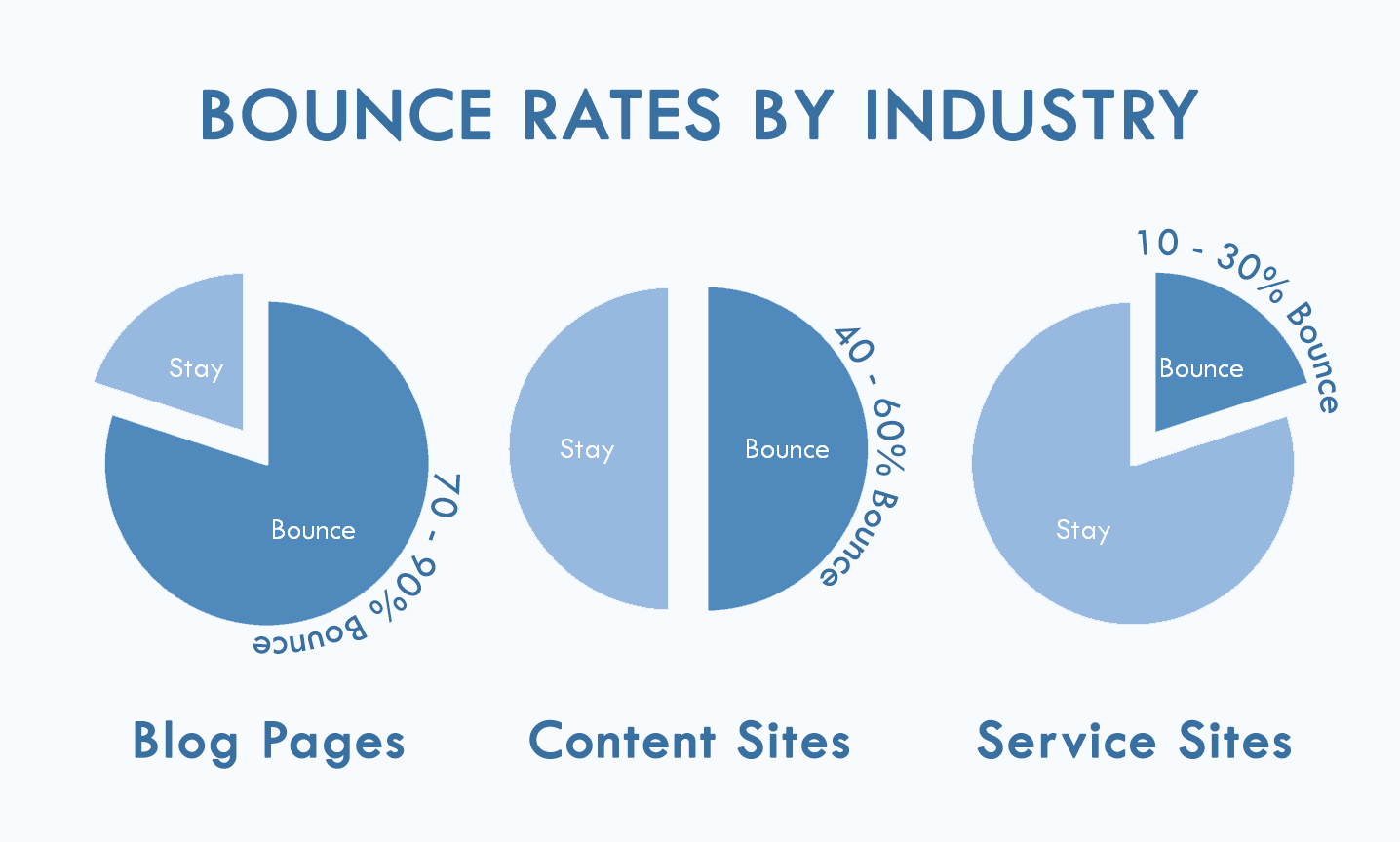


 The total value per visit is a website metric that helps you better understand how much value you are actually getting out of the traffic that you bring to your site. Many visitors won’t convert during the first visit, which makes tracking the value or revenue per visit a bit tricky.


 In addition to page views, you can also look at what your top pages are in terms of social shares. This information will also provide valuable insight as to what types of content your audience enjoys and finds most valuable. Though Google Analytics will not provide this information, you can find it using a WordPress plugin or other social media analytics platform.
 This image shows the Google Analytics dashboard with pertinent information about traffic sources and conversion rates.
 The time on site website metric tells you how long visitors have spent on your site on a per visit basis. You can also find out how much time visitors spend on average on each site page. The time spent on site helps you better understand how engaging or effective your content is. A poorly written page may cause visitors to leave immediately while a page with well-written content can keep visitors engaged and nudge them toward conversion.
 Bounce rate is one of the most important website metrics. The bounce rate for a website page is the percentage of people who left your website immediately after looking at the page. For example, if someone comes to the homepage of your website from the search engine or a social media post and leaves quickly before clicking on any other pages, this will be considered a bounce. The goal is to keep your bounce rate as low as possible.
 Understanding exit rate percentages may also be an indication that the design or copy on the page just isn’t effective. When looking at exit pages, if you find that many visitors are leaving on the same page that they entered on, it may be time to revisit that page. For landing pages, you can compare those with the highest conversion rates to those with the highest exit percentages and adjust your strategy for lower performing pages.
 When websites and web tools are properly designed and coded, people with disabilities can use them. However, currently many sites and tools are developed with accessibility barriers that make them difficult or impossible for some people to use.

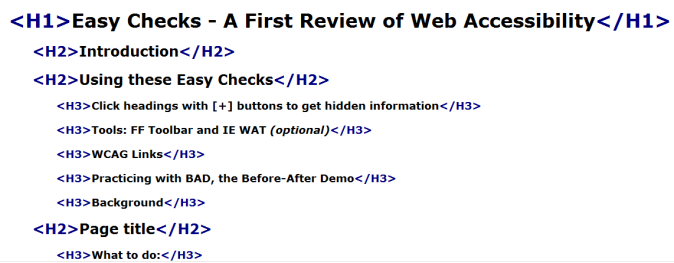



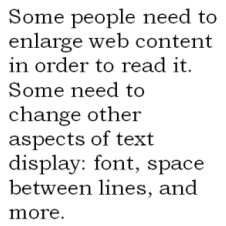
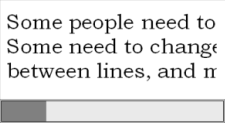


 D












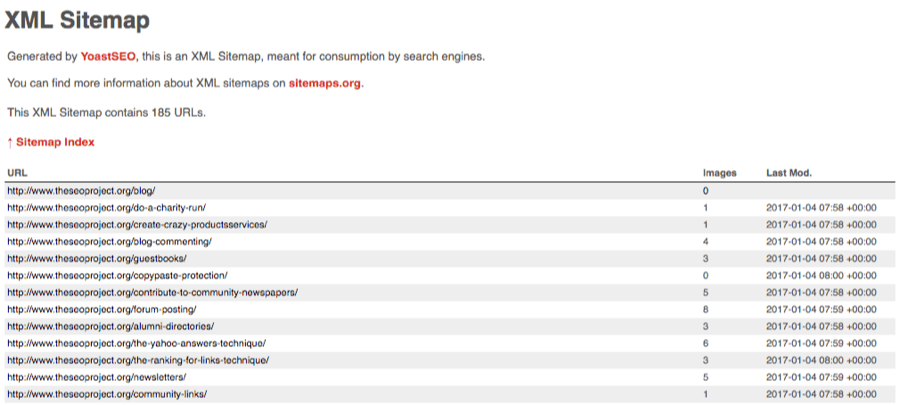
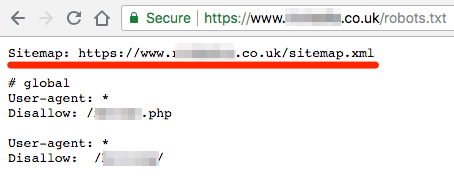
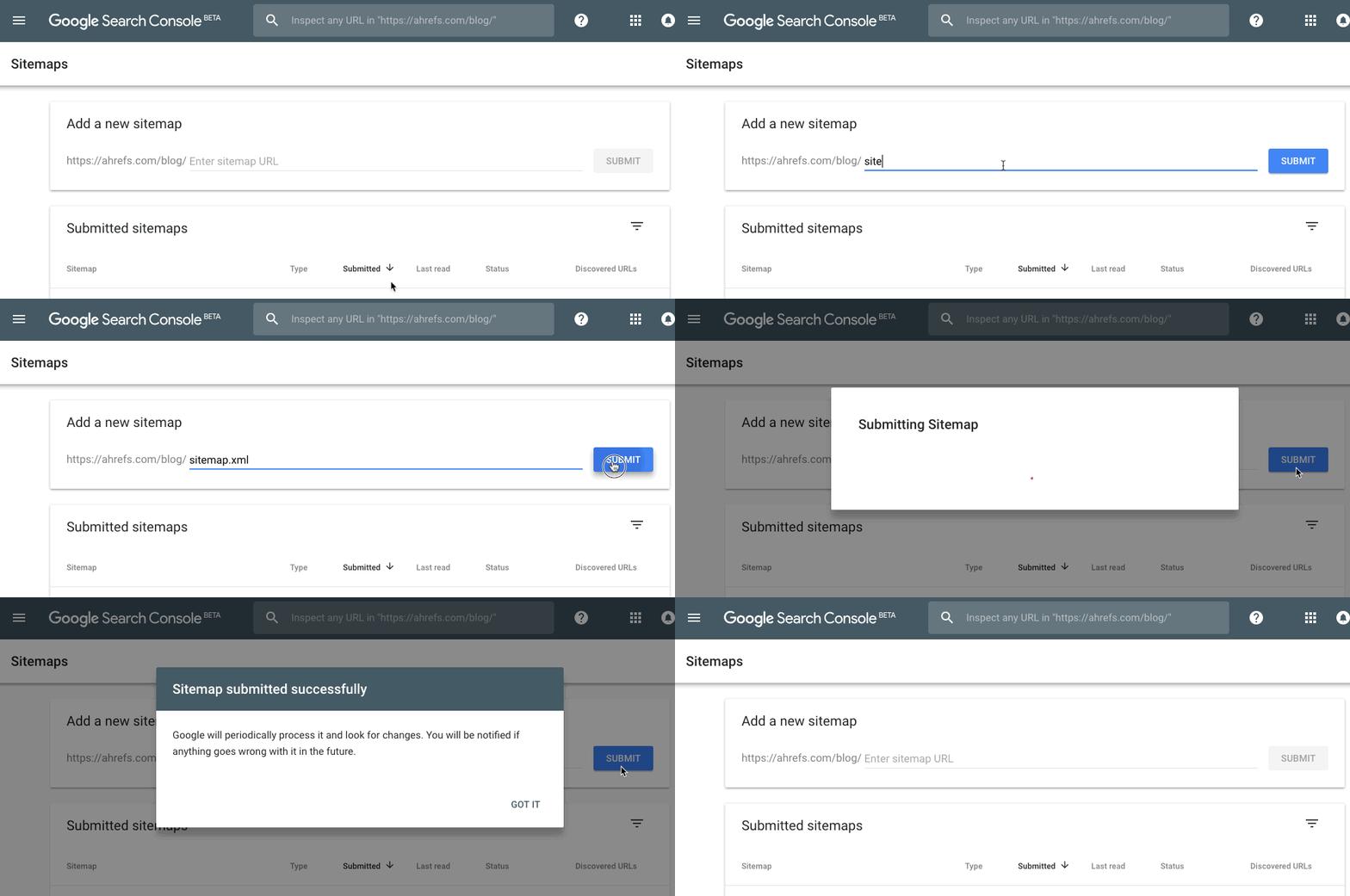
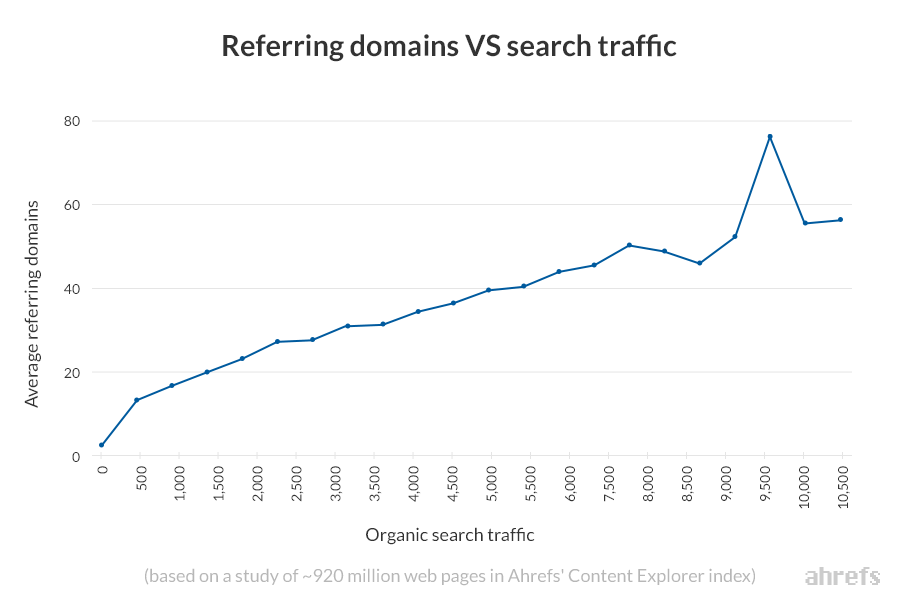

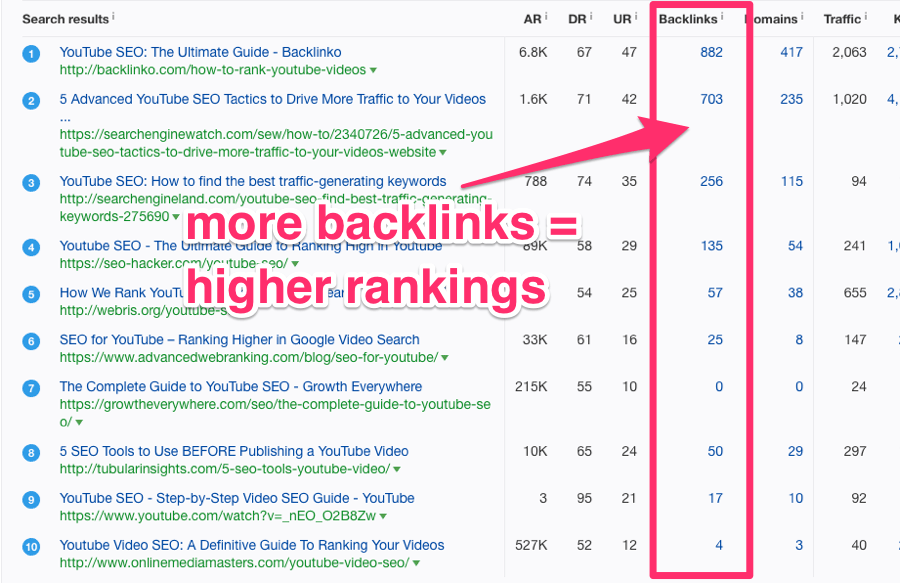





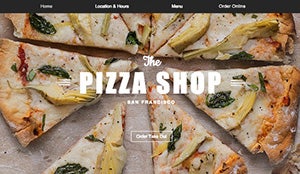










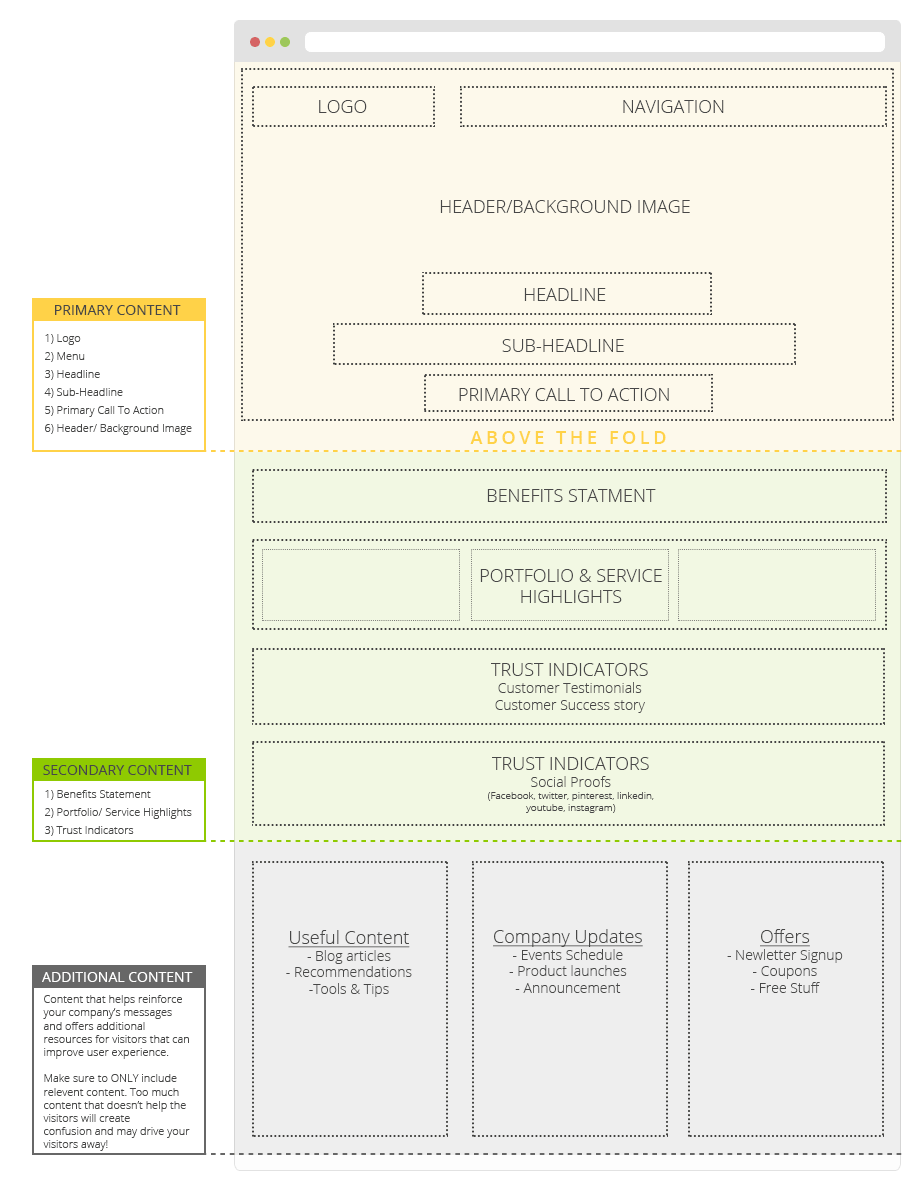








 Effective home page design is not just about looking “pretty” — it’s about how easy it is for your visitors to understand what you do, what problems you solve, and how they can benefit from your services or products.














 The useful content helps it rank in the first place, but this high ranking means that the article continues to deliver traffic to SEW. It’s great when it works like this.


